Author: Web-Observer

  • DeepSeek Super-Agent Open Source Coding Prototype (2026)

    DeepSeek Super-Agent Open Source Coding Prototype (2026)

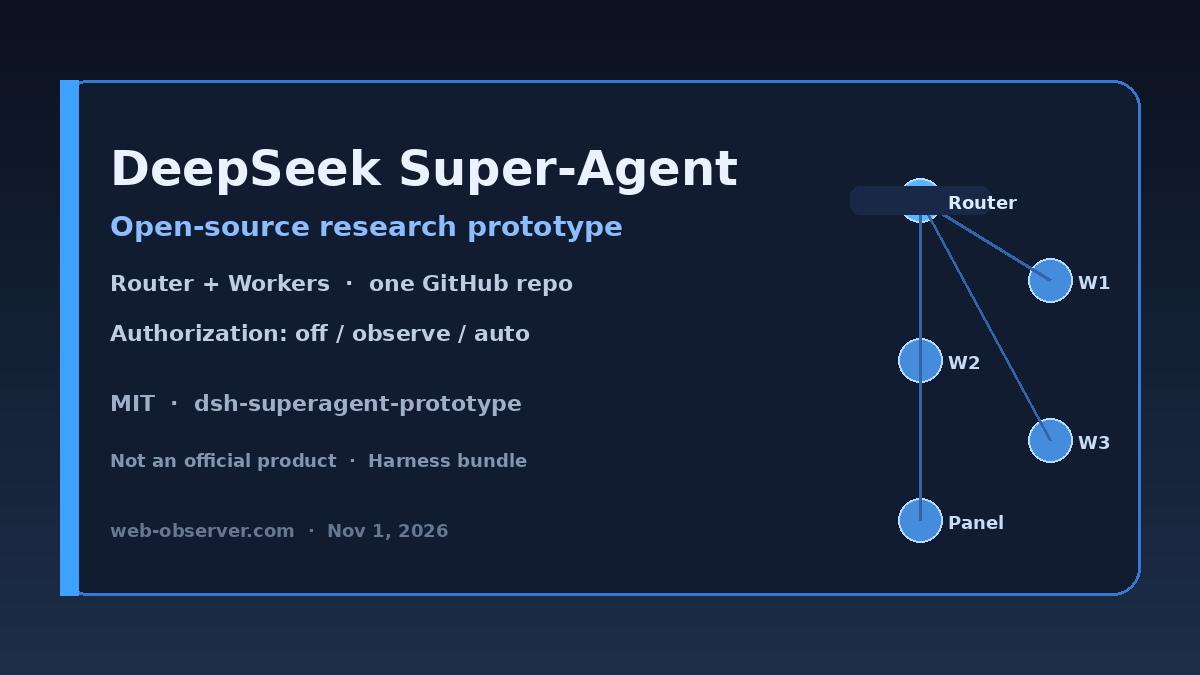
    Bottom line: DeepSeek has published dsh-superagent-prototype (also called Super-Agent in secondary reporting)—an MIT-licensed research prototype of a proactive coding agent that watches one GitHub repository through a DeepSeek Harness bundle. The repo’s own banner is blunt: it is not an official DeepSeek product, may still contain bugs, and was adapted for publication so it is not identical to the internal system or every design in the accompanying Super-agent article. Treat it as a reference architecture you can study and harden—not a drop-in rival you turn on tomorrow next to Claude Code.

    Primary artifacts live on github.com/deepseek-ai/dsh-superagent-prototype (see the raw README) and the numbered docs from philosophy through cookbook. Bloomberg’s November 1 wire, carried by Moneycontrol, frames the release as aiming to challenge Anthropic’s Claude Code and notes Harness-team WeChat commentary about monitoring developer group chats for coding feedback. That positioning is useful context; the GitHub docs are the source of truth for what the code actually does. The piece sits beside today’s coding-agent surface notes on ChatGPT Codex shared usage limits, Gemini 4 Carbon / Fairwind, and Google’s Connected Apps Platform preview.

    What DeepSeek Super-Agent is (and is not)

    Per the README, dsh-superagent is a proactive coding agent for one GitHub repository, packaged as a Harness bundle. It listens to GitHub and, optionally, Feishu. When an allowed person asks for work, it opens a work item (a Ticket), works in its own agent session and directory, and answers in the original conversation—commonly with a pull request. A web panel surfaces only what still needs a human.

    The design philosophy, spelled out in docs/000-philosophy, is attention economics: take as little human attention as possible, and give as much value as possible. The agent acts only when asked or when a team-written rule allows it, and speaks only when someone must act or can use a result. Setup is deliberately agent-guided: you ask your coding agent to read SETUP.md and walk the install with you one short question at a time. License is MIT; pnpm check runs typecheck, tests, and build.

    • Is: open research prototype + Harness plugin surface + GitHub/Feishu Sources + Router/Worker execution model.
    • Is not: a polished SaaS coding product, a multi-repo fleet manager, or a claim that every design in the Super-agent article is already implemented in this tree.
    • Operator burden: you own what it posts under your team’s everyday GitHub/Feishu identities—the philosophy doc says so explicitly.

    Router + Workers vs single-session coding agents

    Most popular coding agents (Claude Code-class tools, IDE copilots, many CLI agents) keep one interactive session glued to your terminal or editor: you prompt, it edits, you approve. DeepSeek’s prototype splits that loop across domain concepts documented in docs/007-architecture and the domain glossary:

    • Main Session (Router / orchestrator): evaluates Triggers, decides accept / stop / ignore, routes work, and keeps proactive assessments out of the worker’s hands.
    • Executor Sessions (Workers): one DeepSeek Harness Session and one working directory per Ticket—so parallel authorized jobs do not share a single chat transcript or cwd.
    • Engine + Sources: GitHub (and optional Feishu) plugins turn issues, PRs, comments, and CI into Triggers; the Engine is the sole writer of Tickets, Mandates, and Decisions.
    • Panel: human attention UI for blocked/failed work and “would accept” review—not a second IDE.

    That Router–Worker split is the practical differentiator versus a single-session coding agent. It buys concurrency and authorization boundaries; it also means you operate a small control plane (Policy, Sources, accept mode) instead of only a chat window. If your mental model is “open a shell and ask the agent to fix a bug,” this prototype is closer to “run a team bot that may open Tickets when Policy allows.”

    Authorization modes: off, observe, auto

    docs/002-authorization defines the Policy accept mode that gates inferred (proactive) work. Cite these effects exactly:

    ModeEffect on inferred candidates
    offNothing inferred becomes a candidate (unaddressed messages, listed-bot messages, follow-ups from people not on the allowed list, etc.).
    observe (default)Inferred candidates are assessed; a positive assessment is recorded as ignore marked “would accept,” and nothing is accepted.
    autoA positive assessment of an inferred candidate accepts it (still needs matching enabled rules).

    Explicit requests work in every mode—an allowed person who addresses the agent can still start work while you leave proactive accepts off. The docs’ operator advice matches the philosophy: start in observe, review recorded Decisions, then widen to auto only after “would accept” looks right. Proactive accept also requires at least one matching team rule; assessment must judge every enabled rule.

    Security caveats for observe mode: observe is safer than auto, not “read-only.” The system still ingests GitHub/Feishu traffic you configure, runs assessments in the main Session, and can create noise or cost if Sources are wide open. Unlisted people addressing the agent stay ignored by default unless you weaken the admission table. Bots never make explicit requests. Do not enable receive-all scopes or “anyone may mention” cells until you understand the attention cost. And remember: even ignored assessments are model work—observe reduces unauthorized code changes, not necessarily token spend.

    Clone and setup expectations

    This is not npm i && ship. Expect DeepSeek Harness, GitHub (and optionally Feishu) CLIs/accounts, Policy/prompt configuration, and a guided SETUP.md flow. Practical expectations before you clone:

    1. Bound the blast radius: one repository, short allowed list, accept mode observe, narrow GitHub scopes (prefer mentions over receive-all).
    2. Budget operator time: the README says setup has many steps; plan an agent-assisted install, then a human review of Decisions for a few days.
    3. Read docs in order: 000 philosophy → 001 domain → 002 authorization before you touch 006 deployment or 008 cookbook Sources.
    4. Run pnpm check after local changes; treat failing tests as a signal the prototype is still research-grade.
    5. Do not equate WeChat marketing with GA: Moneycontrol/Bloomberg coverage about rivaling Claude Code describes intent—validate behavior against the repo before promising a production coding bot.

    Fundraising figures appearing in the same Bloomberg/Moneycontrol article are secondary and optional for this story; they are not part of the GitHub release notes and are not required to evaluate the prototype.

    Practical takeaways for coding-agent teams

    • Architecture shoppers: Study Router + per-Ticket workers if you are designing multi-job agents that must not share one cwd/session.
    • Security / platform: Copy the off → observe → auto ladder and “explicit always works” gate even if you never run DeepSeek’s code.
    • Claude Code / Codex users: Keep your daily driver; use this repo as a reference for Policy and attention design. Pair with Codex shared-pool planning if your org already meters coding agents tightly.
    • Publishers / SEO tooling teams: Agent launches are stacking—Carbon Fairwind, Connected Apps, Codex limits, and this open Super-Agent prototype. Prefer primary docs over rival headlines.

    FAQ

    Is DeepSeek Super-Agent an official product?

    No. The repository banner states it is a research prototype for reference only, not an official DeepSeek product, may contain bugs, and was adapted for publication.

    What repository does dsh-superagent-prototype target?

    It is designed as a proactive coding agent for one GitHub repository, packaged as a DeepSeek Harness bundle, with optional Feishu listening.

    What are the authorization accept modes?

    Per docs/002: off (no inferred candidates), observe (default—assess and record “would accept” without accepting), and auto (accept inferred work after a positive assessment with matching rules). Explicit requests work in every mode.

    How does Router–Worker architecture differ from Claude Code-style agents?

    A main Session routes and evaluates; each Ticket gets its own Executor Session and directory. That differs from a typical single interactive coding session tied to one terminal.

    Where should teams start for a safe trial?

    Clone the MIT repo, follow SETUP.md with an agent, keep accept mode on observe, use a short allowed list, and review panel Decisions before enabling auto.

    Does the Moneycontrol/Bloomberg story change what the code does?

    No. Secondary wires supply positioning (Claude Code rivalry, Harness WeChat notes). Behavior and limits are defined by the GitHub README and numbered docs.


    Sources: deepseek-ai/dsh-superagent-prototype README and docs (000, 002, 007); DeepSeek Harness/ Moneycontrol / Bloomberg, Nov 1, 2026. Analysis original to Web Observer.

  • ChatGPT Codex Shared Usage Limits Coming December 2026

    ChatGPT Codex Shared Usage Limits Coming December 2026

    Bottom line for Plus, Pro, and Business power users: Starting in December 2026, OpenAI will merge ChatGPT and Codex usage into one shared token pool. If you already burn heavy coding sessions in Codex and long agentic chats in ChatGPT on the same bill, plan for a single meter—not two independent allowances. OpenAI says it is preparing carefully and expects most people will not hit resets more often than they do today, but the company has not published plan-specific token numbers or an exact December calendar day.

    The change is documented in OpenAI’s help article Understanding ChatGPT and Codex usage limits (updated about a day before this writing), echoed in an OpenAI Community notice on November 1, and covered in secondary reporting such as TokenPost’s Oct 31 summary. It lands in the same season as other stack shifts we have been tracking—from Gemini 4 Carbon’s Fairwind rollout to Google’s Connected Apps Platform preview and Alphabet’s AI Mode monetization notes—where chat, agents, and coding tools keep collapsing into one product surface.

    What changes in December

    Today, many Plus, Pro, and Business customers treat ChatGPT and Codex as related but separately metered products. That framing ends as OpenAI brings more of Codex’s agentic “Work” capabilities into the main ChatGPT experience.

    • One allowance across ChatGPT and Codex for Plus, Pro, and Business.
    • Usage is measured in tokens—the units models process and generate—not arbitrary “messages” or “runs.”
    • Advanced models and complex tasks consume more of the pool; light Instant chat does not.
    • Settings → Usage will show combined remaining usage and reset times.
    • If you hit the limit: wait for reset, upgrade your plan, or buy credits for eligible features.

    OpenAI’s own framing: “We expect most users won’t need to wait for their usage to reset more often than they do now.” That is a reassurance, not a guarantee for heavy dual-stack workflows.

    Who is affected

    The shared pool applies to Plus, Pro, and Business. If you are on those plans and use both ChatGPT and Codex—or expect Codex-style agent work inside ChatGPT—you are in scope. Indie hackers who keep a Plus seat for chat and a parallel Codex habit for repo work should treat December as a budgeting event, not a cosmetic UI tweak.

    Enterprise and other offerings outside the named plans are not described in the same paragraph of the help article. Do not invent Enterprise quotas from Plus/Pro/Business language. If your org mixes personal Plus seats with company Business seats, map which identity actually owns each workload before you assume “the company meter” will absorb personal Codex spikes.

    What Instant chat means for the meter

    OpenAI explicitly states that Instant chat will not draw from your usage. That matters if your day mixes quick lookups with deep coding or agent runs. Instant chat remains a pressure valve: triage questions, skim docs, and draft outlines without draining the shared pool that Codex and heavier ChatGPT work share.

    Everything else that pulls advanced models or complex tasks still burns tokens. Treat Instant chat as the exception that proves the rule—not as proof that “chat is free.” When Work-style agent capabilities sit inside main ChatGPT, a long agentic thread can look like ordinary chat while still drawing from the same allowance Codex used to hold alone.

    How to monitor Settings → Usage

    OpenAI says you will see combined remaining usage and reset times under Settings → Usage. Build a habit before December:

    1. Check the combined remaining figure after a heavy Codex or agent session—not only at month start.
    2. Note reset times so team handoffs do not stack three large jobs against the same cliff.
    3. Screenshot or log a week of typical dual usage now (ChatGPT vs Codex) so you have a baseline when the UI becomes a single meter.
    4. If you buy credits, confirm which features are “eligible” for credit top-ups before you depend on them for production CI-style loops.

    A shared meter without published token amounts means operational visibility beats speculation. Your Settings panel will be more trustworthy than third-party rumor tables.

    Practical workflow tips before the merge

    Power users who already run coding plus chat on one bill can reduce surprise with a few process changes:

    • Separate exploratory chat from expensive agent work. Use Instant chat (and lighter models when available) for brainstorming; reserve advanced models for diffs, multi-file refactors, and long agent runs.
    • Batch Codex-style jobs. Prefer fewer, well-scoped agent sessions over dozens of half-started threads that each pay a context tax.
    • Upgrade vs credits vs wait. OpenAI lists three outs when you hit the limit: wait for reset, upgrade the plan, or buy credits for eligible features. Decide in advance which path Finance/your indie budget prefers.
    • Team hygiene on Business. Shared culture of “who is burning the pool” matters more when ChatGPT and Codex no longer look like separate budgets in the UI.
    • Keep an eye on peer stacks. Publisher and SEO readers watching AI product economics—see also Google’s AI Mode monetization discussion and Bing’s AI training vs grounding controls—should expect more “one surface, one meter” policies across vendors.

    What OpenAI has not published yet

    For SEO and product readers who want hard numbers, the official page still leaves gaps:

    DetailPublished status
    Exact December calendar dayNot published
    Plan-specific token amounts (Plus / Pro / Business)Not published
    Per-model token multipliersDescribed qualitatively only (“advanced models… use more”)
    Which features accept purchased credits“Eligible features” — list not fully spelled out in the usage-limits article
    Enterprise treatment under the same mergeNot covered in the Plus/Pro/Business paragraph

    Until those land, any viral spreadsheet claiming “Plus gets X million tokens shared” is speculative. Stick to OpenAI’s help center and the in-product Usage panel.


    FAQ

    When do ChatGPT Codex shared usage limits start?

    OpenAI says starting in December (year of the help-article update: 2026). No exact calendar day is published in the usage-limits article.

    Which plans share ChatGPT and Codex usage?

    Plus, Pro, and Business. Usage becomes one allowance across ChatGPT and Codex as Work agentic capabilities move into main ChatGPT.

    Does Instant chat count against the shared pool?

    No. OpenAI states Instant chat will not draw from your usage. Advanced models and complex tasks still consume tokens from the shared allowance.

    How do I see remaining ChatGPT Codex shared usage?

    OpenAI says Settings → Usage will show combined remaining usage and reset times after the transition.

    What if I hit the shared usage limit?

    You can wait for the allowance to reset, upgrade your plan, or buy credits to continue using eligible features.

    Will most users hit limits more often?

    OpenAI expects most users will not need to wait for resets more often than they do now. Heavy dual ChatGPT+Codex users should still baseline current usage before December.


    Sources: OpenAI Help — Understanding ChatGPT and Codex usage limits; OpenAI Community — Usage allowance will be shared across ChatGPT and Codex; TokenPost — OpenAI shared ChatGPT/Codex usage (Oct 31). Analysis original to Web Observer.
  • Gemini 4 Carbon (2026): Benchmarks, Cyber Claims, and Fairwind Access

    Gemini 4 Carbon (2026): Benchmarks, Cyber Claims, and Fairwind Access

    Bottom line: On October 28, 2026 Google DeepMind announced Gemini 4 Carbon — its strongest frontier model yet, #1 on Artificial Analysis Intelligence Index v5.0 at score 59, with headline cybersecurity numbers and a Fairwind rollout that starts with cyber defenders rather than a public API. Developers debating “benchmarks vs real coding” should separate checkable evidence from Google-reported scores: only one of three cyber SOTA claims sits on a public leaderboard today. This sits beside our notes on Alphabet Q3 / AI Mode monetization and the Connected Apps Platform preview — product surfaces and model capability are different layers of the same Google AI stack.

    Primary sources: Google’s Carbon announcement, Artificial Analysis’s Oct 28 Index write-up, and Gautam Parab’s independent check of the three cyber claims.

    What Gemini 4 Carbon is — and who can use it now

    Carbon follows Gemini 4 Argon by about two weeks. Google positions it for hard, long-horizon engineering and agentic workflows — multi-day internal runs that push through dead ends on root-causing and patching subtle bugs across large codebases. Multimodality covers text, image, video, and speech input with text output; context is 1M tokens (Artificial Analysis).

    Access today is limited. Google says it is in the U.S. government’s voluntary pre-release testing process. Carbon goes first to a subset of cyber defenders, then to additional trusted partners through the Fairwind Program. Broader developer, business, and consumer availability is promised “as soon as possible,” without a dated GA. Artificial Analysis likewise notes selected-user rollout only.

    Treat Carbon as a capability signal and Fairwind waitlist item — not a default production swap unless you are already in that cohort.

    Benchmarks at a glance

    MetricGemini 4 CarbonNotes
    AA Intelligence Index v5.059 (#1)Leads 4 of 9 Index evals
    AA Coding Agent Index59 (2nd)Claude Opus 5.5 max 62 (Claude Code); Carbon + Antigravity CLI
    WebDev Arena#4 (1768 Elo)+89 Elo; Google-reported
    SEC-bench Pro88.2%Google-reported; not on public board
    ExploitGym54.8%Google-reported; no public scores
    CWE-bench (Collinear)71.0%Public v1 leaderboard #1
    AA-Omniscience v1.154Accuracy 58%; hallucination 11% (2nd-lowest)
    Terminal-Bench cheat / Gray Swan IPI0.0% / 0.0%Google safety claims (Argon IPI was 0.7%)

    On Intelligence Index tasks at standard pricing, Artificial Analysis puts Carbon at about $7.76 per task (~23% less than Claude Opus 5.5 max at $10.04), with fewer output tokens (123k vs 173k). Useful if you compare agents on $/successful task, not Elo alone.

    Coding strength vs Claude Opus 5.5

    Google stresses long-horizon coding uplift and the WebDev Arena jump. Artificial Analysis’s sharper frame: with Antigravity CLI, Carbon (high) scores 59 on the Coding Agent Index — three points behind Claude Code with Opus 5.5 (max, 62). Carbon is also second on Terminal-Bench 4.0 (64%) and FrontierCode v1.1 (51%).

    That is a real recovery for Gemini on AA’s coding-agent view — still second, not first. Claude-centric teams should not assume a day-to-day win until Fairwind expands and third-party harnesses publish comparable runs. Gemini-centric shops now have an Index signal that Carbon is in the same band. On AA-Briefcase, Carbon improves 126 Elo over Argon to 1609 but still trails several peers — gains without universal leadership.

    Cyber claims: evidence grades

    Google leads with three cybersecurity percentages (evaluated without guardrails). Security teams should grade the evidence before trusting the slides.

    • CWE-bench 71.0% — checkable. Collinear’s public v1 board lists Carbon first. Next cluster ties at 68% (Grok 4.7, GPT-6 Astra, Argon); Opus 5.5 at 67%. Parab notes the lead is ~3.5 tasks on a 120-task set, with binomial SE around a 70% score >4 points — larger than the lead. Still the one claim you can verify on the owner’s table.
    • SEC-bench Pro 88.2% — Google-reported. Public overall-board top Parab cites: GPT-5.5 at 58.4% (201/344). No Gemini on those boards; Carbon’s figure is Google’s run. The ~30-point gap is not like-for-like vs October 2026 frontier peers on the same harness.
    • ExploitGym 54.8% — Google-reported. Repo describes the task set and submission format; no public scores posted. “SOTA” rests on Google’s number alone.

    Google also cites >2× secure-code generation success vs Argon (internal), Chrome feedback of >10× better high-quality patches vs another lab’s frontier model, and Wiz observations on web pen-test benchmarks. Directional practitioner signals — not substitutes for same-harness public boards. Briefing rule: lead with CWE-bench; flag the other two as vendor-reported.

    Safety metrics Google highlights

    • Terminal-Bench 4.0 cheating: 0.0% success; attempts 0.4%, with higher accuracy.
    • Gray Swan IPI: 0.0% attack success (Argon 0.7%).
    • Unsupported claims: ~2× fewer vs Argon; caveats in the deliverable or clear withheld-action lists.
    • Overreach / under-service: −26% / −29% on Google’s multi-step plan metrics; high-severity live misalignment alerts down ~80% internally.

    AA-Omniscience: Carbon 54 (vs Opus 5.5 max 48, Argon 46); accuracy 58% (+10 vs Argon); hallucination 11% (still 2nd-lowest; Opus/GPT-6 Astra ~50% on that metric). More coverage with a controlled hallucination rise — worth watching in RAG-heavy workflows. Separately, publishers tracking crawl/training policy should keep Google’s shared robots.txt AI-training token on the radar; capability launches and training controls are related governance surfaces.

    Fairwind rollout and pricing

    Rollout: Fairwind → cyber defenders first → trusted partners → broader product surfaces later. U.S. voluntary pre-release testing called out. No GA date.

    Intro price (same as Argon intro): $2 / 1M input, $10 / 1M output, cached input 95% off. After intro: $4 / $20. Artificial Analysis charts standard pricing and notes a 50% launch discount with no confirmed end date. Model evals at both rates; assume $4/$20 for procurement unless Finance locks a discount window.

    Practical takeaways — what to do now

    1. Cyber defenders / MSSPs / cloud-sec: Ask about Fairwind. Evaluate on your vuln→exploit→patch pipelines; use CWE-bench as the public reference; demand harness details for SEC-bench Pro / ExploitGym-style claims.
    2. Platform / software teams: Keep your current coding agent as baseline until GA. Side-by-side Terminal-Bench / FrontierCode-class tasks plus one real multi-hour repo task when you get access.
    3. Gemini / Vertex shops: Track Fairwind → GA; design prompt-injection and scope-control tests that mirror the IPI / overreach claims rather than trusting the blog alone.
    4. Publishers / SEO: Carbon does not change crawl or citation rules by itself. Pair model-watch with Connected Apps, AI Mode economics, referral reality, and training-policy tokens.
    5. Executive one-liner: “#1 on AA Index v5 at 59; #2 on Coding Agent Index; one of three cyber SOTA claims is on a public board; Fairwind-limited; intro $2/$10 then $4/$20.”

    FAQ

    Is Gemini 4 Carbon publicly available?

    Not generally. Google is rolling it first to a subset of cyber defenders and then to trusted partners via Fairwind, while participating in U.S. voluntary pre-release testing. Broader availability is promised without a dated GA.

    Did Carbon take #1 on Artificial Analysis?

    Yes on Intelligence Index v5.0 at 59. It is second on the Coding Agent Index (59 vs Claude Opus 5.5 max at 62). It leads several Index components but not every coding or knowledge-work board.

    Are the cybersecurity SOTA claims independently verified?

    Partially. CWE-bench 71% is on Collinear’s public leaderboard. SEC-bench Pro 88.2% and ExploitGym 54.8% are Google-reported without public like-for-like peer tables as of Parab’s Oct 29 check. Do not treat the public SEC-bench top (e.g., GPT-5.5 58.4%) as a head-to-head against Carbon.

    How is Carbon priced?

    Intro: $2 per million input and $10 per million output, cached input 95% off. After intro: $4 / $20. Artificial Analysis notes a 50% launch discount versus standard rates.

    How does this relate to AI Mode and Connected Apps?

    Carbon is a model-capability and access story. AI Mode monetization and the Connected Apps Platform preview are product-distribution and economics stories on the same Google stack — useful context for publishers, separate from whether you evaluate Carbon under Fairwind.


    Sources: Google DeepMind — Introducing Gemini 4 Carbon (Oct 28, 2026); Artificial Analysis — Gemini 4 Carbon #1 on Intelligence Index v5; Gautam Parab — Three SOTA claims, one leaderboard. Analysis original to Web Observer.
  • Google Connected Apps Platform Preview for AI Mode & Gemini (2026)

    Google Connected Apps Platform Preview for AI Mode & Gemini (2026)

    Publisher / product takeaway: On October 28, 2026 Google opened a developer preview of the Connected Apps Platform — a single path to build once (via a cloud-hosted MCP server or Android MCP / AppFunctions), register in the Google Connected Console, and reach users inside Search AI Mode and the Gemini app. SEJ’s October 31 write-up (and Robby Stein’s “public preview” note) makes the SEO angle clear: apps that pass review can be selected when AI Mode routes a task. This is complementary to our morning piece on Alphabet Q3 AI Mode monetization — that post covers ad RPM pressure; this one covers agentic distribution and brand visibility inside the same surfaces.

    Primary sources: Google’s Connected Apps Platform announcement, the Connected Apps developer hub, Search Engine Journal (Matt G. Southern), and TechCrunch. Live Search AI Mode apps (U.S. English) currently include Instacart, Canva, YouTube Music, Yahoo Fantasy Football, and Sleeper; Google says 50+ Connected Apps across Search and Gemini, with Adobe, Experian, Localiza, and Peloton moving from Gemini toward Search and Calm launching on both.

    What the Google Connected Apps Platform is

    Connected Apps already let people link a third-party service once, then complete real actions — grocery orders, design drafts, playlists — inside Search AI Mode or Gemini without bouncing to a separate browser session for every step. The platform preview is Google’s attempt to productize that pathway: instead of bespoke partner deals only, more developers can apply, build against standard protocols, submit for review, and monitor traffic, latency, and error rates after go-live.

    Google’s blog (Chips Mistry / Mai Lowe) frames it as “build once and reach high-intent users across both Search and the Gemini app,” with brand control (verified logos, authenticated accounts) retained by the developer. Access is phased: U.S. developer preview / waitlist first, with more developers, markets, and Google products promised over coming months.

    How MCP server vs Android MCP (AppFunctions) works

    The platform standardizes two integration paths documented on Google’s Connected Apps hub:

    • MCP server (cloud / remote): You expose tools and authorized data over the open-standard Model Context Protocol. Google’s docs position this as the path to engage users across applicable Google products — including Gemini and Search users on web, Android, and iOS (per SEJ’s reading of Google’s guidance). OAuth 2.1 is used so Gemini/Search can act on a user’s behalf after they link the app. You can also design richer UIs with MCP Apps.
    • Android MCP (AppFunctions): AppFunctions are Android’s MCP solution. This is a client-side / on-device path: the Jetpack AppFunctions SDK lets an Android app share native features with agents such as Gemini on Android. Tool execution happens locally on the device — useful when data or actions should stay on-device rather than round-tripping through your cloud.
    DimensionMCP server (remote)Android MCP (AppFunctions)
    Protocol / SDKModel Context Protocol (cloud-hosted server)Jetpack AppFunctions (Android MCP)
    Where tools runYour remote serverOn the user’s Android device
    Reach (per Google / SEJ)Gemini + Search users on web, Android, iOSGemini users on Android
    Auth patternOAuth 2.1 for user-authorized accessDevice-local app capability sharing
    Best whenCross-surface actions + personal account contextOn-device features / local execution
    UI optionsMCP Apps for richer interactive UINative Android app surfaces

    Analysis: Product and SEO teams should not treat these as interchangeable. If your goal is visibility inside Search AI Mode on the open web, the remote MCP path is the one that maps to that surface. Android MCP is still strategic for Gemini-on-Android retention, but it is not a substitute for Search distribution.

    Registration, categories, review, and anti-gaming policy

    Onboarding during preview is self-service via the Google Connected Console: register tools, run tests, submit for review and publishing, then monitor usage. Developers choose whether the app goes live in Search, Gemini, or both, and specify country / language / product availability.

    • Category lock: You pick a category that defines minimum capabilities; SEJ notes the prerequisites page says the category cannot be altered after registration.
    • Capability list: Identify at least three capabilities shown to users when they decide whether to connect.
    • Test accounts: Sign-in apps must provide Google with test accounts and sample data; an app Google cannot fully test may be rejected.
    • Anti-gaming / model-selection policy: Connected apps must not deceive or influence the model into adverse behavior — for example using overly broad or deceptive capability descriptions to get selected over another Connected App. Apps also cannot reference other tools or invent rules for when other tools should be used, and must not push third-party ads/promotional materials inside the integration (own brand info is allowed).
    • Enforcement: Rejection, suspension, removal from the platform, or developer-account suspension/termination.

    Google’s MCP server guide (as cited by SEJ) says models rely on server instructions to recognize when to delegate — so clear, accurate capability text is both a policy requirement and a routing requirement. This is closer to honest tool metadata than classic keyword stuffing: overclaiming can get you rejected, not ranked.

    What’s live today (Search AI Mode vs Gemini)

    Per Google Help / SEJ, Connected Apps operating in Search AI Mode for U.S. English today include:

    • Instacart
    • Canva
    • YouTube Music
    • Yahoo Fantasy Football
    • Sleeper Fantasy Football

    Google says it has launched more than 50 Connected Apps across Search and Gemini (productivity, ticketing, health/fitness, and more). Partner integrations such as Adobe, Experian, Localiza, and Peloton are live for Gemini users and, in the coming weeks, are expected in Search as well. Calm is launching a new integration across both Search and Gemini.

    On the user side, AI Mode may default to the last app used for a task; users can specify another app or pick from available apps after a general query. That UX detail matters for product owners: retention and “last-used” habit can compound once you are in the catalog.

    Why it matters for visibility on the agentic web

    TechCrunch put it bluntly: similar to how SEO helped companies show up in rankings, Connected Apps could be an early step for businesses that want services visible when AI agents reshape browsing. For publishers and product owners reading this site, the practical map looks like this:

    John Mueller (Google Search Advocate) called Connected Apps exciting as a search platform while stressing it is “still extremely early” and noting he does not work on the product — a useful calibration: treat this as a strategic watchlist item, not a guaranteed traffic channel.

    Practical checklist for publishers, SEO, and product owners

    1. Decide if you have an “action” product (commerce, booking, creative, media, health) that belongs in AI Mode / Gemini — not every publisher site needs a Connected App.
    2. Join the U.S. developer preview waitlist at developers.google.com/connected-apps if you do; access is phased.
    3. Prefer remote MCP when Search AI Mode reach (web + iOS + Android) is the goal; use Android MCP when on-device Gemini features matter.
    4. Write narrow, truthful capability descriptions — policy forbids gaming model selection with broad/deceptive claims; clear instructions also improve routing.
    5. Lock category and ≥3 capabilities carefully before registration (category cannot be changed later per prerequisites notes).
    6. Prepare test accounts + sample data so Google’s review can fully exercise sign-in flows.
    7. Choose Search vs Gemini vs both deliberately; dual presence compounds habit/default-last-app behavior.
    8. Keep classic SEO / citation work — Connected Apps do not replace ranking, AI citation eligibility, or generative Include/Exclude decisions in Search Console.
    9. Plan analytics for AI Mode sessions and Connected Console traffic/latency/errors separately from organic SERP clicks.
    10. Watch the Adobe / Calm / Peloton Search rollout as a signal of how fast the Search catalog expands beyond today’s five U.S. EN apps.

    FAQ: Google Connected Apps Platform for AI Mode and Gemini

    What is the Google Connected Apps Platform preview?

    It is Google’s October 28, 2026 developer preview for building once (MCP server or Android AppFunctions), registering in Google Connected Console, and publishing apps that run inside Search AI Mode and/or the Gemini app after Google’s review.

    How do MCP server and Android MCP differ?

    A remote MCP server exposes tools over Model Context Protocol and, per Google/SEJ, can reach Gemini and Search users on web, Android, and iOS. Android MCP via AppFunctions runs tools locally on Android and primarily serves Gemini users on Android.

    Can I write broad capability text to get selected more often?

    No. Google’s Connected Apps policy bars overly broad or deceptive capability descriptions meant to influence the model into selecting your app over another. Violations can lead to rejection, suspension, removal, or account termination.

    Which Connected Apps are live in Search AI Mode today?

    For U.S. English Search AI Mode, Google’s help materials list Instacart, Canva, YouTube Music, Yahoo Fantasy Football, and Sleeper. Google reports 50+ Connected Apps across Search and Gemini overall, with more partners (including Adobe, Experian, Localiza, Peloton, and Calm) expanding.

    Is this a replacement for SEO or AI citation work?

    No. Connected Apps target in-product actions and linked account context. Classic rankings, preferred sources, generative AI controls, and citation/retrieval quality still govern how content is discovered and referenced. Treat Connected Apps as a complementary agentic-distribution channel.

    Who can apply, and where?

    The platform is in U.S. developer preview / waitlist. Sign up and read docs at developers.google.com/connected-apps. Google says it will add more developers, markets, and Google products over the coming months.


    Bottom line: The Google Connected Apps Platform preview turns AI Mode and Gemini into a reviewed app marketplace with MCP and Android AppFunctions as the pipes, Connected Console as the control plane, and an explicit ban on gaming model selection. For publishers and product owners, it is the distribution counterpart to AI Mode’s lower ad monetization and weaker referral stories — if Google keeps users in AI Mode, the brands that complete the task may be Connected Apps, not classic blue links. Apply if you have a real action product; keep citation SEO if you publish content.

  • Google AI Mode’s Lower Ad Monetization Slowed Search Growth (Alphabet Q3 2026)

    Google AI Mode’s Lower Ad Monetization Slowed Search Growth (Alphabet Q3 2026)

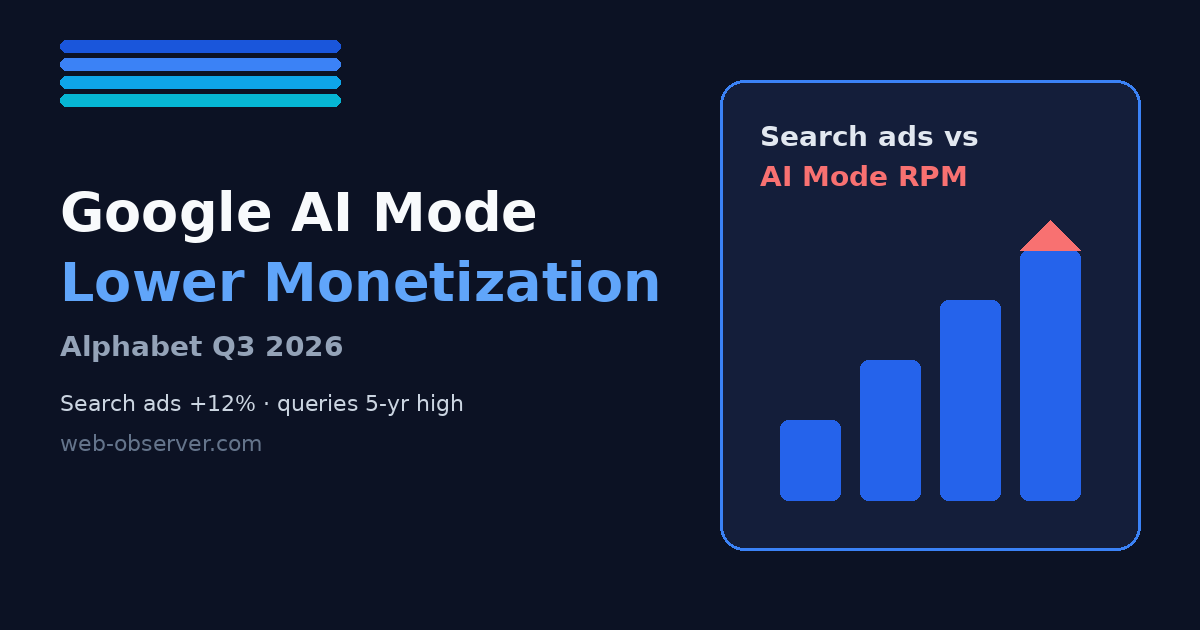
    Publisher takeaway: Alphabet’s Q3 2026 release (Oct 28) shows Google Search & other ads at $63.35B (+12% YoY) while CEO Sundar Pichai said year-over-year Search query growth hit a five-year high. On the earnings call, Chief Business Officer Philipp Schindler said strong growth in AI Mode queries impacted Search because of lower monetization in AI Mode — without disclosing how much less those queries monetize or how large the contribution was. For publishers, that is the revenue-side twin of last week’s traffic story: more AI Mode usage does not automatically mean more ad-supported clicks.

    Primary numbers: Alphabet’s Q3 2026 earnings exhibit (SEC). CEO framing: Pichai’s Q3 remarks on the Keyword blog. Call reporting on AI Mode monetization: Search Engine Land (Danny Goodwin) and CNBC. This complements our coverage of Reddit’s claim that Google AI Mode “does not drive traffic” with Google’s own admission on the ad side.

    Alphabet Q3 2026: the Search vs query gap

    Alphabet reported consolidated revenue of $127.6B (+25% YoY). Google Cloud grew 103% to $30.7B. Diluted EPS was $2.12. Free cash flow for the quarter was −$9.065B (operating cash $42.290B minus CapEx $51.355B), per the SEC exhibit’s free-cash-flow reconciliation.

    Metric (Q3 2026)FigureYoY context
    Alphabet consolidated revenue$127.6B+25%
    Google Search & other$63.35B+12% (from $56.567B in Q3 2025)
    Google Cloud$30.7B+103%
    Diluted EPS$2.12—
    Free cash flow (ops − CapEx)−$9.065Bops cash $42.290B; CapEx $51.355B
    Search query growth (YoY rate)Highest in last five yearsPichai; includes commercial queries

    Pichai also said the Gemini app reached 1 billion users and first-party model APIs were processing nearly 32 billion tokens per minute. Those AI product stats sit beside — not instead of — the Search ads line that still funds most of Google Services.

    What Schindler said about Google AI Mode monetization

    Asked why Search revenue growth slowed despite stronger query growth, Schindler acknowledged AI Mode’s role. Per Search Engine Land’s call write-up, he said: “It’s worth noting that the strong growth in AI Mode queries had an impact because of the lower monetization we were seeing in AI Mode.”

    He also said foreign exchange was the single largest driver of Search deceleration versus Q2, with retail and media vertical spending changes also cited. Google did not disclose how much less AI Mode monetizes versus traditional Search, or how much of the slowdown AI Mode explained. Treat any dollar estimate as speculation — Google did not publish one.

    Product behavior Google did quantify (carefully)

    • Query length: AI Mode queries are on average about 3× longer than traditional searches (Pichai).
    • Multimodal share: 1 in 5 AI Mode searches globally use voice, images, or documents.
    • Product listings CTR: Schindler said click-through rates are “already similar” between sponsored and organic product list items within AI Mode — that comparison covers product listings only, not all organic links or citations.
    • Incrementality: Most AI Mode queries were described as incremental; Google did not provide supporting figures.

    Analysis: Similar sponsored vs organic product-list CTRs does not prove classic blue-link CTR is healthy inside AI Mode, and it does not fix the lower overall monetization Google itself flagged. Publishers should not read the product-listing remark as a blanket “AI Mode monetizes fine” claim.

    Why publishers should connect revenue and traffic narratives

    On October 31 we covered Reddit’s Q3 commentary that Google AI Mode does not drive traffic and that search referrals fell sharply in October for Reddit. Alphabet’s call adds the other half: Google is seeing strong AI Mode query growth with lower ad monetization on those sessions. Separately, AI Overviews / AI Mode SERP studies (see our Cyrus Shepard opt-out / halo notes) already warned that generative surfaces can shrink classic organic CTR even when a “halo” remains.

    None of these sources alone prove a single industry-wide CTR number for AI Mode. Together they justify treating AI Mode as a different distribution and monetization surface — not a drop-in replacement for classic Search referrals.

    What Google still has not published

    • Exact monetization gap (RPM / CPC / ads per query) for AI Mode vs traditional Search
    • Share of Search queries or Search revenue attributable to AI Mode
    • Organic citation / blue-link CTR inside AI Mode answers (beyond product listings)
    • Publisher-facing payment or contribution terms for AI Mode answers (related experiments remain limited; see our AI contribution pilot overview)

    Publisher checklist after Alphabet Q3

    1. Separate AI Mode / AI Overview traffic from classic Google organic in analytics — use GA4 AI referral tracking patterns so you are not averaging two different surfaces.
    2. Watch Search Console generative AI controls when you manage Include/Exclude for Google generative experiences — see our GSC generative AI control guide.
    3. Optimize for citation and retrieval, not only classic rankings — getting cited in AI search / retrieval remains the complementary playbook.
    4. Do not invent AI Mode RPM estimates for board decks; Google withheld the figure. Scenario ranges are fine if labeled as analysis.
    5. Track advertiser product-listing behavior if you compete in shopping/commercial SERPs — Google’s only disclosed AI Mode CTR comparison is for product list items.
    6. Keep AdSense / Search ads expectations tied to classic SERP inventory until Google publishes AI Mode monetization detail.
    7. Re-read the Reddit traffic piece beside this revenue admission — AI Mode traffic vs logged-in referral story — so product and ad teams share one narrative.

    FAQ: Google AI Mode monetization and Alphabet Q3 2026

    Did Google say AI Mode hurt Search ad growth?

    Yes, in part. Schindler said strong growth in AI Mode queries had an impact because of lower monetization in AI Mode. He also said FX was the largest driver of deceleration vs Q2, with retail/media verticals also contributing.

    How much less does AI Mode monetize?

    Google did not disclose a percentage, RPM, or revenue contribution. Any precise figure you see elsewhere is not from Alphabet’s Q3 materials.

    Did Search queries grow even while Search ads slowed?

    Pichai said the year-over-year Search query growth rate was the highest in the last five years, including commercial queries. Search & other advertising still grew 12% to $63.35B — growth, but slower than earlier 2026 quarters as reported by financial press.

    Are AI Mode product ad clicks performing like organic product clicks?

    Schindler said CTRs are already similar between sponsored and organic product list items within AI Mode. That statement is limited to product listings and does not cover all organic results or citations.

    Are most AI Mode queries incremental?

    Schindler described most AI Mode queries as incremental. Google did not publish supporting volume or cannibalization figures.

    What should publishers do next?

    Instrument AI vs classic Google traffic, manage generative visibility in Search Console where relevant, pursue citation/retrieval quality, and avoid treating AI Mode as equal RPM inventory until Google publishes more detail. Pair this article with our Reddit AI Mode traffic analysis and AI Overview CTR notes.


    Bottom line: Alphabet Q3 2026 confirms Search query growth at a five-year high while Search & other ads grew 12% to $63.35B — and Google explicitly tied part of the monetization story to lower AI Mode monetization, without quantifying it. Publishers should treat AI Mode as a lower-monetization, lower-referral surface until better disclosure arrives, and keep operational focus on measurement, generative controls, and citation eligibility.

  • Bing AI Training vs Grounding Controls (2026): Publisher Guide

    Bing AI Training vs Grounding Controls (2026): Publisher Guide

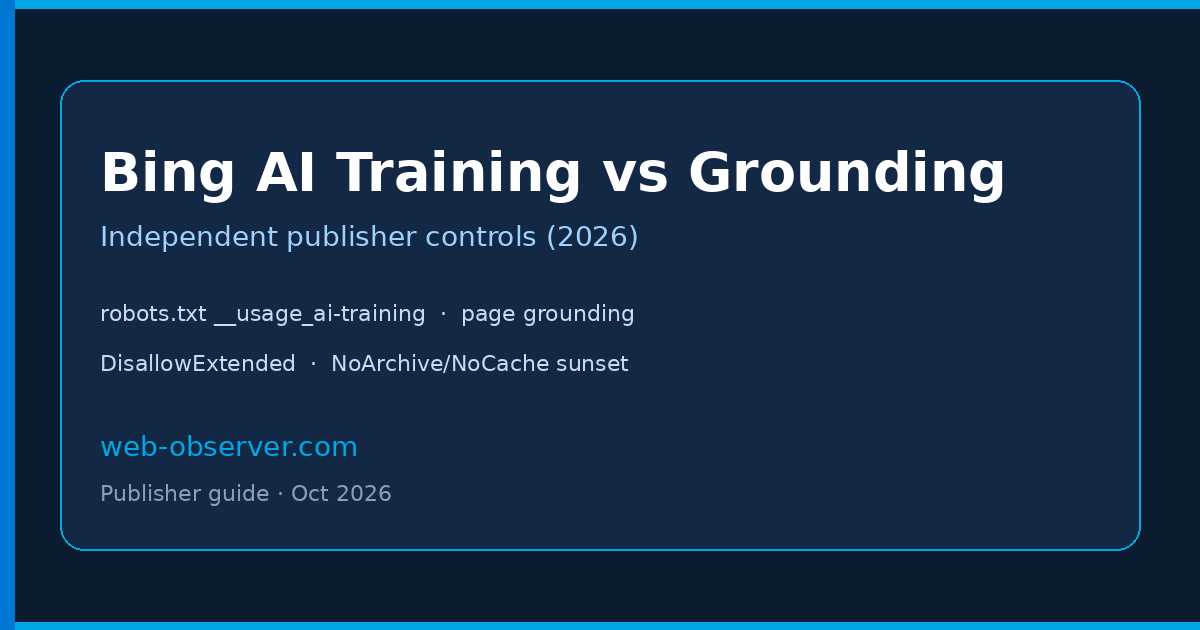
    Publisher takeaway: On October 30, 2026, Microsoft Bing (Krishna Madhavan) announced independent preferences for AI Training vs AI Grounding while keeping traditional Bing search eligibility unchanged. Training uses the shared robots.txt User-Agent __usage_ai-training (site/path) plus optional page-level Bingbot overrides; grounding is page-level only, with Allow / Disallow / a new DisallowExtended that limits grounding to Microsoft-operated experiences. These prefs replace NoArchive/NoCache for training and grounding on a 2027 timeline — plan by March 1, 2027 if you relied on the old tags.

    Primary source: the official Bing Search blog (Oct 30, 2026). Industry context: Search Engine Land and Search Engine Roundtable. This complements our morning write-up on Google/OpenAI’s shared robots.txt AI training policy token — Bing adopts that shared training signal and goes further with separate grounding controls.

    Training vs Grounding: two independent levers

    Microsoft is explicit: training and grounding are independent. Your training setting does not change your grounding setting, and vice versa. Both default to Allow when no applicable preference is published. Traditional Bing rankings and indexing are not flipped by these usage prefs (subject to normal crawl/index requirements). Neither Allow nor Disallow guarantees inclusion, traffic, or payment.

    PreferenceWhere you set itValuesWhat it governs
    AI Trainingrobots.txt (site/path) and/or page meta / X-Robots-TagAllow (default) / DisallowUsing content to modify learned parameters of a generative AI model (IETF-aligned training definition)
    AI GroundingPage-level only (no site-wide robots.txt grounding)Allow (default) / Disallow / DisallowExtendedUsing content as input to help inform AI-generated responses (not traditional search ranking)

    A practical combo Microsoft highlights: set Training Disallow + Grounding Allow so pages stay eligible to inform Copilot / Bing AI answers (with citations) without feeding generative model training.

    AI Training: shared robots.txt + Bing page overrides

    For site or path training prefs, Bing uses the same shared policy token industry partners are adopting:

    User-Agent: __usage_ai-training
    Disallow: /

    Path-level example:

    User-Agent: __usage_ai-training
    Disallow: /example-path/

    Allow is the default — you do not need a robots.txt group to allow training. An optional explicit Allow is also documented. Microsoft extends the same preference to the page level so a single URL can override robots.txt:

    • <meta name="Bingbot" content="ai-training:disallow">
    • X-Robots-Tag: Bingbot: ai-training:disallow

    When Microsoft detects the new AI Training or AI Grounding prefs on a site, it will disregard remaining NoArchive/NoCache prefs on that site for those uses. Page-level training overrides robots.txt for that page.

    AI Grounding: page-level Allow, Disallow, DisallowExtended

    There is no site-wide robots.txt grounding preference. Publish grounding per page via meta or HTTP header:

    • <meta name="Bingbot" content="ai-grounding:disallow"> (or ai-grounding:disallowextended / allow)
    • X-Robots-Tag: Bingbot: ai-grounding:disallow (same value variants)
    Grounding valueEffect
    Allow (default)Content may help inform generated responses
    DisallowExtendedGrounding limited to Microsoft-operated experiences (AI Mode, AI Overview, Copilot, Microsoft 365). Excludes third-party grounding Microsoft provides (e.g. Web IQ, Foundry grounding API)
    DisallowContent is not used to help inform generated responses

    Microsoft warns that Disallow or DisallowExtended will significantly reduce AI visibility without affecting Bing search eligibility. Indexing/ranking in classic results is not grounding. Bing’s traditional search syndication API (links for classic search) is also described as out of scope for the grounding preference.

    Timeline: Dec 2026 → Sep 2027

    DateWhat happens
    Dec 15, 2026Temporary grounding transition prefs open in Bing Webmaster Tools — only for sites using NoArchive/NoCache as of that date
    Feb 1, 2027Microsoft begins honoring new AI Training / AI Grounding prefs as it crawls
    March 1, 2027Deadline: after this, NoArchive/NoCache are no longer read as training/grounding prefs. NoArchive/NoCache users who want grounding limits must (1) publish page grounding prefs and (2) record a temporary preference in BWT
    Sep 30, 2027Temporary BWT grounding prefs expire (or earlier when Microsoft recrawls and discovers the new on-page pref)

    Training has no temporary BWT setting — publish robots.txt or page training prefs by March 1, 2027. If you skip the temporary grounding record by March 1, pages that only had NoArchive/NoCache default to Allow for grounding until recrawl discovers a new preference.

    What this means vs Google’s shared training token

    Same day (Oct 30), Google and OpenAI announced plans around the shared __usage_ai-training token — covered in our policy token guide. Bing’s post confirms Microsoft is participating in that shared training preference and shipping a separate Microsoft grounding control with DisallowExtended. Do not collapse:

    • Shared training token — cross-provider training preference in robots.txt (Bing + Google/OpenAI direction).
    • Bing page training override — Bingbot meta / X-Robots-Tag for one URL.
    • Bing grounding — Microsoft-only page prefs; not a Google Search Console generative AI control equivalent.
    • Classic Bingbot crawl Disallow — still about crawl access; usage Allow does not override a robots.txt block on Bingbot.

    Update mental models from our older AI crawlers allow/block cheat sheet: treating noarchive/nocache as the durable Copilot / Bing AI usage switch is being retired. Migrate to the new training + grounding prefs on the calendar above.

    Activation caveats publishers miss

    • Publishing ≠ activation. Microsoft must crawl the page to discover the setting.
    • IndexNow can signal change and may improve recrawl chance — it does not guarantee a date.
    • Defaults matter. Sites that never set NoArchive/NoCache and never publish new prefs stay Allow/Allow.
    • NoArchive/NoCache users should not assume old restrictions carry over after March 1, 2027.

    Publisher checklist (Oct 31, 2026)

    1. Inventory pages/templates that emit NoArchive or NoCache today — those are your migration set.
    2. Decide Training vs Grounding independently (e.g. Training Disallow + Grounding Allow for citation eligibility without training).
    3. Publish training via __usage_ai-training in robots.txt and/or Bingbot page overrides where needed.
    4. Publish grounding page-by-page (Allow / Disallow / DisallowExtended) — there is no robots.txt grounding group.
    5. If you use NoArchive/NoCache: calendar Dec 15, 2026 (BWT temporary prefs), Feb 1, 2027 (honor-as-crawled), March 1, 2027 (hard deadline), Sep 30, 2027 (temp expiry).
    6. Use IndexNow after publishing prefs to improve odds of timely recrawl — still verify in Bing Webmaster Tools.
    7. Measure AI visibility separately from classic SEO — see tracking AI referral traffic in GA4 (Bing AI Performance reporting is a useful companion surface) and keep Google halo/CTR context from the Shepard opt-out notes.
    8. Do not confuse with Google’s GSC generative AI Include/Exclude — different product; see our GSC control guide when you manage Google Search generative visibility.

    FAQ: Bing AI Training vs Grounding controls

    Does Disallow grounding hurt Bing search rankings?

    No — Microsoft states these usage preferences do not change eligibility for traditional Bing search results (normal crawl and indexing rules still apply). Disallow / DisallowExtended mainly reduce visibility in AI-generated experiences.

    What does DisallowExtended actually block?

    It limits grounding to Microsoft-operated products such as AI Mode, AI Overview, Copilot, and Microsoft 365, and excludes grounding services Microsoft provides to third parties (examples cited: Web IQ and Foundry grounding API access).

    Can I set grounding once in robots.txt for the whole site?

    No. AI Grounding is page-level only. AI Training can be site/path in robots.txt via __usage_ai-training, with optional per-page Bingbot overrides.

    We already use NoArchive / NoCache for Copilot — are we done?

    Not for the long term. New prefs start being honored as crawled from Feb 1, 2027. After March 1, 2027, NoArchive/NoCache are no longer read as training/grounding prefs. Sites on those tags as of Dec 15, 2026 should also record temporary grounding prefs in Bing Webmaster Tools and publish new page prefs.

    Is publishing a meta tag enough?

    It is necessary but not sufficient until crawl. Microsoft must discover the setting; IndexNow may help recrawl odds but does not guarantee timing. Temporary BWT prefs bridge NoArchive/NoCache sites until recrawl or Sep 30, 2027.

    How does this relate to Google’s shared __usage_ai-training token?

    Bing is adopting the shared training preference in robots.txt (same industry direction as Google/OpenAI). Separately, Bing adds Microsoft-specific grounding controls and page-level training overrides. Read both this guide and our Google/OpenAI policy token article.


    Bottom line: Bing’s Oct 30, 2026 controls split AI Training (shared __usage_ai-training + Bing page overrides) from AI Grounding (page-only Allow / Disallow / DisallowExtended). Classic Bing rankings stay separate; AI visibility shrinks if you Disallow grounding. Migrate off NoArchive/NoCache before March 1, 2027, and treat crawl discovery as part of activation. For adjacent publisher tooling, keep the AI crawler cheat sheet, shared training token notes, and getting cited in AI search in the same ops doc.

  • WordPress 7.1.4 Upgrade Race RCE: ~63k Attack Attempts in 24 Hours (2026)

    WordPress 7.1.4 Upgrade Race RCE: ~63k Attack Attempts in 24 Hours (2026)

    Short answer: WordPress 7.1.4 (released Oct 28, 2026) patches a race condition during complete-package core updates that can lead to unauthenticated remote code execution. Wordfence reports mass polling of staged setup-config.php paths under wp-content/upgrade/; The Hacker News cites about 62,969 blocked attempts in 24 hours. The issue affects WordPress 4.7 through 7.1.3 (advisory GHSA-4w3m-c66w-69mg), was reported by Umut Bayram, and is scored CVSS 8.1 (High) by Wordfence while WordPress rates it Low. No confirmed compromises were reported in the coverage we cite. Site owners should update now, deny web access to wp-content/upgrade/ at the server if still unpatched before the last update, and hunt logs for upgrade-path probes.

    Primary sources: The Hacker News (Ravie Lakshmanan, ~Oct 30), the WordPress 7.1.4 release notes, GitHub advisory GHSA-4w3m-c66w-69mg, and Rescana’s technical summary. Optional secondary count: Cyber Security News (~60,471). This piece is written for publishers and site operators who need a practical checklist, not a vulnerability deep-dive.

    What the WordPress 7.1.4 upgrade race RCE is

    Per WordPress’s advisory, during a core update that uses a complete package, older versions extracted new files into a predictable directory inside the web-served upgrade folder. An unauthenticated attacker who wins a race against that extraction can reach remote code execution. The staged tree often includes installer files such as setup-config.php, and on many hosts wp-content/upgrade/ is reachable over HTTP/PHP.

    Wordfence (via The Hacker News) summarized the conditions an attacker needs:

    • A full-package update that includes installer files.
    • Public web and PHP access to the staging tree under wp-content/upgrade/.
    • A predictable or discovered staging path.
    • Enough time to finish before WordPress cleans up the temporary files.

    Alex Thomas (Wordfence Threat Response) noted that lab windows often last only seconds, which makes a one-off request unlikely to succeed. That is exactly why sustained polling matters.

    Why ~63k attack attempts in 24 hours still matter

    The Hacker News reported that Wordfence blocked 62,969 attacks targeting the flaw over 24 hours. Two large sources repeatedly polled small groups of sites for roughly 14.5 hours, behavior consistent with trying to catch the brief upgrade window; other sources tested staging-directory and version-name variations.

    For operators, the lesson is operational, not theatrical:

    • Seconds-long windows scale with automation. Bots do not need a wide window if they poll continuously across many sites.
    • Plugin WAFs may never see the request. Wordfence has warned that a direct hit on a staged PHP file can bypass WordPress bootstrap, so a PHP-level firewall alone is not a substitute for patching and server deny rules.
    • Attempts ≠ confirmed takeovers. Coverage we cite reports probing and blocked attempts; Rescana notes no confirmed compromises in the reporting it reviewed. Still treat unpatched fleets as exposed during every core update.

    Severity: WordPress Low vs Wordfence 8.1 High

    WordPress marks GHSA-4w3m-c66w-69mg as Low and (at advisory publish) listed “No known CVE.” Wordfence scores the issue CVSS 3.1 8.1 (High) with high attack complexity, reflecting eventual RCE impact if the race is won. Some trackers report the issue as CVE-2026-119977 (Wordfence as CNA); prefer the GHSA id and Wordfence score in ops notes, and treat the CVE string as tracker-reported until your own CVE/NVD workflow confirms it.

    LensRating / IDWhat it emphasizes
    WordPress (vendor)Low · GHSA-4w3m-c66w-69mgNarrow race; courtesy backports to older branches
    WordfenceCVSS 8.1 HighUnauthenticated RCE impact if the race is won
    Trackers (secondary)Reported as CVE-2026-119977 by someUseful for ticket systems; verify against GHSA

    Who is affected and what to install

    The race condition was disclosed as affecting WordPress versions from 4.7 through 7.1.3. Fixed builds include 7.1.4 and backports on older branches (for example 7.0.8, 6.9.11, 6.8.12, and further courtesy releases listed on the 7.1.4 documentation page). WordPress reminds operators that only the latest major line is actively supported; 4.6 and earlier no longer receive security updates.

    Confirm the version you actually run after update (Dashboard → Updates, or fleet tooling). Auto-updates help many sites, but do not assume every install completed cleanly.

    Publisher / site-owner checklist

    1. Update now to WordPress 7.1.4 or the fixed release for your branch. Prefer a maintenance window you can monitor.
    2. Before the last unpatched update: deny web access to wp-content/upgrade/ at the web server (vhost / site-root .htaccess / Nginx location). WordPress needs filesystem access, not public PHP on that path. Do not rely on a deny file inside the upgrade folder alone; pre-fix unpackers can wipe that directory.
    3. Do not rely on a plugin WAF alone for requests that hit staged PHP without loading WordPress. Patch + server deny are the durable controls.
    4. Hunt logs around core-update times for requests to setup-config.php or other PHP under wp-content/upgrade/, especially high-frequency polling.
    5. After suspicious windows: check for unfamiliar administrator accounts, unexpected plugins, and PHP files you did not place.
    6. Inventory the long tail: sites with auto-updates off, agency-managed marketing sites, and unsupported 4.6-or-earlier installs.
    7. Document severity for stakeholders using both ratings (WordPress Low / Wordfence 8.1) so security and product teams do not talk past each other.

    If you operate multi-site or reverse-proxy stacks, keep server-level deny rules in the same change window as core updates — adjacent notes on our site include PHP CPU saturation in multi-site hosting and Nginx reverse proxy for subdirectory WordPress. Broader WordPress ops live under the WordPress category.

    What the fix changes (high level)

    Reporting summarized by Rescana (citing Wordfence / Patchstack) describes the 7.1.4 hardening as randomizing the staging directory, keeping an index guard in the upgrade folder, and preventing unsafe promotion of staged configuration data. You do not need to re-implement those internals yourself: install the fixed package and keep wp-content/upgrade/ off the public web.


    FAQ: WordPress 7.1.4 upgrade race RCE

    Is this an unauthenticated RCE on every WordPress site right now?

    No. Exploitation requires a full-package core update in progress, web/PHP access to the staging tree, a reachable path, and winning a short race. Patched sites (7.1.4 or the fixed branch release) close the issue. Unpatched sites remain exposed during updates.

    Why care if the window is only seconds?

    Because attackers poll continuously. Wordfence-linked reporting describes multi-hour polling campaigns and tens of thousands of attempts in a day. Automation turns a short window into a practical risk across large fleets.

    Should I block wp-content/upgrade before or after updating?

    If you are still on a vulnerable build, deny web access before you trigger the update that unpacks with the old upgrader. Keep the deny rule after patching as defense in depth. WordPress needs filesystem access to that folder; it does not need the folder to be publicly executable.

    Is there a CVE for this?

    Prefer GHSA-4w3m-c66w-69mg. WordPress’s advisory originally listed no known CVE. Some trackers report CVE-2026-119977 (Wordfence CNA). Use the GHSA and Wordfence CVSS 8.1 for technical notes; cite the CVE string only as reported by trackers until your own CVE workflow confirms it.

    Can a WordPress security plugin alone stop this?

    Not reliably by itself. Requests aimed at a staged PHP file under wp-content/upgrade/ may never bootstrap WordPress, so a plugin firewall can miss them. Update core, deny the path at the server, and treat WAF rules as complementary.

    Were sites actually compromised?

    The sources linked above describe exploitation attempts and blocked probes. Rescana notes no confirmed compromises in the reporting it reviewed. Absence of confirmed takeovers is not permission to delay patching.


    Bottom line: The WordPress 7.1.4 upgrade race RCE is a real, mass-probed race during complete-package core updates (GHSA-4w3m-c66w-69mg; Wordfence CVSS 8.1; WordPress Low). Update to 7.1.4 or your branch’s fixed release, deny public access to wp-content/upgrade/, and review logs for staged setup-config.php polling. Treat tracker CVE labels as secondary to the GHSA. For related hardening and ops context, see our robots.txt AI training token notes and schema markup for AI search when you next touch site security and structured data together.

  • Reddit: Google AI Mode ‘Does Not Drive Traffic’ — What Publishers Should Learn (2026)

    Reddit: Google AI Mode ‘Does Not Drive Traffic’ — What Publishers Should Learn (2026)

    Short answer: On Reddit’s Q3 2026 earnings call (Oct 29), CEO Steve Huffman said Google’s AI Mode “does not drive traffic” — not for Reddit and, as far as he knows, not for anyone else. Reddit reported search referrals down by more than 1 million per week on average in October, after a “meaningful” drop late in Q3. Demand for Reddit content still looks strong (“Reddit” remains a top Google search term; Google still crawls hard), but Google is sending fewer clicks. Reddit will test a logged-in-first experience in select non-U.S. markets in Q4 — a structural response publishers should watch, not a rumor that Google is “scaling back” AI Overviews (Google has denied that framing).

    Primary coverage: The Verge (Huffman on AI Mode), TechCrunch (logged-in shift + earnings), and Search Engine Journal (referral math + login test). This piece focuses on publisher takeaways versus AI Overviews / AI Mode — complementary to our Shepard opt-out / SERP halo notes, Search Console generative AI control guide, and get-cited checklist.

    What Reddit reported in Q3 / October 2026

    Reddit’s third-quarter letter and earnings call put hard numbers on a problem many publishers describe qualitatively:

    • Search referrals: down “meaningfully” in Q3; in October, search traffic “dropped by more than 1 million referrals on average per week” (company letter, via SEJ).
    • DAU risk: if that October rate continues, Reddit warned total daily active uniques (DAUq) could fall by a low-double-digit percentage in Q4 from a ~130 million base.
    • Mix: logged-out and web traffic took the biggest hit; some effect spills into logged-in / app because search is a common re-entry path.
    • U.S. DAUq: global DAUq flat at 130.3M QoQ; U.S. DAUq fell from 53.2M to 50.7M, driven by logged-out declines while logged-in U.S. uniques edged up.
    • Monetization still strong: revenue +53% YoY to $895M; U.S. ARPU +53% — logged-in / app users already drive the vast majority of monetization.

    TechCrunch also notes non-ad revenue (including AI data licensing) at $48M (+35% YoY). Huffman said Reddit is in active licensing discussions with no deal update — and that walking away remains possible.

    Huffman’s hypothesis: AI Overviews + AI Mode

    Asked what is driving Google traffic changes, Huffman’s working hypothesis has two parts (per SEJ / The Verge):

    • Primary: AI Overviews and AI Mode, which Reddit believes Google is expanding aggressively in the U.S. and elsewhere. At a minimum, Huffman said they push other results down the page.
    • Secondary: machine-translated Reddit content ranking lower — mainly an international traffic issue in Reddit’s view.

    The quote publishers will cite: “The reality is, AI Mode does not drive traffic. Not for us, and not to anybody, as far as I know. That’s just a fundamental shift in how Google works. It used to be a traffic driver, now it’s not.”

    Crucially, Huffman separated demand from referrals: Reddit is still a top search term; Google is “crawling us as hard as ever.” The signal is not that people stopped wanting Reddit — it is that Google’s AI-shaped SERP sends fewer of them through.

    Logged-in-first test (Q4, select non-U.S. markets)

    Reddit announced it will begin fully testing a logged-in experience in select markets outside the U.S. in Q4 2026, then use learnings for a broader transition. Motives Huffman / the letter emphasize:

    • Better UX (personalized For You feeds, recommendations) and stronger ad signals.
    • Safety / regulation alignment.
    • Protecting Reddit’s corpus — Huffman said the vast majority of scraping happens via logged-out access.
    • Trading some reach for engagement and monetizable sessions.

    Boundaries still matter for SEO: Huffman said some version of Reddit should remain available before a hard login wall, and shared links should keep working. Where Reddit draws the line for search-referred visitors will decide how much of a thread a logged-out Googler can read in test markets. Timeline for a global hard cutover was not announced.

    For publishers, the lesson is strategic, not “copy Reddit’s wall tomorrow”: when AI search monetizes answers instead of clicks, platforms with unique corpora may gate more of the experience and sell data / ads to logged-in users rather than rely on open SERP referrals.

    Search referral reality vs demand (publisher lens)

    Use this table as a framing device when explaining AI Mode / Overviews impact to stakeholders — grounded in Reddit’s first-party disclosure, not unverified “Google is dialing back Overviews” rumors.

    SignalWhat Reddit says (Oct 29, 2026)Publisher implication
    User demand for Reddit answers“Reddit” still a top Google search term; crawl intensity unchangedBrand / query demand can stay high while blue-link CTR falls
    Search referrals>1M fewer referrals/week avg in October; meaningful Q3 dropInstrument referral trends separately from branded demand
    AI Mode as traffic driver“Does not drive traffic” (Huffman)Treat AI Mode as answer surface first, referral channel second
    AI Overviews on classic SERPPush results down; part of Reddit’s primary hypothesisTrack Overview presence + organic CTR; see halo / opt-out notes
    Logged-out web reachBiggest hit; Reddit testing login-first abroadOpen HTML for crawlers ≠ guaranteed click volume
    Business responseLogin tests + licensing talks + app conversion promptsDiversify beyond Google referrals; own audience & product

    Alphabet’s own recent earnings commentary has flagged lower monetization in AI Mode ads even as AI ads expand — useful context that Google is still learning the unit economics of answer-first search, not proof that Overviews are being “turned down.” Do not conflate ad RPM experiments with a crawl or visibility rollback.

    What this means vs AI Overviews / AI Mode for publishers

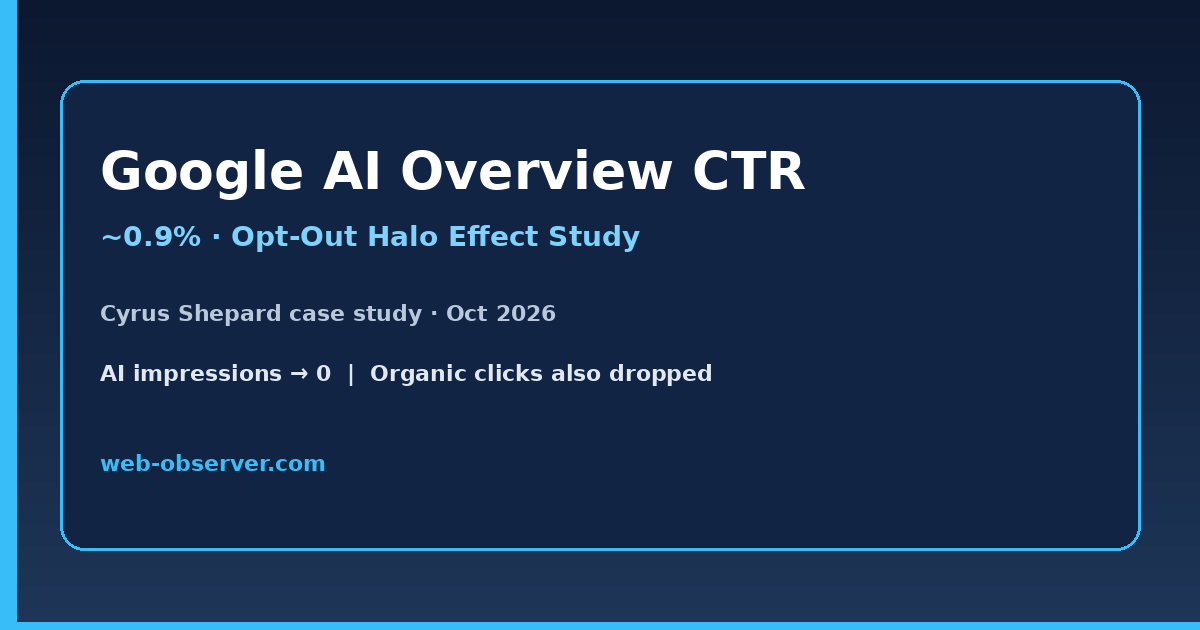
    • Do not panic-Exclude generative AI in Search Console because Reddit lost referrals. Exclusion is a Search product switch with its own tradeoffs (halo / citation loss) — walk through the control guide and the ~0.9% CTR opt-out case study before flipping Include → Exclude.
    • Separate training / licensing from Search visibility. Morning’s robots.txt AI training policy token notes and Google-Extended are about training preferences, not a fix for AI Mode referral math.
    • Citation still matters when answers cite you. Ship clear answers, unique evidence, and honest structure — Google’s generative AI SEO guidance, citation card / summary patterns, and retrieval-ready pages.
    • Measure AI value without lying to yourself. Pair GSC generative reports with GA4 AI-referral tracking; expect under-count of brand / halo effects if you only look at last-click AI sessions.
    • Own distribution. Reddit’s login pivot is a reminder: email, apps, communities, and product surfaces you control beat hoping the ten blue links recover to 2019 levels.
    • Watch login walls on ranking sites. If more UGC giants gate logged-out HTML, Google’s answer engines and your own citation strategies both change — plan content that does not depend on scraping Reddit threads.

    Publisher checklist: after Reddit’s AI Mode comments

    1. Trend search referrals weekly (GSC + analytics) with a clear AI Overviews / AI Mode annotation on the chart — do not wait for another mega-site’s earnings call.
    2. Keep Search Console generative control on Include unless legal/licensing demands Exclude; document any experiment.
    3. Audit pages that win “Reddit-style” intent (how-to, comparisons, troubleshooting): strengthen first-party proof so you are citable without needing a Reddit thread.
    4. Build non-Google channels (newsletter, social, partnerships) sized to a multi-year AI-SERP world.
    5. Track competitor login / scrape protections that could remove free UGC from the open web.
    6. Revisit GEO fundamentals for answer engines — but treat GEO as citation + trust work, not a magic recovery of classic organic volume.
    7. Ignore unverified “Google scaling back AI Overviews” chatter that Google has already pushed back on; plan against Huffman’s stated reality: AI Mode is not a traffic pipe.

    FAQ: Reddit, Google AI Mode, and publisher traffic

    Did Reddit say Google AI Mode drives zero clicks forever?

    Huffman’s line is directional and blunt: AI Mode “does not drive traffic” for Reddit and, in his view, generally. Treat it as a strategic assessment from a major referral beneficiary — not a Google product guarantee or a claim that every query type yields absolute zero clicks.

    Is Google scaling back AI Overviews?

    Do not base publisher strategy on unverified “scaling back” rumors. Google has denied that framing in coverage (including to The Verge). Reddit’s disclosure is about referral declines under current AI SERP behavior, not about Google reversing Overviews.

    Why test logged-in-only if search demand is still high?

    Because referrals and monetizable, identifiable users are different. Logged-in users power personalization and ads; logged-out access is where Reddit says most scraping happens. The Q4 non-U.S. test is meant to find a boundary that still works for shared links and trial users while protecting the corpus.

    Should publishers copy a login wall to fight AI scraping?

    Only with a clear product and SEO model. Blocking logged-out HTML can protect a corpus and lift ARPU, but it can also reduce crawlable helpful content and referral UX. Most publishers should prioritize licensing clarity, robots/training controls, and owned audience — not a reflexive hard wall.

    What should I change this week in SEO ops?

    Instrument referral vs demand, keep generative Include unless you have a policy reason, double down on citation-ready pages, and diversify acquisition. Use Reddit’s >1M/week October drop as a board-level datapoint that AI Mode / Overviews change click economics even when brand search demand remains loud.


    Bottom line: Reddit’s Oct 29, 2026 earnings put a first-party number on the AI search shift — >1M fewer search referrals per week in October — while CEO Steve Huffman stated plainly that Google AI Mode does not drive traffic. Demand for Reddit-shaped answers still shows up in search behavior; Google simply sends fewer visits. Publishers should plan for answer-first SERPs, measure honestly, keep generative controls intentional, and build owned distribution — without rewriting strategy around denied “Overviews rollback” rumors. For adjacent playbooks, see our halo / CTR notes, AI contribution pilot overview, and GEO guide.

  • Google Shared AI Training Control in robots.txt (2026): Policy Token, Google-Extended & What to Do Now

    Google Shared AI Training Control in robots.txt (2026): Policy Token, Google-Extended & What to Do Now

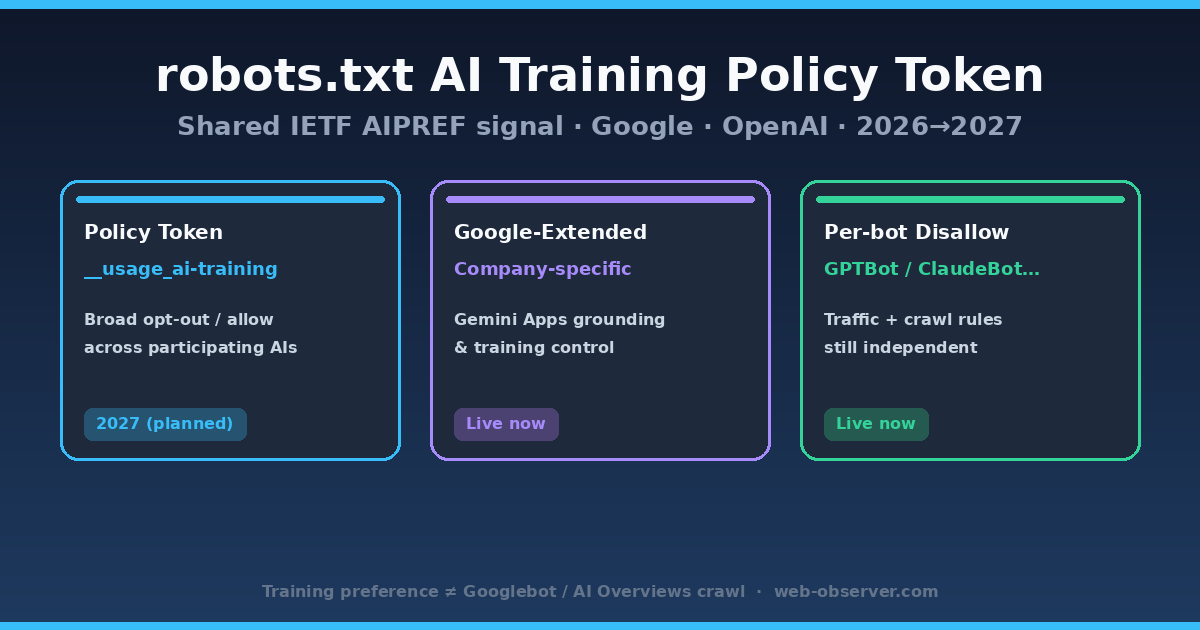
    Short answer: On October 30, 2026, Google announced plans to honor a shared robots.txt AI training policy token (IETF AIPREF work) so publishers can express training preferences once across participating AI providers. If you opt out with that token and do not explicitly set Google-Extended, Google plans to treat it like disallowing Google-Extended. OpenAI says it will honor the common robots.txt training signal in the coming months. Google aims for joint support in 2027 — this is not live as a Google Search / AI Overviews crawl switch today.

    This guide separates the new shared training preference from Googlebot, AI Overviews / AI Mode visibility, and the per-crawler rules you already maintain. Official sources: Google Search Central (John Mueller, Oct 30, 2026), OpenAI’s training-preferences post, the IETF draft for the training preference signal, and industry context from Search Engine Land.

    What Google announced on Oct 30, 2026

    Google’s Search Central blog says the company plans to support a shared AI training control in robots.txt, based on work from the IETF AIPREF working group. Instead of listing every AI product token separately for a broad “do not train” preference, site owners will be able to use a shared policy token to set preferences across participating providers.

    • Opt-out interpretation: When a site uses the policy token to opt out of training and Google-Extended is not explicitly specified, Google plans to interpret that as if the publisher had disallowed Google-Extended.
    • Company-specific controls stay: Existing controls such as Google-Extended continue to work alongside the joint signal — you can set a broad preference, then tailor Google (or others) individually.
    • Gemini Apps eligibility: Sites that specifically allow Google-Extended remain eligible to appear in responses and receive clicks via grounding in Gemini Apps.
    • Timeline: Google aims to support the new control along with other AI providers in 2027, with further updates as the IETF work progresses.
    • Policy context: Google notes consistency with the EU Code of Practice for GPAI Model Providers under the EU AI Act, which recognizes robots.txt as a primary machine-readable preference method.

    What OpenAI announced the same day

    OpenAI said it will honor a common robots.txt signal for foundational generative AI training preferences. Goals and caveats from that post:

    • One shared signal reduces the need to maintain separate training rules for every provider.
    • Implementation is planned in the coming months (OpenAI’s wording), with a follow-up when details ship.
    • Existing crawler controls in robots.txt remain and continue to be respected — the shared signal does not replace them.
    • The effort draws on the IETF AI Preferences (AIPREF) working group; OpenAI encourages other providers to honor the signal.

    Search Engine Land reports that Bing and Anthropic were also described as adopting the IETF proposal alongside Google and OpenAI. Treat vendor-by-vendor rollout dates as independent — only Google’s 2027 aim and OpenAI’s “coming months” are in those companies’ own posts.

    The IETF policy token: __usage_ai-training

    The Internet-Draft draft-kelley-aipref-training-preference-signal (Kevin Kelley / Anthropic, 30 Oct 2026) describes binding usage preferences to paths with an ordinary robots.txt group keyed by a policy token on the User-agent line. Example from the draft:

    User-agent: __usage_ai-training
    Disallow: /
    Allow: /press-kit/

    That expresses a preference against AI training for most paths, and in favor for /press-kit/. Important design points for publishers:

    • No new robots.txt grammar: Allow/Disallow and longest-match rules stay as in RFC 9309.
    • Independent from crawl rules: Training preferences are orthogonal to traffic-management groups for Googlebot, GPTBot, etc. Legacy parsers that do not understand the token ignore the group.
    • Wildcard User-agent: * does not match the policy token — you must name __usage_ai-training explicitly.
    • AI Training definition (via AIPREF vocabulary): using an asset to modify learned parameters of a generative AI model — not exclusive non-generative tasks, and not classification/ranking/scoring alone.

    Policy token vs Google-Extended vs per-bot Disallow

    Do not collapse three different levers into one. Pair this table with our AI crawlers allow/block cheat sheet and Google’s own crawler overview docs.

    ControlWhat it mainly governsStatus for Google (as of Oct 30, 2026)Does it block Google Search / AI Overviews?
    Shared policy token (__usage_ai-training)Cross-provider generative AI training preferenceAnnounced; Google aims for support with peers in 2027No — training preference, not Googlebot
    Google-ExtendedGoogle’s company-specific AI training / Gemini Apps grounding eligibilityLive since 2023; still authoritative when set explicitlyNo — separate from Googlebot
    Per-bot Disallow (GPTBot, ClaudeBot, Bytespider, …)That product’s crawl / fetch rulesLive today (honor varies by vendor)Only if you Disallow Googlebot (usually a bad idea for SEO)
    Search Console generative AI controlWhether your site can appear in Search generative AI features (Overviews / AI Mode)Live product settingAffects Search generative visibility — see our GSC control guide

    Google’s announcement is explicit: allowing Google-Extended keeps you eligible for Gemini Apps grounding and clicks. Opting out via the future policy token (when Google-Extended is unspecified) is planned to behave like disallowing Google-Extended — which is a training / Gemini Apps decision, not a Search ranking switch. For Overviews CTR and halo effects, see the Shepard opt-out / halo study notes; for invite-only payments when content shapes answers, see the AI contribution pilot.

    What to do now vs what to wait for in 2027

    Do now (low regret)

    1. Inventory robots.txt for Google-Extended, GPTBot, OAI-SearchBot, ClaudeBot, and other tokens you already manage — keep the sheet you use with our crawler listicle.
    2. Decide Google-Extended intentionally. Allow if you want Gemini Apps grounding eligibility; Disallow if you want to opt out of Google’s AI training control as it exists today. Do not confuse that with Googlebot.
    3. Keep Search Console generative AI control on Include unless you have a deliberate legal/licensing opt-out — Exclusion is a Search product switch, not the IETF training token (walkthrough).
    4. Ship citation-ready pages that still win retrieval: clear answers, unique evidence, honest schema. Training preferences will not replace content quality — see Google’s generative AI SEO guide and our get-cited checklist.
    5. Watch the IETF draft and vendor blogs for syntax freezes and honor dates before mass-deploying __usage_ai-training as if it were already enforced everywhere.

    Wait / prepare for 2027

    • Expect Google’s shared policy-token support to land with other providers on a 2027 timeline (Google’s own words) — plan a robots.txt change window then, not a panic edit tonight.
    • When you adopt the token, decide whether to also keep an explicit Google-Extended group. Explicit company rules remain the way to “pick and choose” after a broad opt-out.
    • Document path exceptions (press kits, docs you want trained) with Allow lines under the policy-token group, matching the draft’s press-kit example.
    • Align legal / licensing review with product SEO so training opt-outs do not accidentally Disallow Googlebot or flip Search generative controls.

    Publisher checklist: robots.txt training preferences

    1. Goal clarity: Are you optimizing for Search citations, Gemini grounding clicks, model-training refusal, or all three? They use different levers.
    2. Googlebot: Leave crawlable for pages you want in Search / AI Overviews / AI Mode.
    3. Google-Extended: Set Allow or Disallow explicitly based on Gemini Apps + Google training preference.
    4. Other bots: Keep per-vendor groups current; the shared token is additive, not a full replacement on day one.
    5. Policy token (when supported): Add User-agent: __usage_ai-training with path Allow/Disallow; remember * does not apply to it.
    6. Verify after edits: robots.txt syntax, CDN cache of /robots.txt, and Search Console crawl stats — not just a local file save.
    7. Content still wins citations: Prefer non-commodity pages and GEO fundamentals over robots-only strategies.

    FAQ: robots.txt AI training policy token

    Is the shared policy token live on Google today?

    No. Google announced plans to support it and aims for support with other AI providers in 2027. Until then, Google-Extended remains the company-specific training control to set explicitly.

    If I add __usage_ai-training Disallow now, will Google stop training immediately?

    Do not assume that. Google’s blog describes future interpretation when the mechanism is supported: opt-out via the policy token with Google-Extended unspecified → treat as Google-Extended disallowed. Honor dates and edge cases will need vendor confirmation at launch.

    Does opting out of AI training remove me from AI Overviews?

    Not according to Google’s framing of this announcement. Training preferences (policy token / Google-Extended) are separate from Googlebot crawl and from the Search Console generative AI visibility control. Use the right lever for the outcome you want.

    Will OpenAI still respect GPTBot rules after the shared signal?

    Yes — OpenAI states existing crawler controls remain and continue to apply. The common training signal is an additional way to express foundational generative AI training preferences across participating providers.

    Should every site Disallow Google-Extended and the policy token?

    Only if refusing Google AI training / Gemini Apps grounding is a deliberate policy. Many publishers keep Google-Extended allowed for Gemini eligibility while still managing other bots and Search generative settings carefully. There is no one “correct” robots.txt for every business model.


    Bottom line: the Oct 30, 2026 Google + OpenAI announcements are a real step toward a shared robots.txt AI training policy token under IETF AIPREF — but Google’s own support target is 2027, while OpenAI expects to implement in the coming months. Keep Google-Extended and per-bot rules intentional today; treat the new token as a forthcoming cross-vendor layer, not a replacement for Search crawl, generative AI Search controls, or the content work that earns citations.

  • Google AI Overviews CTR ~0.9%: What Cyrus Shepard’s Opt-Out Test Means for Publishers (2026)

    Google AI Overviews CTR ~0.9%: What Cyrus Shepard’s Opt-Out Test Means for Publishers (2026)

    Publisher takeaway: A small late-October 2026 case study from SEO consultant Cyrus Shepard (Search Engine Roundtable spelling; Search Engine Land sometimes writes “Shepherd” for the same LinkedIn test) estimates that Google Search generative AI impressions — AI Overviews and AI Mode — clicked through at roughly ~0.9% CTR. More important for publishers: when the site was opted out via Search Console, regular organic clicks also fell. Shepard frames this as a possible “Search SERP Halo Effect”: earning an AI citation may lift clicks elsewhere on the SERP, not only from the AI answer itself. Treat Exclude as a high-stakes experiment, not a casual toggle.

    Industry coverage from Search Engine Land (Oct 29) and Search Engine Roundtable (Oct 30) walks through the LinkedIn notes. This article is news + implications — not another how-to for the switch. For the Include / Exclude control itself, use our Search Console generative AI control guide.

    What Cyrus Shepard actually tested

    Shepard used Google’s Search generative AI controls in Search Console to block a site from appearing in AI Overviews and AI Mode, then compared impressions, clicks, and CTR before, during, and after. Critical nuance from Barry Schwartz’s clarification with Shepard:

    • AI Overviews still appeared on the SERP before, during, and after the experiment.
    • The site was cited in those Overviews before and after — but not during the opt-out window.
    • AI impressions went to 0 immediately when generative AI visibility was disabled.
    • ~0.9% is an estimated CTR on AI impressions, derived by looking at overall site CTR and impressions and subtracting known AI impressions during the experiment — not a pixel-perfect per-impression AI click log.

    In other words: this is not a clean A/B of “SERP with AI Overview vs SERP without.” It is “my brand is in the Overview vs my brand is missing from an Overview that still exists.” That distinction matters when you interpret the organic-click drop.

    The key numbers publishers are quoting

    • ~0.9% estimated CTR on AI impressions (before/after analysis of overall clicks).
    • AI impressions ≈ 8% of total impressions sitewide during the measured window.
    • Regular organic clicks also dropped while AI features were disabled — the surprising finding.
    • Average position rose overall (Shepard cited new posts + brand search), but URLs with the most AI visibility saw a drop, then a rise when AI visibility was restored.
    • Overall impressions dropped during the opt-out period as AI impressions disappeared.

    Neither SEL nor SER published the absolute traffic of the site, the exact test dates, or the size of the organic click decline. Shepard himself called it a small case study. Barry Schwartz and Danny Goodwin both flag limited sample size — useful directional evidence, not a universal rate card.

    The “Search SERP Halo Effect” — why Exclude may cost more than AI clicks

    Shepard’s framing: the more places your brand appears on a results page, the more likely a user clicks at least one of them. An AI citation or mention can act as brand proof that makes the classic blue link further down feel safer to click — even when the user never taps the AI answer. Greg Sterling (Near Media), commenting on the SER thread, said their research often sees Overviews create brand lift or awareness that shows up in later searches and clicks, not only in the first session.

    If that mechanism is real even some of the time, then measuring AI value only via direct AI referral sessions understates the benefit of citations. It also raises the cost of casually choosing Exclude in Search Console: you do not merely lose AI referrals — you may lose halo-driven organic clicks while competitors remain cited in the Overview that still sits above the fold.

    This sits alongside product changes that make citations more clickable — for example Google’s more prominent AI Mode inline links and AI Overview citation card summaries — and Google’s broader generative AI SEO guidance. Visibility in the answer unit is increasingly a brand-surface problem, not only a referral-CTR problem.

    Include vs Exclude after this study

    ChoiceWhat you keep / loseRisk after Shepard’s test
    Include (default)Eligible for AI Overviews / AI Mode citations + generative AI performance reportingStill compete for citations; AI CTR may be modest (~0.9% in this sample) but halo + brand may help organic
    ExcludeAI impressions → 0; site not cited in Search generative AI featuresOrganic clicks may fall even though Overviews still appear for users — you simply are not in them
    Exclude temporarily (test)Short measurement window if you annotate carefullyOnly with a clear baseline, URL-level AI visibility list, and a restore plan — not a set-and-forget policy

    Step-by-step for the control lives in our generative AI control walkthrough. Default recommendation for most publishers remains Include unless legal, licensing, or a deliberate negotiation strategy requires otherwise. Separately, Google’s invite-only AI contribution pilot pays for significant contribution during generation — not for citations alone — so Exclusion also removes you from that product surface if you were ever invited.

    How to measure this without burning your own traffic

    You do not need to opt out to start measuring:

    • Search Console → Generative AI performance report: track AI impressions (and related visibility) for Overviews / AI Mode. Shepard’s sitewide share (~8% of impressions) is a useful benchmark to compare against — your niche may be higher or lower.
    • URL-level cuts: note which URLs get the most AI impressions. In Shepard’s data, those URLs were the ones that wobbled when visibility flipped.
    • GA4 AI referrals: Google still counts many AI answer clicks as Organic Search. Use our GA4 AI referral tracking guide so you are not blind to the direct click path — while remembering halo effects will not show up as a neat “AI channel.”
    • Brand / assisted search: if Overviews create awareness, look for lifts in branded queries and return visits around high-AI-impression pages — directional, not causal.
    • Do not rewrite only for CTR hacks: Google’s systems still reward helpful, non-commodity pages. Citation work remains retrieval + clarity — see getting cited in AI search and our GEO overview.

    Practical publisher checklist (Oct 2026)

    1. Leave the generative AI control on Include unless you have a written reason to Exclude.
    2. Do not opt out casually to “force users to the blue link” — this study suggests you may lose both AI and some organic clicks.
    3. Measure AI impressions weekly in Search Console; flag URLs where AI share of impressions is high.
    4. Treat citations as brand lift + referral opportunity, not only as a 0.9%-class CTR channel.
    5. If you must test Exclude: pick a short window, export generative AI + classic Search performance first, restore Include on a calendar reminder, and document that Overviews likely still appeared without you.
    6. Keep shipping citation-worthy pages: clear answers, original data, updated dates — the same work Google’s generative AI SEO docs already describe.

    FAQ: Google AI Overview CTR and the opt-out halo effect

    Is ~0.9% CTR from AI Overviews / AI Mode proven industry-wide?

    No. It is an estimate from one small Cyrus Shepard case study covered by Search Engine Land and Search Engine Roundtable in late October 2026. Useful as a directional benchmark; not a universal CTR.

    Did turning off AI visibility remove AI Overviews from Google?

    No. Shepard clarified that AI Overviews still appeared on the SERP during the experiment. The site simply was not cited in them while Exclude was active.

    Why would regular organic clicks drop if AI impressions go to zero?

    Shepard’s hypothesis is a Search SERP Halo Effect: appearing in the AI answer may increase trust and clicks on classic organic results (or later searches). Without the citation, some of that lift disappears even though the Overview unit remains.

    Should publishers Exclude their site from generative AI in Search Console?

    For most sites, no — keep Include. Exclusion zeros AI impressions and, in this small test, coincided with lower organic clicks. Use Exclude only with a deliberate policy (legal, licensing, or a carefully instrumented test). See our control guide for the exact setting.

    How should I track AI value in analytics?

    Combine Search Console’s generative AI performance report (impressions / visibility) with GA4 techniques that surface AI referrals inside Organic Search. Expect brand and halo effects to be under-counted if you only look at direct AI click sessions.


    Bottom line: Shepard’s small opt-out study gives publishers a rare before/after signal — roughly 0.9% estimated CTR on AI impressions, AI share around 8% of impressions on that site, and a warning that Exclude can hurt classic organic clicks via a possible SERP halo. Keep measuring AI impressions, default to Include, and invest in earning citations as brand surface area — not only as a thin referral CTR line.