Author: Web-Observer

  • Google AI Contribution Pilot (2026): What Publishers Should Know About Getting Paid for AI Answers

    Google AI Contribution Pilot (2026): What Publishers Should Know About Getting Paid for AI Answers

    Publisher takeaway: Google’s invitation-only AI contribution pilot pays some sites when their pages “contribute significantly” to answers in the Gemini app, AI Overviews, and AI Mode — then shows earnings inside Search Console. Citations and post-generation fact-checks do not qualify. Public reporting in late 2026 puts the paid cohort around ~100 publishers, with payouts ranging from under $1,000 over several months to seven figures for a rare early participant — and many mid-size sites seeing <0.1% of ad revenue. Treat this as a monetization experiment to watch, not a replacement for ads, affiliates, or classic SEO.

    This guide explains what the pilot pays for, what it ignores, how it relates to the Search Console generative AI control and Google’s generative AI SEO guidance, and the practical checklist publishers should run even if they have not been invited yet.

    What the AI contribution pilot is (and is not)

    Industry coverage from Digiday, Search Engine Journal, Search Engine Land, Semrush, and Ars Technica converges on the same product shape:

    • Where it lives: Invited properties accept program terms in Search Console; an AI contribution panel then shows monthly earnings and payment status.
    • What earns: Content that contributes significantly while an AI response is being generated in Gemini, AI Overviews, or AI Mode.
    • What does not earn: Being linked after the answer exists, or being used only to confirm a fact afterward — those are visibility events, not contribution events.
    • Who can join: Invite-only for now. Google has described it as an early learning pilot on top of traffic and tools it already provides.
    • Opacity: Publishers say the dollar formula is a black box; month-to-month earnings can move without a public explanation.

    SEJ’s later payout reporting (citing The Information) is useful context: roughly 100 sites are being paid; some smaller participants earned under $1,000 over several months; one early participant is reportedly on a >$1M/year track; several mid-size sites peg AI payments at under 0.1% of advertising revenue. Niche topics with strong interest and thinner competition (anime and gaming were named as examples) appear to pay relatively better — still not a strategy you can bank on without an invite.

    Contribution vs citation vs generative AI control

    Three Search Console / AI-search surfaces get confused. Keep them separate:

    SurfaceWhat it measures / controlsDoes it pay you?
    AI contribution pilotEarnings when content shapes generation in Gemini / AI Overviews / AI ModeYes — for invited sites only
    Generative AI performance reportImpressions (and related visibility) from AI Overviews / AI ModeNo — measurement only
    Generative AI control / Help Center controlInclude or exclude your site’s links/content from Search generative AI featuresNo — eligibility switch

    Being cited in an Overview or Mode answer is still valuable for brand and click paths — see our notes on getting cited in AI search, AI Overview citation cards, and more prominent AI Mode inline links — but citation alone is explicitly not what the pilot pays for. If you never see an invitation, keep optimizing for retrieval and usefulness; do not stall content work waiting for a payout panel.

    Why Google is testing this now

    AI answers compress classic blue-link sessions. Publishers lose visits even when their facts still ground the model. Google has long argued that discovery traffic is the compensation. The pilot is an early attempt to add a direct payment layer when content shapes the answer itself — without publishing a rate card or open enrollment.

    • Negotiation optics: Some large publishers reportedly declined invites, preferring not to lock in tiny rates that Google could later cite as “already paying.”
    • Product coverage mismatch: Contribution covers Gemini + Overviews + Mode; the public generative AI performance report currently emphasizes Overviews and Mode. Track both if you are invited.
    • Still SEO: Google’s AI optimization guide keeps repeating that generative features sit on core Search ranking and quality systems — unique, non-commodity, people-first pages remain the baseline. See also our GEO overview.

    Publisher checklist if you are invited

    If the AI contribution terms appear in Search Console, run this before you click accept:

    1. Read the program terms carefully. Public help text is thin; the contract language (licensing, usage rights, exit) matters more than the earnings chart.
    2. Confirm you can leave anytime from Search Console settings — Digiday’s screenshots of the help text said you can; verify that in your own panel.
    3. Separate earnings from payments. Reported earnings and money actually sent can differ after tax withholding or local thresholds.
    4. Log a baseline month. Export or screenshot earnings, then annotate major content launches, outages, and Search updates so you can spot false correlations.
    5. Do not rewrite for “contribution hacks.” There is no public API for “significant contribution.” Keep shipping non-commodity pages that win retrieval — the same work that supports citations and classic SEO.
    6. Keep the generative AI control on Include unless you have a deliberate opt-out strategy. Exclusion removes you from generative features entirely — see our control walkthrough.

    Publisher checklist if you are not invited (most sites)

    Assume you will not get an invite this quarter. Still do the work that makes contribution and citation more likely if Google expands the cohort:

    1. Ship non-commodity pages with first-hand data, original screenshots, unique procedures, or expert synthesis — not recycled tip lists.
    2. Make passages retrievable: clear H2/H3 questions, early answer sentences, tables for comparisons, updated dates. Pair with sensible schema for AI search where it matches the page.
    3. Stay eligible for generative features: indexable pages with snippets allowed; Include setting in Search Console; no accidental noindex / nosnippet on money pages.
    4. Measure AI visibility separately from AI money: use the generative AI performance report, plus AI referral tracking in GA4, even though referrals are not contribution earnings.
    5. Watch invite signals: Search Console banners, partner emails, and industry reporting on expansion beyond ~100 sites.
    6. Do not buy “AI contribution optimization” services that claim a secret payout formula — Google has not published one.

    What the payout data implies for content strategy

    Take the leaked ranges as directional, not a rate card:

    • For most invited mid-size sites, AI contribution looks like a rounding error vs ads — useful if free, insufficient as a P&L pillar.
    • Topics with high interest and fewer overlapping sources may earn more per contribution; that aligns with uniqueness guidance in Google’s AI SEO docs, not with spammy niche farming.
    • Opaque month-to-month swings mean you cannot forecast contribution revenue the way you forecast AdSense.
    • Declining an invite can be rational if you believe larger licensing deals are coming — but declining does not improve your ranking; it only preserves negotiating posture.

    Practical 30-day plan (invite or not)

    WeekActionSuccess signal
    1Audit top 20 URLs for answer-bearing openings, freshness, and generative AI control = IncludeChecklist done; no accidental exclusions
    2Refresh 3 non-commodity pages with unique data or screenshots; submit in Search Console if neededUpdated dates + clearer passage answers
    3Build a fixed prompt/query set for your niche; log Overview/Mode citations weeklySpreadsheet of cited URLs + card notes
    4If invited: accept/decline with terms review + earnings baseline; if not: document invite status and continue retrieval workWritten decision + next review date

    FAQ: Google AI contribution pilot

    Does a citation in AI Overviews mean I get paid?

    No. Google’s help text (as reported by Digiday / SEJ) says links and post-generation fact confirmation do not qualify. Payment is tied to significant contribution during answer generation for invited sites.

    Which products does the pilot cover?

    Gemini app, AI Overviews, and AI Mode — a slightly wider set than the public generative AI performance report’s Overviews/Mode focus.

    Can any site opt into AI contribution today?

    Not publicly. Enrollment has been invite-only. Most publishers should optimize for eligibility and retrieval while watching for expansion.

    Should I noindex pages to force better licensing terms?

    That is a business/legal strategy, not an SEO growth tactic. Blocking generative features (or the whole site) can cut discovery; only do it with a deliberate policy, not as a payout hack.

    What should I track in Search Console instead?

    Generative AI performance (impressions), indexing/snippet eligibility, and — if invited — the contribution earnings panel. Pair with on-site AI referral analytics for click paths the pilot does not pay for.


    Bottom line: the AI contribution pilot proves Google is willing to experiment with paying for generative use of web content — but early math for most participants is tiny, opaque, and invite-gated. Keep building the pages Google’s own generative AI SEO guide already rewards; use Search Console’s generative reports for visibility; treat contribution dollars as optional upside if the invite ever lands.
  • Discord Search Indexing (2026): Brand & SEO Checklist Before Server Web Pages Go Live

    Discord Search Indexing (2026): Brand & SEO Checklist Before Server Web Pages Go Live

    Publisher takeaway: On October 27, 2026, Discord announced that Discoverable Servers (public communities with ≥1,000 members — about 63,000 today) get automatic Server Web Pages on November 16, with Channel Summaries, and that from mid-December public-channel messages may appear on those pages and in web search. Defaults are ON outside EU/UK/Canada/Brazil/Australia/South Korea. If you run a brand or support Discord, treat this as a search-surface decision: which channels compete in SERPs, which stay invite-only, and which FAQ answers you still want to own on your site.

    Discord’s post — Making Content from Discoverable Servers Easier to Discover — plus Help Center guides on Server Web Pages and Discoverable Server Web Presence are the source of truth. BleepingComputer covered the search angle. This checklist turns the rollout into admin, member, and SEO/GEO actions before anything goes live.

    What Discord search indexing actually covers

    Scope is narrower than the headlines sometimes imply:

    • In scope: Discoverable Servers only — communities listed in Server Discovery (≥1,000 members, age/activity/safety bars). Private servers, DMs, and group DMs stay out.
    • Server Web Pages: Open-web pages that describe a Discoverable Server. From Nov 16, 2026 every Discoverable Server gets one (default from Server Profile if unpublished).
    • Channel Summaries: Automated slices of what public channels are discussing; may appear on Server Web Pages from Nov 16. Usernames and avatars are not shown.
    • Channel Messages: From mid-December 2026, some messages from opted-in public channels may appear on Server Web Pages and in web search — gradual rollout; pre-period messages excluded. Usernames/avatars not shown; participating channels labeled.
    • Controls: Admins use Server Settings → Web Presence (desktop/browser). Members use User Settings → Data and Privacy (one switch for Channel Messages across Discoverable Servers).

    Rollout timeline (bookmark this)

    WhenWhat shipsDefault if you do nothing
    Oct 27, 2026 (announced)Admin Web Presence controls + member Data & Privacy switch available ahead of content going livePublic channels remain eligible; member Channel Messages ON outside listed regions
    Nov 16, 2026Every Discoverable Server gets a Server Web Page; Channel Summaries may showPage goes live from Server Profile if you never published one; summaries can start same day
    Mid-December 2026Channel Messages may appear on Server Web Pages + web search (gradual)Eligible public-channel messages can surface; pre-rollout messages excluded
    Ongoing after launchAdmins curate channels / turn features off; members can opt out of future messagesTurning member switch off stops future only; delete message to remove from Discord web pages; search caches may linger

    Admin checklist: Web Presence before Nov 16

    Do this on desktop or browser (Server Settings → Web Presence). Work channel-by-channel — support tickets and war rooms are not the same as a public tips forum.

    1. Confirm Discoverable status. If you are Discoverable, you are in the ~63k cohort. If you do not want a Server Web Page at all, Discord’s guidance is to leave Discoverable / switch back toward a Community Server model — Web Pages are part of being Discoverable.
    2. Publish or polish the Server Web Page now. Do not wait for the Nov 16 default. Control description, branding, and first impression before search engines and AI answer surfaces start treating the page as a public profile.
    3. Map channels into three buckets: (A) intentionally public knowledge, (B) community chatter OK for summaries but not message indexing, (C) never-on-web (moderation, escalations, PII-adjacent support, partner deal rooms).
    4. Set Channel Summaries and Channel Messages separately. They are distinct toggles. You can allow summaries while keeping message indexing off — or reverse that for a curated FAQ-style channel.
    5. Opt sensitive channels out before Nov 16. Controls are live ahead of the page and summary launch; use that head start.
    6. Label awareness for members. Channels that participate will be labeled so people know before they post — still announce in #announcements what you turned on and why.
    7. Staff posting policy. Mod posts in opted-in channels can become quotable web answers without a username. Treat them like public help-center drafts.
    8. Revisit monthly after mid-December. Gradual indexing means early SERP winners may surprise you — sample queries and adjust.

    Member and privacy checklist (brand teams too)

    Even brand operators have employees and community managers as members. Align internal guidance with Discord’s member controls:

    • Open User Settings → Data and Privacy and decide the Channel Messages switch intentionally — one control covers every Discoverable Server you are in.
    • Remember regional defaults: in the EU, UK, Canada, Brazil, Australia, and South Korea, Channel Messages are OFF by default for members; teens are excluded from enabling it until adulthood. Elsewhere it is ON unless turned off.
    • Turning the switch off stops future messages from appearing; prior eligible messages stay until you delete them from Discord.
    • Deleting a message removes it from Discord’s web pages; search-engine caches can still linger — plan for delay, not instant disappearance everywhere.
    • Usernames and avatars are not shown with messages or summaries, but wording, product names, and unique phrasing can still identify a brand voice.

    SEO / GEO opportunity: own the answer or let Discord answer

    When public Discord threads become indexable, Google and generative surfaces can cite Discord-hosted answers for the same queries your help center and docs target — distribution and competition at once.

    • Brand-owned FAQ vs Discord answers in SERPs. Keep canonical how-tos, pricing rules, and safety guidance on your site with clear titles, dates, and schema markup for AI search. Use Discord for discussion and live troubleshooting — not as the only durable record of “official” answers.
    • Preferred Sources and citation competition. AI Mode / Overview citation behavior still rewards retrievable, passage-clear pages. See what drives AI search citations, Google’s generative AI SEO guidance, and our notes on AI Overview citation card summaries. A Discord Server Web Page that ranks for “how do I fix X in Product” can siphon the citation slot your docs should hold.
    • When to keep support channels off-web. Ticket-like threads, refund debates, security reports, and anything that can leak account details should stay in bucket C. Google’s own guidance on indexing only content meant for Search (prevent abuse / only index content meant for Search; coverage in Search Engine Land) is a useful mental model even though Discord is managing the crawl surface here — you still choose what becomes “meant for Search.”
    • GEO cluster hygiene. Treat Server Web Pages as another entity surface in your GEO playbook. Align naming, product entities, and FAQ wording with the pages you want cited.
    • Crawl and generative visibility on your own site. Do not neglect the properties you control: robots.txt for AI crawlers and Search Console generative AI controls still decide how your owned content participates.

    Practical decision matrix for community + SEO owners

    Channel typeSummaries?Messages in search?Why
    Public tips / builds / wiki-style forumUsually yesOften yesHigh discoverability; mirrors old public forums Discord is trying to reopen
    Release notes / event promoYesSelectiveGreat for discovery; keep “official” copy mirrored on your site
    General chat / memesOptionalUsually noNoise in SERPs; weak brand answers
    Support / billing / account helpNoNoPII risk; you want owned help-center URLs as the citation source
    Mod / partner / internalNoNoNever meant for Search

    What to do this week (before Nov 16)

    1. Inventory every Discoverable Server your brand touches (official + unofficial fan servers you influence).
    2. Ship or update the Server Web Page copy so the default Nov 16 page is not a blank Server Profile dump.
    3. Flip Web Presence toggles for bucket-C channels.
    4. Brief mods: posts in opted-in channels are public-web drafts.
    5. Publish or refresh the site FAQ that should win against Discord-sourced answers for your top 10 support queries.
    6. Add a short member note: where labels appear, how to use Data & Privacy, and that pre-mid-December messages are excluded from message indexing.

    FAQ: Discord search indexing and Server Web Pages

    Which Discord servers can appear in web search under this change?

    Only Discoverable Servers — public communities that meet Discord’s Discovery requirements (including at least 1,000 members). Private servers, DMs, and group DMs are excluded. Discord cites more than 63,000 Discoverable Servers today.

    When do Server Web Pages and Channel Messages go live?

    Every Discoverable Server gets a Server Web Page on November 16, 2026, and Channel Summaries may appear from that date. Channel Messages may appear on Server Web Pages and in web search beginning mid-December 2026, rolling out gradually. Messages sent before that message rollout are not included.

    Where do admins and members turn Discord search indexing off?

    Admins use Server Settings → Web Presence on desktop or browser to choose channels or opt out of Channel Summaries and Channel Messages. Members use User Settings → Data and Privacy; one Channel Messages switch applies across Discoverable Servers.

    Are Channel Messages on by default everywhere?

    For members, Channel Messages are off by default in the EU, UK, Canada, Brazil, Australia, and South Korea; teens are excluded. Elsewhere the member setting is on unless turned off. Admin-side public channels remain eligible if you do not change Web Presence settings.

    If I opt out or delete a message, does it disappear from Google immediately?

    Turning the member switch off stops future messages from appearing. Delete the message in Discord to remove it from Discord’s web pages. Search engines may keep cached copies for a while, so expect lag after deletion.

    Bottom line: Discord search indexing for Discoverable Servers turns community chat into a real web and AI-answer surface on a fixed 2026 calendar. Use Web Presence now, keep support-sensitive channels off-web, and make sure your owned FAQs — not only Discord threads — are the passages you want cited.

  • AI Overview Citation Cards: Google’s Generated Summaries (2026)

    AI Overview Citation Cards: Google’s Generated Summaries (2026)

    Publisher takeaway: In late October 2026, Google began showing AI-generated descriptions inside some AI Overview citation cards — the small supporting-link panels beside or below an Overview. The card copy is no longer a reliable mirror of your meta description or an exact page snippet. SEO consultant Brodie Clark spotted the behavior (~Oct 21); Search Engine Roundtable and Technical SEO News covered it on Oct 23. This guide explains what changed, why rewriting the meta description will not “fix” card text, and how to audit opening passages so generated summaries stay accurate.

    Pair this with our retrieval-first view in what drives AI search citations, Google’s own generative AI SEO guidance, and practical Search Console generative AI controls.

    What changed on AI Overview citation cards

    Citation cards are the titled links that accompany an AI Overview. Historically, the short text next to those links behaved like classic Search snippets: pulled from on-page content (or, in other surfaces, influenced by meta descriptions). The new behavior is different:

    • Google writes a per-query summary for some cards — Clark noted the wording “doesn’t appear exactly like this on the page” and is “summarised based on the information that Google thinks is most relevant to the query.”
    • Same URL, different card copy: because the summary is query-conditioned, one page can show different descriptions under different questions.
    • Not a full rollout (yet): Barry Schwartz at Search Engine Roundtable reports seeing generated summaries on some test queries but not all — consistent with a limited test.
    • No official comment: as of the Oct 23 reports, Google had not confirmed the change; treat it as an observed Search UI test, not a documented API.

    Google’s public docs still frame AI Overviews / AI Mode around indexed, snippet-eligible pages and people-first content (AI features and your website, optimizing for generative AI search). The citation-card change is a presentation layer on top of that — not a new ranking system — but it raises the stakes for how your most query-relevant passages read when lifted.

    Why your meta description will not fix the card

    Meta descriptions still matter for classic blue-link SERPs and some social/previews, but they are a poor lever for this UI:

    • Input is the relevant passage, not the meta field. Generated card text is built from content Google associates with the query — often material near the top of the page (AI Overviews already tend to lean on early, answer-ready sections).
    • Per-query generation bypasses a single fixed blurb. Even a perfect meta description is one string; card summaries can vary by question.
    • Exact-match snippet habits break. Optimizing for “the first 155 characters of the intro” is less useful when the model can paraphrase, recombine, or emphasize a mid-intro claim.

    Practical implication: leave meta descriptions alone as a “card fix.” Keep them for classic Search CTR. For AI Overview citation cards, work the passages that answers and citations actually use.

    How AI Overview citation summaries get built (publisher model)

    Without an official whitepaper for this specific card experiment, a useful working model for publishers is:

    LayerWhat Google likely usesPublisher control
    EligibilityIndexed + snippet-allowed page; generative AI visibility on if you use Search Console controlsCrawl/index hygiene; GSC generative AI control; avoid nosnippet traps
    Retrieval / citationPassages ranked relevant to the query (often early, clear answers)Answer-first openings; unique evidence — see citation guide
    Card title / URLPage title + URL (and brand cues)Clear titles; stable URLs
    Card description (new)AI summary of query-relevant content — not necessarily meta or verbatim HTMLAccurate, dated, context-safe opening claims
    Overview bodySeparate generative answer that may cite you among othersSame content quality bar as Google’s AI SEO guide

    Audit opening passages for query-relevant accuracy

    Run this on every URL that already earns Overview or AI Mode citations (or that you are deliberately targeting). It complements entity and Preferred Sources work from AI Mode Preferred Sources and exploration patterns in AI Mode inline links.

    1. 1. Inventory citation queries. For each key page, list 3–8 queries where you already appear (or expect to) in Overviews / AI Mode. Screenshot today’s card text as a baseline.
    2. 2. Isolate the “liftable” sentences. Read the first screen as if one sentence could be quoted alone. Anything that needs the next paragraph to stay true is a risk.
    3. 3. Flag time-bound language. “Currently,” “as of this week,” “now supports,” unpinned year claims, and stale “latest” without a date are prime failure modes.
    4. 4. Check numbers and product status. Prices, limits, API names, and “available in X countries” lines get summarized confidently — wrong facts become wrong cards under your brand.
    5. 5. Align H2/H3 with the real answer. If the Overview question is “does X require Y?”, put a clear, dated answer high — not buried under a soft intro.
    6. 6. Keep structured data honest. Schema will not force card copy, but mismatched JSON-LD vs visible text still hurts understanding — see schema markup for AI search.
    7. 7. Confirm crawlability. Generated summaries assume Google can fetch the same HTML humans see; keep robots and AI-crawler policy intentional (robots.txt for AI crawlers).

    Failure modes worth watching

    • Out-of-date “currently” lines: a 2024 “currently no API” claim can be summarized as present-tense denial long after you shipped the feature — the same class of error Technical SEO News linked to Overview denials from old posts.
    • Context collapse: a caveat in sentence two never makes the card; the absolute claim in sentence one does.
    • Wrong-query emphasis: a page that leads with a secondary topic can get card copy that misrepresents why you were cited.
    • Brand-adjacent misstatement: the summary sits under your site name — accuracy errors feel like endorsements of bad facts.
    • False “meta rewrite” sprints: teams burn cycles on description fields while the dangerous passage stays live.

    Publisher checklist: AI Overview citation cards (2026)

    1. Baseline screenshots for top citation queries (keep a dated folder).
    2. Rewrite openings so the first answer-bearing sentence is true standalone.
    3. Add or refresh explicit dates next to status claims (e.g., “As of October 2026…”).
    4. Remove or archive posts whose lead claims contradict current product reality — or add clear update banners Google can also read.
    5. Do not treat meta description edits as the fix for generated card text.
    6. Re-check cards after major content updates (weekly for volatile product docs).
    7. Keep classic SEO basics: indexation, titles, internal links, people-first depth per Google’s AI optimization guide.
    8. Track Google’s product notes (e.g. AI Mode / Overviews updates) separately from third-party UI spot reports.

    What not to overreact to

    This is still an observed, partial UI change. Do not rebuild your entire information architecture for citation cards alone. Do not invent “AI Overview schema,” purchase links, or spam FAQ dumps hoping to control summaries. Eligibility and citation quality still rest on the same fundamentals Google documents for AI features — plus the passage hygiene above.


    FAQ: AI Overview citation cards and generated summaries

    Are AI Overview citation card summaries the same as meta descriptions?

    No. Reports from late October 2026 show Google generating per-query summary text for some cards. Meta descriptions may still influence classic snippets elsewhere, but they are unlikely to control this card copy.

    Can the same page show different citation card text for different queries?

    Yes. Because the summary is conditioned on the query, one URL can display different descriptions depending on which question triggered the Overview.

    Should I rewrite my meta description to fix bad card copy?

    Treat that as the wrong primary fix. Audit and update the on-page passages most relevant to the query — especially early, answer-bearing sentences — then re-check the card.

    Is this a confirmed global Google rollout?

    As of the Oct 23, 2026 industry coverage, it appears on some queries and not others, with no official Google confirmation. Monitor your own SERPs and treat it as an active test until documented.

    What is the fastest weekly check for publishers?

    Pick your top cited URLs, re-run the same 3–8 queries, screenshot card text, and flag any summary that states an outdated or out-of-context claim. Fix the source sentence, not the meta field.

    Bottom line: AI Overview citation cards that show generated summaries raise the bar on opening-passage accuracy. Optimize for truthful, dated, query-relevant lead claims — and stop expecting meta descriptions to script the card.

  • Schema Markup for AI Search (2026): What Still Matters

    Schema Markup for AI Search (2026): What Still Matters

    Publisher takeaway: Google’s official guidance is unambiguous: you do not need special schema.org markup (or llms.txt) to appear in AI Overviews or AI Mode. Structured data still matters in 2026 — for rich results, clearer entity facts, and markup that matches what humans see — not as an “AI ranking hack.” This guide separates myth from Google’s AI features documentation and the generative AI optimization guide, then gives a practical schema markup AI search checklist for WordPress publishers.

    If you already follow our walkthrough of Google’s official generative AI SEO guide and the retrieval-first view in what drives AI search citations, treat schema as supporting infrastructure: useful, not magical.

    What Google actually says about schema and AI search

    Two official positions sit side by side:

    • AI Overviews / AI Mode eligibility: a page must be indexed and snippet-eligible under normal Search technical requirements. Google states there is no special schema.org type you must add for these features (AI features and your website).
    • Mythbusting “overfocusing on structured data”: the generative AI optimization guide lists overfocusing on structured data among tactics you can ignore for Google Search’s generative features. Markup is not required for generative AI search — but Google still recommends continuing to use it as part of overall SEO because it helps rich-result eligibility (AI optimization guide — mythbusting).
    • What structured data is for: helping Google understand page content and enabling richer classic Search displays (Introduction to structured data).

    So the 2026 framing for GEO-minded teams is: ship accurate JSON-LD that mirrors visible content for the rich results and entity clarity you already want — do not invent “AI-only” schema graphs or empty FAQ dumps hoping they force an Overview citation.

    Why schema still earns its keep (even when AI does not require it)

    • Rich results: eligible markup can unlock enhanced classic SERP displays (articles, products, FAQs where still supported, how-tos, breadcrumbs). Those clicks and clarity still matter next to AI features.
    • Typed facts: prices, ratings, publish dates, author identity, and organization details are harder to garble when expressed as structured properties that match the page.
    • Consistency with Preferable Sources / entity work: Organization and Person markup with stable sameAs / URL fields supports the same brand-entity hygiene we discussed for AI Mode Preferred Sources — without claiming schema alone “wins” Preferred Sources.
    • QA and maintenance: validating with the Rich Results Test catches broken templates before they silently drop from enhanced displays.

    Schema types that still matter in 2026 (priority stack)

    Prioritize types that map to real page intents and Google-documented features. Skip decorative graphs that describe nothing users can see.

    TypeWhy it still mattersPrimary use
    Article / NewsArticle / BlogPostingHeadline, author, dates, images — clearer news/blog understanding and article-related displaysEvery substantial post
    Organization (+ logo)Brand entity, logo, official site identitySite-wide / About
    Person (author)Author identity for E-E-A-T-style clarity; often nested under ArticleAuthor bios + Article.author
    Product / Offer / AggregateRatingTyped commerce facts for shopping-flavored answers and rich resultsProduct / pricing pages
    FAQPageOnly for visible Q&A on the page; useful parseable pairs — not invisible keyword stuffingReal FAQ sections
    HowToStep structure for instructional pages (where Google still supports the feature in your market)True step-by-step guides
    BreadcrumbListSite hierarchy context in resultsTemplates with clear crumbs

    What to stop doing (schema myths that waste sprint time)

    • Inventing “AI Overview schema”: there is no Google-documented special type that admits a page into AI Overviews.
    • Shipping llms.txt / AI-only markup “for Google”: Google Search ignores these for ranking/visibility in generative features; fine for other tools, irrelevant as a Google GEO lever (mythbusting list).
    • Marking up invisible content: violates structured data policies and can invalidate eligibility.
    • FAQPage spam: stuffing dozens of hidden Q&As for “fan-out coverage” is commodity content theater — and can conflict with useful, people-first pages Google asks for in the AI guide.
    • Empty or boilerplate WebPage / SiteNavigationElement graphs: maintenance cost with little answer-relevant fact value.
    • Mismatch with HTML: Google’s AI features best practices explicitly call out keeping structured data aligned with visible text (SEO best practices for AI features).

    Practical checklist: schema markup for AI-era SEO

    Use this as a publish gate on WordPress (AIOSEO, Rank Math, or custom JSON-LD) — not as a substitute for the content and crawlability work in citation / retrieval guides and Search Console generative AI controls.

    1. 1. Confirm eligibility basics first: indexed, crawlable, snippet-allowed; generative AI control included in Search Console when you want AI feature inclusion.
    2. 2. Pick one primary type per URL that matches the page (BlogPosting for a guide; Product for a SKU page; FAQPage only if Q&A is on-page).
    3. 3. Prefer JSON-LD in the page (Google’s recommended format) via your SEO plugin or a single well-tested theme/snippet — avoid duplicate competing graphs.
    4. 4. Fill recommended properties that are true and visible: for articles — headline, image, datePublished, dateModified, author name + URL; for Organization — name, url, logo, sameAs profiles you actually own.
    5. 5. Mirror the UI: every marked fact should appear in the rendered HTML a user can read.
    6. 6. Validate: Rich Results Test + Search Console rich-result reports after deploy.
    7. 7. Keep robots / snippet controls intentional: nosnippet / max-snippet choices affect how content can appear in Search features — coordinate with your AI visibility goals (controlling content in AI features).
    8. 8. Don’t trade content quality for markup volume: Google’s AI guide prioritizes non-commodity, people-first pages over hacks.

    WordPress / AIOSEO notes

    On a typical Twenty Twenty-Five + AIOSEO stack:

    • Let the plugin emit the default BlogPosting (or Article) graph for posts; add custom FAQ / HowTo graphs only when the block content is genuinely on the page.
    • Set Organization and social profile fields once in AIOSEO Local SEO / Knowledge Graph settings so every post inherits a coherent brand entity.
    • When you add FAQ blocks, ensure the same questions appear as visible headings/answers — then attach FAQPage markup to those pairs.
    • After template changes, re-test a sample URL; theme or caching updates (e.g. WP Rocket) can serve stale head JSON-LD if purge rules miss the document.
    • Pair schema hygiene with crawl hygiene: clear URL structure and deliberate robots.txt for AI crawlers so the marked-up HTML is what bots actually fetch.

    How this fits a GEO content cluster

    Schema is a layer, not the strategy. For AI Mode inline exploration and Overview supporting links, still prioritize answer-first sections, unique evidence, and internal links — see Google AI Mode inline links and Preferred Sources notes. Use schema to make facts machine-clear; use content and entity consistency to make the page worth retrieving.


    FAQ: schema markup and AI search

    Does schema get my page into Google AI Overviews?

    No special schema type is required or documented as a gate. Eligibility follows normal indexing and snippet rules. Schema can still help classic rich results and clearer understanding.

    Should I remove FAQ schema because of AI Overviews?

    Only remove FAQ markup that does not match visible Q&A or that was added purely as spam. Legitimate on-page FAQs with matching FAQPage markup remain a reasonable SEO practice where the feature applies.

    Is Organization schema enough for “entity SEO”?

    It helps brand disambiguation but does not replace topical coverage, accurate Business Profile / Merchant data where relevant, or high-quality mentions. Treat it as one consistency signal.

    JSON-LD or Microdata for AI search?

    For Google Search, JSON-LD is recommended for maintainability. Format choice is not an AI-specific ranking lever.

    Do I need HowTo markup on every tutorial?

    Only when the page is a true step-by-step how-to and you want how-to rich-result eligibility. Do not force HowTo onto opinion or news posts.

    Bottom line: in 2026, schema markup AI search optimization means accurate, visible, validated structured data for rich results and entity clarity — while you follow Google’s own advice not to treat schema (or AI text files) as generative-search silver bullets.

  • Google URL Structure Best Practices (2026): Hyphens, Underscores, and Crawlable URLs

    Google URL Structure Best Practices (2026): Hyphens, Underscores, and Crawlable URLs

    Publisher takeaway: On October 23, 2026, Google refreshed its URL structure best practices to clarify word separation: use hyphens (-) instead of underscores (_) when you split words in paths and query keys. The update is a documentation sync (tied to Google’s “The Non-Canonical Cabinet” video series), not a sudden ranking flip — but it is the clearest official stance yet for anyone still debating URL structure SEO, permalinks, and crawlable parameters.

    If you have been shipping AI Mode and GEO explainers (we covered Google’s official generative AI SEO guide recently), this is a useful pivot back to foundational technical SEO: crawlable URLs, faceted-nav traps, and a practical WordPress/permalink checklist. The changelog entry is listed on Google Search documentation updates under October 23, 2026.

    What changed on October 23, 2026

    Google’s updates page summarizes the change as: updated guidance on crawlable URL structures to clarify word separation guidelines using hyphens versus underscores — synchronized with episodes of “The Non-Canonical Cabinet.” In other words: the live URL structure doc now spells out why hyphens are preferred, not only that they are preferred.

    The rest of the page still covers the hard crawlability requirements (IETF STD 66 / RFC 3986-style URLs, no content-changing fragments, common parameter encoding) plus best practices (descriptive paths, audience language, percent encoding, fewer parameters, case sensitivity, multi-regional patterns) and common explosion issues (additive filters, session IDs, calendars, broken relative links).

    Hyphens vs underscores: Google’s reason

    Google recommends separating words in URLs when possible. Specifically, it recommends hyphens (-) instead of underscores (_) because that helps users and search engines identify concepts in the URL.

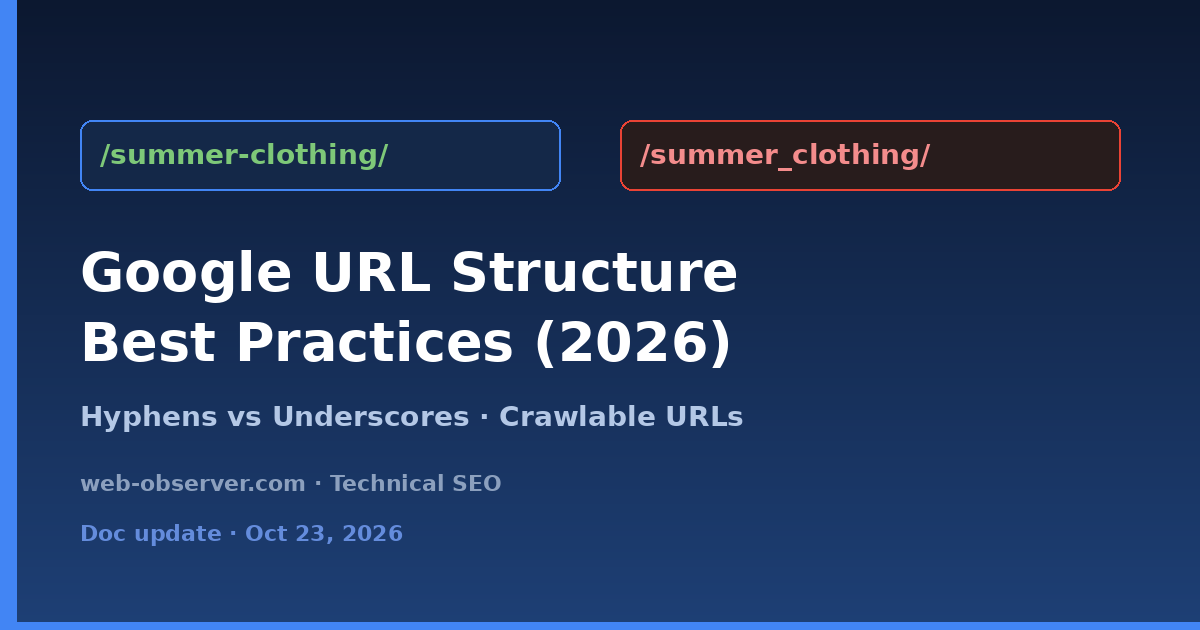
    The historical rationale Google now documents: underscores are commonly used in programming to keep tokens together (for example format_date), whereas hyphens clearly signal a word boundary. So /summer-clothing/ reads as two concepts; /summer_clothing/ looks more like one glued identifier.

    • Recommended: https://example.com/summer-clothing/filter?color-profile=dark-grey
    • Not recommended: underscores as separators — https://example.com/summer_clothing/filter?color_profile=dark_grey
    • Also not recommended: joining words with no separator — https://example.com/greendress

    Practical SEO note: do not mass-rename years of live URLs overnight for a hyphen cosmetic pass. If you migrate, plan 301s, update internal links and sitemaps, and watch Search Console coverage. Prefer hyphens on new content and on redesigns where you already own the redirect map.

    Hard requirements for a crawlable URL structure

    Before style choices, Google states that if URLs fail basic criteria, Search may crawl the site inefficiently — including extremely high crawl rates — or barely crawl it at all. Requirements called out on the doc:

    • Follow IETF STD 66: reserved characters must be percent-encoded. Google Search supports URLs as defined by that standard (see RFC 3986 for the familiar URI reference).
    • Don’t use URL fragments to change content: Google Search generally does not support fragments for content variants. Avoid patterns like https://example.com/#/potatoes. If JavaScript changes content, use the History API instead of hash routes for indexable states.
    • Use common encoding for URL parameters: separate key-value pairs with = and join additional parameters with &. Multiple values for one key can use a non-conflicting character such as a comma.

    Parameter encoding examples from Google:

    • Recommended: ?category=dresses&sort=low-to-high&sid=789
    • Not recommended: colon/bracket styles like ?[category:dresses][sort:price-low-to-high]
    • Recommended multi-value: ?category=dresses&color=purple,pink,salmon&sort=low-to-high
    • Not recommended: comma-as-pair-separator patterns like ?category,dresses,,sort,lowtohigh

    Recommended vs not recommended URL patterns

    Use this sheet when reviewing permalinks, ecommerce filters, or CMS templates. Left column tracks Google’s examples and best practices; right column is the anti-pattern.

    Recommended (URL structure SEO)Not recommended
    Descriptive words: /wiki/AviationOpaque IDs only: /index.php?topic=42&area=3a5ebc…
    Hyphen word breaks: /summer-clothing/Underscores: /summer_clothing/ or glued words: /greendress
    Audience language in the path (e.g. German/Japanese words when that is the audience)ASCII-only junk strings when readers search in another language
    Percent-encode non-ASCII in href when neededRaw non-ASCII or emoji paths without encoding in links
    Key=value&key=value parametersColon/bracket or double-comma parameter schemes
    Few parameters; drop ones that do not change contentSession IDs, referral junk, every sort/filter combo as indexable URLs
    Consistent case if the server is case-insensitivePublishing both /Apple and /apple as separate pages
    History API for JS stateHash fragments that swap main content

    Make the structure easy for humans (and Google)

    Beyond crawlability, Google recommends a simple, logical structure that is intelligible to people — aligned with the broader SEO Starter Guide advice on site structure:

    • Descriptive URLs: readable words beat long ID numbers when you can.
    • Audience language: match the language (and transliteration) your audience searches in.
    • Percent encoding: unreserved ASCII can stay as-is; non-ASCII should be percent-encoded in links.
    • Fewer parameters: trim parameters that do not change content.
    • Case sensitivity: Google treats /APPLE and /apple as distinct. If your server folds case, normalize to one casing so duplicates collapse cleanly.
    • Multi-regional: country domains (example.de) or locale subdirectories (example.com/de/) help geotargeting when used consistently.

    Common pitfalls: faceted navigation and parameter explosion

    Overly complex, multi-parameter URLs can create huge numbers of near-duplicate URLs. Googlebot may burn bandwidth or fail to index important content. Issues Google highlights:

    • Additive filtering: combining beach + fitness + “value rates” hotel filters multiplies URL space even when the underlying inventory is the same set of hotel detail pages.
    • Irrelevant parameters: click IDs, referrers, shopping sort params, and especially session IDs in URLs — prefer cookies for sessions and block junk patterns in robots.txt when needed.
    • Infinite calendars: unrestricted past/future date links; use nofollow on open-ended future calendar links when appropriate.
    • Broken relative links: parent-relative links on the wrong page can invent infinite path spaces; prefer root-relative URLs and correct 404s.

    If Google is already crawling problematic URLs, Google recommends blocking them via robots.txt when appropriate (dynamic search results, infinite calendars, ordering/filtering functions) and following dedicated guidance on managing crawling of faceted navigation URLs. Pair that with crawl-budget hygiene and, when AI crawlers are in scope, the same robots discipline we outlined for robots.txt AI crawler allow/block rules.

    WordPress / permalink checklist

    Concrete steps for a typical WordPress site (including Twenty Twenty-Five + AIOSEO stacks like ours):

    1. Settings → Permalinks: use a post name structure such as /%postname%/. Avoid default plain ?p=123 for public content.
    2. Slugs: write lowercase, hyphen-separated focus phrases (google-url-structure-hyphens-underscores-2026), not google_url_structure_….
    3. Don’t change published slugs casually: if you must, add a redirect (AIOSEO Redirects or server rules) and update internal links.
    4. Taxonomies: keep category/tag base paths short and hyphenated; avoid deep nested category URLs that add no user value.
    5. Ecommerce / filters: decide which facet combinations are indexable. Canonicalize or noindex thin filtered views; don’t let every sort= and color= variant enter the sitemap.
    6. UTM and tracking: fine for campaigns, but strip them from canonicals and don’t bake session tokens into links shared sitewide.
    7. Sitemaps: submit only canonical, content-bearing URLs; re-check after a permalink migration.
    8. Internal links: link with descriptive anchors to stable paths — the same clarity that helps classic SEO still supports retrieval and citation paths discussed in getting cited in AI search retrieval.

    How this fits your broader tech SEO work

    Clean URL structure SEO does not replace content quality or eligibility controls. It reduces crawl waste so Googlebot (and your own monitoring) can spend time on pages that deserve indexing. Keep generative-AI eligibility and controls in Search Console as a separate layer — see our Search Console generative AI control walkthrough — and treat URL hygiene as the plumbing underneath both classic results and AI surfaces.


    FAQ

    Does Google still recommend hyphens over underscores in 2026?

    Yes. The October 23, 2026 documentation update reaffirms recommending hyphens (-) instead of underscores (_) to separate words in URLs, with an explicit historical explanation about underscores keeping programming-style tokens together.

    Will changing underscores to hyphens boost rankings overnight?

    Treat it as a clarity and crawlability improvement, not a magic ranking lever. Migrate carefully with redirects. Google’s update was framed as clarifying documentation (and syncing with a video series), not announcing a new scoring feature.

    Are underscores a penalty?

    Google does not describe underscores as a spam penalty. It simply does not recommend them for word separation and notes the historical programming convention. Prefer hyphens for new URLs.

    Should faceted filter URLs be indexed?

    Usually only a small, intentional subset. Additive filters explode URL counts. Use robots.txt, canonicals, and faceted-navigation crawl management so Googlebot reaches product/detail pages without crawling every combination.

    Do fragment (#) URLs get indexed as separate pages?

    Google generally does not support URL fragments for changing page content. Don’t rely on hash routes for indexable states; use the History API for JavaScript-driven content changes you want crawled.

  • Google’s Official Guide to Generative AI SEO (2026): What Actually Matters for AI Mode

    Google’s Official Guide to Generative AI SEO (2026): What Actually Matters for AI Mode

    Publisher takeaway: Google’s official guide to optimizing for generative AI features is blunt: generative AI SEO is still SEO. AI Overviews and AI Mode are grounded with retrieval-augmented generation (RAG) and query fan-out against the same Search index and quality systems you already optimize for. The wins come from non-commodity, people-first pages that are indexed, snippet-eligible, and included via Search Console — not from llms.txt, micro-chunking, or inauthentic “mention” campaigns.

    We already published a shorter overview of Google’s AI search optimization guide and a deep ops walkthrough of Search Console generative AI control. This piece is the practical playbook for publishers who care about generative AI SEO specifically for AI Mode: how retrieval works, what content actually stands out, which myths to ignore, how eligibility stacks, and how to measure without inventing metrics.

    Is SEO still relevant for generative AI search?

    Yes. Google states that generative AI features on Search are rooted in core Search ranking and quality systems. They use AI techniques to highlight content from the Search index — they do not replace the need for crawlability, helpful content, or spam-policy compliance.

    You will see the labels AEO (answer engine optimization) and GEO (generative engine optimization) everywhere. From Google Search’s perspective, optimizing for generative AI search is still optimizing for the search experience — i.e., SEO. If you buy third-party “AEO/GEO” packages, Google points you back to evaluating third-party SEO advice against official guidance.

    How AI Mode finds your pages: RAG + query fan-out

    Two mechanisms in the official guide explain why classic relevance still wins and why thin “AI answers” rarely earn citations:

    • Retrieval-augmented generation (RAG) / grounding: Search retrieves relevant, up-to-date pages from the index, then reviews specific information on those pages to generate a more reliable response — with prominent, clickable links to supporting pages.
    • Query fan-out: The model issues concurrent related queries to fetch more results. Google’s example: a user asks “how to fix a lawn that’s full of weeds”; fan-out might include “best herbicides for lawns”, “remove weeds without chemicals”, and “how to prevent weeds in lawn”.

    Practical implication for generative AI SEO: one strong page that answers a cluster of related questions with unique evidence often beats a swarm of near-duplicate “fan-out keyword” pages. Google explicitly warns that creating separate pages primarily to manipulate rankings or generative AI responses can violate scaled content abuse. For how retrieval systems think about chunks vs graphs in broader AI search, see our GraphRAG vs vector RAG comparison — useful context, not a Google ranking lever.

    Create non-commodity content (the long-term lever)

    Google’s strongest long-run claim in the guide: unique, compelling, useful content will likely influence presence in generative AI search more than any other suggestion. Attributes they call out:

    • Unique point of view: First-hand reviews and experienced takes beat recycled summaries that a generative model could produce.
    • Non-commodity vs commodity: Commodity (“7 Tips for First-Time Homebuyers”) restates common knowledge. Non-commodity (“Why We Waived the Inspection & Saved Money: A Look Inside the Sewer Line”) goes beyond ordinary advice with expert or lived detail.
    • Human-readable structure: Clear paragraphs, sections, and headings help readers — and make it easier for systems to surface the relevant passage.
    • High-quality images and video: Generative AI features can pull media, expanding appearance beyond blue links. Follow existing image and video SEO practices.
    • Do not over-produce variants: Focusing on every possible query variation mainly to game AI Mode is both spammy and a weak long-term strategy; Google’s AI systems understand relevance even without exact query–title match.

    If you use generative AI tools to draft, your output still must meet Search Essentials and spam policies. Simplify decisions with Google’s own test: would visitors find this satisfying? Pair that with helpful, reliable, people-first content guidance.

    Technical structure still gates eligibility

    Generative AI features only see what classic Search can find and serve. The guide restates:

    • Meet Search technical requirements so a page can be indexed and shown with a snippet.
    • Additionally, the site must be included in Search generative AI features in Search Console to be eligible for display in those features.
    • Stay crawlable; for large, frequently updated sites, mind crawl budget.
    • Semantic HTML helps humans (e.g., screen readers) more than it “unlocks” AI Mode; perfect HTML is not required.
    • Follow JavaScript SEO best practices if you rely on client rendering.
    • Page experience, mobile display, and less duplicate content remain worthwhile.

    Indexing and serving are never guaranteed even when you check every box. For the Include / Exclude / Inherit toggle and inheritance quirks, use our Search Console generative AI control playbook. Keep Googlebot allowed — see robots.txt for AI crawlers for how Googlebot vs Google-Extended differ.

    Do / Don’t for generative AI SEO (publisher sheet)

    Use this as a one-page brief for editors and freelancers. Left column matches Google’s guide; right column is the trap list.

    Do (Google guidance)Don’t (common myth / hack)
    Ship unique, experience-backed pages that answer real jobs-to-be-doneMass-produce commodity tip lists for every fan-out query
    Keep pages indexed, snippet-eligible, and Included in Search generative AIAssume llms.txt, special AI Markdown, or “AI schema” is required for Google
    Organize with clear H2/H3 and support with strong media when usefulMicro-chunk every paragraph “for the model” as a ranking requirement
    Measure with Search Console’s Generative AI performance reportTrust third-party tools that claim internal Google AI ranking scores
    Earn authentic discussion through useful workBuy or manufacture inauthentic “mentions” across blogs and forums
    Keep structured data for rich-result eligibility where it already helpsAdd special schema.org types solely “for AI Mode”
    Prepare agent-friendly UX if browser agents matter to your businessRewrite every page into an unnatural “AI-only” voice

    Mythbusting: what Google says you can ignore

    The guide’s myth section is the fastest way to cut wasted sprint time:

    • llms.txt and special AI markup: Google Search does not use them for generative AI visibility. Fine to keep for other systems; they neither help nor hurt Google Search.
    • Mandatory chunking: No requirement to break content into tiny pieces. Google can understand multi-topic pages and surface the relevant part. Page length should follow audience needs.
    • Rewriting only for AI systems: Synonyms and intent matching already work — you do not need every long-tail variant on-page.
    • Inauthentic mentions: Generative features can reflect web discussion, but spam systems and quality systems still matter; manufactured mentions are not a shortcut.
    • Overfocusing on structured data: Not required for generative AI search; no special schema is needed. Continue ordinary structured data for rich results.

    Eligibility stack before you chase AI Mode citations

    Think in layers — each layer fails independently:

    1. 1. Discoverable & indexable: Crawlable, not blocked, not noindexed accidentally.
    2. 2. Snippet-eligible in classic Search: Meets technical requirements for Search.
    3. 3. Search Console generative AI = Include (or Inherit that resolves to Include) on the property that owns the decision.
    4. 4. Content quality / retrieval match: Non-commodity answers that map to fan-out-style related questions — see how to get cited in AI search retrieval.
    5. 5. Product surfaces on top: Preferred Sources enrollment and link UI (inline links, carousels) — covered in Preferred Sources and AI Mode inline links — do not replace layers 1–4.

    Measure with the Generative AI performance report

    Google’s recommended measurement surface is the Generative AI performance report in Search Console (Performance → Generative AI). Use it to see how people discover your content through generative AI features on Search. Be wary of third-party tools promising ranking success or “internal” Google metrics — Google states no third-party tool has access to internal ranking or AI systems.

    Ops rhythm we recommend after the August 31, 2026 global control rollout: confirm Include, export a 28-day generative AI impressions baseline by page, refresh the top URLs with answer-first intros and unique evidence, then reconnect impressions to sessions in analytics. Full toggle semantics live in the control article.

    Brief note: agentic experiences and browser agents

    The same Google guide ends with emerging agentic experiences: AI agents that book, compare, or gather data on a user’s behalf. Browser agents may analyze screenshots, inspect the DOM, and use the accessibility tree. If that is relevant to your product and you have bandwidth, review Google’s agent-friendly website best practices and watch protocols such as Universal Commerce Protocol (UCP) as they mature. For most content publishers, this is awareness — not a reason to abandon foundational SEO this quarter.

    30-day generative AI SEO sprint

    1. Week 1: Audit Search Console generative AI control on every verified property; screenshot Include/Exclude/Inherit. Export Generative AI performance baseline.
    2. Week 2: Pick 5–10 URLs with (or near) generative impressions. Upgrade commodity sections into non-commodity proof: data, screenshots, first-hand steps, failure cases.
    3. Week 3: Fix technical blockers (indexing, JS rendering, thin duplicates). Confirm Googlebot access. Do not invent llms.txt workstreams for Google.
    4. Week 4: Re-export the report. Strengthen internal links across your AI/SEO cluster. Pitch one mid-size vertical site with an evergreen related to your unique angle — not a farm.

    FAQ: generative AI SEO and Google’s official guide

    Does generative AI SEO mean SEO is obsolete?

    No. Google’s official guide says best practices for SEO remain relevant because generative AI features rely on core Search ranking and quality systems, plus RAG and query fan-out over the Search index.

    What is the difference between SEO, AEO, and GEO?

    AEO and GEO are industry labels for work aimed at AI answers. Google Search treats optimizing for generative AI features as part of optimizing for Search — still SEO. Evaluate third-party AEO/GEO claims against Google’s published guidance.

    Do I need llms.txt or special schema for AI Mode?

    Google says you do not need llms.txt, special AI markup, or special schema.org types to appear in generative AI features on Google Search. Structured data remains useful for rich results, not as an AI Mode requirement.

    How do I know if my site can appear in AI Overviews or AI Mode?

    Pages need to be indexed and snippet-eligible, and the Search Console property must Include the site in Search generative AI features. Then improve non-commodity content and retrieval match. Measure with the Generative AI performance report.

    Should I create a page for every query fan-out variation?

    No. Google warns that producing separate pages primarily to manipulate rankings or generative AI responses can violate scaled content abuse. Prefer fewer, deeper pages that cover related intents with unique evidence.

  • Search Console Generative AI Control (2026): Include, Exclude, and Measure AI Mode Visibility

    Search Console Generative AI Control (2026): Include, Exclude, and Measure AI Mode Visibility

    Short answer: As of August 31, 2026, every verified Search Console property can manage Search Console generative AI control under Settings → Search generative AI (Include, Exclude, or Inherit from parent) and read generative AI impressions in the Generative AI performance report. Include is the default and keeps your links eligible for AI Overviews, AI Mode, and Discover generative AI. Exclude removes your content from those features (no impressions or traffic from them) without acting as a ranking signal elsewhere — and it is not the same as Google-Extended or noindex.

    This is the ops and measurement playbook, not another product-news recap. Last week we covered inline-link prominence in AI Mode, Preferred Sources, and how to earn retrieval citations. Today is about the two Search Console surfaces publishers actually click: the control that decides eligibility, and the report that shows whether that decision is showing up in impressions.

    What rolled out globally on August 31, 2026

    Google’s blog post on new controls for website owners introduced the Search generative AI control and generative AI performance insights during a UK test earlier in 2026. The same post was updated when the rollout finished worldwide on August 31, 2026. Official Help Center pages now state the same cutoff for both the Search generative AI control and the Generative AI performance report.

    Scale context from Google’s ecosystem update: AI Overviews has over 2.5 billion monthly active users, and AI Mode has surpassed one billion monthly users. That is why a single Include/Exclude toggle matters operationally — generative features are no longer a niche lab experiment.

    Eligibility checklist before you touch the toggle

    Google’s official guide to optimizing for generative AI features is explicit: meeting technical requirements does not guarantee indexing or serving, and generative AI eligibility stacks on top of classic Search eligibility. For a page to be eligible to appear in generative AI features on Google Search, it must be:

    • Indexed and able to appear in Google Search with a snippet (Search technical requirements).
    • Included in Search generative AI features via the Search Console control (Include, or Inherit that resolves to Include).

    Our plain-language summary of that document lives here: Google’s official guide to AI search optimization (2026). Pair it with crawl policy work in robots.txt for AI crawlers — Googlebot remains mandatory for Google AI features; Google-Extended is a separate training-control lever.

    Where to find Search generative AI control

    In Search Console, open the property → Settings → Search generative AI. Google lists the features this control currently covers:

    • AI Overviews
    • AI Mode
    • Generative AI features in Google Discover

    Google says it expects to update that list as Search evolves. Treat the Help Center page as source of truth when the product UI and blog copy diverge.

    Include vs Exclude vs Inherit

    Use this table as the decision sheet for owners and agencies that manage domain plus URL-prefix properties.

    ChoiceWhat it doesTraffic / impressions from AI featuresDefault?
    Include my site’s links and contentContent can appear as links and help ground AI responses in covered generative AI featuresEligible to receive impressions and trafficYes — default for all properties
    Exclude my site’s links and contentContent is prevented from being visible (linked or used for grounding) in covered featuresNone from those featuresManual opt-out
    Inherit control from parentFollows the closest parent property that stopped inheriting; otherwise top-level domainSame as the resolved parent valueDefault when a parent property exists

    What Exclude does — and what it does not

    Per Google’s control documentation:

    • Does: Stop your links and content from appearing in the listed Search generative AI features; content from other sites can still appear and may look similar; crawled content from your site is not eligible as input to generate an AI response or preview in those features.
    • Does not: Act as a ranking or inclusion signal for other parts of Search; override Merchant Center or Google Ads choices; stop your content from powering Search as a whole (for example, helping systems understand language); affect AI training.

    Google’s own differentiation:

    • Google-Extended — limit training of the models used to generate responses in Search generative AI features.
    • noindex — block content from appearing in Google Search completely.
    • Search generative AI control Exclude — only the listed generative AI presentation / grounding surfaces.

    Propagation: after you change the control, exclusion generally takes a few days. Google says content will be excluded within about 1–2 days after the control goes live, but caching and system propagation can leave some content visible longer.

    Inheritance for domain, subdomain, and URL-prefix properties

    By default, a child property inherits from its closest parent that manually stopped inheriting. If no parent manually configured the control, the child inherits the top-level domain property’s setting. Owners of a child property can override at any time; top-level domain owners see a notification when a child overrides the parent.

    Practical ops tip: if your agency verifies both example.com (domain) and https://www.example.com/ (URL-prefix), document which property owns the intentional Include/Exclude decision so nobody “inherits” a surprise exclude after a re-verification.

    Generative AI performance report: what to measure

    Open Performance → Generative AI performance (Search). As of the global rollout, the report covers impressions for:

    • AI Overviews
    • AI Mode

    Discover generative AI has a separate Discover-oriented generative AI performance report. Search Labs experiments are excluded while still in active development.

    You can group the table by Pages, Countries, Dates (Pacific Time), or Devices (desktop / tablet / mobile), and filter Web: text-based vs Web: multimodal (Lens, Circle to Search, uploaded images, Chrome image search). An impression here means how many times links to your site were shown to a user in a generative AI feature.

    Chart aggregation is by property (two results from your site in one feature still count as one impression on the chart total). Page-dimension tables aggregate by page. Chart vs table totals can diverge for that reason — same troubleshooting mindset as classic Search performance reports. Newest points can be preliminary (dotted line). Export is available; ~ and – become zeros in downloads.

    If the report is empty, Google’s usual explanation is not enough generative AI impressions — which can also happen if you Excluded the site. Confirm Include before you panic about “zero AI visibility.”

    Ops playbook: decide Include vs Exclude with data

    Most publishers who want traffic should leave Include on and improve content quality, structure, and retrieval match. Use Exclude only when leadership consciously accepts zero generative AI traffic from Google’s listed features.

    1. Confirm Include on the property that owns the decision

    Settings → Search generative AI → Include (or Inherit resolving to Include). Log the property URL and who changed it.

    2. Baseline the Generative AI performance report

    Export 28 days of Pages + Countries + Devices. Note top URLs by generative AI impressions — these are your citation candidates, not necessarily your classic top organic pages.

    3. Align those URLs with retrieval and fan-out work

    Refresh titles and openings so they answer the questions that drive AI Mode / Overviews. Deep dives: get cited in AI search retrieval and the cluster map in the only GEO guide you’ll ever need.

    4. Connect Search Console impressions to GA4 sessions

    Impressions in GSC generative AI are not the same as clicks or engaged sessions. Wire referral logging with track AI referral traffic in GA4 (2026) so you can tell whether Prefer / Include is paying in visits.

    5. Re-check Preferred Sources and link surfaces separately

    Preferred Sources enrollment and UI prominence (inline links, carousels) are product surfaces on top of eligibility. See Preferred Sources walkthrough and inline links publisher checklist.

    6. Only then consider Exclude for edge cases

    Examples where Exclude may be intentional: legal / compliance teams that forbid generative summarization of specific properties; staging or soft-launch properties verified in GSC; experimental microsites where you do not want AI grounding. Document the business reason — Exclude is blunt.

    Worked example: a WordPress docs property

    You run docs.example.com as a verified URL-prefix under domain example.com. Marketing wants AI Mode citations; legal wants the marketing blog included but is nervous about unfinished API docs leaking into Overviews.

    Better pattern than a blanket Exclude on the domain: keep Include on the domain and marketing properties; if needed, set Exclude only on the unfinished docs child property while docs stabilize, then flip that child back to Include or Inherit. Measure generative AI impressions on the marketing URLs weekly. That preserves eligibility where you want traffic without treating Exclude as a ranking “hack.”

    Myths to skip

    • “Exclude will boost classic blue-link rankings.” Google says the control is not a ranking signal outside generative AI features.
    • “Exclude = Google-Extended.” Different levers: presentation/grounding vs model training.
    • “Empty Generative AI report means Google hates my site.” Often means low generative impressions or an accidental Exclude / Inherit-to-Exclude.
    • “llms.txt or special schema is required for Include.” Google’s AI optimization guide still says those are not required for Google Search generative features.

    30-day measurement plan

    1. Week 1: Screenshot Settings → Search generative AI for every verified property. Resolve accidental Excludes. Export a Generative AI performance baseline.
    2. Week 2: Take the top 10 generative AI impression URLs and refresh answer-first intros + entities. Confirm Googlebot is allowed.
    3. Week 3: Compare GSC generative AI impressions with GA4 AI/Search referral sessions. Fix tracking gaps first.
    4. Week 4: Re-export the report. Keep Include unless you have a written compliance reason to Exclude. Pitch one mid-size vertical site with a related evergreen (not a farm).

    FAQ: Search Console generative AI control (2026)

    Where is Search Console generative AI control?

    Open your property in Search Console, go to Settings, then Search generative AI. Choose Include, Exclude, or Inherit from parent. The control applies to AI Overviews, AI Mode, and generative AI features in Google Discover (list may expand).

    Does Exclude hurt my regular Google rankings?

    Google states that this control is not used as a ranking or inclusion signal affecting other parts of Search. Exclude removes you from the listed generative AI features only; use noindex if you need to leave Search entirely.

    How is Exclude different from Google-Extended?

    Exclude stops your content from appearing in and grounding Search generative AI features. Google-Extended is the lever Google documents for limiting training of the models used to generate those responses. They solve different problems.

    Why is my Generative AI performance report empty?

    Usually your site has not received enough impressions in AI Overviews / AI Mode, or you Excluded the property. Confirm Include, wait for enough traffic, and remember Search Labs experiments are not included.

    Do I need special markup to stay Included?

    No. Stay indexed and snippet-eligible, keep the Search generative AI control on Include, and follow foundational SEO — unique non-commodity content, clear structure, crawlability. Google’s official AI optimization guide rejects mandatory llms.txt and “AI-only” chunking hacks.

  • Google Makes Inline Links More Prominent in AI Mode (Oct 2026): Publisher Checklist

    Google Makes Inline Links More Prominent in AI Mode (Oct 2026): Publisher Checklist

    Short answer: Google’s October 15, 2026 Search update makes Google AI Mode inline links (and AI Overviews links) more prominent and higher in responses, tests an official-website section, expands news carousels that highlight Preferred Sources, upgrades related-article cards with thumbnails, and starts linking creator names to Search profiles. For publishers, the win is not a new markup trick — it is earning retrieval, entity clarity, and clickable citations so those inline links and carousels point at you.

    This post is a news-plus-checklist brief for site owners who already care about GEO and classic SEO. It pairs Google’s product post (More ways to connect with the web from Search) with Google’s official generative AI optimization guide. It deliberately does not rehash our Preferred Sources walkthrough, retrieval-vs-FAQ citation guide, or AI crawler robots.txt sheet — those stay the deep dives; this is the product-change → publisher action map.

    What Google shipped on October 15, 2026

    VP of Product Management Hema Budaraju framed the release around helping people “dive deeper” after Preferred Sources usage grew more than 7× since the start of the year. Five concrete surface changes matter for traffic:

    • More inline links, higher up. Links embedded in words or phrases inside AI responses are more common and appear higher more often, so key sources are clickable earlier in the answer.
    • Official websites section (test). When only one or two official places exist for a task, Search AI experiences may surface those links in a dedicated top section with context about why each link is useful.
    • News carousels + Preferred Sources. Prominent carousels for timely articles are rolling out to more locations and languages, and they highlight Preferred Sources so readers can find coverage from sites they value.
    • Related links with thumbnails. Links at the end of some AI responses get a more clickable design with image thumbnails to spark deeper reading.
    • Creator Search profiles. Clickable creator and publisher names on video results can open Search profiles in AI Mode, giving readers context about the people and brands behind the content.

    Industry coverage such as Search Engine Land’s roundup of the AI Mode / AI Overview link updates tracks the same five themes. Treat product UIs as experimental: Google says it will keep refining based on what works.

    Taken together, the release is a distribution update for the open web inside AI answers: more places to click, clearer labeling of official destinations, and more visual cues for news and creators. It does not invent a new ranking algorithm you can game with a single meta tag. If your pages were already hard to retrieve for the questions people ask, more inline-link slots will mostly go to competitors who already match those queries.

    What did not change: Google’s official AI SEO stance

    Google’s AI optimization guide still says SEO remains relevant because AI Overviews and AI Mode are rooted in core ranking and quality systems. Two mechanisms matter for citations:

    • RAG / grounding. Systems retrieve relevant pages from the Search index, then ground the answer and show prominent clickable links to supporting pages.
    • Query fan-out. The model issues concurrent related queries (for example, herbicides, non-chemical weed removal, prevention) and fetches more results before answering.

    Google also treats “AEO” and “GEO” as labels for AI-visibility work that still has to clear ordinary Search quality tests — not a license for invented markup. Ignore third-party myths that claim you must ship an llms.txt file, chunk every H2 for AI, or buy special schema packages. Foundational advice still wins: unique non-commodity content, clear organization for humans, crawlability, and helpful expertise. Our summary of that document lives here: Google’s official guide to AI search optimization (2026).

    Five Google updates → publisher actions

    Use this table as a weekly ops checklist. Pair it with the fan-out / title-match playbook in our get-cited retrieval guide and the entity / preferred-source steps in the Preferred Sources post.

    Google update (Oct 2026)What users seePublisher action this week
    More inline links higher in AI Mode / OverviewsClickable phrases earlier in the answerRefresh titles + first 100–150 words so they answer fan-out questions in plain language; lead with the answer, then proof
    Official websites section (test)Top block with 1–2 “go do the task” links + why usefulClarify official URLs (homepage, docs, pricing, login). Consistent Organization / publisher identity; avoid soft-404 “official” clones
    News carousels + Preferred SourcesTimely story carousels; preferred publishers highlightedShip honest news/analysis when you have a real angle; enroll / stay eligible for Preferred Sources via Search Console where available
    Related links with thumbnailsEnd-of-answer cards with imagesAdd descriptive featured images and clear H1s; write follow-on URLs that cover distinct angles (not thin duplicates)
    Creator Search profiles (test)Clickable creator / publisher names → Search profileComplete eligible Search profiles; consistent bylines, About pages, and author bios that match public creator identity

    Publisher checklist: earn clickable citations (not vanity mentions)

    Inline links only help if Google retrieves you and users click. Work this sequence for one money cluster:

    Think in terms of clickable citations, not name-drops. A brand mention without a link still helps entity memory, but Google’s October product story is explicitly about connecting users to pages. That means your GEO work and your classic SEO work now share the same KPI: when AI Mode answers a query in your niche, can a user reach your URL in one or two taps?

    1. Map prompts and fan-outs

    List 5–10 buyer or reader prompts. For each, write 3–6 fan-out questions (definition, comparison, risk, pricing, official docs). Full GEO mapping process: the only GEO guide you’ll ever need.

    2. Align one canonical URL per high-value question

    Rewrite title, H1, and opening paragraph to answer that question. Engines that retrieve by semantic overlap reward question–answer match more than brand slogans. This is the same lever highlighted in our retrieval citation playbook.

    3. Make “official” and “preferred” paths obvious

    If Google tests an official-site section for task queries, muddy site architecture hurts you. Keep one clear URL for “get started,” “docs,” and “contact.” For Preferred Sources eligibility and how carousels surface them, use the AI Mode Preferred Sources guide.

    4. Strengthen creator and publisher identity

    Search profiles and bylines only help when names, faces, and sites stay consistent. Publish author bios with real expertise, keep Organization schema facts accurate where you use them, and avoid rotating ghost bylines.

    5. Stay crawlable by the bots that cite

    Googlebot remains mandatory for Google AI features. Separately decide training vs citation bots for ChatGPT / Claude / Perplexity. A light check against our robots.txt AI crawler rules prevents accidental self-blocks.

    6. Measure clicks, not just impressions

    Inline links and carousels only pay when people visit. Track AI / Search referral patterns in GA4 and log which prompts cite you. Setup notes: track AI referral traffic in GA4 (2026).

    Worked example: a WordPress docs page that wants inline links

    Suppose you publish a WordPress security plugin and your current title is “Fortress Suite — Features.” Nobody asks that in AI Mode. Fan-outs look more like “how to lock down WordPress admin after a brute-force spike,” “WordPress 2FA plugins that don’t break WooCommerce checkouts,” and “official docs for resetting compromised WP users.”

    Create or refresh one URL per question. Open with a short answer, show screenshots or field data, link to your official docs URL (the candidate for an “official websites” block), and use a distinctive featured image so related-link thumbnails are recognizable. Then re-test the same prompts in AI Mode two weeks later and log whether your phrases appear as inline links.

    For editorial sites, treat the news carousel expansion as a reason to publish timely analysis when you have something real to add — not to spam thin “AI Mode update” rewrites. Carousels that highlight Preferred Sources reward publishers users already trust. Earning that trust still runs through Search Console eligibility, consistent coverage, and not burning goodwill with doorway pages.

    If you also sell themes, plugins, or hosting, keep promotional language out of the first screen. Google’s AI optimization guide stresses unique, people-first pages over commodity tip lists. A comparison that includes your product can still work when it discloses bias and cites measurable tests — the same standard that already applies in classic Search.

    What to log after you publish a refresh

    For each refreshed URL, keep a simple spreadsheet row: prompt, date tested, whether AI Mode showed an inline link to you, whether a news carousel or related card appeared, and whether GA4 recorded a session. Re-test the same prompt set every two weeks. Retrieval order moves; a page that earned an inline link in week one can disappear after a competitor ships a clearer answer. Logging beats guessing.

    If you see impressions without clicks, inspect the snippet Google is grounding on. Often the fix is the opening paragraph: put the direct answer and the distinctive fact above the fold, then supporting detail. Thumbnail-related cards also punish generic stock images — a diagram or annotated screenshot outperforms a vague abstract graphic.

    Myths to skip this week

    • llms.txt as a ranking switch. Not required by Google’s official guide.
    • FAQPage schema as an AI Mode cheat code. Useful for readers and possible rich results; weak as a solo citation lever — see the retrieval study takeaways.
    • Special AI-only chunking markup. Write for humans; structure with clear headings because readers and systems both scan.
    • Blocking Googlebot to “protect” content. That removes you from Google AI features entirely.

    30-day action plan

    Keep the plan small enough to finish. Mid-size sites lose more from unfinished refreshes than from missing exotic GEO tactics. One cluster done well beats five clusters with vague titles.

    1. Week 1: Pick one cluster. Document prompts + fan-outs. Audit which live URLs (if any) answer them.
    2. Week 2: Refresh 2–3 question-matched pages; fix featured images and official URL clarity; confirm robots allow Googlebot.
    3. Week 3: Update author / About / Search profile details; pitch one mid-size vertical site with a related evergreen (not a farm).
    4. Week 4: Re-run prompts in AI Mode and AI Overviews. Log inline-link presence, carousel appearances, and GA4 referrals. Fix losing titles/intros first.

    How this fits the rest of our GEO cluster

    Use this article when you need the October 2026 product changelog mapped to actions. Use the Preferred Sources post when you are configuring personalization and carousel eligibility. Use the retrieval citation guide when you are rewriting titles against fan-out queries. Use the official Google AI SEO summary when stakeholders ask whether GEO replaces SEO (it does not). Track whether any of this produces visits with the GA4 AI referral guide.


    FAQ: Google AI Mode inline links (October 2026)

    What are Google AI Mode inline links?

    They are hyperlinks embedded in words or phrases inside an AI Mode or AI Overviews response. Google’s October 15, 2026 update increased how often they appear and how often they show higher in the answer so users can click sources sooner.

    Do inline links replace classic blue links in Search?

    No. Generative features still retrieve from the Search index using ranking and quality systems. Inline links and carousels are additional ways to explore sources on top of foundational SEO.

    How do I get my site into the official websites section?

    Google described it as a test for queries where only one or two official destinations exist. Focus on clear official URLs, consistent entity signals, and being the authoritative source for the task — there is no public “pay to be official” switch.

    Does Preferred Sources still matter after this update?

    Yes. News carousels now highlight Preferred Sources as they expand globally. If users already choose your site, those carousels make your timely coverage easier to find. Details: Preferred Sources walkthrough.

    Is GEO different from SEO for these UI changes?

    Google’s official position is that optimizing for generative AI features is still SEO. GEO is a useful project label for prompt mapping, citation logging, and AI-crawler policy — not a replacement for crawlability, usefulness, and originality.

  • How to Get Cited in AI Search (2026): Retrieval Match Beats FAQ Schema Myths

    How to Get Cited in AI Search (2026): Retrieval Match Beats FAQ Schema Myths

    Short answer: Pages get cited in ChatGPT, Perplexity and similar answer engines when the engine’s own search retrieves them for the rewritten sub-queries behind a user’s question. Matching those retrieval queries in your titles and opening paragraphs matters far more than FAQ blocks, schema markup or page-speed tweaks alone. Brand familiarity also helps: models name brands they already “know,” sometimes without a supporting page. Treat FAQ schema as helpful structure for readers and Google Search, not as a magic citation switch.

    Publishers still hear conflicting GEO advice in October 2026: add FAQPage schema, ship an llms.txt file, chunk every H2, or chase every AI crawler. Meanwhile Google’s own AI search optimization guide says generative features are rooted in core Search quality, and a large October 2026 citation study on arXiv measured what actually moves citations. This guide translates both into a practical playbook you can run this week, with internal links to our GEO guide, Google’s official AI search summary, and robots.txt rules for AI crawlers.

    What the 2026 citation research actually found

    Researchers analyzed two 90-day collections of commercial questions across contrasting markets: about 158,000 answers and 468,000 citations. Comparing pages on the same website (so domain authority stays roughly constant), they found:

    • Question-matched titles and paragraphs win. Pages whose title and body language lined up with the questions people ask were cited more often.
    • FAQ blocks, structured data, summary boxes and speed looked helpful mainly across different websites — not as strong within-site differentiators once you already publish on the same domain.
    • Page properties explained little of the within-site variation. Replay through engine APIs showed why: every page ChatGPT cited was one its own search had retrieved first.
    • Retrieval beats on-page cosmetics. Which pages the engine’s search returned for its rewritten sub-queries explained far more citation variance (~32%) than page properties alone (~2.8%).
    • Brand memory matters. ChatGPT wrote known brands into its searches, preferred known sites, and sometimes named brands with no supporting page. Controlled experiments showed brand names reordered rankings of products with identical facts.

    The practical translation: you are not “optimizing for a chat UI.” You are optimizing so the engine’s retrieval step can find a page that answers the fan-out questions. That is classic SEO with a GEO twist — and it matches Google’s line that AEO/GEO advice still has to clear ordinary Search quality tests.

    How AI answer engines retrieve before they cite

    Most grounded answer engines follow a loop that looks like this:

    • Rewrite / fan-out. The model expands the user question into related sub-queries (Google describes query fan-out publicly for its generative features).
    • Retrieve. A search index — the engine’s own crawler index, Bing, Google, or a hybrid — returns candidate URLs.
    • Ground and generate. The model reads snippets or page content and writes an answer with citations, links or source cards.
    • Brand bias. Prior knowledge can inject brand names into searches and into the final answer even when retrieval is thin.

    Google’s October 15, 2026 AI Mode and AI Overviews update pushed more inline links higher in responses, tested an “official websites” section, expanded news carousels that respect Preferred Sources, and started testing clickable creator profiles. That raises the value of being retrieved and recognized as an official or preferred source — which we cover in our Preferred Sources walkthrough — but it does not replace matching the questions people and engines ask.

    A weekly playbook to earn AI citations

    Use this sequence for one product, service or pillar topic at a time. It is designed for mid-size sites that need traffic and AdSense-friendly evergreen pages, not for link schemes.

    1. Build a prompt and fan-out set

    Pick 5–10 commercial or informational prompts your buyers actually ask (for example, “best managed WordPress host for Core Web Vitals” or “how to allow OAI-SearchBot without allowing GPTBot”). For each prompt, list 3–6 fan-out questions: definitions, comparisons, prerequisites, risks, pricing, and “official docs” style follow-ups. Your full GEO process for mapping fan-outs lives in the GEO guide.

    2. Align one URL per cluster question

    For each high-value fan-out, choose a single canonical URL. Rewrite the title, H1 and first 100–150 words so they answer that question in plain language. Lead with the answer, then proof, then caveats. Engines that retrieve by semantic similarity reward clear question–answer overlap more than clever brand slogans.

    3. Make the page crawlable by the bots that cite

    Allow the search/citation crawlers you care about (OAI-SearchBot, Claude-SearchBot, PerplexityBot, Googlebot, bingbot) while deciding separately on training bots. Blocking the citation bots removes you from answers; blocking training bots does not. Use our robots.txt AI crawler cheat sheet before you ship a blanket Disallow.

    4. Strengthen brand and entity signals off-site

    Because models prefer brands they remember, invest in consistent entity facts: About page, Organization schema where appropriate, Wikipedia/Wikidata only if you earn them honestly, author bios, and citations from vertical sites that editors actually read. Guest posts on mid-size SEO/AI blogs help here more than directory spam.

    5. Measure citations and referral clicks

    Track AI referral hosts in GA4, watch Search Console for AI feature impressions where available, and keep a manual citation log for your top prompts in ChatGPT, Perplexity, Gemini and Copilot. Our AI referral tracking guide covers channel grouping and Bing notes. Re-test the same prompt set every two weeks — retrieval order changes.

    What still helps vs what is overrated

    TacticRole in AI citations (2026)Do this if…
    Title + intro that mirrors buyer questionsPrimary within-site lever in the citation studyYou publish multiple pages on one domain
    Useful, non-commodity content (Google’s guidance)Required for Google AI features and lasting rankingsYou care about AI Overviews / AI Mode
    Allowing AI search crawlersNecessary condition for citation in ChatGPT/Claude/Perplexity searchYou want answer-engine traffic
    Preferred Sources / official-site eligibilityHelps visibility when users personalize Google AI ModeYou already rank and have Search Console access
    FAQ blocks / FAQPage schemaUseful UX + possible Google rich results; weak within-site citation driver aloneReaders ask repeated short questions on-page
    llms.txt / special AI-only markupNot required by Google’s official guideA partner asks for it — optional, not a ranking lever
    Raw page speed / Core Web VitalsHygiene for users and Search; not the main citation differentiator on-siteYou are already slow enough to lose humans
    Brand mentions and consistent entity factsInfluences model memory and search rewrite biasYou compete in crowded commercial categories

    Worked example: turning a thin page into a citation candidate

    Suppose you sell a WordPress performance plugin and your current title is “Blazing Fast WP — Our Story.” Nobody asks that. Map fan-outs such as “how to fix LCP on WordPress without rebuilding the theme,” “WP Rocket vs LiteSpeed for shared hosting,” and “does deferring JavaScript break WooCommerce checkouts?”

    Create or refresh one URL per question. Title the LCP page something an engine can retrieve: “How to Fix WordPress LCP Without Rebuilding Your Theme (2026).” Open with a short answer naming the three highest-ROI steps, then show screenshots or before/after field data. Link to your comparison page and to official docs. Allow OAI-SearchBot and Googlebot. Add an FAQ only for genuine residual questions, not as decoration.

    When you later ask ChatGPT or Perplexity the original buyer prompt, you are competing to be retrieved for those sub-queries — not hoping a FAQ schema token floats you into the answer.

    How this fits Google’s official AI optimization stance

    Google’s generative AI features guide is blunt: SEO still matters because AI Overviews and AI Mode retrieve from the Search index using ranking and quality systems, including RAG-style grounding and query fan-out. Google also warns publishers about third-party AEO/GEO services that invent new markup requirements. Our walkthrough of that document is here: Google’s official guide to AI search optimization. Pair it with Google’s mid-October product update if you care about inline links and Preferred Sources carousels.

    30-day checklist

    1. Week 1: Choose one money cluster. Write 8–12 prompts and fan-outs. Audit which URLs (if any) answer them today.
    2. Week 2: Refresh or publish 2–3 question-matched pages. Fix robots.txt for citation bots. Add honest author/entity info.
    3. Week 3: Pitch one relevant mid-size vertical site for a guest article that reinforces the same expertise (not a link farm).
    4. Week 4: Re-run the prompt set in ChatGPT, Perplexity, Gemini and AI Mode. Log citations and GA4 AI referrals. Update losing pages’ titles and intros first.

    Common mistakes that keep useful pages uncited

    Most failed GEO experiments we see are process failures, not missing plugins:

    • One vague pillar page for ten intents. Engines retrieve specific URLs for specific sub-queries. A 4,000-word “ultimate guide” that never states a clear answer often loses to a focused 1,200-word page.
    • Hiding the answer below brand storytelling. If the first screen is a hero slogan, retrieval snippets may never show the solution the model needs to ground on.
    • Blocking all AI bots after a scare headline. Training opt-outs and citation opt-outs are different switches. Blanket blocks quietly erase answer-engine traffic.
    • Chasing schema as a substitute for substance. Structured data helps machines understand page type; it does not invent expertise or unique data.
    • Never re-testing prompts. Retrieval corpora and rewrite patterns move. A page that was cited in August can vanish in October without a content change on your side.

    Content patterns that travel well into answers

    When you rewrite for retrieval match, prefer patterns answer engines can quote cleanly:

    • Definition in one sentence, then scope (“this applies to…” / “this does not cover…”).
    • Numbered procedures with verbs a user can execute the same day.
    • Comparison tables with decision criteria, not feature laundry lists.
    • Original measurements — even a small before/after from your own stack beats recycled tip lists.
    • Explicit dates for fast-moving topics (crawler policies, AI Mode UI, ad products) so models and readers know freshness.

    Those patterns also help classic SEO and human readers, which is why Google keeps saying generative optimization is not a separate sport from Search quality. If a tactic only exists to game a citation UI and would never help a person, skip it.

    AdSense and commercial reality

    For publishers monetizing with display ads, AI answers are a double bind: they can send high-intent referral visits, and they can answer the query without a click. The citation research’s brand finding matters here. If the model recommends your brand by name, users often search you afterward even when the first answer was zero-click. Build pages that both earn the citation and convert the click — clear CTAs after the short answer, not before it — and keep evergreen cluster posts that still rank in classic blue links when AI panels are absent.


    FAQ: AI search citations in 2026

    Do FAQ schema and FAQ blocks get you cited in ChatGPT?

    They can help readers and may support Google rich results, but the October 2026 citation study found they were not strong within-site predictors of ChatGPT citations compared with question-matched titles and paragraphs plus retrieval. Use FAQs when users truly ask those questions on the page.

    Is GEO different from SEO now?

    From Google’s perspective, optimizing for generative AI features is still SEO. GEO is a useful label for the extra work of prompt mapping, citation logging and AI-crawler policy — not a license to ignore crawlability, usefulness and originality.

    Should I block GPTBot to protect my content?

    Maybe for training opt-out, but do not confuse GPTBot with OAI-SearchBot. Blocking search/citation bots can remove you from answers. See the AI crawler robots.txt guide for per-bot templates.

    How do I know if AI search is sending traffic?

    Use GA4 referral and AI Assistant channel reports, Search Console where AI features appear, and a manual citation spreadsheet. Details are in our AI referral traffic guide.

    What is the single highest-ROI change this week?

    Pick your top commercial prompt, list its fan-out questions, and rewrite one live URL so the title and first paragraph answer the main question in the same words buyers use. Then confirm citation crawlers are allowed.

  • robots.txt for AI Crawlers (2026): Which Bots to Allow or Block — GPTBot, ClaudeBot, Google-Extended & More

    robots.txt for AI Crawlers (2026): Which Bots to Allow or Block — GPTBot, ClaudeBot, Google-Extended & More

    Short answer: In 2026 the big AI companies split their bots by job. One set crawls pages for model training (GPTBot, ClaudeBot, CCBot, and the Google-Extended and Applebot-Extended control tokens). Another set fetches pages so AI search and answer engines can cite and link you (OAI-SearchBot, Claude-SearchBot, PerplexityBot, plus regular Googlebot, bingbot and Applebot). Most publishers who want traffic should allow the search bots and decide separately on the training bots. Blocking everything with one wildcard rule usually removes you from AI answers and does nothing about training data that was already collected.

    This guide covers each major AI user agent, what it does according to the vendor’s own documentation, copy-paste robots.txt templates for three common policies, how to apply them on WordPress (AIOSEO or a filter), and how to confirm the rules work by checking your server logs. If you are new to generative engine optimization, start with our GEO guide and come back here for the technical setup.

    Why robots.txt matters more for AI search in 2026

    A robots.txt file is a plain-text file at the root of your host (for example, https://example.com/robots.txt) that tells crawlers which paths they may fetch. The format is standardised in RFC 9309 (Robots Exclusion Protocol): a crawler follows the group that names its product token, otherwise it follows the User-agent: * group, and the most specific (longest) matching path rule wins.

    Three things changed the stakes:

    • Training and search are now separate switches. OpenAI, Anthropic and Perplexity each document a search crawler that is distinct from any training crawler. Blocking one does not block the other.
    • AI answers send real visitors. ChatGPT search, Claude, Perplexity, Copilot and Google’s AI Overviews and AI Mode all show source links. If a search bot cannot fetch your page, it cannot cite it. You can measure that traffic in GA4. See our guide to tracking AI referral traffic.
    • Blocking is common at the top of the web. A ContextFetch scan of the 10,000 most-linked domains (October 19, 2026) found that 13.6% of sites with readable rules block GPTBot site-wide and 20.3% block at least one of 17 AI crawlers. Search-focused bots were blocked much less often: 5.2% for OAI-SearchBot and 4.6% for Claude-SearchBot.

    The takeaway: large publishers mostly block training bots and leave the citation bots alone. Small and mid-size sites that depend on discovery have even more reason to take the same approach.

    AI crawler cheat sheet: what each bot does

    The table below covers the user-agent tokens you are most likely to see in logs or want to control. The “Purpose” column is a summary of each vendor’s documentation, which is linked in the sections that follow.

    robots.txt tokenCompanyPurposeHonors robots.txt?Typical choice for a traffic-driven site
    OAI-SearchBotOpenAISurfaces sites in ChatGPT search answersYes (changes take ~24h)Allow
    GPTBotOpenAICrawls content that may train OpenAI foundation modelsYesYour choice
    ChatGPT-UserOpenAIFetches a page when a ChatGPT user or GPT action asks“robots.txt rules may not apply”Allow
    Claude-SearchBotAnthropicIndexes content to improve Claude search resultsYesAllow
    ClaudeBotAnthropicCollects content that may be used for model trainingYes (also honors Crawl-delay)Your choice
    Claude-UserAnthropicFetches pages for user-initiated Claude requestsYesAllow
    PerplexityBotPerplexitySurfaces and links sites in Perplexity search; not for trainingYes (up to 24h)Allow
    Perplexity-UserPerplexityUser-triggered fetches inside PerplexityGenerally ignores robots.txtAllow
    GooglebotGoogleGoogle Search, including AI Overviews and AI ModeYesAllow (never block)
    Google-ExtendedGoogleControl token for Gemini training and grounding; not a separate crawlerYesYour choice
    ApplebotAppleSpotlight, Siri and Safari search; data may also feed Apple AIYesAllow
    Applebot-ExtendedAppleControl token: opt out of Apple foundation-model trainingYesYour choice
    bingbotMicrosoftBing search and Copilot grounding (controlled with meta tags)YesAllow
    CCBotCommon CrawlOpen web dataset widely used to train AI modelsYesYour choice

    OpenAI: OAI-SearchBot vs GPTBot vs ChatGPT-User

    OpenAI’s crawler documentation describes the settings as independent. Sites that block OAI-SearchBot will not be shown in ChatGPT search answers, although they can still appear as navigational links. Blocking GPTBot signals that your content should not be used to train OpenAI’s generative AI foundation models. If both are allowed, OpenAI may reuse one crawl for both purposes to avoid duplicate crawling. Search changes take roughly 24 hours to take effect. ChatGPT-User handles fetches that a user starts, and OpenAI says robots.txt rules may not apply to it. OpenAI publishes IP ranges for each bot (for example openai.com/searchbot.json) so you can check whether a request really came from OpenAI.

    Anthropic: ClaudeBot, Claude-SearchBot, Claude-User

    Anthropic’s help-center article lists three bots. Restricting ClaudeBot signals that future content should be excluded from training datasets. Disabling Claude-SearchBot or Claude-User “may reduce your site’s visibility” in Claude’s user-directed search. Anthropic honors the non-standard Crawl-delay directive and says that blocking by IP address may not reliably opt you out, because it can stop the bot from reading your robots.txt in the first place. Older tokens such as anthropic-ai and Claude-Web still appear in many robots.txt files, but the current documentation lists only the three bots above.

    Google: Googlebot and the Google-Extended token

    This is the bot people misunderstand most. In Google’s list of common crawlers, Google-Extended is “a standalone product token” with no user-agent string of its own. It controls whether content Google crawls can be used to train future Gemini models and for grounding in Gemini Apps and Vertex AI. Google states that it “does not impact a site’s inclusion in Google Search nor is it used as a ranking signal.”

    AI Overviews and AI Mode are part of Google Search, so they rely on regular Googlebot. Disallowing Google-Extended will not remove you from AI Overviews. If you block Googlebot, you lose all of Google Search, not just the AI features. To limit how Google shows your content, use page-level controls such as nosnippet, data-nosnippet, max-snippet or noindex. Google covers these in its AI features documentation, and our summary of Google’s official AI search optimization guide explains what they mean for publishers.

    Perplexity, Apple and Microsoft

    Perplexity’s bot documentation says PerplexityBot surfaces and links websites in search results and “is not used to crawl content for AI foundation models.” Perplexity-User handles user-requested fetches and “generally ignores robots.txt rules.” Perplexity also publishes IP lists and sample WAF allow rules.

    Apple’s Applebot page explains that Applebot powers search in Spotlight, Siri and Safari. Applebot-Extended does not crawl at all. It only tells Apple whether Applebot-crawled data may train its foundation models, and Apple says Applebot-Extended rules are not considered in Search ranking. One detail to watch: if your robots.txt mentions Googlebot but not Applebot, Applebot follows your Googlebot rules.

    Microsoft has no separate Copilot crawler. Copilot draws on the Bing index that bingbot builds. Instead of robots.txt tokens, Bing uses robots meta tags: noarchive keeps a page out of Copilot answers and out of Microsoft’s model training, while nocache limits Copilot to the URL, title and snippet. Pages with either tag still appear in normal Bing search results.

    Three robots.txt templates you can copy

    Choose the policy that matches your business model. Each template keeps the default WordPress rules and adds AI-specific groups. A crawler obeys only the most specific group that names it, so any bot listed in its own group ignores the * rules. That is why every template repeats Disallow: /wp-admin/ where it matters.

    Policy A: Maximum AI visibility (allow everything)

    This is the right default for most blogs, SaaS marketing sites and affiliate or AdSense publishers whose growth depends on being discovered. You do not have to name AI bots at all. A standard WordPress file already allows them:

    User-agent: *
    Disallow: /wp-admin/
    Allow: /wp-admin/admin-ajax.php
    
    Sitemap: https://example.com/sitemap.xml

    Policy B: Allow AI search, block AI training (most popular)

    With this policy you can still be cited in ChatGPT, Claude, Perplexity and Google AI features, while opting out of the main training crawlers:

    # AI training crawlers / tokens: opt out
    User-agent: GPTBot
    User-agent: ClaudeBot
    User-agent: CCBot
    User-agent: Google-Extended
    User-agent: Applebot-Extended
    Disallow: /
    
    # AI search & citation crawlers: allow
    User-agent: OAI-SearchBot
    User-agent: Claude-SearchBot
    User-agent: PerplexityBot
    Disallow: /wp-admin/
    Allow: /wp-admin/admin-ajax.php
    
    # Everyone else (Googlebot, bingbot, Applebot...)
    User-agent: *
    Disallow: /wp-admin/
    Allow: /wp-admin/admin-ajax.php
    
    Sitemap: https://example.com/sitemap.xml

    RFC 9309 allows several User-agent lines to share one group, so you do not need to repeat the rules for every bot. Keep in mind that Google-Extended here affects only Gemini training and grounding, not AI Overviews.

    Policy C: Block AI except classic search engines

    Paywalled publishers and sites with licensing deals sometimes choose this. Expect to lose citations in ChatGPT search, Claude and Perplexity:

    User-agent: GPTBot
    User-agent: OAI-SearchBot
    User-agent: ClaudeBot
    User-agent: Claude-SearchBot
    User-agent: Claude-User
    User-agent: PerplexityBot
    User-agent: CCBot
    User-agent: Google-Extended
    User-agent: Applebot-Extended
    Disallow: /
    
    User-agent: *
    Disallow: /wp-admin/
    Allow: /wp-admin/admin-ajax.php

    Even under Policy C, user-triggered fetchers such as ChatGPT-User and Perplexity-User may still reach your pages, because their vendors say robots.txt may not apply to them. If you need a hard block, you have to enforce it at the server or firewall, as described below.

    Which policy should you choose?

    Site typeRecommended policyWhy
    Ad-supported blog / niche publisherA or BDiscovery drives revenue; AI citations add a new referral channel
    SaaS, agency or developer docsAYou want AI assistants to recommend and quote your product accurately
    E-commerceA or BProduct pages benefit from AI shopping and answer surfaces
    Paywalled news / premium researchB or CProtect licensable content; consider Bing nocache instead of a full block
    Private, staging or intranet sitesBlock everything + authrobots.txt is not security; use passwords or IP allowlists

    How to edit robots.txt for AI crawlers on WordPress

    WordPress does not ship a physical robots.txt file. It generates one dynamically. You have three clean ways to change it:

    Option 1: All in One SEO (AIOSEO) robots.txt editor

    1. Go to All in One SEO → Tools → Robots.txt Editor and switch on Enable Custom Robots.txt.
    2. Use Add Rule to create a group for each user agent (for example GPTBot, directive Block, value /), or use Import to paste one of the templates above.
    3. AIOSEO also offers a Block AI Crawlers setting with per-crawler checkboxes. Review it carefully: an “All AI Crawlers” selection can include search and citation bots you may want to keep.
    4. Click Save Changes, then open /robots.txt in a private window to confirm the output.

    AIOSEO’s robots.txt documentation walks through the rule builder screen by screen. Yoast, Rank Math and SEOPress include similar editors.

    Option 2: A small robots_txt filter

    If you prefer code, add a must-use plugin or a snippet in your child theme. This version adds Policy B’s training block:

    add_filter( 'robots_txt', function ( $output, $public ) {
        if ( ! $public ) {
            return $output; // site set to discourage search engines
        }
        $block = "User-agent: GPTBot\nUser-agent: ClaudeBot\nUser-agent: CCBot\n"
               . "User-agent: Google-Extended\nUser-agent: Applebot-Extended\nDisallow: /\n\n";
        return $block . $output;
    }, 10, 2 );

    Option 3: A static file

    A physical robots.txt in your web root overrides the virtual file WordPress generates. This works, but plugin rule editors stop affecting the output, so document the change for your team.

    Caching layers can serve an old copy of robots.txt for a while. If the live file does not change, clear your page cache (WP Rocket, LiteSpeed Cache and similar plugins), then fetch the file again.

    Verify the rules: logs, testers and spoofed bots

    robots.txt is a request, not an enforcement mechanism. After you deploy a policy, check what is actually happening:

    • Parse the live file. Use the robots.txt report in Google Search Console (Settings → robots.txt) to confirm Google fetched the latest version without errors.
    • Grep your access logs. On a typical Nginx or Apache server, grep -Ei "gptbot|oai-searchbot|claudebot|claude-searchbot|perplexitybot|ccbot" access.log | awk '{print $1, $7, $9}' shows which bots hit which URLs and with what status codes.
    • Verify identity. Anyone can fake a user-agent string. Check the requesting IP against the vendor’s published ranges (OpenAI, Perplexity and Apple publish JSON lists) or confirm it with reverse DNS, as Google and Apple document.
    • Watch for 403s on bots you allowed. Firewalls and bot-fight modes sometimes block allowed AI search crawlers, so robots.txt says yes while the server says no. Perplexity’s docs include sample WAF allow rules for this reason.

    Hard blocking at the server (optional)

    For bots that ignore robots.txt, or for aggressive scrapers that pretend to be AI bots, return a 403 at the web server. In Nginx, for example:

    map $http_user_agent $block_ai_training {
        default        0;
        ~*GPTBot       1;
        ~*ClaudeBot    1;
        ~*CCBot        1;
    }
    server {
        # ...
        if ($block_ai_training) { return 403; }
    }

    Be careful with this approach. Anthropic warns that IP or server blocks can stop its bot from reading robots.txt, and user-agent matching cannot detect spoofed requests. If you already run Nginx in front of WordPress, our Nginx reverse proxy guide for WordPress shows where server-level rules like this belong.

    Common robots.txt mistakes with AI bots

    • Blocking Google-Extended and expecting to leave AI Overviews. It does not work that way. AI Overviews and AI Mode use Googlebot. Use nosnippet or noindex if you really want out.
    • Blocking OAI-SearchBot or PerplexityBot by accident with a broad “block all AI” preset, then wondering why ChatGPT and Perplexity stopped citing you.
    • Forgetting group precedence. Once a bot has its own group, it ignores the * group, including your /wp-admin/ rules.
    • Expecting robots.txt to delete past training data. The rules apply to future crawling. Vendors describe them as signals about future use.
    • Using robots.txt to hide private content. A disallowed URL can still be indexed if other sites link to it, and the file itself is public. Use authentication instead.
    • Never re-checking. Vendors add new tokens over time. Review your AI rules every quarter, when you check your AI Mode and Preferred Sources visibility.

    FAQ

    Should I block GPTBot?

    Only if you object to your content being used to train OpenAI’s models. Blocking GPTBot does not remove you from ChatGPT search answers. That is controlled by OAI-SearchBot, according to OpenAI’s documentation. Most traffic-focused sites allow OAI-SearchBot, and many allow GPTBot as well.

    Does blocking Google-Extended remove my site from AI Overviews?

    No. Google says Google-Extended does not affect inclusion in Google Search and is not a ranking signal. It covers Gemini model training and grounding in Gemini Apps and Vertex AI. AI Overviews and AI Mode rely on Googlebot and respect snippet controls such as nosnippet.

    What is the difference between ClaudeBot and Claude-SearchBot?

    ClaudeBot collects content that may be used for model training. Claude-SearchBot indexes content to improve Claude’s search results, and Claude-User fetches pages when a person asks Claude something. Anthropic says disabling the search and user bots may reduce your visibility in Claude.

    Do AI crawlers actually obey robots.txt?

    The automated crawlers from OpenAI, Anthropic, Google, Apple, Perplexity and Common Crawl say they do. User-triggered fetchers are the exception: OpenAI says robots.txt rules may not apply to ChatGPT-User, and Perplexity says Perplexity-User generally ignores them. Unknown or spoofed scrapers can ignore robots.txt completely, so check your logs and use server rules where needed.

    How long until robots.txt changes take effect?

    OpenAI and Perplexity both say about 24 hours for their search systems. Google generally caches robots.txt for up to 24 hours. Clear any page cache first so crawlers fetch the new version.