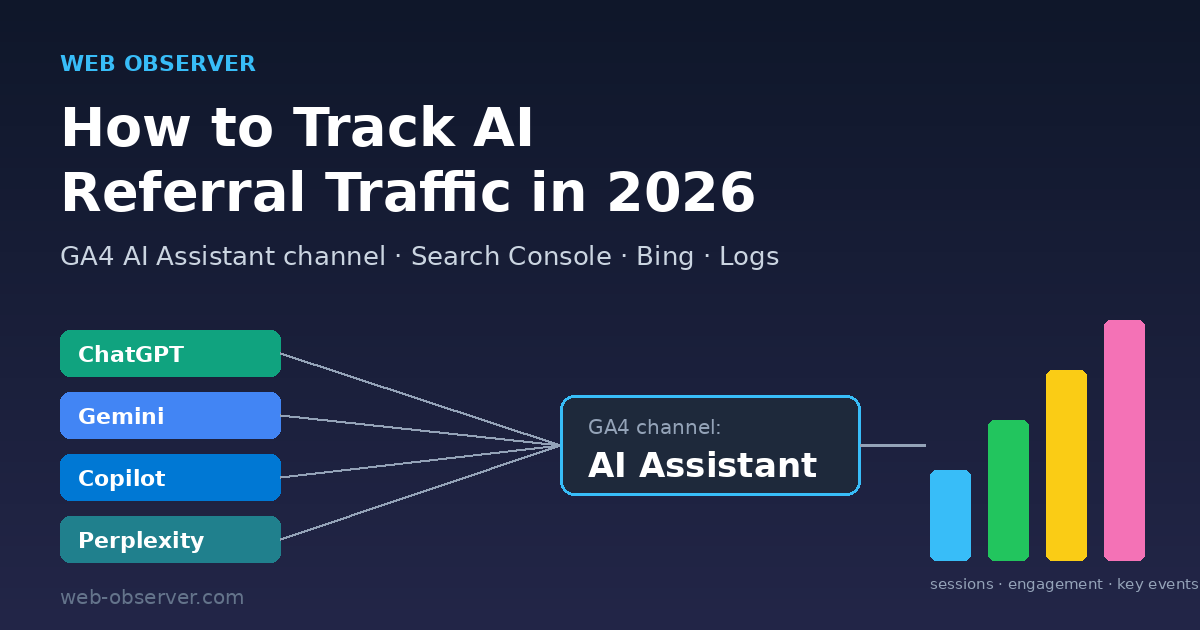
Short answer: To track AI referral traffic in 2026, start with the AI Assistant channel that Google Analytics 4 now includes in its default channel group, then break it down by Session source to see ChatGPT, Gemini, Copilot, Perplexity and others individually. Add Google Search Console’s Generative AI performance report for AI Overviews and AI Mode impressions, Bing Webmaster Tools’ AI Performance report for Copilot citations, and your server logs for AI crawler activity. Treat every AI number as a floor: visits that arrive with no referrer and no UTM tag still land in Direct.
That last point stopped being theoretical this month. Between roughly October 8 and October 15, 2026, many sites saw ChatGPT referrals fall sharply while Direct traffic rose on the same pages. Analysts traced it to ChatGPT links that opened without the utm_source=chatgpt.com tag and without a referrer; OpenAI reportedly confirmed it was a bug and a fix rolled out on October 15. This guide explains what happened, how to clean up your reports, and how to build an AI traffic measurement setup that survives the next change.
What happened to ChatGPT referral traffic in October 2026
According to Search Engine Journal’s reporting, ChatGPT-attributed sessions in GA4 dropped sharply in several datasets starting around October 9, shortly after GPT-6 began rolling out on October 7–8. Adobe’s Cedric Huesler compared about 500 pages where ChatGPT drove at least 5% of visits and found ChatGPT visits down about 31,000 a day while Direct visits rose about 26,000 a day over October 9–13 versus the previous week. Search Engine Land reported the same pattern.
The mechanism was simple: inline links inside some ChatGPT answers opened in a new tab with the browser told to withhold the referrer, and the UTM tag was missing. With no tag and no referrer, analytics tools have nothing to attribute, so the visit is filed as Direct. Links in the Sources panel and shopping links reportedly kept their tags. Huesler later said OpenAI confirmed the bug on October 14 and that tagged ChatGPT clicks were back to roughly 95–100% of normal on October 15. OpenAI’s own release notes did not describe the fix, so treat that as well-sourced industry reporting rather than an official statement.
What to do now: annotate October 8–15, 2026 in your analytics, and avoid month-over-month or week-over-week ChatGPT comparisons that straddle that window. If ChatGPT is a meaningful source for you, review ChatGPT and Direct traffic side by side for the landing pages ChatGPT usually sends people to.
Why AI traffic is hard to measure in the first place
Classic referral tracking depends on two signals: the HTTP referrer (the page the visitor came from) and campaign parameters such as utm_source. AI assistants control both. Native mobile apps often send no referrer at all, and a single change to how an assistant opens links can remove both signals overnight. That is why SEJ noted that a large share of mobile ChatGPT visits on some sites relied on the UTM tag alone.
Google’s own AI features are a separate case. Visits from AI Overviews and AI Mode come from Google Search, so GA4 counts them as Organic Search, not as AI Assistant traffic. If you are working on generative engine optimization (GEO), you need different tools for Google’s AI surfaces and for third-party chatbots.
The AI traffic measurement stack at a glance
| Tool / data source | What it shows | Covers | Main limitation |
|---|---|---|---|
| GA4 AI Assistant channel | Sessions, engagement and conversions from recognized AI assistant referrers | ChatGPT, Gemini, DeepSeek, Copilot, Grok and others on Google’s (unpublished) list | Misses visits with no referrer and no UTM tag |
| GA4 custom channel group | Your own rules for AI sources, e.g. one channel per assistant | Any source you can match by regex | Still depends on a source value existing |
| Search Console Generative AI performance report | Impressions in AI Overviews and AI Mode by page, country, device and date | Google AI Overviews, AI Mode | Impressions only; clicks stay mixed into the Web search type |
| Bing Webmaster Tools AI Performance | Citations, grounding queries, cited pages; new Topics Portfolio (beta) | Microsoft Copilot, Bing AI summaries, select partners | Directional estimates; small sites may see little data |
| Server / CDN logs | Requests from AI crawlers and user-triggered fetchers | OAI-SearchBot, ChatGPT-User, GPTBot and other bots | Shows bot fetches, not human clicks |
| Self-reported attribution | “How did you hear about us?” answers | Any assistant, including untagged app traffic | Small samples, needs a form or checkout step |
Step 1: Use GA4’s built-in AI Assistant channel
Google added an AI Assistant channel to GA4’s default channel group. Google describes it as the channel by which users arrive “from sources like ChatGPT, Gemini, Deepseek, Copilot, or Grok,” and it explicitly excludes AI Overviews and AI Mode. Under the hood, GA4 sets the medium to ai-assistant and the campaign to (ai-assistant) when the referrer matches its list of AI assistants.
- Open Reports → Acquisition → Traffic acquisition.
- Keep Session default channel group as the primary dimension and find the AI Assistant row.
- Add Session source as a secondary dimension to split the channel by assistant (for example chatgpt.com, gemini.google.com, perplexity.ai).
- Switch the table to Landing page to see which articles AI assistants send people to, then compare engagement rate and key events against Organic Search.
Because GA4 does not publish the exact list of AI referrers it recognizes, check your Referral channel too. If a newer assistant still shows up there, it is a sign you need a custom rule.
Step 2: Build a custom AI channel group for full control
Google’s custom channel groups documentation includes an AI assistants example. Custom groups apply retroactively to your reports, and standard properties can have two custom groups with up to 50 channels each. Traffic goes into the first channel it matches, so order matters.
- Go to Admin → Data display → Channel groups and click Create new channel group (this copies the default group).
- Click Add new channel, name it something like AI assistants, and add a condition on Source with matches regex.
- Use a regex that names the assistants you care about, for example:
.*(chatgpt\.com|openai\.com|perplexity\.ai|gemini\.google\.com|copilot\.microsoft\.com|claude\.ai|deepseek\.com|grok\.com).* - Click Reorder and move the new channel above Referral (and above Organic Search if any of your patterns could overlap with it).
- Save, then select the new group as the primary dimension in Traffic acquisition. Optionally make it your property’s primary channel group.
Want a per-assistant view? Create separate channels (ChatGPT, Gemini, Perplexity, Claude, Copilot) instead of one combined channel. Review the regex every quarter: assistants change domains and link formats, and SEJ reported that Gemini started adding UTM parameters to its outbound links in early October 2026, so check what source values actually appear in your data before writing rules.
Step 3: Measure Google AI Overviews and AI Mode in Search Console
Google’s AI features documentation says sites appearing in AI Overviews and AI Mode are included in the Search Console Performance report under the Web search type. Since August 31, 2026, Search Console also offers a Generative AI performance report that shows impressions in AI Overviews and AI Mode, which you can slice by page, country, device and date.
Use it to find the pages that Google’s AI features already show, then make sure those pages answer the question quickly and link deeper into your topic cluster. Our breakdown of Google’s official guide to AI search optimization covers what Google says actually helps (and what to skip).
Step 4: Track Copilot citations in Bing Webmaster Tools
Bing’s AI Performance report shows the grounding queries and pages for which your site is cited in Microsoft Copilot, Bing’s AI summaries and select partner integrations. On October 13, 2026, Microsoft added Topics Portfolio (beta), which groups your grounding queries into themes and shows Topic Size, Sites Cited and Queries, plus Opportunity Queries where other sites are cited and yours is not.
For content planning, that opportunity list is the most useful part: it is effectively a gap analysis for AI answers. Microsoft says the numbers are directional and that smaller sites may see a shorter list or no Topics Portfolio tab at all.
Step 5: Check server logs for AI crawlers and fetchers
Logs are the one data source a link-format change cannot hide. OpenAI documents its user agents on its crawlers page: OAI-SearchBot crawls for ChatGPT search results, ChatGPT-User fetches pages when a user’s request triggers it, and GPTBot crawls content that may be used for model training. A rising number of ChatGPT-User fetches to a page is a good hint that it is being used in answers, even when clicks are hard to attribute.
Make sure your robots.txt allows the search-oriented bots you want to appear in. OpenAI notes that sites opted out of OAI-SearchBot will not be shown in ChatGPT search answers (though they can still appear as navigational links).
Step 6: Add a self-reported attribution question
If you have a signup, contact or checkout form, add an optional “How did you hear about us?” field with ChatGPT, Perplexity, Gemini and Copilot as choices. It catches app traffic and untagged clicks that no analytics rule can see. The sample will be small, but it is the only signal you fully control.
AI referral tracking checklist
| Task | Where | How often |
|---|---|---|
| Annotate Oct 8–15, 2026 (ChatGPT tagging bug) | GA4 / Adobe Analytics | Once |
| Review AI Assistant channel by source and landing page | GA4 Traffic acquisition | Weekly |
| Check Referral channel for unrecognized AI sources | GA4 | Monthly |
| Update custom AI channel regex | GA4 Admin → Channel groups | Quarterly |
| Review AI Overviews / AI Mode impressions by page | Search Console Generative AI report | Weekly |
| Mine Opportunity Queries for content gaps | Bing Webmaster Tools → AI Performance | Monthly |
| Count OAI-SearchBot and ChatGPT-User hits per URL | Server or hosting logs | Monthly |
| Compare Direct vs AI traffic on top AI landing pages | GA4 Explorations | After any big AI product release |
How to turn AI traffic data into better content
Measurement only matters if it changes what you publish. Pages that already earn AI visits or impressions are your proof of topical authority, so expand them with clear definitions, comparison tables and FAQs, and link them to related posts. Technical explainers such as our GraphRAG vs Vector RAG comparison tend to be cited because they answer a specific question in a structured way. For drafting and auditing that kind of content faster, our ChatGPT prompts for SEO are a practical starting point.
Finally, compare AI visitors with organic visitors on engagement and conversions, not just volume. Google has said clicks from results pages with AI Overviews tend to be higher quality, and many publishers see AI assistant visitors land deep in the site with a specific intent. Those are the pages worth protecting first.
FAQ
Does GA4 track ChatGPT traffic automatically?
Yes, when the visit carries a recognizable referrer or tag. GA4’s default channel group includes an AI Assistant channel that covers sources like ChatGPT, Gemini, DeepSeek, Copilot and Grok. Visits that arrive with no referrer and no UTM parameters are still counted as Direct.
Are Google AI Overviews and AI Mode counted as AI Assistant traffic?
No. GA4 counts AI Overviews and AI Mode clicks as Organic Search, and Search Console includes them in the Web search type of the Performance report. Use Search Console’s Generative AI performance report to see AI Overviews and AI Mode impressions by page.
Why did my ChatGPT traffic drop in October 2026?
For most sites it was a tracking problem, not lost demand. From about October 8 to 15, 2026, some ChatGPT links opened without the utm_source tag or a referrer, so visits were recorded as Direct. Industry reports say OpenAI confirmed the bug and rolled out a fix on October 15.
What regex should I use for an AI channel in GA4?
Match the source values you actually see, for example .*(chatgpt\.com|openai\.com|perplexity\.ai|gemini\.google\.com|copilot\.microsoft\.com|claude\.ai).*, place the channel above Referral, and review it quarterly as assistants change domains and link formats.
Can I see which pages ChatGPT reads?
Not directly in analytics, but your server logs show requests from OpenAI’s documented user agents. OAI-SearchBot indicates search crawling, while ChatGPT-User indicates fetches triggered by user requests in ChatGPT.
Leave a Reply
You must be logged in to post a comment.