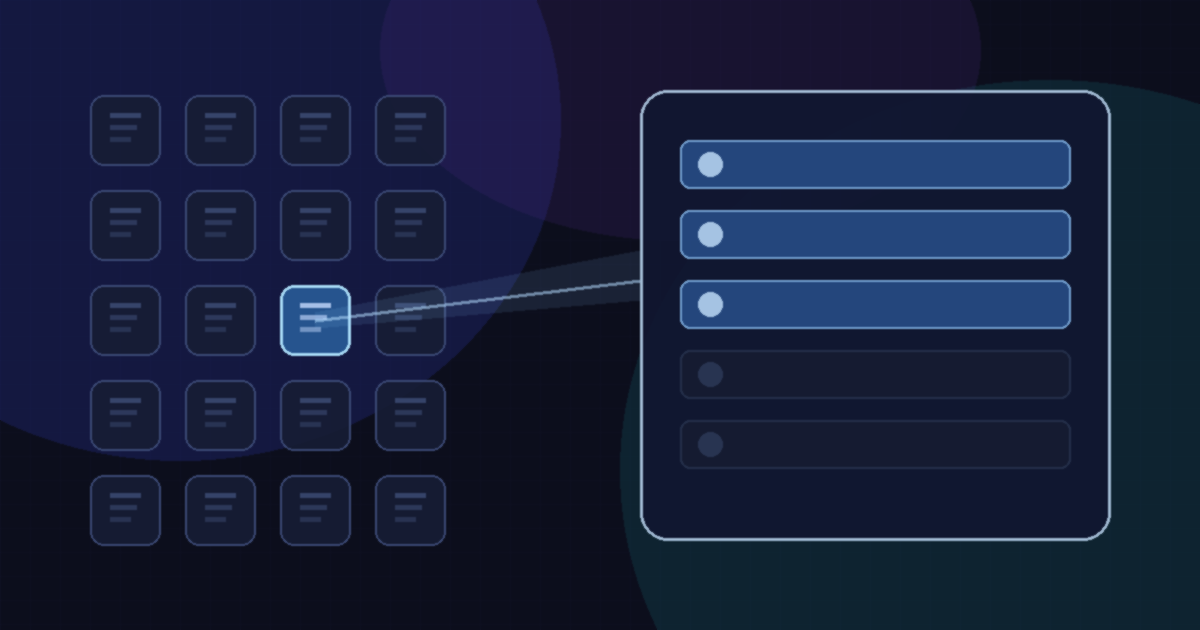
Takeaway: On November 19, 2026, Google introduced Tool Retrieval in the Gemini API. The feature is in preview in the Interactions API. It is designed for agents that expose dozens or hundreds of tools: you can keep the full library on standby and load parameter schemas only when the current task needs them. Official documentation says this requires the v1beta API version, that the surface may change before general availability, and that the generateContent method does not support it.
The details below come from that official Google blog post, by Lucia Loher and Nora Kassner, and from Google’s Tool retrieval documentation. This article does not invent API parameters, model IDs, or prices beyond what those pages state.
The problem Google is solving
When an agent is connected to a large tool library, sending every full parameter schema on every request inflates input tokens, adds latency, and can lower tool-selection accuracy as the candidate list grows. The official docs put a rough scale on the token issue: a few dozen function declarations can consume tens of thousands of tokens on every request. Tool Retrieval is meant to keep the active tool set small by loading schemas on demand.
How server-side retrieval works
Server-side retrieval is the default. To turn it on, add a tool_search tool to the request and set defer_loading: true on the tools you want to hold back. The model still sees the name and description of every deferred tool, but the parameter schemas stay out of the initial context. When the model needs a tool, it asks for it by name, the API loads the full schema, and the model emits a function call — all inside the same request.
Google’s examples use client.interactions.create with model="gemini-4-hydrogen" and, in the docs, http_options={"api_version": "v1beta"}. Inside a single call, the response can include three step types: tool_search_call, tool_search_result, and then the usual function_call. The API resolves the first two internally, so your code still executes only the function call and returns a function_result. Official docs add that each retrieval step includes an encrypted signature that you must pass back unchanged if you manage conversation history yourself.
There is no index for you to build or host. Gemini runs the search on the server, so the code change is the new tool plus a flag on the tools you want to defer. You can leave frequently used tools undeferred and defer the long tail. Tool Retrieval also works with prefix caching, according to the launch post: deferred schemas stay out of the start of the prompt, and schemas the model loads are added later, so the cached prefix can stay the same from turn to turn.
The same server-side path works with remote MCP servers in the Gemini API. Set defer_loading: true on an mcp_server tool, and every tool that server exposes is loaded on demand, so you can connect a large server without listing its tools one by one.
Client-side retrieval is a different mode
If you maintain your own tool registry, embedding index, or per-user permission filter, you can declare tool_search with execution: "client" and define your own search parameters. In that mode, the model calls your search tool, your app runs the lookup, and you return matching function declarations in the function result. Official docs say tools returned this way do not need to appear in the initial tools array, so you can inject tools mid-conversation, for example when a user connects an integration. The tradeoff is an extra round trip per search.
Google’s comparison in the docs is straightforward. Static loading sends every schema on every request and is described as a fit for fewer than 20 stable tools. Server-side retrieval has the API load deferred schemas on demand, with no extra round trips, and it works with remote MCP servers. Client-side retrieval is for dynamic registries, namespaces, or per-user tools; you write the search logic, tools need not be declared upfront, and MCP is listed as not applicable. The docs also say server-side and client-side retrieval cannot be combined in the same request, and that defer_loading applies to server-side retrieval only.
Pricing, models, and limits
The launch post says Tool Retrieval has no separate charge. Input and output tokens are billed at the standard rates for the model you call. Turning on tool_search adds a small, fixed block of input tokens, and each schema the model loads is billed as input for the rest of the conversation, the same as a tool declared up front. Google’s framing is that you save tokens when the schemas you never load outweigh the ones you do, which it calls the usual case for large libraries, and it tells developers to measure this against their own traffic. This article does not invent per-token prices.
Tool Retrieval works with Gemini 3.6 and later models, including all Gemini 4 models, in the Interactions API. The launch examples use Gemini 4 Hydrogen, which we previously covered as Google’s fast everyday Gemini 4 model. That is a usage example, not a statement that Tool Retrieval is limited to Hydrogen. Official docs also list these limits:
- Supported on the Interactions API only (
v1beta).generateContentdoes not support tool retrieval. - Server-side and client-side retrieval cannot be combined in the same request.
defer_loadingapplies to server-side retrieval only.- The model may issue multiple search calls in one turn when it needs several tools.
- Loaded tools stay in context for the rest of the conversation and cannot be unloaded.
- A search query that matches no deferred tool produces a text response instead of a structured error.
Because the feature is in preview, treat the current parameter names and response shape as subject to change before general availability. This is a Gemini API developer feature, not a change to the Gemini app. It is also separate from earlier Gemini API work we have covered, including Gemini 4 Neon and the Gemini Decisions API.
Key facts
| Item | What official sources say |
|---|---|
| Announcement | Google blog, November 19, 2026, “Introducing Tool Retrieval in the Gemini API,” by Lucia Loher and Nora Kassner. |
| Status | Preview in the Interactions API. Official docs require v1beta and say the API surface may change before general availability. |
| How to enable (server-side) | Add {"type": "tool_search"} and set defer_loading: true on tools to withhold. The model sees names and descriptions; schemas load on demand in the same request. |
| Client-side mode | Declare tool_search with execution: "client". Your app returns schemas. One extra round trip per search. Tools need not be declared upfront. |
| MCP | Set defer_loading: true on an mcp_server tool to load that server’s tools on demand. Official docs say client-side retrieval is not applicable to remote MCP servers. |
| Models | Gemini 3.6 and later, including all Gemini 4 models, in the Interactions API. Not supported on generateContent. |
| Pricing | No separate charge. Standard input and output rates apply. tool_search adds a small, fixed input-token block; loaded schemas are billed as input for the rest of the conversation. |
FAQ
What is Tool Retrieval in the Gemini API?
It is a preview feature, announced on November 19, 2026, that lets a Gemini agent keep a large tool library on standby and load parameter schemas only when the current task needs them. The goal is to reduce input tokens and keep tool selection accurate as the number of tools grows.
Which API does Tool Retrieval use?
The Interactions API, in preview, with the v1beta API version. Official documentation says generateContent does not support tool retrieval, and that the API surface may change before general availability.
How do I turn on server-side Tool Retrieval?
Add a tool_search tool to your request and set defer_loading: true on the tools you want to defer. The model still sees each deferred tool’s name and description. When it needs a tool, the API loads the full schema and the model can call the function in the same request.
What is the difference between server-side and client-side retrieval?
Server-side retrieval, the default, has Gemini load deferred schemas during the same API call and can work with remote MCP servers. Client-side retrieval uses execution: "client" so your app runs the search and returns schemas, which is useful for dynamic or per-user registries but adds a round trip. The two modes cannot be combined in the same request.
Which Gemini models support Tool Retrieval?
Google says it works with Gemini 3.6 and later models, including all Gemini 4 models, in the Interactions API. Launch examples use Gemini 4 Hydrogen. That is an example model, not a documented limitation to Hydrogen alone.
Does Tool Retrieval cost extra?
The official announcement says there is no separate charge. Tokens are billed at the standard rates for the model you call. Enabling tool_search adds a small, fixed block of input tokens, and each schema the model loads is billed as input for the rest of the conversation.
Can I use Tool Retrieval with MCP servers?
Yes, on the server-side path. The launch post says you can set defer_loading: true on an mcp_server tool so every tool that server exposes is loaded on demand. Official docs say client-side retrieval is not applicable to remote MCP servers.
Do loaded tools stay in the conversation?
Yes. Official documentation says loaded tools stay in context for the rest of the conversation and cannot be unloaded. It also says a search that matches no deferred tool produces a text response instead of a structured error, and that the model may issue multiple search calls in one turn when it needs several tools.
Leave a Reply
You must be logged in to post a comment.