Takeaway: On November 6, 2026, OpenAI announced it is partnering with Hacktron to find vulnerabilities in OpenAI’s own systems. OpenAI engineers and Hacktron researchers will jointly pick high-priority areas to test, with a stated focus on how OpenAI’s systems interact with third-party services. As part of the deal, OpenAI is expanding Hacktron’s access to frontier models through Daybreak Red. Hacktron published a matching note the same day. This is a defensive testing partnership, not a new public model release.
The announcement sits next to — and should not be collapsed into — this week’s product story on GPT-6 Cyber or the earlier research write-up of an AI pipeline that found 948 Linux kernel local privilege escalations. Those pieces were about a specialized cybersecurity model and a research pipeline’s results. This one is about OpenAI paying the same kind of attention to its own attack surface, especially the seams where its products connect to outside services.
What OpenAI said it is buying, and why
OpenAI’s post is short and specific. The company says the two teams will choose test targets together rather than handing Hacktron a completely open brief. The priority it names is integration risk: as AI agents connect more services, vulnerabilities show up at the boundaries between applications, cloud infrastructure, and identity systems — the kind of work OpenAI says first drew it to Hacktron.
OpenAI writes that it became familiar with the firm through its Security Bug Bounty program and was impressed by vulnerabilities Hacktron researchers discovered and disclosed. Hacktron builds AI agents for code review, penetration testing, and red teaming. In other words, this is not a generic consulting retainer described in slogan language; OpenAI is hiring a team that already uses AI offensively and has already filed findings against OpenAI itself.
The company places the partnership in a broader hardening push from the same week: Cathedral’s researchers will work alongside OpenAI teams in the next security sprint, and OpenAI says it raised bug bounty rewards to give independent researchers more reason to chase issues its own testing may have missed. Those are OpenAI’s statements about parallel efforts; the Hacktron post does not add detail on Cathedral or the new bounty amounts.
Daybreak Red access is the capability lever
The operational detail that matters for security teams watching this space is access. OpenAI is expanding Hacktron’s use of frontier models through Daybreak Red — the same program that gates GPT-6 Cyber and related cybersecurity models to approved customers. The partnership therefore pairs an outside offensive-security shop with deeper model access, aimed back at OpenAI’s own stack rather than at a customer engagement.
That is consistent with the posture OpenAI has been advertising around GPT-6 Cyber: put stronger cyber models in the hands of authorized researchers, keep the work inside scoped programs, and use what they find to patch first-party systems. Whether that loop is as effective as the blog post hopes is not something outsiders can measure from an announcement alone.
How Hacktron described the same deal
Hacktron CEO Zayne Zhang posted a same-day confirmation: researchers will work with OpenAI engineers to prioritize testing of connections with third-party services, with broader frontier-model access through Daybreak Red. The collaboration, Hacktron says, follows its work in OpenAI’s bug bounty program. Zhang’s public biography on that post says he has been credited with 15 CVEs, including three in the Node.js HTTP parser, and previously did security research at TikTok and audits for Cure53.
The future of cybersecurity won’t be defined by who has the largest security team, but by who can best combine human creativity with AI-driven capabilities. OpenAI is setting a strong example by putting frontier cyber models in the hands of security researchers, enabling them to uncover complex vulnerabilities at the boundaries between interconnected systems. We’re excited to deepen our partnership with OpenAI, combining our offensive security expertise with their frontier models to help secure OpenAI and the broader software ecosystem.
Zayne Zhang, CEO, Hacktron, November 6, 2026
Neither post lists the third-party integrations in scope, a timeline for findings, or whether results will be published. OpenAI points readers who want to report issues themselves to its Security Bug Bounty program.
Why the third-party-service focus is the story
Model launches get attention because they are easy to score. Integration bugs are harder to see and often more useful to an attacker: an agent that can call email, payments, identity providers, cloud consoles, or customer data stores inherits whatever trust those connections carry. OpenAI is implicitly saying that as its products become more agentic, the interesting bugs may live in those handoffs rather than in a single isolated model endpoint.
For developers and security teams, the practical takeaway is narrower than “AI will secure AI.” If you ship agents that touch third-party APIs, the same class of review — scoped red-teaming of the connections, not just of the prompt — is the part of this announcement worth copying. The part you cannot copy from the outside is Daybreak Red access to frontier cyber models.
What this is — and what it is not
Claim
Status
Notes
OpenAI announced a Hacktron partnership on November 6, 2026
Confirmed
Matching post from Hacktron the same day
Focus is vulnerabilities in OpenAI’s systems, especially third-party service interactions
Confirmed by both posts
No public list of in-scope integrations
Hacktron gets expanded frontier-model access via Daybreak Red
Confirmed by OpenAI and Hacktron
Access details not published
OpenAI found Hacktron through its bug bounty program
Stated by OpenAI
Hacktron agrees the collaboration follows bounty work
This is a launch of a new public cybersecurity model
No
GPT-6 Cyber launched November 5; this is a testing partnership
Specific vulnerabilities, bounty dollar amounts, or a Cathedral sprint plan are disclosed here
No
OpenAI mentions those parallel efforts without figures
Findings will be published
Not stated
OpenAI points independent researchers to its bug bounty
FAQ
Is this the same announcement as GPT-6 Cyber?
No. GPT-6 Cyber, announced November 5, 2026, is a cybersecurity-specialized model with Daybreak Red access rules and benchmark claims. The November 6 Hacktron post is about an outside firm helping test OpenAI’s own systems, using expanded Daybreak Red access as part of that work.
What will Hacktron actually test?
OpenAI says the two teams will choose high-priority areas together, “with a focus on how our systems interact with third-party services.” It does not name those services or publish a scope document in the announcement.
Does this replace OpenAI’s bug bounty?
No. OpenAI presents the partnership alongside a raised bounty and other invited research (including Cathedral’s involvement in the next security sprint). It still directs independent researchers to the Security Bug Bounty program.
Who is Hacktron?
According to OpenAI, Hacktron builds AI agents for code review, penetration testing, and red teaming, and has disclosed high-impact vulnerabilities to OpenAI through the bounty program. Hacktron’s own post identifies Zayne Zhang as co-founder and CEO.
Should customers expect a public report?
Neither company promised one. Treat this as a scoped defensive engagement unless OpenAI later publishes findings or patches tied to the work.
Takeaway: On November 6, 2026, Anthropic published The components of agent memory, an engineering research post by Lance Martin that explains how Claude keeps knowledge between sessions — and how an offline process Anthropic calls dreaming reorganizes that memory. The post is not a claim that Claude updates its model weights while it “sleeps.” Dreaming reads session transcripts plus an existing memory store, then writes a new, cleaned-up store: duplicates merged, stale or contradicted notes replaced, and new representations (including linked wikis) added. In Anthropic’s headline evaluation, Claude built a wiki over about 350,000 internal files (~420 million tokens) from Stainless, a software company Anthropic says it acquired in May. After 128 dreaming sessions, scores on 25 questions rose from 13% to 48% when Claude used only the wiki; combining the wiki with search reached 61%, versus 53% for search alone, and saved about 20,000 tokens per question.
What Anthropic means by memory — and what it does not
Anthropic defines agent memory as knowledge Claude gains from experience — user interactions and assigned tasks — and retains between sessions as context it can read later. The post explicitly excludes three other mechanisms: changes to model weights, in-context learning inside a single conversation, and compaction (summaries that replace older turns so a chat can continue in a new context window).
The analogy the authors use is human memory consolidation. People encode experience quickly, then replay and distill some of it during sleep or quiet rest. Researchers at Letta and UC Berkeley previously described “sleep-time compute” as a way for models to reorganize context between interactions. Anthropic applies a similar split: write notes while work is happening, then dream offline to clean, correct, and restructure those notes before the next session.
A memory note is also a prediction. When Claude writes down a rule or a verified fact, it is betting that a future session will need that information without repeating the original work. A wrong prediction is dangerous precisely because later sessions may trust the note.
Stronger models got better at judging what to save
Anthropic reports several evaluations rather than a single leaderboard. On Continual Learning Bench (CL-Bench) 1.0, Claude answered a series of database questions in fresh sessions, with only a persistent memory directory carrying over. After each answer it learned the correct solution and could write a note for later questions.
Different model generations used that loop differently:
Claude Sonnet 4.6 generated theories about mistakes but left a scattering of files full of untested guesses.
Claude Opus 4.7 consolidated notes into a single reference and started marking which facts it had checked.
Claude Sonnet 5 marked answers as confirmed after the grader checked them and wrote corrections when it had been wrong.
Claude Opus 5 was the first of the set to close the loop: most entries included a rule, how Claude knew the rule was true, answers to earlier questions, and warnings about traps.
Claude Opus 5.5 and Claude Sonnet 5.5 also closed the loop. With memory, both scored about the same as Opus 5, though their no-memory baselines were slightly higher.
The lab also found that telling stronger models exactly what to write can backfire. A rule to “record only failures” removed much of the performance boost memory had given Opus 5 and Opus 4.7. Anthropic’s usual guidance for frontier Claude models is simpler: create notes when a person asks or when something is clearly worth remembering, and leave the salience judgment to Claude. Older models needed more explicit prompts — for example, telling Sonnet 4.6 to read its memory files and test its theories nearly doubled its benchmark score.
Pokémon as a test of salience, not just storage
To test what Claude thinks is worth remembering, Anthropic compared memory folders from Claude Sonnet 3.7 and Claude Fable 5 about 10,000 steps into Pokémon Red:
Model
Memory folder around step 10,000
Progress reported
Claude Sonnet 3.7
413 memory files across 225 folders
One badge
Claude Fable 5
Nine files in two folders, plus a top-level global.md
Four badges
Claude Opus 5.5
A small folder tracking the current goal and next steps
Beat the game, per Anthropic
Sonnet 3.7 treated almost everything as memorable — separate files for battles, items, and characters — and then spent turns filing memories instead of playing. Around step 10,000 it started a fourth folder of “master” files and, over the next 17 steps, created six files and deleted nine others without taking an in-game action. Fable 5 used memory for things the game did not already display on screen: strategy, plans, and tested rules. Its global.md held the current goal, a gym plan, and the model’s own rules for using memory.
The contrast is the point Anthropic wants readers to take: more memory is not better memory. Notes that duplicate state the agent can reread every turn go stale immediately. Notes that capture a hard-won rule disappear unless someone writes them down.
Dreaming can correct a note that would otherwise be trusted
Because Claude writes memory in the moment, a bad note can be reused confidently later. Dreaming gives Claude a second look against the original transcript. Anthropic’s example is a Pokémon navigation error in Mt. Moon. Claude used a PokéCenter as a landmark and wrote down the wrong side of the mountain for that building. It then concluded “Mt Moon DONE,” walked off a one-way ledge, and never reached Cerulean City in that run — dropping back onto the earlier route three times before appearing to give up.
When Anthropic ran dreaming on the folder that contained the wrong location, Claude checked the note against the transcript, rewrote it, and — with the corrected memory — went back into the cave and eventually reached Cerulean City. The uncorrected-memory run and a no-memory run both failed to get past the mountain, according to the post.
Wikis: 13% to 48% on a 350,000-file corpus
Dreaming can also build new representations. One of those is a wiki: pages Claude writes and maintains about a subject, with links that act as a map through a growing knowledge base. Anthropic tested this on a corpus of about 350,000 internal Stainless files (roughly 420 million tokens) and a 25-question evaluation set.
Opus 5 agents spent 128 sessions exploring the files, writing or correcting linked pages, merging duplicates, and checking claims against sources. They used a shared log to coordinate:
Setup
Result Anthropic reports
What it does not prove
Wiki only, after 2 dreaming sessions
13% of graded criteria
The wiki is not yet a substitute for search
Wiki only, after 128 sessions
48%
Still below search; the wiki is incomplete
Search tool alone
53%
No structured memory map
Search plus the grown wiki
61%; about 20,000 fewer tokens per question
Gains are task-dependent, not universal
Wikis helped most when questions required combining information across documents. On 24 questions about a merger, more than half of which needed several documents — and many of which also needed judgment or math — Claude scored 87% with the wiki versus 73% with search alone. On some Harvey LAB legal-brief tasks, criteria could be retrieved from a single document with text search, and the wiki showed no clear gain. In another case the wiki grew larger than the source documents themselves, abstracting almost nothing — Anthropic compares that failure mode to Borges’s map the size of the empire.
Instructions change what dreaming keeps
Dreaming can be pointed at a goal. On a LAB acquisition task graded against contract terms, several agents wrote to one shared table at the same time. Only 41 of 57 graded facts (72%) survived into the wiki. After a loop in which Claude reflected on failures and rewrote the wiki-building instructions, each contract got its own page, written by a single agent that quoted terms instead of summarizing them into a contested table. The brief generated from that wiki then met 57 of 57 criteria.
A second dreaming pass also closed gaps a live session left behind. On one task, dreaming found nine links to a missing page and repointed them to an existing page for the same document, then added three new pages including an index.
Anthropic notes a related constraint from Claude Code’s auto memory: Claude does not load an entire memory file into every session. It loads only the first 200 lines or 25 KB of MEMORY.md. That header is an index. Dreaming’s job at the top of the hierarchy is to keep that injected layer small, because a wrong note loaded into every session wastes tokens and can steer later work off course. Longer instruction files, Anthropic’s own Claude Code documentation already warns, also reduce adherence.
Open questions the post leaves on the table
The authors flag design problems that are not solved:
When should Claude write memory during a task (immediate, but distracting) versus push that work into a later dream (less disruptive, but not instantly available)?
How often should dreaming run, and which memories are worth the compute to re-check, given that notes can be wrong from the start or drift as the environment changes?
When is a searchable transcript enough, and when does a maintained representation such as a wiki pay for itself?
How do you stop representations from accumulating errors — or growing until they are no smaller than the raw files?
Anthropic’s stance is pragmatic rather than triumphant: frontier models have gotten better at judging salience, but no model can know what a future session will need. Dreaming is a way to spend compute looking backward so later sessions can look forward with a cleaner map.
What this is — and what it is not
Claim
Status
Notes
Anthropic published “The components of agent memory” on November 6, 2026
Confirmed
Engineering post by Lance Martin
Dreaming updates Claude’s model weights overnight
Not what Anthropic claims
Memory is stored context, not training
Dreaming reorganizes an existing memory store using past session transcripts
Search plus wiki reached 61% vs. 53% for search alone
Reported by Anthropic
About 20,000 tokens saved per question
Wikis always beat search
Not claimed
Some single-document tasks showed no gain; one wiki outgrew its sources
This post is the first public mention of dreaming
No
Managed Agents docs already describe dreams as a research preview
This is the same story as METR’s November 5 R&D-acceleration report
No
Different question, dataset, and authors
FAQ
Does dreaming mean Claude trains itself while idle?
No. Anthropic is describing an offline job that reads transcripts and memory files, then writes a reorganized memory store. The post says this is separate from changing model weights.
Is this a new product launch?
Not in the sense of a first announcement. Dreaming is already a research-preview capability for Claude Managed Agents, with API docs and a request-access path. The November 6 post is the research write-up of how memory notes, salience, wikis, and dreaming interact — including new evaluation numbers.
Do I need Managed Agents to benefit from the idea?
The productized dream job is documented for Managed Agents. The broader lesson — write sparse, tested notes during work, then spend idle compute cleaning them against transcripts — also shows up in Claude Code’s auto-memory design, where only a small header of MEMORY.md is injected into each session.
Why did a smaller memory folder beat a huge archive in Pokémon?
Because the game state changes constantly. Sonnet 3.7 stored details the screen already showed, so those notes went stale and then competed for attention. Fable 5 stored plans and rules the game would not remember for it. Anthropic’s argument is that salience beats volume.
Should teams treat the 13% to 48% wiki result as a general benchmark?
No. It is one internal 25-question set over one company’s document corpus, reported by Anthropic. The same post shows tasks where a wiki added little and a case where the wiki became larger than the files it was meant to summarize.
Takeaway: GitHub said in a November 2, 2026 changelog that starting December 2, 2026, GitHub Actions will block pull_request_target events by default in all public repositories, unless an Actions event policy explicitly allows them. Enforcement had previously been scheduled for November 2 and was delayed. Before the permanent switch, GitHub will run two short “brownouts” — November 9 and November 16, 2026, each from 16:00–18:00 UTC — when the default rule temporarily behaves as if it were already enforced. During those windows, blocked workflow attempts create failed runs with an error annotation and do not execute. Private and internal repositories are not affected, and neither is GitHub Enterprise Server. GitHub’s own guide to using pull_request_target securely explains why the trigger is powerful, how people commonly break its safety model, and how to review policy insights before the first brownout.
This is a CI-policy story for maintainers of public repos, not another secrets-in-the-wild roundup like Claude Code settings files on GitHub, and not a recap of GPT-6 Cyber or OpenAI’s Linux kernel vulnerability pipeline. The hook is practical: the first brownout is on November 9 (00:00–02:00 on November 10 in Asia/Shanghai; 08:00–10:00 a.m. Pacific). If a public repository still relies on pull_request_target without an allowing policy, those two hours are a live fire drill.
The dates that matter
Milestone
When
What GitHub says happens
Original enforcement target
November 2, 2026
Delayed; the changelog says enforcement was previously scheduled for that day
Evaluate mode (now)
Until December 2, except during brownouts
Matching runs continue, but policy insights show which ones the default rule would block
First brownout
November 9, 2026, 16:00–18:00 UTC
Default rule temporarily enforced; blocked attempts fail with an error annotation and do not run
Second brownout
November 16, 2026, 16:00–18:00 UTC
Same temporary enforcement
After each brownout
Immediately afterward
The default rule returns to evaluate mode; workflows can run again with warnings
Permanent default block
December 2, 2026
pull_request_target is blocked in public repos that still rely on the default policy, unless an applicable Actions event policy allows it
GitHub introduced the default rule through workflow execution protections. For public repositories that do not already have an applicable Actions event policy, GitHub adds a default policy that blocks workflows triggered by pull_request_target. That default does not replace a policy you already configured, and it does not apply to private or internal repositories.
Who is in scope
Repository or product
Affected by the default block?
Notes from GitHub
Public repos on GitHub Free, Team, or Enterprise Cloud
Yes
This is the population named in the changelog
Private repositories
No
Unchanged by this default rule
Internal repositories (Enterprise Cloud)
No
Unchanged by this default rule
GitHub Enterprise Server
No
Explicitly excluded
Repos that already have an applicable Actions event policy
The new default does not replace that policy
Your existing allow/deny rules remain the ones that apply
If every workflow you care about already uses pull_request rather than pull_request_target, you may have nothing to change — the default block is then doing the job GitHub intends. The people who need to act are maintainers whose public automation still depends on the privileged trigger: labeling or triaging pull requests from forks, posting authenticated status checks, or any other job that was written to run with the base repository’s secrets.
What pull_request_target actually does
GitHub’s security guide draws a sharp line between pull_request and pull_request_target. A pull_request workflow (and the related review events) runs the workflow file from the pull request’s merge commit. For a fork, that commit is controlled by someone who does not have write access to your repository. GitHub therefore gives those jobs a read-only GITHUB_TOKEN, withholds other secrets, and applies fork-approval policies so the untrusted workflow cannot quietly spend your secrets or your compute.
pull_request_target flips the trust model. The workflow file — and a default actions/checkout that does not pin another ref — comes from the base repository’s default branch, not from the pull request. Because only that already-trusted workflow is supposed to run, GitHub grants the job the same class of trust it gives collaborator-triggered events such as push: the base repository’s GITHUB_TOKEN and access to repository and organization secrets.
That combination is why the trigger exists. Automation that must comment on a fork’s pull request, apply labels, or publish an authenticated check often cannot do its job with a read-only, secret-less token. It is also why a mistake is expensive. The safety property holds only while the privileged job treats the pull request as data to inspect, never as code to execute.
Why GitHub is changing the default
The changelog’s one-sentence rationale is the same idea as the longer security guide: pull_request_target runs in the base repository’s context and can read its secrets. If a workflow then executes untrusted code from a fork, that code can compromise the pipeline or steal those secrets.
GitHub’s docs describe the usual failure mode without requiring a novel attack write-up. Maintainers sometimes pick pull_request_target because they want fork pull requests to run CI and they want secrets (for example a private package registry). To test the contributor’s changes, they point checkout at the pull request’s head (or merge ref), or they fetch the fork some other way, and then they build or test whatever landed in the working directory. The workflow file is still the trusted copy from the default branch. The code that subsequently runs — a Makefile, npm install, a test script, a project hook, a dependency’s install step — can come from the fork.
GitHub and the GitHub Security Lab call that class of bug a “pwn request.” The security guide notes that the same pattern is not unique to this one event: any secret-bearing workflow (issue_comment, workflow_run, and others) can recreate it if it downloads and runs untrusted pull-request code or treats artifacts from a fork’s workflow as trusted input. The December 2 default is a product-level attempt to make the highest-risk trigger opt-in for public repositories, not a claim that every other event is automatically safe.
What the November brownouts will feel like
Think of the brownouts as two scheduled two-hour rehearsals, not as the final outage. GitHub will temporarily enforce the default protection so you can see affected workflows before December 2.
During the window:pull_request_target attempts that the default rule would block, in affected public repositories, become failed runs with an error annotation. The workflows do not execute.
After the window: the default rule goes back to evaluate mode. Workflows can run again; insights and warnings remain the way to see what December 2 will permanently stop.
Private and internal repositories are not part of this drill.
If your open-source project uses pull_request_target for something user-visible — a greeting comment, a preview deploy, a required status check — the brownout is when that automation silently (or noisily) disappears for two hours. Better to find that on November 9 than on December 2, when the change stops being temporary.
How to prepare before November 9
GitHub’s changelog points maintainers at Insights to see which workflow runs the rule would block, then offers two paths. The security guide says the same thing in slightly more operational language: while the policy is in evaluate mode, review policy insights and decide, for each affected workflow, whether pull_request_target is still required.
If you do not need the privileged trigger, change the workflow to a safer event where appropriate — GitHub specifically names pull_request. That event covers the same pull-request activity, runs the workflow from the merge commit, and already applies the fork protections summarized above. If the job does not need extra secrets, this is the intended destination.
If you must keep pull_request_target, create or update an applicable Actions event policy that explicitly allows it. The changelog says you can use workflow-file targeting so the allow list covers specific workflows rather than every privileged job in the organization.
If you do not want to allow it, leave the default policy in place. After enforcement, GitHub will block workflows triggered by that event.
We are not going to invent YAML for an Actions event policy here: GitHub documents policy configuration under its workflow-execution and Actions-policy pages, including a REST API for managing policies programmatically. If your organization already set an event policy, remember that the new default does not override it — you are already on a hand-written allow/deny path and should review that path rather than assuming December 2 will save you or break you automatically.
A simple triage question, taken from GitHub’s own warning: only allow pull_request_target when it is necessary, and do not use that allow list as permission to check out, build, or run untrusted pull-request code with repository secrets or a privileged token.
If you still need the privileged trigger
Some workflows really do need elevated trust to respond to forks. GitHub’s examples include generating coverage that requires a private artifact registry, or producing authenticated checks against the incoming changes. The security guide asks you to work through two questions before you opt back in — and before you disable built-in checkout protections.
Can you use pull_request instead? If you do not need additional secret access, you probably can. More complex pipelines can be split so that anything which handles pull-request code runs without secrets, and anything which needs secrets never executes that code.
Is checked-out code ever executed? That is the flaw that turns a privileged workflow into a pwn request. Execution is broader than an obvious “build” step. Installers, test runners, generated scripts, and dependency install hooks can all run attacker-controlled code once the fork’s tree is in the working directory. GitHub’s guidance is that the checked-out pull request should be inspected as data and never executed.
If you have worked through those questions and still need the trigger, GitHub documents an explicit, reviewable opt-out on actions/checkout: an input named allow-unsafe-pr-checkout, set to true, which allows checking out pull-request head refs from forks. The docs say the name is intentional — it should be easy to spot in code review and static analysis — and that you should enable it only after confirming the checked-out code is never executed. The protection covers fork pull-request refs handled by checkout; it does not cover fetching an unrelated third-party repository, using git fetch or gh pr checkout on your own, or running a downloaded artifact.
That opt-out is a documented escape hatch for workflows that have already been designed not to execute untrusted code. It is not a reason to restore “run the contributor’s tests with our secrets” as a pattern.
Hardening a privileged workflow
GitHub lists controls that apply whether or not the job checks out pull-request code:
Restrict secrets and token permissions. Give GITHUB_TOKEN the least privilege it needs, and expose only the repository or organization secrets that job actually uses.
Understand the cache rules. To reduce cache poisoning, pull_request_target workflows have read-only access to the cache in the default branch’s scope: they can restore entries but cannot create or overwrite them. A save attempt fails with a warning; the rest of the job continues. If you need to populate the cache, GitHub says to do it from a trusted trigger such as push. A job can declare a write-capable cache-mode and opt out of the restriction — which, the docs warn, reintroduces the poisoning risk the restriction exists to prevent.
Isolate compute. If you use self-hosted runners, confirm the environment is restricted from internal resources and is not reused across Actions runs.
Treat other injection bugs as in-scope. Command injection from untrusted workflow inputs is a separate, well-documented class of Actions vulnerabilities. GitHub points teams at CodeQL for GitHub Actions and at the Security Lab’s writing on untrusted input.
What this is — and what it is not
Claim
Status
Notes
Default block of pull_request_target in public repos on December 2, 2026
Confirmed in GitHub’s Nov 2 changelog
Unless an applicable Actions event policy allows the event
Enforcement was previously scheduled for November 2
Confirmed
Delayed
Brownouts November 9 and 16, 16:00–18:00 UTC
Confirmed
Failed annotated runs; no execution; then back to evaluate mode
Private, internal, and GitHub Enterprise Server repos are included
No
Explicitly excluded
Evaluate mode already shows which runs would be blocked
Yes
Use Insights / policy insights
The trigger itself is being removed from Actions
No
It remains available when a policy allows it
Every pull_request_target workflow is already compromised
No
Risk appears when untrusted code is executed with secrets
Switching to pull_request always preserves secret access
No
pull_request from forks is intentionally secret-less and read-only by default
FAQ
Will my private repository’s workflows stop on November 9?
Not because of this change. GitHub says private and internal repositories are not affected by the default rule or by the brownouts. The December 2 block is described for public repositories on GitHub Free, Team, and Enterprise Cloud.
What should I do in the next 48 hours if I maintain a public repo?
Search your workflows for pull_request_target, open policy insights / Insights to see which runs the default rule would block, and decide whether each job can move to pull_request or needs an explicit allow in an Actions event policy. The first brownout is November 9, 16:00–18:00 UTC.
If a workflow fails during the brownout, is it broken forever?
No. After each two-hour window the default rule returns to evaluate mode and those workflows can run again with warnings, until permanent enforcement on December 2.
Is allowing the event in a policy enough to make a workflow safe?
No. An allow policy only stops GitHub from blocking the trigger. Safety still depends on never executing untrusted pull-request code with secrets or a privileged token. GitHub’s warning on that point is explicit.
Why not just always use pull_request_target so forks can run full CI?
Because that is how the privileged context and the untrusted tree get combined. GitHub’s recommended default is pull_request whenever extra secrets are unnecessary. If you need secrets, split the work so secret-bearing jobs do not run contributor code.
Does this replace adding secrets scanners or rotating leaked tokens?
No. This is a workflow-execution default, not a secret-scanning product. Leaked credentials — including ones that land in git the way we described for Claude Code local settings files — still need rotation and history cleanup. Tightening CI triggers reduces one path attackers use against public repositories; it does not retire the others.
Takeaway: On November 5, 2026, the independent evaluation group METR published a public report from an 11-week, high-access review inside Anthropic (August 12 to October 29). METR’s authors now believe that, as of October 2026, Anthropic is likely improving its models on well-specified tasks at around twice the rate seen between March 2024 and October 2025 — with high uncertainty (they would not be surprised if the true figure were closer to 1.3× or 3×). Measured another way, Anthropic’s internal AECI benchmark index has grown at an estimated 1.9× its pre-October 2025 rate (95% confidence interval 1.5–2.8×), which METR describes as roughly two years of historical progress in the last year. The group guesses that a majority — “perhaps ≈80%” — of the current (October 2026) acceleration is due to AI use, and it did not identify clear bottlenecks that would block even faster compounding over the next 12 months. Anthropic redacted “a majority of the evidence we found most informative.” Mainstream coverage followed, including Robert Hart’s November 7 report in The Verge.
METR (authors Tom Cunningham, Nate Rush, Parker Whitfill, and Hjalmar Wijk, with two additional staff supporting) ran the review with about 2.5 full-time-equivalent researchers. Anthropic offered what METR calls unprecedented access to internal R&D data: pretraining and reinforcement-learning metrics, training-compute figures by domain, benchmark scores for internal models, AI speedup analyses, forecasts (later redacted), and interviews with staff.
The contracted questions were straightforward:
Has capability growth accelerated inside Anthropic?
How much of any speedup is attributable to AI rather than compute, hiring, data, or other factors?
Are there near-term bottlenecks — algorithms, training compute, experiment compute, or data — that would stop further acceleration in the next year?
METR stresses this engagement is not the separate October 15 program in which Anthropic promised some independent evaluators “employee-like” access. Reviewers did not get unmediated access to documents, Slack, or unreleased models, and they did not sample non-public models. Information typically arrived within a few days of a request; a small number of requests were refused as too sensitive. Anthropic provided company devices and free tokens (used mainly for data analysis and visualization). METR took no payment.
The original contract also included a check of how Anthropic splits compute between capabilities and safety. Anthropic later narrowed the scope to R&D acceleration only, before METR reached conclusions on compute allocation, saying it wanted to keep the engagement focused on risk assessment and would revisit compute verification later.
The numbers METR can share
Finding
Figure or judgment
Caveat METR itself flags
Subjective pace (well-specified tasks, as of Oct 2026)
About 2× the March 2024–October 2025 rate
High uncertainty; 1.3× or 3× would not surprise them
AECI growth since October 2025
1.9× historical rate [95% CI 1.5–2.8×]
Could be benchmark overfitting or an AECI artifact
What “2× acceleration” means here
About two years of older progress in one year
Acceleration is a ratio of growth rates, not “twice as smart”
Robustness band across analysis choices
About 1.1×–2.9×
Sensitive to the statistical “link function” on benchmarks
Vs. the Haiku 5.5 system card
Card reported 1.7×; METR’s 1.9× is higher mainly because it includes newer unreleased models
Public cards and this review are not identical datasets
If the trend includes other labs’ frontier models
METR estimates a lower acceleration (one reading: ~1.4×)
Anthropic may have been sub-frontier in 2025, which would inflate a later catch-up
Training-compute explanation
Ruled out: acceleration was not from faster growth in training compute
Further compute details redacted
Share of current (Oct 2026) acceleration due to AI
METR’s guess: a majority, “perhaps ≈80%”
Substantial uncertainty; late-2025 speedup likely had more non-AI causes
Staff interviews on AI’s effect in their area
Centered around a 2× acceleration, with a wide range
Quotes partly redacted; people interpreted the question differently
Informal Slack-poll “uplift”
Reached about 12× for the most capable internal model in October 2026
METR calls this very loose, low-effort, possibly unrepresentative evidence
Fully autonomous AI R&D
Not yet a large contributor to the most important training work
Researchers described “signs of life” that this could change soon
Near-term bottlenecks (next 12 months)
None clearly identified in algorithms, training compute, experiment compute, or data
METR’s view of bottlenecks changed several times as more context arrived
AECI is Anthropic’s version of the Epoch Capabilities Index — a composite of benchmark scores, not a direct measure of real-world impact. METR dated models by when most Anthropic employees could use a snapshot, not by public release day, so it could compare unreleased systems on the same clock. The default trend break it estimates is October 7, 2025.
That last distinction matters. Public Claude releases can lag internal snapshots. Including three recent internal-only models is also why METR’s slope looks steeper than the number in the Haiku 5.5 system card.
Unreleased models in the dataset
The public report names the internal systems METR was allowed to discuss (these are the codenames shared with METR; the lab has different internal names):
Unreleased 2022 — finished training in 2022.
Model 2 — finished training in July 2026.
Model 3 — finished training in August–September 2026.
Model 4 — finished training in September–October 2026.
A forecast for a future model appeared in METR’s ~100-page full report and was redacted. Model 4 scores above 50% on every AECI benchmark it was tested on — a saturation warning METR takes seriously, because an index runs out of headroom when almost every task is already “easy.” Dropping three of 15 benchmarks whose score-vs-ability plots looked suspiciously flat or concave only raised Model 4’s AECI from 178.6 to 179.7, so METR does not think saturation alone explains the headline acceleration.
The Verge’s November 7 story highlights the same unreleased-model point: much of the productivity story METR describes is happening on systems the public cannot use yet. The newspaper separately notes staff self-reports of being around 12 times as productive with the most capable internal model, roughly double what staff had reported a few months earlier on Mythos 5. That 12× figure matches METR’s Slack-poll chart; both METR and The Verge treat self-reported uplift as suggestive, not as a clean productivity study.
How METR attributes the speedup to AI
METR separated three rates for any progress measure: the historical growth rate, the current growth rate, and a counterfactual rate if Anthropic could not use AI. Only the first two are directly observable. The third is a judgment.
After reviewing compute, hiring, data, algorithms, and other candidate causes, METR says it could confidently rule out faster training-compute scaling. Beyond that, even Anthropic staff did not have a single consensus story. METR’s synthesis is:
The late-2025 acceleration likely had important non-AI contributors (details of many of those factors were redacted).
AI’s contribution appears to have grown over time. METR’s October 2026 guess is that a majority — perhaps about 80% — of the current acceleration is due to AI.
Most of the present speedup still looks like AI assisting human researchers, not AI independently delivering the most important training results.
Interview notes published with sensitive details removed are colorful and inconsistent in the way real labs are. One researcher said they could “definitely endorse a greater than 2X speedup,” described an “80% reduction in time between idea and experiment,” and no longer felt bottlenecked on code. Another compared Claude to having postdocs and guessed they were about 3× more productive. Others credited hiring as the bigger story, or guessed only 15–20% of the change was AI. METR asked Claude to classify the interview set against a “greater than 2×” bar and got a mixed tally (two yes, three leans-yes, four unclear, two no) — presented as mildly supportive, not decisive.
A useful caution from the report, easy to miss in headlines: a person reporting “I am 12× faster” is not the same thing as the organization achieving a 12× faster rate of capability progress. Sustaining output growth usually requires sustained growth in labor or labor productivity just to hold the old pace against diminishing returns. METR cares more about whether individual uplift itself is still accelerating than about any one absolute multiplier.
What “no bottlenecks” does and does not mean
The risk METR is trying to illuminate is compounding: more capable models speed up R&D, which produces more capable models. If inputs (compute, data, algorithms, experiment capacity) hit a wall, that loop slows. METR did not see convincing evidence of such a wall in the next 12 months — and immediately adds that its understanding of specific bottlenecks flipped more than once as Anthropic shared more context, so it is not confident in the current assessment. Analysis of several specific bottlenecks was redacted.
METR also lists ways it could be wrong in either direction. Acceleration could be higher than advertised if growth is becoming hyperbolic, if AECI lags real R&D (you only see a trained model after months of work), if full automation is closer than it looks, or if real-world impacts jump when models cross thresholds that benchmarks move through smoothly. Acceleration could be lower if non-AI factors explain most of the change, if recent models are improving faster on clean, auto-gradable tasks than on messy ones, or if Anthropic’s 2023–2025 baseline was unusually slow compared with the wider industry frontier (which would make a later catch-up look like a permanent doubling).
The redactions are part of the story
METR delivered a roughly 100-page full report to Anthropic on October 22 and iterated on a public version through early November (the final public report was submitted November 3, after a short extension to handle tightened redaction guidance). Anthropic had unilateral rights to redact non-public information. METR retained the right to say that redaction happened, whether key findings depended on redacted material, and what level of access it received.
While we were able to freely share our highest-level conclusions about risk, Anthropic redacted a majority of the evidence we found most informative for these conclusions.
METR, November 5, 2026 public report
Anthropic described the cuts as aimed at confidential information that could accelerate other AI developers. METR agrees the redacted material was confidential and potentially useful to rivals, and notes that most of it was “very high-level.” The group does not try to decide whether the business interest outweighs the public interest; it focuses on what readers can no longer check for themselves.
A table in the report is blunt about the gap. METR saw internal capability measurements, algorithmic-progress estimates, input metrics, bottleneck details, and much of the evidence on AI’s contribution. The public version keeps high-level benchmark results and only part of the AI-contribution and interview evidence. Intermediate measures, algorithmic-progress estimates, most input metrics, bottleneck details, detailed acceleration-by-pipeline-stage numbers, and forecasts of future models are out. METR’s complaint is not theatrical: when evidence has “multiple plausible interpretations,” hiding the evidence forces the public to take METR’s judgment on faith.
How outside researchers and The Verge read it
The Verge’s November 7 article frames the report as some of the clearest public evidence yet that AI is speeding up its own development — and as arriving while Anthropic prepares to go public and while CEO Dario Amodei has argued that labs should pump the brakes. Hart quotes Anthropic cofounder Sam McCandlish’s lengthy response on X:
We redacted a lot, and I accept that this makes it harder for others to check METR’s work. But we determined that sharing exactly what is driving the speedup isn’t the right thing to do, both because it’s commercially sensitive and because it risks handing out a roadmap for others to go faster.
Sam McCandlish, as quoted by The Verge, November 7, 2026
McCandlish, again via The Verge, said sharing that roadmap would make the risks METR worries about worse, and that Anthropic plans to publish its own report on the speed of AI progress “in the coming weeks,” plus new safety steps. Anthropic declined to answer The Verge’s questions and pointed the paper to that post.
Safety researchers quoted by The Verge treated the pace as at least as fast as many insiders expected, and possibly faster than the well-known “AI 2027” scenario. Apollo Research founder Marius Hobbhahn told the paper the report offers evidence on something that has been hard to pin down: how quickly AI is accelerating its own development. Ryan Greenblatt, a METR researcher, wrote that he “was seriously wrong about RSI speed up; I previously expected much less in 2026.” Daniel Kokotajlo of the AI Futures Project accused Anthropic of “recklessly gambling with our lives” and called it “pretty rich” to cite rival speed as a reason to redact while not appearing to slow down much itself. Brianna Rosen of the Institute for AI Policy and Strategy argued that independent evaluators need freedom to explain their conclusions if democratic oversight is going to work.
The Verge also notes political reaction: New York Assembly member Alex Bores called on Congress to “ban RSI, this year if possible.” That is an advocacy statement, not a law, and it is not part of METR’s own recommendations. METR’s document is an assessment, not a legislative draft.
Separately, The Verge records that OpenAI said in September it is “making strong progress” toward an AI researcher that can “further progress on deep learning and alignment” by March 2028 — context that the acceleration question is not unique to Anthropic, even though this particular dataset is.
What this is — and what it is not
Claim
Status
Notes
METR ran an 11-week high-access review at Anthropic (Aug 12–Oct 29, 2026)
Confirmed by METR
Distinct from the Oct 15 “employee-like access” evaluator program
Public write-up dated November 5, 2026; full internal report ~100 pages
Confirmed by METR
Final public draft submitted November 3 after redaction iterations
About 2× faster progress on well-specified tasks vs. March 2024–October 2025
METR’s subjective conclusion
Uncertainty band roughly 1.3×–3×
AECI trend ≈1.9× since October 2025 [1.5–2.8×]
METR statistical estimate
Robustness checks span about 1.1×–2.9×
Majority of current acceleration due to AI (guess ≈80%)
METR judgment
Late-2025 speedup likely mixed; details redacted
Not caused by faster training-compute scaling
METR says it is confident
Underlying compute evidence redacted
Staff Slack-poll uplift ≈12× in October 2026
Reported by METR (and The Verge)
METR: loose, low-effort self-reports
Fully autonomous AI scientist already running the training stack
Not what METR found
“Signs of life” for more autonomy later
Clear 12-month bottlenecks identified
No
METR is explicitly uncertain
The public can inspect the most informative evidence
No
Anthropic redacted most of it
FAQ
Did METR say Anthropic’s AI is twice as capable as last year’s?
No. It said the rate of improvement on well-specified tasks looks about twice what it was between March 2024 and October 2025. A 2× acceleration means roughly two years of the old pace packed into one year, not that today’s model is “twice as smart.”
Is the 12× productivity number a formal time-and-motion study?
No. It comes from informal Slack polls in which staff reacted with their guessed speedup from the latest internal model. METR repeatedly warns that the responses are low-effort and may not represent the whole company, and that survey uplift often overstates true productivity.
Why does this matter if most of the work is still humans using AI assistants?
Because assistant speedups can still change the slope of research, and because METR heard “signs of life” for more autonomous contributions. The worry in METR’s framing is compounding: faster models produce faster research, which produces faster models, especially if no input bottleneck appears.
What exactly did Anthropic hide?
METR cannot list every redaction without revealing the underlying secrets. In broad terms: detailed acceleration numbers for stages of the training pipeline, most intermediate metrics, algorithmic-progress estimates, most input measurements, bottleneck analyses, future-model forecasts, and a large share of the evidence that most informed METR’s risk conclusions.
Is this the same review as Anthropic’s October 15 independent-evaluator program?
No. METR says this project started in mid-August, was never intended to include full employee-like access, and is distinct from the October 15 announcement. Reviewers did not query unreleased models.
Where should I read the primary sources?
Start with METR’s November 5 public report and then The Verge’s November 7 analysis for how outside safety researchers and Anthropic’s Sam McCandlish responded. Treat social-media summaries that add extra benchmark-hour figures as unverified unless those figures appear in the report itself.
Takeaway: Apiiro researchers Shmulik Cohen and Matan Giladi report that Anthropic’s Claude Code can store the full text of an approved shell command — including passwords and API keys — in .claude/settings.local.json when a developer chooses “Yes, and don’t ask again.” Their public-GitHub scan found 104,185 copies of that file across 103,617 repositories; about 1.1% (1,122 copies) held at least one secret, totaling 1,379 distinct secrets in those files. Counting older git history, shared .claude/settings.json, and agent transcripts, they report 2,539 secrets across 1,994 repositories. Apiiro did not verify that credentials still work; one notified company confirmed a key had been live. Primary coverage: The Hacker News (Swati Khandelwal, Nov 7, 2026) and iTWire’s summary of the Nov 5 research.
By default, Claude Code asks before running most shell commands. If the user picks “Yes, and don’t ask again,” the tool saves an allow rule in the project’s .claude/settings.local.json, as described in Anthropic’s permissions documentation (summarized by THN/iTWire). Matching commands can then run without another prompt in later sessions.
The saved rule covers only what the prompt offered. Sometimes that is a pattern (for example npm test *). Sometimes it is one exact command. When the exact command includes a password, token, or key typed on the command line, that secret is stored in plain text inside the JSON file.
Apiiro says it reproduced the behavior with the latest models available to them (THN names Opus 5.5 and Fable 5.1). The leak path is the approval record itself: a credential used to do legitimate work becomes part of the permission that authorizes the same work next time.
What Anthropic’s git protection does — and does not do
Claude Code tries to keep the local settings file out of git. According to its settings documentation (as reported by THN), the first time it writes the file inside a git repository, it adds the path to the user’s global git excludes. Git on that machine then ignores the file in every repository.
What that helps: a single developer’s machine can stop newly written local settings from being offered for commit, without editing every project’s .gitignore.
What it does not do: the exclude lives in that user’s git config on that computer. It does not travel with the project the way a committed repository .gitignore does.
Already-tracked files: ignore rules do not untrack files already under version control. If .claude/settings.local.json was committed earlier, global excludes will not remove it from the repo or from history.
No project .gitignore by default: researchers say Claude Code does not add the file to the project’s own .gitignore, so teammates and CI on other machines do not inherit the protection.
In 539 of 1,105 repositories Apiiro traced that contained secrets, a commit listing Claude as a co-author changed the settings file — evidence, in the researchers’ reading, that Claude often participates in committing the file, not that every secret was introduced by the agent.
Apiiro’s key numbers
Metric
Figure
Notes
Public copies of .claude/settings.local.json
104,185
Across 103,617 repositories
Copies with ≥1 secret
1,122 (~1.1%)
Format/context + AI reviewer; not live-tested
Distinct secrets in those current files
1,379
THN / Apiiro
Broader total (history + shared settings + transcripts)
2,539 secrets / 1,994 repos
Includes deleted-file history and forks context
Database passwords
379
Largest single category cited
SSH logins (public servers)
43
Paired with reachable hosts
GitHub / GitLab / npm tokens
42
Developer platform tokens
AWS keys
23
Cloud credentials
Organizations owning exposed files
63
Mostly software companies of all sizes
Repos still on default branch (as of research Monday)
All secret-bearing files checked
Half present ≥217 days
Extra secrets only in older history
734 across 509 repos
Usually after file deletion
Forks carrying same secrets
211 forks of 74 repos
History/forks keep exposure alive
Secrets in shared .claude/settings.json
298 of 76,011 copies
Teams often commit shared settings on purpose
Claude co-authored commits touching file
539 of 1,105 traced repos
Among secret-bearing repos traced
Missed by both gitleaks and TruffleHog
215 of 1,122
Often passwords inside ordinary commands
Collection window cited by iTWire: public GitHub data gathered roughly Nov 1–3, 2026. Research write-up dated around Nov 5; THN’s English wrap-up ran Nov 7. Strongest cases Apiiro highlights (without publishing the secrets) include an admin-level cloud key at a database vendor and an owner password for a medical-records database — treat those as researcher examples of severity, not as confirmed breaches of those systems.
Why scanners miss many of these secrets
Apiiro ran gitleaks and TruffleHog over every copy without the tools’ verification step. Of the 1,122 files with a classified secret, gitleaks flagged 564 and TruffleHog 643; neither flagged 215. Most misses are passwords typed inside commands — for example after PGPASSWORD=, sshpass -p, or mysql -p — which look like ordinary words on an ordinary command line rather than known key formats.
That matters for security teams already scanning repos: agent folders such as .claude/, .cursor/, .gemini/, and related memory/transcript paths should be treated more like .env files — on laptops as well as in repositories — and scanners need rules that catch secrets embedded in shell text, not only high-entropy token patterns.
Claude Code vs other coding agents
Of 16 coding agents whose documentation the researchers compared, Claude Code is the only one they confirmed saves the full approved command in a project file by default. That is a documentation-and-behavior comparison, not a claim that every other agent is free of secret sprawl — other tools may store approvals differently (user-scoped config, patterns only, redaction, etc.).
Remediation checklist (rotate first)
Deleting the current file does not undo a leak: older commits, forks, and clones still hold prior versions. GitHub’s usual guidance — and Apiiro’s — is to rotate credentials before cleanup theater.
1. Search: Scan your GitHub organization for .claude/settings.local.json and .claude/settings.json, and check each repository’s git history even where the files are gone.
2. Rotate: Change every password, token, and key those files have ever held. Prioritize credentials paired with a public server address.
3. Untrack:git rm --cached .claude/settings.local.json, then add the path to the repository’s own.gitignore (and org templates).
4. Scrub local rules: Open the file on each developer machine — even if it was never committed — and delete every allow rule that contains a secret.
5. Prefer env vars / secret managers: Refer to secrets as variables (for example $DB_URL) so a saved rule stores the variable name, not the literal. Putting the password in an inline ENV=secret cmd still places the secret in the command text.
6. Approve patterns, not one-off commands: Prefer pattern approvals such as Bash(npm run:*) instead of a single exact command that embeds credentials.
7. Widen the blast-radius check: Look for the same JSON inside npm packages, Docker images, zip archives, and synced folders — copies that never hit GitHub still matter on developer machines (Apiiro notes malware such as the September 2025 Shai-Hulud worm already ran TruffleHog-style scans on infected machines).
Earlier reports and Anthropic’s response so far
Users flagged the same behavior before Apiiro’s count. THN cites a bug report filed August 11, 2025 stating that approved commands with API keys and tokens were stored word-for-word in settings.local.json. An automated bot closed that report as “not planned” on January 3 after 60 days without activity. As of THN’s Nov 7 article, the four related reports researchers cite had all been closed by the same bot — the most recent the day before — with no Anthropic reply visible in those threads.
iTWire also notes a February 2026 write-up from security firm ironPeak describing a committed Claude settings file that contained approved commands with database passwords and API keys, plus a tool aimed at finding secrets in AI configuration files and their history. Those earlier reports support the mechanism; they do not independently re-count Apiiro’s 2026 repository totals.
What this is — and what it is not
Claim
Status
Caveat
Exact approved commands can be saved in .claude/settings.local.json
Confirmed by docs + research reproduction
Ordinary “don’t ask again” workflow
1,122 public copies with ≥1 secret; 1,379 distinct in those files
Apiiro finding
Classification, not live auth tests
Broader 2,539 secrets / 1,994 repos
Apiiro finding
Includes history, shared settings, transcripts
Global git excludes protect newly written files on that machine
Documented Anthropic behavior
Does not fix already-committed files or other machines
Credentials still usable / systems breached
Not established by Apiiro
One notified company confirmed a key had been live
Only Claude Code among 16 compared saves full command to a project file by default
Apiiro documentation comparison
Other agents may store approvals differently
FAQ
What is .claude/settings.local.json?
A project-local Claude Code settings file. When you approve a Bash command with “Yes, and don’t ask again,” Claude Code can write an allow rule there so matching commands skip the prompt later. If the saved rule is an exact command that contained a secret, the secret is stored in plain text.
Does Anthropic automatically gitignore the file in every repo?
No. On first write in a git repo, Claude Code can add the path to the developer’s global git excludes. That is machine-local. Researchers say it does not add the path to the project’s .gitignore, and ignore rules do not protect files already committed.
How many secrets did Apiiro find?
In current public copies of the local settings file: 1,122 copies with secrets and 1,379 distinct secrets. Broader scope including history, shared settings, and transcripts: 2,539 secrets across 1,994 repositories. Apiiro did not prove those credentials still authenticate.
Will deleting the file fix a public leak?
Not by itself. Rotate every exposed credential first. Then stop tracking the file, add it to the repo .gitignore, scrub local allow rules, and plan history/fork cleanup carefully — deletion of the tip commit leaves older versions and forks intact.
Why didn’t gitleaks or TruffleHog catch everything?
Many secrets are ordinary passwords embedded in shell commands rather than high-entropy tokens with known prefixes. Apiiro reports 215 of 1,122 secret-bearing files were flagged by neither scanner in their non-verified run.
Is this the same as a prompt-injection attack?
No. Coverage describes an authorized developer workflow: you approve a command; the approval record retains the command text. The risk is accidental publication of that record, not a hostile prompt tricking the model into stealing a password.
Takeaway: Starting November 7, 2026, SpaceXSI (the docs brand formerly associated with xAI) turns invisible text watermarking on by default for seven Grok models on every SpaceXSI API endpoint — including https://api.x.ai and regional endpoints — to comply with the EU AI Act. There is no request parameter and no required code change. The response header x-watermark: true means that reply was generated with the watermark. Team admins can opt out per model in the SpaceXSI Console after confirming a legal exception and accepting sole responsibility. This article covers API scope only; SpaceXSI’s docs do not clearly say the consumer Grok app or X posts are watermarked.
Primary source: SpaceXSI developer docs — Output Watermarking. Broader EU transparency context: Article 50 AI Act FAQs. Independent write-ups such as The Tech Signal summarize the same November 7 default without adding claims beyond the docs.
What turns on November 7, 2026
Watermarking applies to text output from text-generation requests for each model that has watermarking turned on for your team. From November 7, 2026, responses from these models include a watermark by default (you can still opt out per model where the console allows it):
grok-4.7
grok-4.6
grok-4.5
grok-4.3
grok-4.20-reasoning
grok-4.20-non-reasoning
grok-4.20-multi-agent
Coverage is broad on the text side: the watermark applies to outputs from every text-generation API, including the Responses API and the Chat Completions API. It covers ordinary text responses, structured outputs, and tool call arguments — anything in the generated text you receive back.
How the invisible watermark works
The watermark is not visible markup. SpaceXSI says it is applied while the model generates text: it slightly shapes which tokens the model picks, so it adds no characters, markup, or hidden text to the response. Detection is statistical: SpaceXSI scores a piece of text and reports whether it is watermarked, not watermarked, or uncertain. Longer text gives a stronger signal.
Access to watermark detection is granted by application; the docs point teams to a request form for the detection API. Separately, for any single API call you can check whether that response was watermarked by reading the x-watermark response header on Responses or Chat Completions. x-watermark: true means watermarked; any other value, or no header, means it was not.
SpaceXSI states watermarking does not change response quality or speed. There is still no request parameter — integrations keep working the same way with or without the mark.
Confirmed vs out of scope
Detail
Status (per SpaceXSI docs)
Notes
Default on from Nov 7, 2026 for seven listed models
Confirmed
On by default; opt-out available where unlocked
Applies on every SpaceXSI API endpoint (global + regional)
Confirmed
Includes https://api.x.ai
Responses API + Chat Completions text / structured / tool args
Confirmed
Generated text surfaces listed in docs
No request parameter / no required code change
Confirmed
x-watermark header is the per-response signal
Invisible token-shaping watermark; no added characters
Watermarking is controlled per model for your whole team. Only team admins see the setting. The high-level path in the docs:
Open Team settings and find the Model output watermarking row (On / Off / Custom).
Open the settings icon, then clear the checkbox for each model you want to opt out (or use select-all).
Save. If you turned a model off, confirm with Opt Out.
Changes apply to new requests within about 5 minutes. Opting back in starts watermarking again on new requests.
Opting out requires confirming that an exception under applicable law applies to your use, and that you are solely responsible for any marking, disclosure, or other legal requirement. The setting applies to every API key on the team. Every opt-in and opt-out is recorded in the team audit log.
Some models may be locked on for your team — they appear in the dialog without a checkbox. Questions about locked models go to your team admin, then support@x.ai if needed.
Practical checklist for API teams before November 7
Inventory models: Map which of the seven default-on models your production and staging keys actually call.
Decide default posture: Leaving watermarking on is the path of least friction for EU AI Act transparency obligations; opt-out is a legal+ops decision, not a performance tweak.
If you may opt out: Have counsel confirm whether a legal exception applies before an admin clicks Opt Out; document who approved it.
Wire header checks: Log or assert x-watermark on Responses/Chat Completions in staging so you can prove whether a reply was marked.
Tool-calling apps: Remember tool call arguments are in scope — treat them like any other generated text for disclosure policies.
Detection access: If you need third-party verification (compliance, trust & safety, research), apply for the detection API early; it is not open by default.
Do not over-claim product scope: Update internal runbooks for API traffic only unless SpaceXSI later documents consumer Grok / X surfaces.
Audit readiness: Know where Console audit logs live so you can show when watermarking was toggled.
Watermarking is text provenance: a statistical signal that content came from a watermarked model run. It is not the same as proving which model weights answered. For that adjacent cluster, see our Anthropic FlashProve coverage of model-identity / zkSNARK-style inference proofs — useful contrast when stakeholders mix “was this AI text?” with “which model produced it?”
What this is not
Not a claim that consumer Grok chat or posts on X are watermarked — SpaceXSI’s page documents API text generation.
Not a visible steganography layer you can spot in the string (no zero-width characters described).
Not a quality or latency tax according to SpaceXSI’s FAQ.
Not automatic access to SpaceXSI’s detector for every customer.
FAQ
Do I need to change my API code before November 7?
No. SpaceXSI says watermarking has no request parameter, and the response format is unchanged apart from the x-watermark header. Your existing Responses or Chat Completions integration keeps working.
Which Grok models get the default watermark on November 7, 2026?
According to SpaceXSI docs: grok-4.7, grok-4.6, grok-4.5, grok-4.3, grok-4.20-reasoning, grok-4.20-non-reasoning, and grok-4.20-multi-agent.
How do I tell if a single response was watermarked?
Read the x-watermark header on the Responses API or Chat Completions API response. true means that output was generated with the watermark; any other value or a missing header means it was not.
Can my team turn watermarking off?
Yes, if you are a team admin and the model is not locked on. Use Team settings → Model output watermarking, opt out per model, confirm the legal exception and sole responsibility, and expect changes on new requests within about five minutes. The choice applies to every API key on the team and is audit-logged.
Does this watermark the consumer Grok app?
SpaceXSI’s Output Watermarking docs describe API text generation endpoints. They do not clearly state that the consumer Grok app or X posts are watermarked, so treat consumer surfaces as out of scope until official docs say otherwise.
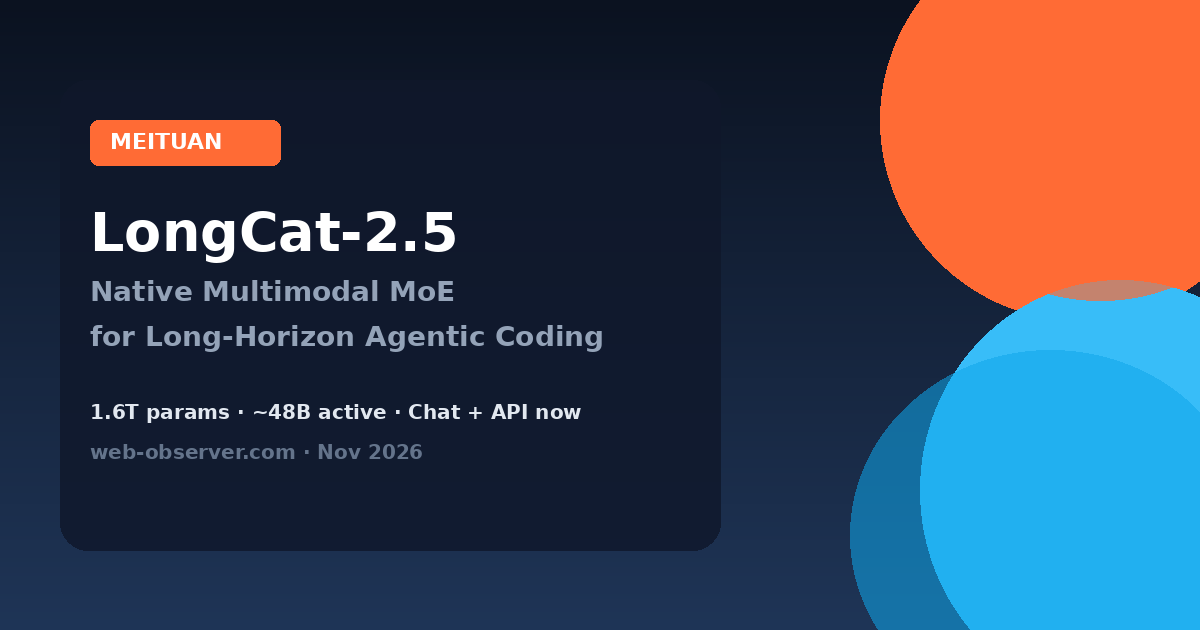
Bottom line: Meituan has released LongCat-2.5, a native multimodal Mixture-of-Experts model aimed at long-horizon agentic coding—not short chat demos. Per Meituan’s official LongCat-2.5 blog (dated 2026-11-1), the model has 1.6 trillion total parameters with about 48 billion activated per token, builds on LongCat-2.0, adds unified vision+text discrete tokens, and is available now through Meituan’s online chat and API at longcat.ai. Open weights on GitHub and Hugging Face are planned to follow. Treat published benchmark numbers as Meituan-reported (scores marked * for peers come from public reports), and do not overclaim versus Claude-Opus-5.
LongCat-2.5 is Meituan’s next step after LongCat-2.0. The company positions it for tasks that need sustained agent execution: complex codebases, full-project builds, visual coding, creative design, and 3D. That is a different product story than “answer this coding question in one turn.” The blog stresses three pillars:
Scale + sparsity: 1.6T total parameters, ~48B activated per token (MoE).
Native multimodality: visual signals as multi-level discrete tokens so vision and text share one token pathway in the backbone.
Long-horizon agent training: more long-horizon trajectories in long-sequence training, large-scale long-horizon RL, and converting real agent failure trajectories into reproducible training tasks.
Availability today is product-side: Meituan online chat plus API. Weights on GitHub/Hugging Face are promised afterward; as of this scan the public HF org still surfaces LongCat-2.0 as the home landing, so treat open weights as upcoming rather than already mirrored.
Meituan’s metrics dashboard also places LongCat-2.5 next to GPT-5.5, GPT-5.6-Sol, Claude-Opus-4.8, and Claude-Opus-5 in charts, with a fuller table later in the post. For readers who only need a shipping decision: hosted multimodal coding agent now; open weights later; numbers competitive on several agent benches with clear gaps still visible against Opus-5 on harder terminal suites.
How it differs from chat demos (long-horizon agents)
Most public coding-model demos still look like autocomplete or single-file edits. Long-horizon agentic coding means multi-step loops: explore a repo, run tools, fail, recover, keep context across a long trajectory, and ship something closer to a project than a snippet. Meituan’s blog describes scaling an end-to-end agentic RL pipeline across data, environments, algorithms, and harnesses—including synthesizing tasks from GitHub PRs/issues with fail-to-pass and pass-to-pass tests, asynchronous partial rollouts, staleness controls, and anti–reward-hacking measures (disabled network in task envs, git history removed, LLM judges auditing exploits).
For developers evaluating models, the practical question is not “did it write a pretty README?” but whether the harness + model can stay coherent across long tool-use sessions. That is the same problem space we covered for DeepSeek’s Router–Worker research prototype, Copilot’s cloud sandboxes with snapshot resume, and Vercel’s accessibility-tree computer-use path—each attacking long-running agent work from a different angle.
Mixed training across scaffolds is another detail worth noting: Meituan says the model adapts to similar tasks and harnesses during RL, mixing benchmark-aligned tasks and scaffolds so gains reinforce one another. In product terms, that is Meituan’s bet that one backbone can generalize across terminal agents, browse agents, and visual coding harnesses instead of shipping a zoo of fine-tunes.
Architecture highlights (brief)
Meituan frames visual primitive modeling as discrete tokens rather than a bolt-on vision encoder in the hot path. Per the blog:
RVQ + SAE: Residual Vector Quantization on native-resolution features from a Semantic-and-Aligned Encoder (as in LongCat-Next), producing multi-level vocabulary tokens for images.
Offline visual preprocessing: a fixed tokenizer so visual token IDs can be precomputed/cached; the backbone consumes pretokenized sequences, which simplifies long-sequence packing and load balancing.
Joint visual embeddings: codebook embeddings learned with the backbone; Meituan cites preliminary t-SNE evidence of interwoven visual/textual embeddings on a smaller MoE (~3B activated on average).
Teacher–student transfer: retains LongCat-2.0 expert groups (agent, reasoning, interaction) with online student sampling and per-cut prefixes / Tree Attention to control distribution shift and compute.
Infrastructure notes matter if you care about domestic-accelerator deployment: long-context training optimizations (supernode-aware parallelism, dual-shard FSDP, train–inference numerical consistency) and an efficient W4A4 inference path for the 1.6T MoE. Versus a W8A8 INT8 baseline in Meituan’s online stress tests: prefill throughput +43.3%, decode +42.77%, TTFT −15.91%, TPOT −19.72%, and GMM kernel about 1.73×. Those are vendor figures for their stack—useful as directional efficiency claims, not portable scores for your GPU cloud.
Selected Meituan-reported metrics
The official table compares LongCat-2.5 with LongCat-2.0 and several peers (GPT-5.5, GPT-5.6-Sol, Claude-Opus-4.8, Claude-Opus-5, GLM-5.3, kimi-k3, DeepSeek-V4.1-Flash). Peer scores marked with * are from public reports/leaderboards; otherwise self-run and indicative. Below is a compact subset for coding, agent, and visual tasks:
Benchmark
LongCat-2.5
LongCat-2.0
Claude-Opus-5 (note)
Terminal Bench v2.1
88.4
70.8
89.1*
Terminal Bench v4.0
38.5
3.0
53.9*
PaperBench
82.1
45.2
79.1
BrowseComp
91.9
79.9
90.8*
Vision2Web
78.6
—
80.2*
DeepSWE v1.1
64.6
9.7
68.8*
MCP Atlas
83.1
61.8
85.8*
Reading the table carefully: LongCat-2.5 is a large jump over 2.0 on Terminal Bench v2.1 (88.4 vs 70.8) and sits near the top cluster, but Claude-Opus-5’s public * score is still slightly higher at 89.1, and Opus-5 leads more clearly on Terminal Bench v4.0 (53.9* vs 38.5). PaperBench and BrowseComp look strong for LongCat-2.5 on Meituan’s numbers. Vision2Web at 78.6 trails Opus-5’s 80.2*. Do not market “beats Opus-5 across the board”—the honest story is “competitive MoE coding/agent model with native multimodality and a big lift from 2.0.”
How to try LongCat-2.5 today
Chat: Open longcat.ai and use Meituan’s online chat interface for interactive trials (visual coding demos are highlighted on the blog).
API: Use the API platform linked from the official blog / longcat.ai for programmatic access—confirm rate limits, thinking-mode flags, and context caps in the current docs before production wiring.
Weights (planned): Watch Meituan’s GitHub and Hugging Face orgs for LongCat-2.5 checkpoints. Until they land, do not assume local/offline deploy parity with the hosted chat/API.
Eval hygiene: If you re-run Terminal Bench / SWE-style harnesses, match harness versions and settings Meituan documents (e.g., thinking enabled, temperature 1.0, top_p 0.95 for many of their reported runs).
One more practical distinction: LongCat-2.5’s showcases (fluid simulation tools, 3D exhibitions, city dioramas, business analysis packs) are framed as end-to-end agent outputs spanning software development and office workflows. That marketing is useful as a capability map—visual + coding + document work—but your own acceptance tests should still be repo- and harness-specific. A fluid-sim demo does not automatically transfer to your monorepo’s flaky integration suite.
How this sits next to DeepSeek, Copilot, Vercel, and Gemini posts
DeepSeek’s MIT-licensed dsh-superagent-prototype is an open research coding-agent scaffold (Router–Worker, observe/auto auth)—architecture and openness first. GitHub Copilot’s connected cloud sessions emphasize portable sandboxes, snapshot resume, and verified MCP connectors billed against Actions entitlement. Vercel agent-desktop attacks computer use via accessibility trees for coding agents. Gemini 4 Carbon is Google’s frontier model narrative with public benchmark positioning. LongCat-2.5 is Meituan’s hosted multimodal MoE play for long-horizon engineering agents, with open weights promised later. Teams should compare on harness fit, multimodal needs, data residency / domestic-accelerator constraints, and whether they need open weights now or can start on API.
If you already run Copilot cloud sandboxes or a Vercel computer-use desktop loop, treat LongCat-2.5 as a candidate model backend for the same long jobs rather than a replacement IDE. The interesting experiment in November 2026 is cross-vendor: same harness, same repo fixture, same max steps—swap only the model/API—and publish the delta with harness versions attached.
Admin / developer checklist
Pilot on hosted chat/API first for a multi-hour repo task (tests failing → fix → PR draft) before betting on weights that are not public yet.
Separate multimodal jobs (Vision2Web-style UI rebuilds, 3D/code visuals) from text-only SWE loops so you can see where native vision tokens help.
Record harness versions when comparing against Terminal Bench / PaperBench / BrowseComp so Meituan-reported numbers stay apples-to-apples.
Watch HF/GitHub for LongCat-2.5 weight drops; plan quantization and serving (W4A4 claims are on Meituan’s domestic accelerators—validate on your hardware).
Policy & data: confirm what code you may send to Meituan’s API under your org’s outbound AI policy.
Don’t overclaim in marketing vs Claude-Opus-5; cite Meituan’s table and the * footnotes.
Budget for long context: long-horizon rollouts are token-heavy; measure cost per successful task, not per message.
Keep a failure log the way Meituan describes training—your own agent failures are the best seeds for eval sets once weights arrive.
FAQ: Meituan LongCat-2.5
What is Meituan LongCat-2.5?
LongCat-2.5 is Meituan’s native multimodal MoE model (1.6T total parameters, ~48B activated per token) built for long-horizon agentic tasks such as complex codebase work, full-project builds, visual coding, creative design, and 3D. It builds on LongCat-2.0 with stronger visual understanding and agentic coding training.
When was LongCat-2.5 released, and where can I try it?
Meituan’s official blog is dated 2026-11-1; TechNode covered the launch on 2026-11-02. You can try it now via Meituan’s online chat and API at longcat.ai. GitHub and Hugging Face weight releases are planned to follow.
How is LongCat-2.5 multimodal?
It represents visual signals as multi-level discrete tokens (Residual Vector Quantization on Semantic-and-Aligned Encoder features) so the backbone processes vision and text in a unified token format, with offline visual preprocessing and jointly learned visual embeddings.
How do LongCat-2.5 Terminal Bench scores compare to Claude-Opus-5?
On Meituan’s table, LongCat-2.5 scores 88.4 on Terminal Bench v2.1 versus LongCat-2.0’s 70.8 and Claude-Opus-5’s 89.1* (public report). On Terminal Bench v4.0, LongCat-2.5 scores 38.5 versus Opus-5’s 53.9*. It is competitive on v2.1 but does not lead Opus-5 across both suites.
What W4A4 inference gains did Meituan claim?
Versus W8A8 INT8 in Meituan’s online stress tests on their domestic-accelerator stack: prefill throughput +43.3%, decode +42.77%, TTFT −15.91%, TPOT −19.72%, and GMM kernel ~1.73×. These are vendor infrastructure results, not universal GPU-cloud guarantees.
Are LongCat-2.5 weights on Hugging Face yet?
As of this briefing, Meituan says GitHub/Hugging Face releases are planned to follow the chat/API launch. Public HF org pages still centered on LongCat-2.0 at scan time—verify the org before assuming 2.5 checkpoints are downloadable.
Bottom line: LongCat-2.5 is Meituan’s Nov 2026 multimodal MoE for long-horizon agentic coding—1.6T / ~48B active, discrete vision tokens, heavy long-horizon RL, chat+API live today, open weights next. Use Meituan’s own table (with * footnotes) when comparing to Opus-5 and peers; pilot on longcat.ai for real multi-step repo work; and watch HF/GitHub for when local deploy becomes possible.
Bottom line: As of October 28, 2026, GitHub Copilot on paid plans is a single connected cloud experience: start a session on github.com, GitHub Mobile, the Copilot CLI, the Copilot app, VS Code, Slack, or Microsoft Teams, and resume the same session from any other surface. By default every session runs in a GitHub-managed cloud sandbox with snapshots (no one-hour total running-time limit). Billing for cloud sandbox usage begins in November 2026 and draws from your included, now dollar-based Actions compute entitlement. In parallel, GitHub-verified MCP servers (“connectors”) entered public preview—connect once to about 26 services (Slack, Figma, Notion, Sentry, Linear, Cloudflare, Vercel, Work IQ, Atlassian Rovo, and more) and reuse that auth across Copilot surfaces and cloud sandboxes.
What “one connected Copilot cloud experience” means
GitHub’s Oct 28 changelog frames Copilot as one session graph instead of separate chats per client. The same session list appears across surfaces. You can kick off a change from Mobile (voice, screenshot, or file), continue on the web with repository / Copilot Spaces / file attachments, and finish in the Copilot app, VS Code, or CLI—or mention @GitHub in Slack or Teams to create an issue, request a code change, or investigate a bug.
Surfaces in the connected experience: github.com, GitHub Mobile, Copilot CLI, Copilot app, VS Code, Slack, Microsoft Teams.
Availability: Generally available on paid Copilot plans, rolling out from October 28, 2026. Copilot Free keeps Copilot Chat on github.com and Mobile; the updated connected cloud experience requires an upgrade.
Policy gate: Access is governed by the Copilot setting titled “Copilot in the cloud”. Prior repository opt-outs from Copilot cloud agent carry into the new experience.
Org / personal scoping: Chat sessions are scoped to a single organization or your personal repositories by default; org members need SSO to access session data tied to that org’s repos. Without write access, Copilot in that repository is read-only.
Cloud sandboxes by default: snapshots, resume, and compute
Every cloud session runs, by default, in a secure ephemeral sandbox on GitHub-managed infrastructure—isolated from your laptop. Sandboxes start fast, have no one-hour limit on total running session time, and when they shut down they save a snapshot so you can resume later from any surface. That is the practical difference from “chat that dies when you close the tab”: agent work can outlive a single device session.
Cloud sessions get the same tool surface as the Copilot CLI and Copilot app (Bash, GitHub CLI, code search), plus connectors/MCP, skills, slash commands such as /rubber-duck and /context on github.com and Mobile, and permission prompts before tool calls that need approval.
Actions entitlement: one dollar-based pool (sandbox billing in November 2026)
GitHub changed included Actions compute from a fixed count of standard runner minutes into one shared, dollar-based entitlement. The same pool covers:
Standard GitHub-hosted runners
Cloud sandboxes (including the sandboxes behind Copilot cloud sessions)
Larger hosted runners on Team and Enterprise Cloud
Each product keeps its own published meter and rate; higher-rate compute burns the entitlement faster. The entitlement resets at the start of each billing cycle; overage follows existing rates, budgets, and payment settings. The flexible entitlement change applies to GitHub Free, Pro, Free for organizations, Team, and Enterprise Cloud. Billing for cloud sandbox usage begins November 2026 and draws from that included Actions entitlement (free usage until then also draws from the shared pool per GitHub’s wording).
Admin note: If you still depend on Actions-based self-hosted runners or copilot-setup-steps.yml, you continue to use Actions as the session environment. Self-hosted machines can register via the Copilot CLI --environment-host flag. Mission Control can register a local device so Mobile can steer local sessions.
Topic
What GitHub published (Oct 2026)
Why it matters
Connected cloud experience
GA on paid Copilot plans from Oct 28
One session across web / Mobile / CLI / app / VS Code / Slack / Teams
Default environment
Cloud sandbox + snapshot resume
Agent work not limited to laptop compute; no 1-hour total runtime cap
Sandbox billing
Begins November 2026 from shared Actions entitlement
Budget Actions + Copilot cloud sandboxes as one dollar pool
Entitlement shape
Dollar-based shared pool vs fixed standard-runner minutes
Choose compute per task; each product keeps its own rate
Connectors
~26 GitHub-verified MCP servers, public preview, connect-once
Same Slack/Figma/Sentry/etc. auth across surfaces and cloud sandboxes
Connector gap
Not supported yet in GitHub Actions–based sessions
Cloud-sandbox sessions yes; assign-issue-to-Copilot Actions path no
Until this preview, wiring Slack threads, Figma designs, or Sentry errors into Copilot meant finding an MCP server, signing in, and repeating setup per tool. GitHub’s Oct 28 connectors changelog and the connectors docs describe GitHub-verified MCP servers: pick a service, sign in once, and GitHub handles server configuration and authentication. The connection then works across the Copilot app, CLI, VS Code, Copilot in the cloud, and GitHub Mobile—with Copilot keeping you signed in in the background.
At launch GitHub lists 26 services, including Slack, Figma, Notion, Sentry, Linear, Atlassian Rovo, Cloudflare, Vercel, and Work IQ. Copilot can invoke a connected service’s tools when they are relevant—even if you do not name the service. In the Copilot app you can also schedule automations that use a connected service.
Where to connect a service
Copilot app: Customize → Connect on the service.
Copilot CLI:/mcp → Connectors tab → Connect.
VS Code: Agents window → Customizations → connect the service.
github.com: Copilot customization page → select the service.
Org policies before Business / Enterprise rollout
Connectors are in public preview for users on all Copilot plans, but Business and Enterprise seats need admin work first:
Enable the Editor preview features policy for the organization or enterprise.
Enable the MCP servers in Copilot policy (disabled by default for org/enterprise-governed seats).
If clients enforce Restrict MCP access to registry servers, set it to Allow all—“Registry only” blocks connectors.
If the enterprise uses an MCP allowlist (allowedMcpServers), include each connector URL or a matching wildcard; a matching deniedMcpServers entry still blocks the connector.
Some vendors (for example Slack) also require their own admin to allow MCP access.
Docs also stress a hard product boundary: connectors work locally and in Copilot sessions on a cloud sandbox (including sessions started on GitHub.com), but they are not yet supported in sessions that run on GitHub Actions—for example when you assign an issue to Copilot on the Actions path. Plan workflows accordingly.
MCP beyond connectors: personal, repository, and defaults
Connectors are the low-friction path. GitHub’s MCP docs still cover custom MCP: personal servers (key-based auth, available in every cloud session you start; up to 50 servers across personal + repository configs), repository-level MCP for collaborators (and code review / automations), and cloud-agent defaults (scoped GitHub MCP plus Playwright limited to localhost). Prefer a verified connector when one exists.
Warning from GitHub’s docs: when you @mention Copilot or assign it an issue/PR, configured MCP tools can run autonomously without per-call approval. Keep repository MCP allowlists tight and prefer read-only tools.
Local sandboxing GA (MXC): the security complement
On October 7, 2026, GitHub made local sandboxing generally available in Copilot CLI, the Copilot app, and VS Code sessions using Agent Host. Local sandboxes—powered by Microsoft eXecution Container (MXC)—translate a common policy into native OS controls on Windows, macOS, and Linux so agent-run tools get restricted filesystem, network, and credential access. Enterprises can require sandboxing via managed settings. Local sandboxing is included at no additional cost and is orthogonal to cloud sandboxes: model choice and tool isolation are separate concerns. Treat cloud sandboxes as portable compute + resume, and local MXC sandboxes as the on-device blast-radius control.
What admins and developers should do this month
Inventory Actions spend vs Copilot cloud usage before November 2026 sandbox billing starts—model both against the shared dollar entitlement and existing budgets.
Turn on Editor preview features + MCP policy only after reviewing the connector set and vendor-side MCP toggles (Slack, etc.).
Update MCP allowlists so verified connector URLs are permitted; avoid “Registry only” if you intend to use connectors.
Separate workflows: use cloud-sandbox sessions when you need connectors; do not assume the same tools exist on Actions-based Copilot sessions.
Pilot a cross-surface task (failing tests → investigate in cloud → PR draft → resume on Mobile) to measure resume/snapshot behavior before broad rollout.
Enable local sandboxing policies for laptop agent workflows even if most heavy work moves to cloud sandboxes.
How this compares to other November 2026 agent surfaces
Google’s Connected Apps Platform preview wires third-party apps into AI Mode and Gemini. Vercel’s agent-desktop targets desktop computer-use via accessibility trees. DeepSeek’s open super-agent prototype explores Router–Worker coding agents. Copilot’s Oct 28 release is GitHub’s take: persistent cloud agent sessions plus connect-once MCP, billed against the Actions compute pool from November 2026. Unlike ChatGPT’s paid-account device-limit friction, the constraint here is shared compute entitlement and org MCP policy.
FAQ: GitHub Copilot cloud sessions and MCP connectors
When does Copilot cloud sandbox billing start?
GitHub says billing for cloud sandbox usage begins in November 2026 and draws from the shared, dollar-based Actions compute entitlement. Until then, free usage still draws from that entitlement per the Oct 28 changelog.
Which clients share one Copilot cloud session?
github.com, GitHub Mobile, the Copilot CLI, the Copilot app, VS Code, Slack, and Microsoft Teams participate in the connected cloud experience on paid Copilot plans.
What are Copilot connectors?
Connectors are GitHub-verified Model Context Protocol (MCP) servers. You sign in once to a service; GitHub handles MCP configuration and auth so the same connection works across supported Copilot surfaces and cloud sandboxes.
Do connectors work when Copilot runs on GitHub Actions?
No—not yet. Docs state connectors work locally and in cloud-sandbox sessions (including GitHub.com), but are not supported in sessions that run on GitHub Actions, such as assigning an issue to Copilot on the Actions path.
What must org admins enable for Business or Enterprise?
Enable Editor preview features and MCP servers in Copilot; set Restrict MCP access to registry servers to Allow all if that policy is enforced; add connector URLs (or a wildcard) to any MCP allowlist; and confirm vendor-side MCP access (for example Slack admin approval).
Bottom line: GitHub’s late-October 2026 Copilot release makes cloud sessions the default portable workspace across web, Mobile, CLI, app, VS Code, Slack, and Teams, with snapshot resume and November 2026 sandbox billing against the shared Actions entitlement—and pairs that with connect-once, GitHub-verified MCP connectors (~26 services) that work in cloud sandboxes but not yet on Actions-based sessions. Admins should budget the new compute pool and lock MCP policies before wide connector rollout; developers should prefer cloud-sandbox sessions when they need Slack/Figma/Sentry context in the agent loop.
Short answer: On October 15, 2026, Google announced five updates to AI Mode and AI Overviews that put more links, Preferred Sources highlights, and creator context in front of searchers. For publishers, the practical play is the same as classic SEO plus generative engine optimization (GEO): publish clear, cite-worthy pages, stay included in Search generative AI features, invite readers to add you as a Preferred Source, and track AI Overviews / AI Mode impressions in Search Console’s Generative AI performance report.
This guide breaks down what changed in Hema Budaraju’s official post, More ways to connect with the web from Search, why Preferred Sources and inline citations matter for GEO, how to structure content so it can earn those links, and how to measure the result without inventing click data Google does not publish.
What Google announced on October 15, 2026
Google framed the release as making AI Search “simpler, more visual, and more engaging,” and tied it to rising user demand for source choice. The post states that the number of people who use Preferred Sources has grown by more than 7x since the start of the year. The five product updates below are taken directly from that announcement.
More inline links, higher in responses: Google says it has made continued and substantial increases to inline links in AI experiences, and is launching updates so those links appear higher up in responses more frequently.
Dedicated “official websites” section (test): A new display will prominently surface one or two official places to complete a task or get exact info, at the top of a response, with context about why each link is useful.
Timely-article carousels, expanding globally: Prominent carousels for timely articles in AI Search features are rolling out to additional locations and languages. These carousels also highlight Preferred Sources.
More prominent related-article links: Links shown at the end of some AI responses get image thumbnails and a more clickable design.
Clickable creator / publisher Search profiles in AI Mode: Google started testing clickable creator and publisher names on video results that link to their Search profiles in AI Mode.
None of these changes invent a new ranking “hack.” Google’s long-standing AI features documentation still says there are no additional technical requirements beyond being indexed and eligible to appear in Search with a snippet, and that foundational SEO remains the path in.
Why Preferred Sources and citations matter for GEO
Generative engine optimization (GEO) is the practice of earning visibility when AI systems answer questions with your pages as supporting links. Google’s October updates raise the surface area for that visibility: more inline links earlier in the answer, Preferred Sources called out in news carousels, and related links that look more like destinations users will click.
Preferred Sources is a user preference, not a publisher ranking boost you can buy. Google’s Preferred Sources guide for publishers explains that when someone selects your site, your content is more likely to appear in Top Stories with a preferred badge, and in AI Mode and AI Overviews your content can be highlighted with a preferred badge for those users. Eligibility for Preferred Sources in AI features also requires that your site remains included in Search generative AI features in Search Console.
That combination matters commercially: Preferred Sources usage is growing fast (Google’s >7x figure), AI Overviews and AI Mode already reach huge audiences, and Google has previously said clicks from results pages with AI Overviews tend to be higher quality. For a publisher stack focused on AI search, this is where audience loyalty and cite-worthy content meet.
October 2026 AI Mode / AI Overviews changes at a glance
Update
What Google is doing
Publisher takeaway
Inline links
More links, shown higher in AI responses more often
Answer the question early; use clear, linkable section titles and definitions AI can quote
Official websites section (test)
Dedicated top section for 1–2 official pages, with context
Own the canonical task page (docs, pricing, login, official guide) with unambiguous titles
Timely article carousels
Rolling out globally; highlight Preferred Sources
Publish fresh reporting on timely queries; encourage Preferred Source adds
Related article links
Thumbnails + more clickable end-of-response design
Write angle-rich follow-ups; strong titles and featured images help related modules
Creator / publisher profiles
Clickable names on video results → Search profiles in AI Mode
Keep Search profiles complete if you publish video; treat brand consistency as a signal of trust
How to structure content to earn inline links and official-site treatment
Google does not publish a checklist that guarantees an inline citation. What it does publish is consistent: helpful, reliable, people-first content; crawlable text; strong page experience; and no special AI-only schema. The tactics below translate those principles into page structure that works well when models pull supporting links.
1. Lead with a cite-ready answer
Put a one- or two-sentence direct answer near the top, then expand. Inline links tend to attach to specific claims and phrases. Vague introductions give the model less to hang a link on. Our walkthrough of Google’s official guide to AI search optimization covers the same principle from Google’s documentation.
2. Own one clear “official” URL per task
The new official-websites test is aimed at queries where only one or two places complete the job. For product and documentation sites, that means a single canonical page for “pricing,” “download,” “API reference,” or “how to add Preferred Sources”—not three competing URLs with overlapping titles. Use consistent branding, an obvious H1, and first-party evidence (screenshots, dated changelogs, original data).
3. Make sections modular for query fan-out
Google notes that AI Overviews and AI Mode may use query fan-out: multiple related searches across subtopics. Pages that answer several related sub-questions with their own H2/H3 blocks, short definitions, and comparison tables are easier to cite across those sub-queries. Structured explainers such as our GraphRAG vs Vector RAG comparison follow that pattern.
4. Publish timely angles with durable depth
Carousels for timely articles reward freshness and substance. Lead with the news hook (who announced what, when, and the official URL), then add evergreen how-to sections so the page stays useful after the news cycle. That hybrid format is also easier for related-article modules to surface later.
5. Support related links with titles and thumbnails
End-of-response related links now emphasize thumbnails and clickability. Use descriptive titles, a real featured image (not a generic stock collage), and internal links between related pieces so Google’s systems—and users—can move through your cluster.
How to get readers to add you as a Preferred Source
If your domain appears in Google’s source preferences tool, Google documents three publisher implementations:
Standard JavaScript button (recommended): load https://news.google.com/swg/js/v1/publisher.js and place <div google-add-preferred-source-btn></div> where you want the button.
Advanced / custom UI: initialize the Preferred Sources SDK and bind addPreferredSource() to your own button.
Deeplink: link users to https://www.google.com/preferences/source?q=YOUR_DOMAIN from newsletters, social posts, or on-page CTAs.
Only domain-level and subdomain-level sites are eligible (for example https://www.example.com/), not a subdirectory like /blog. Appearing as a Preferred Source is not required to be cited in AI features, but for users who already trust you, the preferred badge and carousel highlighting are meaningful. Also confirm Settings → Search generative AI in Search Console is set to include your site; exclusion removes eligibility for AI Overviews, AI Mode, and Preferred Sources display in those features.
Publisher checklist for AI Mode citations (Oct 2026)
Task
Where
Why it matters now
Confirm Search generative AI = Include
Search Console → Settings
Required for AI features and Preferred Sources in AI Mode / AI Overviews
Add Preferred Sources button or deeplink
High-traffic articles / newsletter
Converts loyal readers into users who see your preferred badge
Rewrite top pages with cite-ready intros
Your GEO pillar and money pages
Supports higher / more frequent inline links
Consolidate official task URLs
Docs, pricing, product, how-to hubs
Aligns with the official-websites display test
Ship timely + evergreen hybrids
News and tutorial cluster
Feeds expanding timely-article carousels
Review Generative AI impressions weekly
Search Console Generative AI report
Impressions only—use as a visibility floor, not a click report
Keep Search profiles current (video publishers)
Google Search profile surfaces
Supports the new clickable creator / publisher tests
How this ties to Search Console Generative AI performance
Since August 31, 2026, Search Console’s Generative AI performance report is available worldwide. It shows impressions for AI Overviews and AI Mode, filterable by page, country, device, and date. It does not report separate clicks for those features; clicks remain mixed into the Web search type of the main Performance report.
Use the Generative AI report to find which URLs already earn AI visibility, then improve those pages first. Pair it with GA4 for on-site engagement, remembering that AI Overviews and AI Mode visits are counted as Organic Search in GA4—not as the AI Assistant channel. For a full measurement stack across ChatGPT, Gemini, Copilot and Google AI surfaces, see how to track AI referral traffic in 2026.
Google has also said that when people click from search results pages with AI Overviews, those clicks tend to be higher quality (users are more likely to spend more time on the site). Treat rising Generative AI impressions on a page as a cue to protect and expand that URL, not as a reason to thin it out.
A practical GEO workflow after the October updates
Pull the top 20 pages by Generative AI impressions for the last 28 days.
For each page, add or tighten a short-answer block, FAQ, and one comparison or steps table.
Link each page into your GEO cluster (pillar → supporting guides → related explainers).
On your highest-engagement posts, add the Preferred Sources button or a clear deeplink CTA.
For product/docs properties, audit whether “official” intents resolve to one URL.
Re-check impressions two to four weeks later; annotate the October 15 product update in your notes so you do not misread seasonality.
If you draft or audit pages with AI assistants, keep prompts tied to verifiable claims and official docs—our ChatGPT prompts for SEO are a useful scaffold, not a substitute for primary sources.
What not to do
Do not invent click-through rates or Preferred Sources “ranking factors” Google has not published.
Do not create special AI-only HTML files or fake schema; Google says no special schema.org markup is required for AI features.
Do not exclude your site from Search generative AI unless you intentionally want zero AI-feature impressions and traffic.
Do not chase every AI Mode UI experiment with thin doorway pages—query fan-out rewards depth and diversity of helpful links, not duplicates.
FAQ
What changed in Google AI Mode in October 2026?
On October 15, 2026, Google announced more inline links higher in AI responses, a test of a dedicated official-websites section with context, global expansion of timely-article carousels that highlight Preferred Sources, more prominent related-article links with thumbnails, and a test of clickable creator/publisher Search profiles in AI Mode. Preferred Sources usage has grown more than 7x since the start of the year, according to Google.
How do I get cited in Google AI Overviews and AI Mode?
Google says there is no special AI-only optimization. Pages must be indexed and eligible to appear in Search with a snippet. Focus on helpful, people-first content, clear text, strong page experience, and topical depth. Structure pages with cite-ready answers, modular sections, and canonical “official” URLs for task queries.
What is Preferred Sources and why does it matter?
Preferred Sources lets users choose sites they want highlighted in Top Stories, AI Mode, and AI Overviews. Selected sites can show a preferred badge for those users, and timely-article carousels highlight Preferred Sources. Publishers can add a Google button or deeplink so readers can select them. The site must remain included in Search generative AI features.
Does Search Console show clicks from AI Mode?
The Generative AI performance report shows impressions for AI Overviews and AI Mode by page, country, device, and date. Separate clicks for those features are not broken out there; they remain in the Web search type of the main Performance report. Use impressions as a visibility signal and GA4 for on-site behavior.
Do I need special schema for AI Overviews?
No. Google’s AI features documentation states you do not need new machine-readable files or special schema.org structured data to appear in AI Overviews or AI Mode. Keep any structured data you already use accurate and aligned with visible page text.
Short answer: To track AI referral traffic in 2026, start with the AI Assistant channel that Google Analytics 4 now includes in its default channel group, then break it down by Session source to see ChatGPT, Gemini, Copilot, Perplexity and others individually. Add Google Search Console’s Generative AI performance report for AI Overviews and AI Mode impressions, Bing Webmaster Tools’ AI Performance report for Copilot citations, and your server logs for AI crawler activity. Treat every AI number as a floor: visits that arrive with no referrer and no UTM tag still land in Direct.
That last point stopped being theoretical this month. Between roughly October 8 and October 15, 2026, many sites saw ChatGPT referrals fall sharply while Direct traffic rose on the same pages. Analysts traced it to ChatGPT links that opened without the utm_source=chatgpt.com tag and without a referrer; OpenAI reportedly confirmed it was a bug and a fix rolled out on October 15. This guide explains what happened, how to clean up your reports, and how to build an AI traffic measurement setup that survives the next change.
What happened to ChatGPT referral traffic in October 2026
According to Search Engine Journal’s reporting, ChatGPT-attributed sessions in GA4 dropped sharply in several datasets starting around October 9, shortly after GPT-6 began rolling out on October 7–8. Adobe’s Cedric Huesler compared about 500 pages where ChatGPT drove at least 5% of visits and found ChatGPT visits down about 31,000 a day while Direct visits rose about 26,000 a day over October 9–13 versus the previous week. Search Engine Land reported the same pattern.
The mechanism was simple: inline links inside some ChatGPT answers opened in a new tab with the browser told to withhold the referrer, and the UTM tag was missing. With no tag and no referrer, analytics tools have nothing to attribute, so the visit is filed as Direct. Links in the Sources panel and shopping links reportedly kept their tags. Huesler later said OpenAI confirmed the bug on October 14 and that tagged ChatGPT clicks were back to roughly 95–100% of normal on October 15. OpenAI’s own release notes did not describe the fix, so treat that as well-sourced industry reporting rather than an official statement.
What to do now: annotate October 8–15, 2026 in your analytics, and avoid month-over-month or week-over-week ChatGPT comparisons that straddle that window. If ChatGPT is a meaningful source for you, review ChatGPT and Direct traffic side by side for the landing pages ChatGPT usually sends people to.
Why AI traffic is hard to measure in the first place
Classic referral tracking depends on two signals: the HTTP referrer (the page the visitor came from) and campaign parameters such as utm_source. AI assistants control both. Native mobile apps often send no referrer at all, and a single change to how an assistant opens links can remove both signals overnight. That is why SEJ noted that a large share of mobile ChatGPT visits on some sites relied on the UTM tag alone.
Google’s own AI features are a separate case. Visits from AI Overviews and AI Mode come from Google Search, so GA4 counts them as Organic Search, not as AI Assistant traffic. If you are working on generative engine optimization (GEO), you need different tools for Google’s AI surfaces and for third-party chatbots.
The AI traffic measurement stack at a glance
Tool / data source
What it shows
Covers
Main limitation
GA4 AI Assistant channel
Sessions, engagement and conversions from recognized AI assistant referrers
ChatGPT, Gemini, DeepSeek, Copilot, Grok and others on Google’s (unpublished) list
Misses visits with no referrer and no UTM tag
GA4 custom channel group
Your own rules for AI sources, e.g. one channel per assistant
Any source you can match by regex
Still depends on a source value existing
Search Console Generative AI performance report
Impressions in AI Overviews and AI Mode by page, country, device and date
Google AI Overviews, AI Mode
Impressions only; clicks stay mixed into the Web search type
Bing Webmaster Tools AI Performance
Citations, grounding queries, cited pages; new Topics Portfolio (beta)
Microsoft Copilot, Bing AI summaries, select partners
Directional estimates; small sites may see little data
Server / CDN logs
Requests from AI crawlers and user-triggered fetchers
OAI-SearchBot, ChatGPT-User, GPTBot and other bots
Shows bot fetches, not human clicks
Self-reported attribution
“How did you hear about us?” answers
Any assistant, including untagged app traffic
Small samples, needs a form or checkout step
Step 1: Use GA4’s built-in AI Assistant channel
Google added an AI Assistant channel to GA4’s default channel group. Google describes it as the channel by which users arrive “from sources like ChatGPT, Gemini, Deepseek, Copilot, or Grok,” and it explicitly excludes AI Overviews and AI Mode. Under the hood, GA4 sets the medium to ai-assistant and the campaign to (ai-assistant) when the referrer matches its list of AI assistants.
Open Reports → Acquisition → Traffic acquisition.
Keep Session default channel group as the primary dimension and find the AI Assistant row.
Add Session source as a secondary dimension to split the channel by assistant (for example chatgpt.com, gemini.google.com, perplexity.ai).
Switch the table to Landing page to see which articles AI assistants send people to, then compare engagement rate and key events against Organic Search.
Because GA4 does not publish the exact list of AI referrers it recognizes, check your Referral channel too. If a newer assistant still shows up there, it is a sign you need a custom rule.
Step 2: Build a custom AI channel group for full control
Google’s custom channel groups documentation includes an AI assistants example. Custom groups apply retroactively to your reports, and standard properties can have two custom groups with up to 50 channels each. Traffic goes into the first channel it matches, so order matters.
Go to Admin → Data display → Channel groups and click Create new channel group (this copies the default group).
Click Add new channel, name it something like AI assistants, and add a condition on Source with matches regex.
Use a regex that names the assistants you care about, for example: .*(chatgpt\.com|openai\.com|perplexity\.ai|gemini\.google\.com|copilot\.microsoft\.com|claude\.ai|deepseek\.com|grok\.com).*
Click Reorder and move the new channel above Referral (and above Organic Search if any of your patterns could overlap with it).
Save, then select the new group as the primary dimension in Traffic acquisition. Optionally make it your property’s primary channel group.
Want a per-assistant view? Create separate channels (ChatGPT, Gemini, Perplexity, Claude, Copilot) instead of one combined channel. Review the regex every quarter: assistants change domains and link formats, and SEJ reported that Gemini started adding UTM parameters to its outbound links in early October 2026, so check what source values actually appear in your data before writing rules.
Step 3: Measure Google AI Overviews and AI Mode in Search Console
Google’s AI features documentation says sites appearing in AI Overviews and AI Mode are included in the Search Console Performance report under the Web search type. Since August 31, 2026, Search Console also offers a Generative AI performance report that shows impressions in AI Overviews and AI Mode, which you can slice by page, country, device and date.
Use it to find the pages that Google’s AI features already show, then make sure those pages answer the question quickly and link deeper into your topic cluster. Our breakdown of Google’s official guide to AI search optimization covers what Google says actually helps (and what to skip).
Step 4: Track Copilot citations in Bing Webmaster Tools
Bing’s AI Performance report shows the grounding queries and pages for which your site is cited in Microsoft Copilot, Bing’s AI summaries and select partner integrations. On October 13, 2026, Microsoft added Topics Portfolio (beta), which groups your grounding queries into themes and shows Topic Size, Sites Cited and Queries, plus Opportunity Queries where other sites are cited and yours is not.
For content planning, that opportunity list is the most useful part: it is effectively a gap analysis for AI answers. Microsoft says the numbers are directional and that smaller sites may see a shorter list or no Topics Portfolio tab at all.
Step 5: Check server logs for AI crawlers and fetchers
Logs are the one data source a link-format change cannot hide. OpenAI documents its user agents on its crawlers page: OAI-SearchBot crawls for ChatGPT search results, ChatGPT-User fetches pages when a user’s request triggers it, and GPTBot crawls content that may be used for model training. A rising number of ChatGPT-User fetches to a page is a good hint that it is being used in answers, even when clicks are hard to attribute.
Make sure your robots.txt allows the search-oriented bots you want to appear in. OpenAI notes that sites opted out of OAI-SearchBot will not be shown in ChatGPT search answers (though they can still appear as navigational links).
Step 6: Add a self-reported attribution question
If you have a signup, contact or checkout form, add an optional “How did you hear about us?” field with ChatGPT, Perplexity, Gemini and Copilot as choices. It catches app traffic and untagged clicks that no analytics rule can see. The sample will be small, but it is the only signal you fully control.
AI referral tracking checklist
Task
Where
How often
Annotate Oct 8–15, 2026 (ChatGPT tagging bug)
GA4 / Adobe Analytics
Once
Review AI Assistant channel by source and landing page
GA4 Traffic acquisition
Weekly
Check Referral channel for unrecognized AI sources
GA4
Monthly
Update custom AI channel regex
GA4 Admin → Channel groups
Quarterly
Review AI Overviews / AI Mode impressions by page
Search Console Generative AI report
Weekly
Mine Opportunity Queries for content gaps
Bing Webmaster Tools → AI Performance
Monthly
Count OAI-SearchBot and ChatGPT-User hits per URL
Server or hosting logs
Monthly
Compare Direct vs AI traffic on top AI landing pages
GA4 Explorations
After any big AI product release
How to turn AI traffic data into better content
Measurement only matters if it changes what you publish. Pages that already earn AI visits or impressions are your proof of topical authority, so expand them with clear definitions, comparison tables and FAQs, and link them to related posts. Technical explainers such as our GraphRAG vs Vector RAG comparison tend to be cited because they answer a specific question in a structured way. For drafting and auditing that kind of content faster, our ChatGPT prompts for SEO are a practical starting point.
Finally, compare AI visitors with organic visitors on engagement and conversions, not just volume. Google has said clicks from results pages with AI Overviews tend to be higher quality, and many publishers see AI assistant visitors land deep in the site with a specific intent. Those are the pages worth protecting first.
FAQ
Does GA4 track ChatGPT traffic automatically?
Yes, when the visit carries a recognizable referrer or tag. GA4’s default channel group includes an AI Assistant channel that covers sources like ChatGPT, Gemini, DeepSeek, Copilot and Grok. Visits that arrive with no referrer and no UTM parameters are still counted as Direct.
Are Google AI Overviews and AI Mode counted as AI Assistant traffic?
No. GA4 counts AI Overviews and AI Mode clicks as Organic Search, and Search Console includes them in the Web search type of the Performance report. Use Search Console’s Generative AI performance report to see AI Overviews and AI Mode impressions by page.
Why did my ChatGPT traffic drop in October 2026?
For most sites it was a tracking problem, not lost demand. From about October 8 to 15, 2026, some ChatGPT links opened without the utm_source tag or a referrer, so visits were recorded as Direct. Industry reports say OpenAI confirmed the bug and rolled out a fix on October 15.
What regex should I use for an AI channel in GA4?
Match the source values you actually see, for example .*(chatgpt\.com|openai\.com|perplexity\.ai|gemini\.google\.com|copilot\.microsoft\.com|claude\.ai).*, place the channel above Referral, and review it quarterly as assistants change domains and link formats.
Can I see which pages ChatGPT reads?
Not directly in analytics, but your server logs show requests from OpenAI’s documented user agents. OAI-SearchBot indicates search crawling, while ChatGPT-User indicates fetches triggered by user requests in ChatGPT.