Category: AI

  • Google Turns Off Gemini and Search by Default for K-12 Students (2026)

    Google Turns Off Gemini and Search by Default for K-12 Students (2026)

    Takeaway: On Nov 3, 2026, Google said that for K–12 student accounts, access to Gemini, Gemini Notebook, Gemini in Classroom, and Google Search will be entirely off until school administrators explicitly turn them on. The same education update launches Guided Learning in Google Classroom (global) and pilots Guided Learning capabilities in Search for select U.S. schools later this month. Industry coverage quickly focused on a catch: Search is deeply AI-integrated, so schools that want to avoid AI face a harder trade-off than a simple Gemini toggle — though Google later clarified that Search can be enabled individually without turning on Gemini products, while Search itself still carries AI features such as Guided Learning, AI Mode, and AI Overviews.

    Primary source: Google’s education blog post Designing responsible AI for learning (Nov 3, 2026), by Chris Phillips, VP & General Manager, Education. Press framing and the post-announcement clarification are summarized from NBC News and The Verge, which also cited New York Times reporting on Search/AI integration.

    What changed for K–12 student accounts

    Google says it listened to schools, teachers, researchers, and policymakers, then updated controls for four products used on student accounts:

    • Gemini — Google’s conversational AI assistant for education accounts.
    • Gemini Notebook — notebook-style Gemini experiences tied to student work.
    • Gemini in Classroom — Gemini features embedded in Google Classroom.
    • Google Search — web search for K–12 student accounts, now treated as an admin-controlled surface alongside the Gemini products.

    Under the new approach, access to those products “will be entirely off for K–12 student accounts until school administrators explicitly turn them on,” Phillips wrote. Google says it will share more specifics with schools in the coming months before the changes roll out, giving districts time to prepare.

    That is a deliberate reverse of the default posture many districts felt earlier in 2026, when Gemini was auto-enabled inside Classroom for schools that had not already opted out — a move that drew criticism from parent advocates, educators, and lawmakers concerned about homework shortcuts, privacy, and age-appropriate AI access.

    Guided Learning: Classroom global, Search pilot

    Alongside the control change, Google is expanding Guided Learning — its “productive struggle” coach that uses open-ended questions and step-by-step prompts instead of handing students a final answer.

    • Google Classroom (global, starting Nov 3): Teachers can assign Guided Learning activities anchored in class material. Google positions it as a 1:1 study tool that also gives teachers real-time signals about where a class may need help. Google says the Classroom launch followed educator testing and feedback.
    • Google Search (pilot later this month): For student accounts, when systems detect certain homework-help intents — for example a pasted physics problem or a request for help writing a book report — Search is designed to walk the student through concepts rather than jump straight to an answer. The pilot starts in select U.S. schools later this month, with expansion to other districts in the coming months after educator feedback.

    Google says Guided Learning in Gemini already showed measurable learning gains in its research; bringing the same philosophy into Search and Classroom is the company’s answer to the “are they learning or shortcutting?” question that opens the blog post.

    The Search catch — and Google’s clarification

    The most contested line in the announcement is that Google Search sits on the same off-by-default list as Gemini products. Because Search increasingly embeds generative features — AI Overviews, AI Mode, and now Guided Learning-style homework coaching — turning “AI” off is no longer cleanly separable from “search the open web.”

    Early industry coverage framed the practical consequence starkly: schools that refuse Google’s AI may also lose Search for student accounts. The Verge reported that Google told the New York Times Search and AI are “deeply integrated,” and that schools disabling Google’s AI features “will not have access to Search” and will see a school message that Search is unavailable. Critics quoted in coverage — including labor and child-advocacy voices in NBC News reporting — called the pairing coercive: Google’s AI defaults had already been controversial; tying core Search availability to the AI stack raised the stakes.

    After that framing circulated, Google posted a clarification (reported by NBC News): the announcements “give schools more choice, not less,” and schools can turn on Google Search individually without enabling Gemini products. That matters for admins who want classic web lookup without Classroom/Gemini chat. It does not mean Search becomes a non-AI product. Google simultaneously said Search has been updated for learning — specifically that AI Mode and AI Overviews will offer step-by-step guided learning through problems so students do not get quick answers to schoolwork. In other words: admins can opt into Search without Gemini apps, but Search-on still implies Google’s AI-assisted learning surfaces when those features are present for the account.

    For publishers and SEO readers following Google’s consumer Search evolution — including our coverage of AI Mode monetization pressure in Alphabet’s Q3 2026 results, the Connected Apps platform preview for AI Mode and Gemini, and Google’s official generative AI SEO guidance — the education story is a different control plane with the same underlying product reality: Search and generative assistance are converging.

    Timeline and rollout expectations

    ItemStatus / timing (as of Nov 3, 2026)Notes
    Guided Learning in ClassroomAvailable globally starting Nov 3Teacher-assigned activities; educator-tested before launch
    Guided Learning capabilities in SearchPilot later this monthSelect U.S. schools first; broader districts in coming months
    K–12 off-by-default for Gemini + SearchComing months (not same-day flip)Google will share admin specifics ahead of rollout
    Admin opt-in modelPolicy change announcedProducts off until admins explicitly enable
    Search without Gemini productsClarified post-announcementPossible per Google; Search still includes AI learning features

    Readers should treat “coming months” as incomplete scheduling: Google has not published a single global cutover date in the blog post. District IT calendars, parent communications, and alternate search tooling (if any) need planning buffers before the off-by-default state lands.

    What school admins, parents, and edtech buyers should do

    For school / district administrators

    • Inventory today’s defaults. Confirm whether Gemini in Classroom, Gemini Notebook, Gemini app access, and student Search are currently on, off, or mixed by OU (organizational unit).
    • Decide a product matrix, not a slogan. Separate decisions for Classroom Guided Learning, Gemini chat/notebook tools, and Search — remembering Google’s clarification that Search can be enabled without Gemini products, while Search still embeds AI learning features.
    • Watch for Google’s admin guidance packet in the coming months: console labels, inheritance rules, and student-facing “Search unavailable” messaging will matter for help desks.
    • Pilot Guided Learning deliberately. If you join the Search pilot or assign Classroom Guided Learning, define success metrics (assignment completion quality, teacher workload, integrity incidents) before scaling.
    • Communicate early to parents and teachers so “AI off” is not misread as “Chromebooks can’t research anything” — and so “Search on” is not misread as “no AI in the browser.”

    For parents and guardians

    • Ask the school which of the four surfaces will be enabled for your child’s account after the policy change.
    • Clarify homework norms: Guided Learning is designed to coach, not dump answers — but classroom policies still need to say what is allowed.
    • If the district keeps Search off, ask what research tools replace it on school-managed devices.

    For edtech and SEO/product readers

    • Expect uneven student Search availability across districts during and after rollout — a reminder that education traffic is admin-gated, not purely consumer-behavior gated.
    • Treat Guided Learning in Search as another homework-intent surface that may reduce “quick answer” clicks while still shaping how students encounter web content.
    • Keep product context separate from model launches such as Gemini 4 Carbon — this Nov 3 education update is about defaults and pedagogy controls, not a new frontier model card.

    Why Google is resetting defaults now

    Two pressures meet in this announcement. First, pedagogical: Google wants AI that supports productive struggle rather than answer dumps, hence Guided Learning’s expansion into Classroom and Search. Second, political and reputational: auto-enabling Gemini in Classroom earlier in 2026 intensified advocacy against AI in schools; lawmakers and parent coalitions pressed districts and Google on harms and consent. Moving to admin opt-in is Google’s bid to restore “schools decide” language — while keeping Search inside the same control bundle underscores how central AI features have become to Google’s education stack.

    Whether that lands as empowerment or as a forced choice depends on local alternatives. Districts deeply standardized on Chromebooks and Classroom have limited frictionless substitutes for Search; districts that already restrict student browsing may experience the change as aligning policy with practice. The clarification that Search can be enabled without Gemini products softens the hardest reading of the announcement, but it does not restore a pre-AI Search experience.


    FAQ

    Will Google turn off Search for every K–12 student on Nov 3?

    No. Nov 3 is the announcement date. Google says the off-by-default control changes will roll out in the coming months, with more specifics shared with schools beforehand. Guided Learning in Classroom is the piece described as available globally starting the day of the post.

    Can a school turn on Search without turning on Gemini?

    According to Google’s post-announcement clarification reported by NBC News, yes — administrators can enable Google Search individually without enabling Gemini products. Search will still include AI features oriented to guided learning (including AI Mode / AI Overviews behavior Google described for homework help).

    What is Guided Learning?

    Guided Learning is Google’s interactive study approach that coaches students with questions and step-by-step breakdowns instead of providing final answers. It already existed in Gemini; as of Nov 3, 2026, Google made it globally available in Classroom assignments and is piloting related capabilities in Search for select U.S. schools later this month.

    Which four products are off by default for K–12 student accounts?

    Gemini, Gemini Notebook, Gemini in Classroom, and Google Search — until school administrators explicitly turn them on, per Google’s Nov 3 education blog post.

    Is this the same as a new Gemini model release?

    No. This update is about education controls and Guided Learning product surfaces. Model and benchmark coverage such as Gemini 4 Carbon is a separate storyline from K–12 admin defaults and Classroom/Search pedagogy features.


    Sources: Google education blog — Designing responsible AI for learning (Nov 3, 2026); NBC News coverage and Google clarification summary; The Verge report citing NYT on Search/AI integration. Internal context: AI Mode monetization, Connected Apps / AI Mode, generative AI SEO guide, Gemini 4 Carbon.
  • OpenAI Grid Protectors: AI Campuses as Flexible Grid Load (2026)

    OpenAI Grid Protectors: AI Campuses as Flexible Grid Load (2026)

    Takeaway: On Nov 2, 2026, OpenAI launched the Grid Protectors Program — a national effort to design future AI compute campuses as flexible grid load that can cut demand when utilities need spare power for homes and businesses. The Georgia Effingham County campus is the pilot: OpenAI says it will pay full infrastructure and electric-service costs and can provide up to 1,000 MW of demand response — roughly the average draw of ~700,000 households. Georgia Power separately projects about $950 million in annual customer savings from 2029 across its large-load portfolio (including this project). Distinct from today’s ChatGPT Chat/Work merge, Anthropic message threads, and OpenAI Pando Git backend posts.

    Primary source: OpenAI’s Introducing the Grid Protectors Program (Nov 2, 2026). Secondary: Georgia Power’s Effingham County press release (July 22, 2026), which documented the 25-year agreement, ~3,200 MW expected campus need, and the same up-to-1,000 MW flexibility commitment.

    What Grid Protectors is — and is not

    Grid Protectors is OpenAI’s framing for how it wants future U.S. campuses to interact with the electric system: not only as large, steady buyers of power, but as resources utilities can call on when the grid is under strain — northern cold snaps, southern heat waves, or other peak emergencies. The company says it will work with utilities, regulators, and policymakers on site-specific arrangements covering how much demand can be reduced, how quickly, and for how long.

    OpenAI is explicit that flexibility does not replace new generation and transmission investment. The program sits alongside those builds. It also leans on a cost-allocation claim: large computing facilities should pay the electricity and infrastructure costs they create so families and small businesses are not asked to subsidize campus load. That is a political and regulatory argument as much as an engineering one — aimed at communities watching data-center interconnection queues and rate cases.

    Why OpenAI is reframing AI campuses as flexible load

    U.S. data-center capacity is widely projected to exceed 100 GW by 2030 (the figure OpenAI cites in the Grid Protectors post). At that scale, how AI load behaves at the peak hour matters as much as how much energy it consumes annually. Power lines, substations, and related grid assets are fixed costs whether demand is low or high. OpenAI’s pitch: use more power when the system has headroom, cut when it does not, help pay for infrastructure through year-round sales, and limit the need for peak-only upgrades that other customers would otherwise fund.

    Depending on local needs and equipment, OpenAI says campuses may also supply power from on-site generation or storage and use batteries plus power controls to smooth demand swings. That is the difference from “always-on, never interruptible” hyperscale designs of a few years ago — at least as OpenAI describes its next-generation facilities.

    Georgia pilot: Effingham County numbers

    • Location: Planned campus in Effingham County, Georgia (~45 minutes outside Savannah), served by Georgia Power.
    • Expected campus need (utility): Approximately 3,200 MW per Georgia Power’s July 2026 announcement.
    • Flexible demand response: Up to 1,000 MW OpenAI can reduce during high-demand periods — OpenAI equates that to average electricity demand of roughly 700,000 households (more than Washington, D.C., and Boston combined).
    • Contract length: 25-year agreement (Georgia Power).
    • Cost commitment: OpenAI pays full infrastructure and electric-service costs required to serve the project; long-term contracts and financial assurances intended to protect other customers if a project is delayed, reduced, or canceled.
    • Customer savings context: OpenAI cites Georgia Power’s projection of ~$950 million annual customer savings beginning 2029 from its portfolio of large-load agreements and expected growth (including Project Camellia), with an estimated benefit of at least $15/month for a typical residential customer using 1,000 kWh. Georgia Power has separately described ~$102 annual typical-residential savings from 2029 under its broader large-load strategy — cite each source carefully; do not collapse them into one invented figure.

    OpenAI intends Effingham to serve as the pilot for Grid Protectors, building on an agreement that already includes the demand-response commitment. The campus is still in development; the operational flexibility numbers are contractual ambitions, not yet observed summer-peak performance.

    Grid Protectors commitments vs traditional data-center narrative

    DimensionTraditional always-on campus narrativeOpenAI Grid Protectors framing
    Peak behaviorTreat load as largely non-interruptibleDesign for demand reduction when the grid is strained
    Who pays for interconnection / upgradesOften contested in rate cases; risk of socialized costsOpenAI: pay full infrastructure + electric-service costs created by the campus
    Role vis-à-vis householdsCompetitor for scarce peak capacityFlexible resource that can free MW for AC/heating during extremes
    On-site assetsGeneration/storage mainly for campus resilienceAlso positioned to support grid operators / smooth demand
    National postureSite-by-site commercial dealsNational program ambition; Georgia as explicit pilot
    OpenAI Georgia scale (cited)N/AUp to 1,000 MW DR; ~3,200 MW expected need (utility); ~700k-household equivalence

    Implications for AI infrastructure and electricity costs

    For AI infrastructure planners, Grid Protectors is a signal that interconnection strategy and product SLAs may increasingly include curtailability. Training clusters and latency-sensitive inference are not equally interruptible; the interesting engineering question — not answered in detail in the launch post — is which workloads OpenAI will park, migrate, or serve from storage when Georgia Power calls for up to 1,000 MW of relief.

    For electricity costs, the theory of the case is familiar to demand-response markets: large flexible loads can defer peaker builds and spread fixed T&D costs across more kWh sold off-peak. Whether residential bills actually fall depends on regulators enforcing cost causation, on how often flexibility is exercised, and on whether other large loads follow similar rules. OpenAI’s Grid Protectors announcement is therefore as much a rate-case narrative as a campus-design brief.

    Readers tracking OpenAI’s product surface area — from paid-account device limits to shared ChatGPT/Codex usage pools to agent cloud sessions and MCP connectors — should treat Grid Protectors as a different layer: physical power and public-utility politics, not chat UI or agent tooling. Same company; different bottleneck.

    Publisher / analyst checklist

    1. Cite the primary post — OpenAI Grid Protectors (Nov 2, 2026) for program framing and household-equivalence claims.
    2. Cross-check Georgia Power — July 22, 2026 release for 3,200 MW expected need, 25-year term, and 1,000 MW DR confirmation.
    3. Do not invent savings math — keep OpenAI’s ~$950M / ≥$15-per-month framing separate from Georgia Power’s ~$102 annual typical-residential figure unless you quote both with attribution.
    4. Label Effingham as a pilot still in development — flexibility is contractual, not yet a multi-summer track record.
    5. Separate product stories — Chat/Work merge, Anthropic message threads, and Pando are not Grid Protectors.
    6. Note the 100 GW context — OpenAI cites U.S. data-center capacity projected to exceed 100 GW by 2030; treat it as industry-scale backdrop, not an OpenAI-only figure.
    7. Ask which workloads curtails — training vs inference vs batch is the operational hinge the launch post leaves open.
    8. Watch follow-on campus deals — OpenAI says arrangements will differ by location and more commitments will be shared as finalized.

    FAQ: OpenAI Grid Protectors

    What is the OpenAI Grid Protectors Program?

    It is OpenAI’s Nov 2, 2026 national program to design and operate future compute campuses so they can reduce electricity demand when the grid is under strain, working with utilities, regulators, and policymakers on site-specific flexibility arrangements.

    How large is the Georgia demand-response commitment?

    OpenAI and Georgia Power describe up to 1,000 megawatts of flexible demand response at the planned Effingham County campus. OpenAI says that is equivalent to the average electricity demand of roughly 700,000 households.

    Will OpenAI pay for the grid upgrades its campus needs?

    OpenAI says it has committed to pay the full infrastructure and electric-service costs required to serve the Effingham project, and argues large computing facilities should not ask families and small businesses to subsidize campus electricity needs.

    Does Grid Protectors replace building new power plants?

    No. OpenAI states that flexibility cannot replace investment in new energy supply and transmission; the program is meant to work alongside those investments to improve reliability and protect other customers from bearing AI infrastructure costs.

    What customer savings numbers are being cited?

    OpenAI cites Georgia Power’s projection of approximately $950 million in annual customer savings beginning in 2029 from its portfolio of large-load agreements and expected growth (including Project Camellia), with an estimated benefit of at least $15 a month for a typical residential customer using 1,000 kWh. Georgia Power has also described about $102 in annual savings for a typical residential customer from 2029 under its broader large-load strategy — quote each source separately.

    Is this the same story as today’s Chat/Work, Anthropic threads, or Pando posts?

    No. Chat/Work is a ChatGPT product/UI consolidation; Anthropic message threads optimize Messages API latency for long agent loops; Pando is OpenAI’s Git backend for agent-scale monorepos. Grid Protectors is about AI campuses as flexible electric load and Georgia Power’s Effingham pilot.


    Bottom line: OpenAI Grid Protectors reframes next-wave AI campuses as curtailable, cost-paying grid partners — with Effingham County’s up-to-1,000 MW demand response (~700,000-household equivalence) as the national pilot. Cite OpenAI’s Nov 2 post and Georgia Power for the numbers; keep it distinct from today’s Chat/Work, Anthropic threads, and Pando coverage.

  • OpenAI Pando: Git Backend for Agent-Scale Monorepos (2026)

    OpenAI Pando: Git Backend for Agent-Scale Monorepos (2026)

    Takeaway: On Nov 2, 2026, OpenAI detailed Pando — a new Git backend for its monorepo that keeps the Git protocol and client intact while redesigning how packs and refs are stored and served. Codex-driven parallel work had pushed reliability below 90% at times; Pando targets horizontally scalable concurrent branch pushes and maximum read throughput. In production it cut median push latency by nearly 5× (~80% reduction), delivers nearly a petabyte of Git data per day, has served >57 TB of packs in a single hour with >99% cache hits, and can saturate 10 Gbps on standard VMs. Built in Rust with Codex in about 10 weeks (production since April 2026). Distinct from this morning’s ChatGPT Chat/Work tabs merge and noon’s Anthropic Messages API message threads.

    Primary source: OpenAI’s engineering post Scaling Git at OpenAI by Aaron Friel, Taylor Blau, and Ted Nyman (Nov 2, 2026). Corroboration: The New Stack on OpenAI Pando.

    Why agent-scale monorepos broke the old Git serve path

    Codex lets engineers land far more parallel work: more branches, pushes, merges, and fetches from developer machines, research jobs, and CI. One engineer can have several changes ready for CI at once, and each push can trigger several jobs fetching the same commit. OpenAI says that by late last year the systems behind its monorepo were struggling — slow fetches and pushes, failed merges, and reliability sometimes falling below 90%.

    The team framed the question carefully: had they hit a limit of Git itself, or of how they served the monorepo? They chose to keep building on Git’s protocol and client so engineers and agents kept familiar workflows, and so client-side improvements could ship upstream beyond OpenAI. That is the contrast with approaches that replace Git wholesale: Pando is a backend redesign, not a new VCS.

    What Pando optimizes for

    • Horizontally scalable writes — concurrent pushes to many different branches without a single repo-wide lock ordering every ref update.
    • Maximum read throughput — clients should download history fast enough to saturate available network bandwidth.
    • Git compatibility — same protocol and client; agents and humans keep using Git as they already do.

    Two conventional assumptions get relaxed. First, repository-wide point-in-time consistency of all refs is expensive under parallel writers; Pando uses per-branch (causal) consistency so unrelated branches do not wait on each other (a reader looking at several branches may see them at slightly different times). Second, unique packfiles per client burn CPU and disk; Pando reuses packfiles across fetches and serves the same bytes to many clients.

    Architecture highlights (packs, Express, compaction)

    On push, Pando validates the incoming pack while streaming it into a blob store, without unpacking into a local repository. It records a ref version (new tip, pack, dependencies) in a horizontally scalable metadata store. By default it advertises only a designated trunk as the base for feature-branch pushes, keeping advertisements small even with millions of branches and producing packs that other clients with trunk history can reuse. OpenAI reports median packfiles under 20 KiB and p99 under 3 MiB in its monorepo.

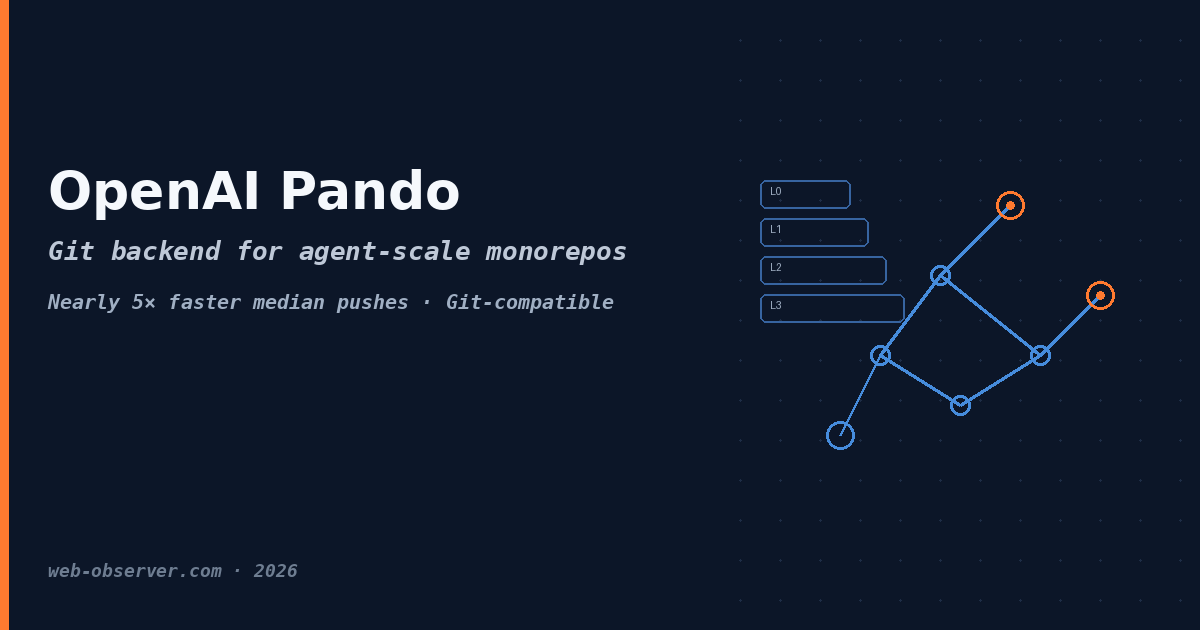
    On fetch, Pando maps the client’s haves/wants to stored packfiles and returns them via Git’s packfile-uri feature (empty pack inline; packs downloaded separately). A regional caching service called Express serves packs with >99% cache hits. Background compaction follows an LSM-like pattern: each push is an L0 pack; workers build covers up to L4, improving compression and letting fetch planning select packs in roughly logarithmic time. Packs at every level are kept and served — not discarded after compaction.

    Production numbers (from OpenAI)

    • Median push latency cut by nearly 5× / roughly 80% reduction; merge reliability improved.
    • Nearly a petabyte of Git data delivered per day.
    • More than 57 TB of Git packs in a single hour.
    • >99% of those bytes from local disk cache; clones/fetches can saturate 10 Gbps on standard cloud VMs.
    • Built in Rust with Codex in ~10 weeks (one engineer core design; agent teams implement); production since April 2026.

    OpenAI also describes an initial deploy as a read-/write-through proxy to the previous system so traffic could move without downtime, plus shipping its public Git build to developer machines and inside the ChatGPT desktop app.

    Pando vs conventional Git serve patterns

    DimensionTypical 3PC / WAL Git servicesOpenAI Pando
    Consistency modelOften repo-wide ordered refs / shared manifestPer-branch causal consistency; serializable per ref
    Concurrent pushes to different branchesContend on quorum or shared WAL/manifestIndependent; only same-ref pushes conflict
    Pack generation on fetchOften custom pack per client (CPU/I/O heavy)Reuse stored packs; packfile-uri + Express caches
    Ref advertisementFull hand can exceed 100 MiB with millions of branchesDefault: advertise designated trunk as base
    Client / protocolGitGit (compatibility retained)
    Open source statusVaries by forgePando not open-sourced; exploring sharing tech with users

    Upstream Git contributions — and what is not open source

    Because Pando leans on packfile-uri and reusable packs, OpenAI improved concurrent pack download/index paths, cleanup after interrupted transfers, resume behavior, and tracing — and contributed work upstream. Its public Git build adds parallel pack download/index and “explicit haves” so servers can advertise a tip separately from history a pushing client may omit (useful with --force-with-lease while packing against trunk). Several improvements are already upstream; others live in OpenAI’s public repository and patch tracker.

    Pando itself is not open-sourced. OpenAI says it is exploring ways to share the underlying technology with users. That sits alongside other agent-infra stories on this site — GitHub Copilot connected cloud sessions + MCP connectors, Vercel Labs agent-desktop computer use, and DeepSeek’s open-source coding-agent prototype — without duplicating today’s ChatGPT UI merge or Anthropic thread-latency posts.

    What this means for teams watching agentic CI

    If your monorepo’s pain is many writers on many branches plus stampeding readers from CI and coding agents, OpenAI’s write-up argues the bottleneck was often the serve architecture (repo-wide coordination + per-client packs), not the Git CLI. Capacity stories such as ChatGPT + Codex shared December usage limits are a different layer — product quotas, not source-control backends. For publishers and platform teams, the actionable signal is: expect agent fleets to stress Git forges the way Codex stressed OpenAI’s, and watch for packfile-uri / cache-friendly designs rather than assuming “replace Git.”

    Publisher / platform checklist

    1. Read the primary post — cite Scaling Git at OpenAI for numbers; do not invent pack or latency stats.
    2. Frame Pando as a Git backend, not a Git replacement; contrast peers that fork the client/protocol.
    3. Separate UI and API stories — Chat/Work merge and Anthropic message threads are not Pando.
    4. Note consistency tradeoffs — per-branch causal consistency vs repo-wide snapshots.
    5. Track upstream Git — packfile-uri, parallel pack download/index, explicit haves.
    6. Do not claim Pando is open source — it is not; only “exploring sharing technology.”
    7. Watch forge roadmaps — agent-scale pushes/fetches are becoming a shared industry problem.
    8. Link agent-infra context without rewriting same-day ChatGPT/Anthropic posts.

    FAQ: OpenAI Pando

    Is Pando a new version control system that replaces Git?

    No. OpenAI built Pando as a new backend for Git repositories while retaining compatibility with the Git protocol and client. Engineers and agents keep using Git workflows.

    What production improvements does OpenAI claim?

    Nearly 5× lower median push latency (~80% reduction), nearly a petabyte of Git data per day, more than 57 TB of packs in a single hour, over 99% cache hits, and the ability to saturate 10 Gbps links on standard VMs — figures from the Nov 2, 2026 engineering post.

    How does Pando scale concurrent branch pushes?

    It coordinates updates per branch (causal consistency) instead of imposing a single order on all repository ref updates. Unrelated branches can proceed in parallel; clients conflict when pushing to the same ref simultaneously.

    Is Pando open source?

    No. OpenAI is contributing Git client/protocol improvements upstream and maintains a public Git build and patch tracker, but Pando itself is not open-sourced. The company says it is exploring ways to share the technology with users.

    When was Pando built and put into production?

    OpenAI says Pando was built in Rust with Codex in about 10 weeks — one engineer for the core design, teams of agents implementing — and began serving production traffic in April 2026.

    Is this the same story as ChatGPT’s Chat/Work merge or Anthropic message threads?

    No. Chat/Work is a ChatGPT product/UI consolidation; Anthropic message threads are a Messages API latency optimization for long agent loops. Pando is OpenAI’s monorepo Git backend for agent-scale pushes and fetches.


    Bottom line: OpenAI Pando is a Rust Git backend purpose-built for Codex-era monorepo parallelism — per-branch consistency, reusable packs, Express caches, and LSM-like L0–L4 compaction — delivering nearly 5× faster median pushes and petabyte-scale daily Git delivery while staying Git-compatible. Cite OpenAI’s Nov 2 post for the numbers; do not confuse it with today’s Chat/Work merge or Anthropic message threads.

  • Anthropic Message Threads: Faster Claude Agents (2026)

    Anthropic Message Threads: Faster Claude Agents (2026)

    Takeaway: Anthropic’s Messages API now has message threads in public beta (noted in the Claude Platform release notes for Nov 2, 2026). Agents send the full conversation once with thread: {type: "create"}, then only new messages plus the previous response id with thread: {type: "continue", previous_message_id}. Anthropic reports median time to first token (TTFT) about 35% lower on 500k–1M token Claude Code sessions, with threads on by default for most Claude Code users. Smaller requests cut latency — not token cost. Claude still reads the full conversation; pricing and rate limits are unchanged. This is an API/runtime story for long agent loops, distinct from this morning’s ChatGPT Chat/Work tabs merge and from Claude Managed Agents session threads.

    Primary sources: Anthropic’s message threads product article and Messages API message-threads docs; optional press corroboration from The Next Web.

    Why long agent loops were paying a resend tax

    A coding or computer-use agent can make hundreds of Messages API turns in one session. Without threads, every turn re-uploads every earlier user message, assistant reply, tool result, screenshot, and file blob. Once the history sits at hundreds of thousands of tokens, the client spends real time shipping and the API spends real time validating and tokenizing that payload before Claude starts answering.

    Message threads keep a short-lived server-side conversation so most of that work covers only the new turn. Your app still owns the durable transcript: Anthropic’s docs are explicit that the application is the source of truth and must be ready to replay on a 404.

    How create, continue, and replay work

    Send the beta header anthropic-beta: message-threads-2026-08-12 on every request in the thread. The SDK thread helper adds it for you.

    • Create. Call Messages as usual with the full conversation, system, and tools, and add "thread": {"type": "create"}. The API stores the conversation (including Claude’s reply) under the response id.
    • Continue. Send only messages since the previous response, with "thread": {"type": "continue", "previous_message_id": "<prior response id>"}. Leave system and tools out — the thread keeps the create-request values. Keep fixed fields such as model identical or you get thread_fingerprint_mismatch.
    • Replay. Threads are best-effort. A thread expires 5 minutes after its last request and is deleted ≤1 hour after last use. If continue returns 404 (thread_not_found), resend the full conversation in a new create and continue from that new response id. The SDK helper does this replay for you.

    There is no list/read/delete API for threads. Each response id can be continued once; always continue from the latest id. To edit or branch earlier turns, start a new create. Compaction-on-demand is not available with threads — summarize in your code and create a new thread from the summary.

    What the ~35% TTFT claim means (and what it does not)

    Anthropic’s article states that with message threads on by default for most Claude Code users, requests with 500k to 1M tokens see median TTFT drop by about 35%. That is a latency win from smaller uploads and less re-validation/tokenization of the prior history.

    It is not a cost cut. Claude still reads the full conversation on every turn. Token usage, standard Claude token rates, and existing rate limits stay the same. Do not budget “35% cheaper agents” — budget “snappier first token on huge sessions.” Prompt caching still needs explicit cache_control; a thread does not cache the prompt for you.

    Best use cases

    • Long-running coding agents — each tool result or file edit grows the conversation; Claude Code is already leaning on threads by default for most users.
    • Computer-use agents — screenshots can stay with the thread instead of being re-uploaded every turn (see also our note on Vercel Labs agent-desktop accessibility computer use).
    • Document- and image-heavy workflows — large multimodal payloads benefit most when only the delta ships after create.
    • Active sessions where latency matters — threads help most when turns keep coming inside the 5-minute idle window.

    For adjacent agent product patterns outside Anthropic, see GitHub Copilot connected cloud sessions and MCP connectors and DeepSeek’s open-source coding agent prototype. OpenAI’s product UX merge of Chat and Work is a different layer — UI consolidation, not Messages API request shaping — covered in our morning ChatGPT Chat/Work merge post. Capacity stories such as ChatGPT + Codex shared December usage limits are likewise separate from Anthropic’s thread latency feature.

    Message threads vs full-resend Messages API

    DimensionFull-resend Messages APIMessage threads (beta)
    What you send after turn 1Entire conversation every turnOnly new messages + previous_message_id
    system / tools on later turnsTypically re-sentCreate-only; sending them on continue → 400
    TTFT on huge sessionsGrows with history upload/validate workAnthropic: ~35% median TTFT drop at 500k–1M (Claude Code)
    Token cost / rate limitsStandardUnchanged — Claude still reads full history
    Server storageNone for your historyIn-memory, encrypted; never durable disk
    ExpiryN/AExpire 5 min after last request; deleted ≤1 hour after last use
    Client responsibilityOwn the transcriptOwn the transcript + replay on 404
    Beta headerNone for classic Messagesmessage-threads-2026-08-12
    ZDR / HIPAA readinessPer existing org featuresThreads not ZDR or HIPAA eligible

    Limits, data retention, and availability

    • Memory only: threads are held encrypted in memory under a server-managed key, never written to durable storage, and deleted no more than 1 hour after last use.
    • Not ZDR / HIPAA eligible for the thread feature itself. Using threads does not strip ZDR eligibility from other features you use without threads.
    • Not supported with: Message Batches, token counting requests that include thread, compaction-on-demand, most context editing (except limited clear_thinking keep-all), orgs with HIPAA readiness enabled, orgs with Inference hooks turned on.
    • Distinct from Claude Managed Agents session threads — different product surface.
    • Available (beta) on all models via Claude API, Claude Platform on AWS, Claude Models on Google Cloud (Anthropic managed), and Claude in Microsoft Foundry.

    Publisher / developer checklist

    1. Add the beta header message-threads-2026-08-12 on every create and continue (or use the SDK thread helper).
    2. Keep your own conversation copy from day one; design the 404 → full create replay path before production traffic.
    3. Omit system and tools on continue; keep fixed fields identical to create.
    4. Expect idle expiry — if your agent pauses >5 minutes, plan for recreate/replay.
    5. Do not assume cost savings — measure TTFT and request size, not “free tokens.”
    6. Combine with prompt caching deliberately if you want cache hits; top-level cache_control is a fixed field when used.
    7. Skip threads for ZDR/HIPAA-ready orgs that cannot use this beta, or fall back to full-resend without thread.
    8. Do not confuse with Managed Agents session threads or with ChatGPT UI tab merges — different problems.

    FAQ: Anthropic message threads

    Do message threads reduce my Claude token bill?

    No. Anthropic is clear that Claude still reads the full conversation each turn. Pricing and rate limits are unchanged. Threads primarily reduce request size and time to first token.

    What beta header do I need?

    Send anthropic-beta: message-threads-2026-08-12 on every request that uses thread. The official SDKs’ thread helpers attach it for you.

    What happens if I get a 404 on continue?

    Treat it as thread_not_found (confirm via error.details.error_code). Replay by sending the full conversation again with thread: {type: "create"}, then continue from the new response id. Causes include expiry, a turn the API did not store, fallback-model replies, ownership/key mismatch, and more.

    Are threads durable chat history?

    No. Contents live in encrypted memory, are never written to durable disk, expire 5 minutes after the last request, and are deleted within an hour of last use. Your application must keep the durable copy.

    Is this the same as Claude Managed Agents session threads?

    No. Anthropic’s docs call out that Messages API message threads are different from session threads in Claude Managed Agents. Message threads are a Messages API request-shape optimization for agent loops.

    Does this replace OpenAI’s Chat/Work merge story?

    No. OpenAI’s Chat and Work tabs merge is a ChatGPT product/UI change. Anthropic message threads are a Claude Messages API beta that shrinks later-turn payloads for long agents. Cover both as complementary industry moves toward smoother agent loops — not the same feature.


    Bottom line: Anthropic’s public-beta message threads let long-running Claude agents create once and continue with deltas, cutting median TTFT roughly 35% on huge Claude Code sessions without changing token pricing. Build for short-lived in-memory threads, own your transcript, and replay on 404 — then cite the official docs when you ship. For the parallel OpenAI UX consolidation story from this morning, see ChatGPT Chat/Work tabs merge.

  • ChatGPT Merges Chat and Work Tabs: What Changes (2026)

    ChatGPT Merges Chat and Work Tabs: What Changes (2026)

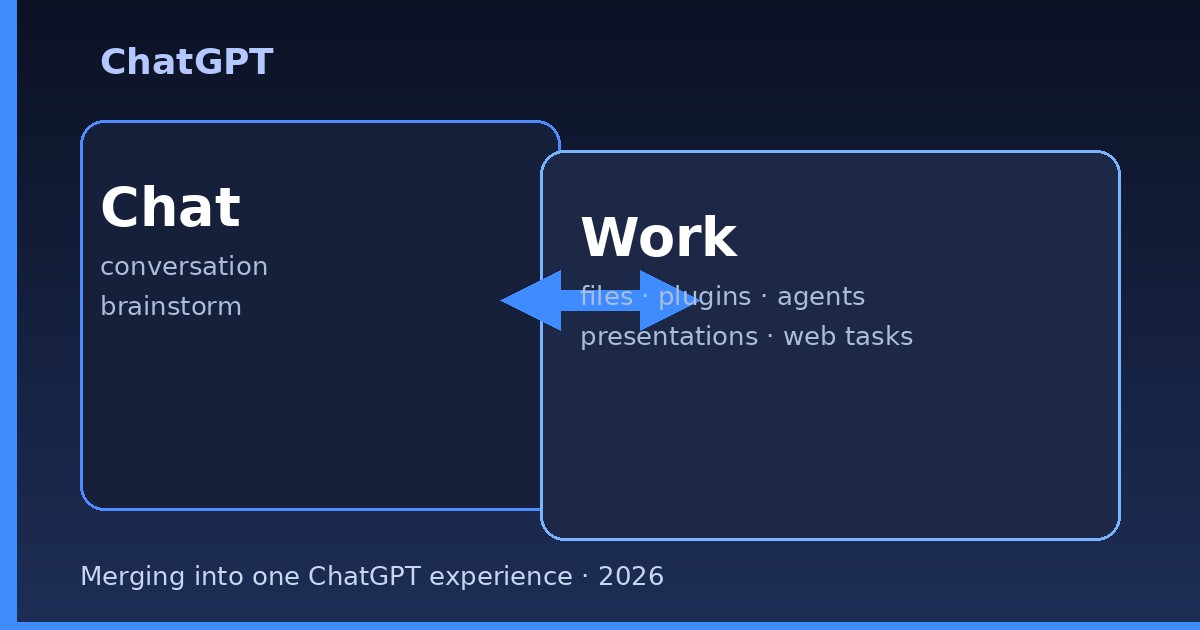
    Takeaway: OpenAI is merging ChatGPT’s separate Chat and Work tabs into one ChatGPT experience so you can explore an idea and then have ChatGPT carry the work through — files, plugins, websites, presentations, and guided web tasks — without jumping tabs. The change starts with select users for feedback, then a wider rollout; OpenAI has not announced a wide-release date. Codex stays a separate section in the ChatGPT desktop app. This is a product/UI story, distinct from the December shared ChatGPT + Codex token/usage pool we already covered.

    Reporting: TechCrunch (Ivan Mehta, Nov 2, 2026), with corroboration from Digital Trends, The Verge, and Financial News Asia coverage (Nov 3).

    Why Chat and Work felt confusing

    On the ChatGPT desktop app, users already juggle a high-level split between ChatGPT and Codex. Inside ChatGPT itself, a second split — Chat versus Work — made it easy to lose track of where a project lived. TechCrunch summarized the UX problem plainly: with so many options, it is sometimes easy to forget where you are working and where a project actually sits.

    In practice, Chat handled everyday conversation, Q&A, and brainstorming. Work was the lane for heavier, multistep jobs — research, presentations, website builds, and similar deliverables. Switching tabs mid-flow broke context and made “agentic” work feel bolted on rather than continuous.

    What OpenAI told users about the merge

    According to an email OpenAI sent to users (as reported by TechCrunch), the company is combining Chat and Work within the ChatGPT experience. The merge will first go to select users for feedback before a broader rollout.

    Paraphrasing the email’s stated intent: the goal is to let you move from exploring an idea to having ChatGPT carry it through in one place. You can bring in files and plugins and ask ChatGPT to build a website, create a presentation, or do things on the web while you review and guide the work. Codex remains a separate experience in the ChatGPT desktop app.

    The Verge noted that OpenAI’s Thibault Sottiaux posted on X that the company is working on this but that it is not rolling out just yet — useful framing if you have not seen the merged UI yet: select-user feedback does not equal a global flip.

    Chat vs Work vs merged ChatGPT vs Codex

    SurfaceWhat it is forWhat changes with the merge
    Chat (today)Conversation, Q&A, brainstormingFolds into one ChatGPT workspace with Work capabilities
    Work (today)Heavier tasks: research, decks, sites, multistep jobsSame capabilities, reachable without a separate tab
    Merged ChatGPT (incoming)Idea → execution in one place; files/plugins; guided agentic workSelect users first, then wider; no public wide-release date yet
    Codex (desktop)Specialized coding experienceStays separate in the desktop app — not merged into Chat/Work

    Digital Trends’ framing matches that table: start a conversation, then ask ChatGPT to execute from the same place, keep files and plugins in play, and monitor progress instead of hopping tabs to find the “agent mode.”

    Usage limits: shared pool note (not the same story as this UI change)

    OpenAI also said that with this transition, ChatGPT and Codex will draw tokens from the same allowance pool. Most users should be unaffected; depending on usage and model, some people may wait for resets more often.

    Treat that as a related capacity note, not the headline of this article. We already published a dedicated explainer on the December shared ChatGPT + Codex usage limits for eligible plans. Do not confuse the tab merge with card/device paid-account limits (“Device limit reached”), which gate which paid accounts you can run on a device — a separate control layer.

    Why the industry is collapsing chat and agent modes

    Anthropic merged Claude’s chat and Cowork into one screen around September 2026 (per TechCrunch). OpenAI’s move follows that pattern: conversation and agentic execution stop being rival “apps” inside the same product.

    Financial News’ Asia write-up frames the strategic angle: erasing the boundary between Q&A chat and agent workflows (web tasks, analysis, documents, presentations) is meant to lower the barrier to everyday agent use — assign work inside a normal conversation instead of hunting for a separate agent tab.

    That same industry wave shows up outside OpenAI: cloud coding sessions and computer-use surfaces keep pushing agents into the main workflow rather than a side panel. See our recent notes on GitHub Copilot connected cloud sessions and MCP connectors and Vercel Labs agent-desktop accessibility computer use for adjacent product patterns.

    What stays the same for power users

    • Codex remains separate in the ChatGPT desktop app — coding-focused workflows are not being folded into the Chat/Work merge.
    • No announced wide-release date — expect a staged select-user period, then broader availability.
    • Guidance and review still matter — OpenAI’s email language emphasizes reviewing and guiding ChatGPT’s work, not fire-and-forget automation.
    • Shared token allowance between ChatGPT and Codex is a capacity change that can affect heavy users even when the UI looks cleaner — details in our December shared-pool article.

    Publisher and power-user checklist

    1. If you train teammates on ChatGPT desktop, update screenshots and SOPs: Chat vs Work may disappear for select users first.
    2. Keep Codex docs separate — coding still lives in its own desktop section.
    3. Watch usage meters after the transition language around a shared ChatGPT/Codex allowance; heavy agent + coding days may hit resets sooner.
    4. Do not equate “select users” with GA — Sottiaux’s public note underscores that a full rollout is not live for everyone yet.
    5. Separate this UI story from account eligibility — card/device limits and “Device limit reached” are covered in our paid account caps explainer.
    6. For agentic competitor context, skim Copilot cloud sessions and Vercel agent-desktop coverage linked above when comparing how vendors place agents in the primary UI.

    FAQ: ChatGPT Chat and Work merge

    Is OpenAI deleting Work features?

    No. Reporting describes a merge into one ChatGPT experience so Work-style capabilities (files, plugins, building sites, presentations, guided web tasks) sit in the same place as conversation — not a removal of those capabilities.

    When does the merged Chat and Work UI ship to everyone?

    OpenAI has not announced a wide-release date. The email, as reported by TechCrunch, says select users first for feedback, then a wider rollout. The Verge also cited Thibault Sottiaux saying the company is working on it but it is not rolling out just yet.

    Does the merge include Codex?

    No. OpenAI’s email states Codex remains a separate experience in the ChatGPT desktop app.

    Will this change my ChatGPT usage limits?

    OpenAI said that with the transition, ChatGPT and Codex draw from the same token allowance. Most users should not notice; some may wait for resets more often depending on usage and model. For the broader December shared-pool product story, see our dedicated shared usage limits article.

    How is this different from Anthropic’s Claude change?

    Directionally similar: Anthropic merged Claude chat and Cowork into one screen around September 2026. OpenAI is now combining ChatGPT’s Chat and Work tabs along the same “conversation + agent work in one place” pattern.

    Is this the same as ChatGPT device limit reached?

    No. Device and card limits control paid-account purchase and device eligibility. The Chat/Work merge is a product UI change. See our Device limit reached explainer if you are hitting account-eligibility warnings.


    Bottom line: OpenAI is collapsing ChatGPT’s Chat and Work tabs into one place so brainstorming and agentic execution share a single surface, starting with select users and expanding later — with no public GA date yet and Codex still separate on desktop. Read the capacity angle in our December shared ChatGPT + Codex usage pool post, and keep account-eligibility issues on the separate device-limit track.

  • Meituan LongCat-2.5: Multimodal Agentic Coding Model (2026)

    Meituan LongCat-2.5: Multimodal Agentic Coding Model (2026)

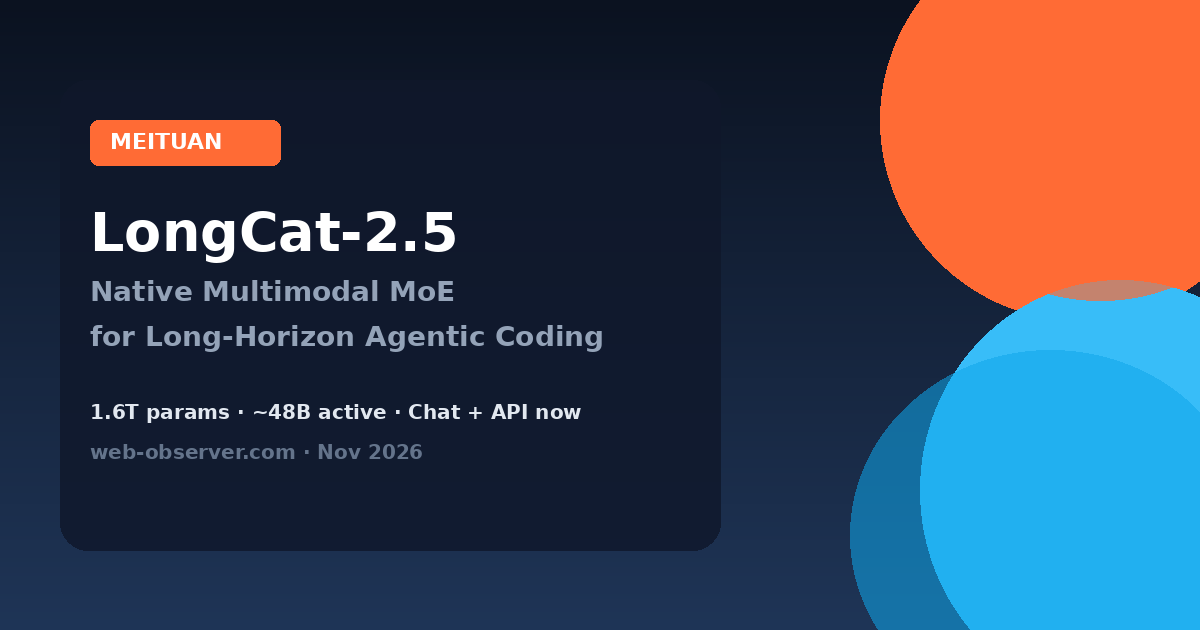
    Bottom line: Meituan has released LongCat-2.5, a native multimodal Mixture-of-Experts model aimed at long-horizon agentic coding—not short chat demos. Per Meituan’s official LongCat-2.5 blog (dated 2026-11-1), the model has 1.6 trillion total parameters with about 48 billion activated per token, builds on LongCat-2.0, adds unified vision+text discrete tokens, and is available now through Meituan’s online chat and API at longcat.ai. Open weights on GitHub and Hugging Face are planned to follow. Treat published benchmark numbers as Meituan-reported (scores marked * for peers come from public reports), and do not overclaim versus Claude-Opus-5.

    Secondary coverage: TechNode’s Nov 2, 2026 write-up summarizes the same launch for an English audience. This briefing complements our recent posts on DeepSeek’s open coding-agent prototype, GitHub Copilot cloud sessions and MCP connectors, Vercel agent-desktop accessibility-tree computer use, and Gemini 4 Carbon benchmarks — different stacks, same industry push toward longer agent runs.

    What shipped: LongCat-2.5 in one page

    LongCat-2.5 is Meituan’s next step after LongCat-2.0. The company positions it for tasks that need sustained agent execution: complex codebases, full-project builds, visual coding, creative design, and 3D. That is a different product story than “answer this coding question in one turn.” The blog stresses three pillars:

    • Scale + sparsity: 1.6T total parameters, ~48B activated per token (MoE).
    • Native multimodality: visual signals as multi-level discrete tokens so vision and text share one token pathway in the backbone.
    • Long-horizon agent training: more long-horizon trajectories in long-sequence training, large-scale long-horizon RL, and converting real agent failure trajectories into reproducible training tasks.

    Availability today is product-side: Meituan online chat plus API. Weights on GitHub/Hugging Face are promised afterward; as of this scan the public HF org still surfaces LongCat-2.0 as the home landing, so treat open weights as upcoming rather than already mirrored.

    Meituan’s metrics dashboard also places LongCat-2.5 next to GPT-5.5, GPT-5.6-Sol, Claude-Opus-4.8, and Claude-Opus-5 in charts, with a fuller table later in the post. For readers who only need a shipping decision: hosted multimodal coding agent now; open weights later; numbers competitive on several agent benches with clear gaps still visible against Opus-5 on harder terminal suites.

    How it differs from chat demos (long-horizon agents)

    Most public coding-model demos still look like autocomplete or single-file edits. Long-horizon agentic coding means multi-step loops: explore a repo, run tools, fail, recover, keep context across a long trajectory, and ship something closer to a project than a snippet. Meituan’s blog describes scaling an end-to-end agentic RL pipeline across data, environments, algorithms, and harnesses—including synthesizing tasks from GitHub PRs/issues with fail-to-pass and pass-to-pass tests, asynchronous partial rollouts, staleness controls, and anti–reward-hacking measures (disabled network in task envs, git history removed, LLM judges auditing exploits).

    For developers evaluating models, the practical question is not “did it write a pretty README?” but whether the harness + model can stay coherent across long tool-use sessions. That is the same problem space we covered for DeepSeek’s Router–Worker research prototype, Copilot’s cloud sandboxes with snapshot resume, and Vercel’s accessibility-tree computer-use path—each attacking long-running agent work from a different angle.

    Mixed training across scaffolds is another detail worth noting: Meituan says the model adapts to similar tasks and harnesses during RL, mixing benchmark-aligned tasks and scaffolds so gains reinforce one another. In product terms, that is Meituan’s bet that one backbone can generalize across terminal agents, browse agents, and visual coding harnesses instead of shipping a zoo of fine-tunes.

    Architecture highlights (brief)

    Meituan frames visual primitive modeling as discrete tokens rather than a bolt-on vision encoder in the hot path. Per the blog:

    • RVQ + SAE: Residual Vector Quantization on native-resolution features from a Semantic-and-Aligned Encoder (as in LongCat-Next), producing multi-level vocabulary tokens for images.
    • Offline visual preprocessing: a fixed tokenizer so visual token IDs can be precomputed/cached; the backbone consumes pretokenized sequences, which simplifies long-sequence packing and load balancing.
    • Joint visual embeddings: codebook embeddings learned with the backbone; Meituan cites preliminary t-SNE evidence of interwoven visual/textual embeddings on a smaller MoE (~3B activated on average).
    • Teacher–student transfer: retains LongCat-2.0 expert groups (agent, reasoning, interaction) with online student sampling and per-cut prefixes / Tree Attention to control distribution shift and compute.

    Infrastructure notes matter if you care about domestic-accelerator deployment: long-context training optimizations (supernode-aware parallelism, dual-shard FSDP, train–inference numerical consistency) and an efficient W4A4 inference path for the 1.6T MoE. Versus a W8A8 INT8 baseline in Meituan’s online stress tests: prefill throughput +43.3%, decode +42.77%, TTFT −15.91%, TPOT −19.72%, and GMM kernel about 1.73×. Those are vendor figures for their stack—useful as directional efficiency claims, not portable scores for your GPU cloud.

    Selected Meituan-reported metrics

    The official table compares LongCat-2.5 with LongCat-2.0 and several peers (GPT-5.5, GPT-5.6-Sol, Claude-Opus-4.8, Claude-Opus-5, GLM-5.3, kimi-k3, DeepSeek-V4.1-Flash). Peer scores marked with * are from public reports/leaderboards; otherwise self-run and indicative. Below is a compact subset for coding, agent, and visual tasks:

    BenchmarkLongCat-2.5LongCat-2.0Claude-Opus-5 (note)
    Terminal Bench v2.188.470.889.1*
    Terminal Bench v4.038.53.053.9*
    PaperBench82.145.279.1
    BrowseComp91.979.990.8*
    Vision2Web78.6—80.2*
    DeepSWE v1.164.69.768.8*
    MCP Atlas83.161.885.8*

    Reading the table carefully: LongCat-2.5 is a large jump over 2.0 on Terminal Bench v2.1 (88.4 vs 70.8) and sits near the top cluster, but Claude-Opus-5’s public * score is still slightly higher at 89.1, and Opus-5 leads more clearly on Terminal Bench v4.0 (53.9* vs 38.5). PaperBench and BrowseComp look strong for LongCat-2.5 on Meituan’s numbers. Vision2Web at 78.6 trails Opus-5’s 80.2*. Do not market “beats Opus-5 across the board”—the honest story is “competitive MoE coding/agent model with native multimodality and a big lift from 2.0.”

    How to try LongCat-2.5 today

    • Chat: Open longcat.ai and use Meituan’s online chat interface for interactive trials (visual coding demos are highlighted on the blog).
    • API: Use the API platform linked from the official blog / longcat.ai for programmatic access—confirm rate limits, thinking-mode flags, and context caps in the current docs before production wiring.
    • Weights (planned): Watch Meituan’s GitHub and Hugging Face orgs for LongCat-2.5 checkpoints. Until they land, do not assume local/offline deploy parity with the hosted chat/API.
    • Eval hygiene: If you re-run Terminal Bench / SWE-style harnesses, match harness versions and settings Meituan documents (e.g., thinking enabled, temperature 1.0, top_p 0.95 for many of their reported runs).

    One more practical distinction: LongCat-2.5’s showcases (fluid simulation tools, 3D exhibitions, city dioramas, business analysis packs) are framed as end-to-end agent outputs spanning software development and office workflows. That marketing is useful as a capability map—visual + coding + document work—but your own acceptance tests should still be repo- and harness-specific. A fluid-sim demo does not automatically transfer to your monorepo’s flaky integration suite.

    How this sits next to DeepSeek, Copilot, Vercel, and Gemini posts

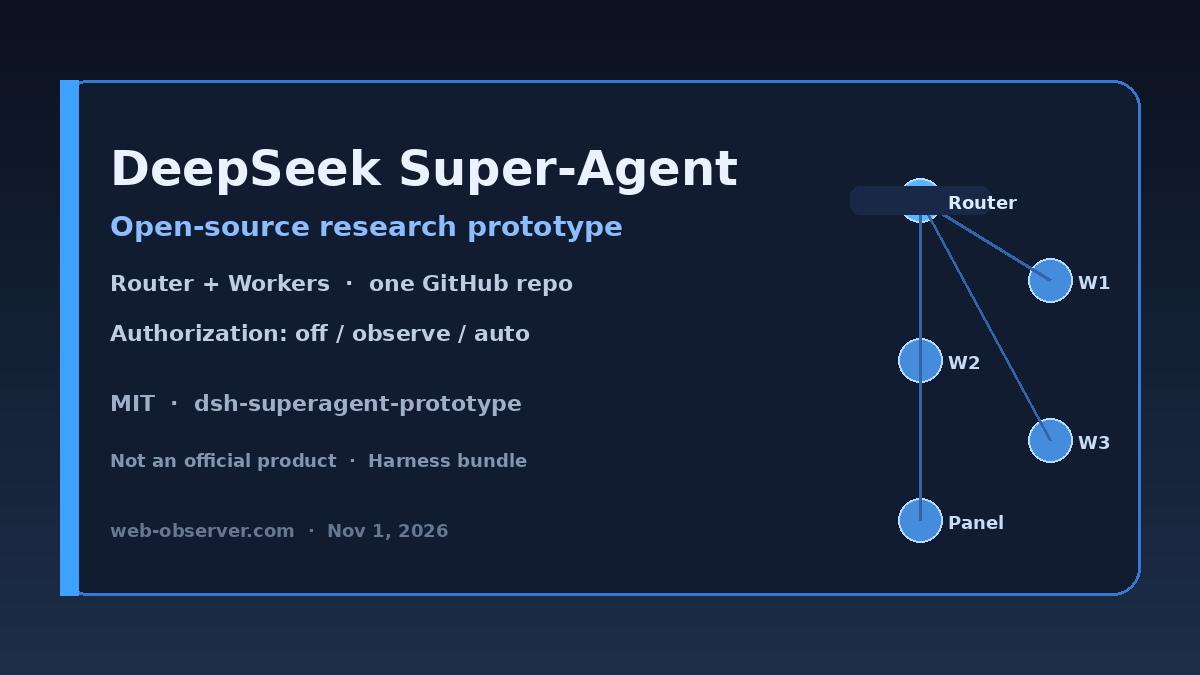
    DeepSeek’s MIT-licensed dsh-superagent-prototype is an open research coding-agent scaffold (Router–Worker, observe/auto auth)—architecture and openness first. GitHub Copilot’s connected cloud sessions emphasize portable sandboxes, snapshot resume, and verified MCP connectors billed against Actions entitlement. Vercel agent-desktop attacks computer use via accessibility trees for coding agents. Gemini 4 Carbon is Google’s frontier model narrative with public benchmark positioning. LongCat-2.5 is Meituan’s hosted multimodal MoE play for long-horizon engineering agents, with open weights promised later. Teams should compare on harness fit, multimodal needs, data residency / domestic-accelerator constraints, and whether they need open weights now or can start on API.

    If you already run Copilot cloud sandboxes or a Vercel computer-use desktop loop, treat LongCat-2.5 as a candidate model backend for the same long jobs rather than a replacement IDE. The interesting experiment in November 2026 is cross-vendor: same harness, same repo fixture, same max steps—swap only the model/API—and publish the delta with harness versions attached.

    Admin / developer checklist

    1. Pilot on hosted chat/API first for a multi-hour repo task (tests failing → fix → PR draft) before betting on weights that are not public yet.
    2. Separate multimodal jobs (Vision2Web-style UI rebuilds, 3D/code visuals) from text-only SWE loops so you can see where native vision tokens help.
    3. Record harness versions when comparing against Terminal Bench / PaperBench / BrowseComp so Meituan-reported numbers stay apples-to-apples.
    4. Watch HF/GitHub for LongCat-2.5 weight drops; plan quantization and serving (W4A4 claims are on Meituan’s domestic accelerators—validate on your hardware).
    5. Policy & data: confirm what code you may send to Meituan’s API under your org’s outbound AI policy.
    6. Don’t overclaim in marketing vs Claude-Opus-5; cite Meituan’s table and the * footnotes.
    7. Budget for long context: long-horizon rollouts are token-heavy; measure cost per successful task, not per message.
    8. Keep a failure log the way Meituan describes training—your own agent failures are the best seeds for eval sets once weights arrive.

    FAQ: Meituan LongCat-2.5

    What is Meituan LongCat-2.5?

    LongCat-2.5 is Meituan’s native multimodal MoE model (1.6T total parameters, ~48B activated per token) built for long-horizon agentic tasks such as complex codebase work, full-project builds, visual coding, creative design, and 3D. It builds on LongCat-2.0 with stronger visual understanding and agentic coding training.

    When was LongCat-2.5 released, and where can I try it?

    Meituan’s official blog is dated 2026-11-1; TechNode covered the launch on 2026-11-02. You can try it now via Meituan’s online chat and API at longcat.ai. GitHub and Hugging Face weight releases are planned to follow.

    How is LongCat-2.5 multimodal?

    It represents visual signals as multi-level discrete tokens (Residual Vector Quantization on Semantic-and-Aligned Encoder features) so the backbone processes vision and text in a unified token format, with offline visual preprocessing and jointly learned visual embeddings.

    How do LongCat-2.5 Terminal Bench scores compare to Claude-Opus-5?

    On Meituan’s table, LongCat-2.5 scores 88.4 on Terminal Bench v2.1 versus LongCat-2.0’s 70.8 and Claude-Opus-5’s 89.1* (public report). On Terminal Bench v4.0, LongCat-2.5 scores 38.5 versus Opus-5’s 53.9*. It is competitive on v2.1 but does not lead Opus-5 across both suites.

    What W4A4 inference gains did Meituan claim?

    Versus W8A8 INT8 in Meituan’s online stress tests on their domestic-accelerator stack: prefill throughput +43.3%, decode +42.77%, TTFT −15.91%, TPOT −19.72%, and GMM kernel ~1.73×. These are vendor infrastructure results, not universal GPU-cloud guarantees.

    Are LongCat-2.5 weights on Hugging Face yet?

    As of this briefing, Meituan says GitHub/Hugging Face releases are planned to follow the chat/API launch. Public HF org pages still centered on LongCat-2.0 at scan time—verify the org before assuming 2.5 checkpoints are downloadable.


    Bottom line: LongCat-2.5 is Meituan’s Nov 2026 multimodal MoE for long-horizon agentic coding—1.6T / ~48B active, discrete vision tokens, heavy long-horizon RL, chat+API live today, open weights next. Use Meituan’s own table (with * footnotes) when comparing to Opus-5 and peers; pilot on longcat.ai for real multi-step repo work; and watch HF/GitHub for when local deploy becomes possible.

  • GitHub Copilot Cloud Sessions & MCP Connectors (2026)

    GitHub Copilot Cloud Sessions & MCP Connectors (2026)

    Bottom line: As of October 28, 2026, GitHub Copilot on paid plans is a single connected cloud experience: start a session on github.com, GitHub Mobile, the Copilot CLI, the Copilot app, VS Code, Slack, or Microsoft Teams, and resume the same session from any other surface. By default every session runs in a GitHub-managed cloud sandbox with snapshots (no one-hour total running-time limit). Billing for cloud sandbox usage begins in November 2026 and draws from your included, now dollar-based Actions compute entitlement. In parallel, GitHub-verified MCP servers (“connectors”) entered public preview—connect once to about 26 services (Slack, Figma, Notion, Sentry, Linear, Cloudflare, Vercel, Work IQ, Atlassian Rovo, and more) and reuse that auth across Copilot surfaces and cloud sandboxes.

    Primary sources: GitHub’s connected Copilot cloud changelog (Oct 28, 2026), the connectors / verified MCP servers changelog (Oct 28, 2026), and docs for Copilot connectors and MCP in Copilot. Local sandboxing GA context: Oct 7, 2026 changelog. Secondary digest framing: AI Agent Store daily for Nov 2, 2026.

    This sits beside our coverage of Google’s Connected Apps Platform for AI Mode and Gemini (another MCP-shaped tool graph), Vercel agent-desktop accessibility-tree computer use, and DeepSeek’s open coding-agent prototype. For contrast on account-side agent limits rather than compute entitlement, see ChatGPT paid-account device limits.

    What “one connected Copilot cloud experience” means

    GitHub’s Oct 28 changelog frames Copilot as one session graph instead of separate chats per client. The same session list appears across surfaces. You can kick off a change from Mobile (voice, screenshot, or file), continue on the web with repository / Copilot Spaces / file attachments, and finish in the Copilot app, VS Code, or CLI—or mention @GitHub in Slack or Teams to create an issue, request a code change, or investigate a bug.

    • Surfaces in the connected experience: github.com, GitHub Mobile, Copilot CLI, Copilot app, VS Code, Slack, Microsoft Teams.
    • Availability: Generally available on paid Copilot plans, rolling out from October 28, 2026. Copilot Free keeps Copilot Chat on github.com and Mobile; the updated connected cloud experience requires an upgrade.
    • Policy gate: Access is governed by the Copilot setting titled “Copilot in the cloud”. Prior repository opt-outs from Copilot cloud agent carry into the new experience.
    • Org / personal scoping: Chat sessions are scoped to a single organization or your personal repositories by default; org members need SSO to access session data tied to that org’s repos. Without write access, Copilot in that repository is read-only.

    Cloud sandboxes by default: snapshots, resume, and compute

    Every cloud session runs, by default, in a secure ephemeral sandbox on GitHub-managed infrastructure—isolated from your laptop. Sandboxes start fast, have no one-hour limit on total running session time, and when they shut down they save a snapshot so you can resume later from any surface. That is the practical difference from “chat that dies when you close the tab”: agent work can outlive a single device session.

    Cloud sessions get the same tool surface as the Copilot CLI and Copilot app (Bash, GitHub CLI, code search), plus connectors/MCP, skills, slash commands such as /rubber-duck and /context on github.com and Mobile, and permission prompts before tool calls that need approval.

    Actions entitlement: one dollar-based pool (sandbox billing in November 2026)

    GitHub changed included Actions compute from a fixed count of standard runner minutes into one shared, dollar-based entitlement. The same pool covers:

    • Standard GitHub-hosted runners
    • Cloud sandboxes (including the sandboxes behind Copilot cloud sessions)
    • Larger hosted runners on Team and Enterprise Cloud

    Each product keeps its own published meter and rate; higher-rate compute burns the entitlement faster. The entitlement resets at the start of each billing cycle; overage follows existing rates, budgets, and payment settings. The flexible entitlement change applies to GitHub Free, Pro, Free for organizations, Team, and Enterprise Cloud. Billing for cloud sandbox usage begins November 2026 and draws from that included Actions entitlement (free usage until then also draws from the shared pool per GitHub’s wording).

    Admin note: If you still depend on Actions-based self-hosted runners or copilot-setup-steps.yml, you continue to use Actions as the session environment. Self-hosted machines can register via the Copilot CLI --environment-host flag. Mission Control can register a local device so Mobile can steer local sessions.

    TopicWhat GitHub published (Oct 2026)Why it matters
    Connected cloud experienceGA on paid Copilot plans from Oct 28One session across web / Mobile / CLI / app / VS Code / Slack / Teams
    Default environmentCloud sandbox + snapshot resumeAgent work not limited to laptop compute; no 1-hour total runtime cap
    Sandbox billingBegins November 2026 from shared Actions entitlementBudget Actions + Copilot cloud sandboxes as one dollar pool
    Entitlement shapeDollar-based shared pool vs fixed standard-runner minutesChoose compute per task; each product keeps its own rate
    Connectors~26 GitHub-verified MCP servers, public preview, connect-onceSame Slack/Figma/Sentry/etc. auth across surfaces and cloud sandboxes
    Connector gapNot supported yet in GitHub Actions–based sessionsCloud-sandbox sessions yes; assign-issue-to-Copilot Actions path no

    Copilot connectors: GitHub-verified MCP servers (public preview)

    Until this preview, wiring Slack threads, Figma designs, or Sentry errors into Copilot meant finding an MCP server, signing in, and repeating setup per tool. GitHub’s Oct 28 connectors changelog and the connectors docs describe GitHub-verified MCP servers: pick a service, sign in once, and GitHub handles server configuration and authentication. The connection then works across the Copilot app, CLI, VS Code, Copilot in the cloud, and GitHub Mobile—with Copilot keeping you signed in in the background.

    At launch GitHub lists 26 services, including Slack, Figma, Notion, Sentry, Linear, Atlassian Rovo, Cloudflare, Vercel, and Work IQ. Copilot can invoke a connected service’s tools when they are relevant—even if you do not name the service. In the Copilot app you can also schedule automations that use a connected service.

    Where to connect a service

    • Copilot app: Customize → Connect on the service.
    • Copilot CLI: /mcp → Connectors tab → Connect.
    • VS Code: Agents window → Customizations → connect the service.
    • github.com: Copilot customization page → select the service.

    Org policies before Business / Enterprise rollout

    Connectors are in public preview for users on all Copilot plans, but Business and Enterprise seats need admin work first:

    • Enable the Editor preview features policy for the organization or enterprise.
    • Enable the MCP servers in Copilot policy (disabled by default for org/enterprise-governed seats).
    • If clients enforce Restrict MCP access to registry servers, set it to Allow all—“Registry only” blocks connectors.
    • If the enterprise uses an MCP allowlist (allowedMcpServers), include each connector URL or a matching wildcard; a matching deniedMcpServers entry still blocks the connector.
    • Some vendors (for example Slack) also require their own admin to allow MCP access.

    Docs also stress a hard product boundary: connectors work locally and in Copilot sessions on a cloud sandbox (including sessions started on GitHub.com), but they are not yet supported in sessions that run on GitHub Actions—for example when you assign an issue to Copilot on the Actions path. Plan workflows accordingly.

    MCP beyond connectors: personal, repository, and defaults

    Connectors are the low-friction path. GitHub’s MCP docs still cover custom MCP: personal servers (key-based auth, available in every cloud session you start; up to 50 servers across personal + repository configs), repository-level MCP for collaborators (and code review / automations), and cloud-agent defaults (scoped GitHub MCP plus Playwright limited to localhost). Prefer a verified connector when one exists.

    Warning from GitHub’s docs: when you @mention Copilot or assign it an issue/PR, configured MCP tools can run autonomously without per-call approval. Keep repository MCP allowlists tight and prefer read-only tools.

    Local sandboxing GA (MXC): the security complement

    On October 7, 2026, GitHub made local sandboxing generally available in Copilot CLI, the Copilot app, and VS Code sessions using Agent Host. Local sandboxes—powered by Microsoft eXecution Container (MXC)—translate a common policy into native OS controls on Windows, macOS, and Linux so agent-run tools get restricted filesystem, network, and credential access. Enterprises can require sandboxing via managed settings. Local sandboxing is included at no additional cost and is orthogonal to cloud sandboxes: model choice and tool isolation are separate concerns. Treat cloud sandboxes as portable compute + resume, and local MXC sandboxes as the on-device blast-radius control.

    What admins and developers should do this month

    1. Inventory Actions spend vs Copilot cloud usage before November 2026 sandbox billing starts—model both against the shared dollar entitlement and existing budgets.
    2. Turn on Editor preview features + MCP policy only after reviewing the connector set and vendor-side MCP toggles (Slack, etc.).
    3. Update MCP allowlists so verified connector URLs are permitted; avoid “Registry only” if you intend to use connectors.
    4. Separate workflows: use cloud-sandbox sessions when you need connectors; do not assume the same tools exist on Actions-based Copilot sessions.
    5. Pilot a cross-surface task (failing tests → investigate in cloud → PR draft → resume on Mobile) to measure resume/snapshot behavior before broad rollout.
    6. Enable local sandboxing policies for laptop agent workflows even if most heavy work moves to cloud sandboxes.

    How this compares to other November 2026 agent surfaces

    Google’s Connected Apps Platform preview wires third-party apps into AI Mode and Gemini. Vercel’s agent-desktop targets desktop computer-use via accessibility trees. DeepSeek’s open super-agent prototype explores Router–Worker coding agents. Copilot’s Oct 28 release is GitHub’s take: persistent cloud agent sessions plus connect-once MCP, billed against the Actions compute pool from November 2026. Unlike ChatGPT’s paid-account device-limit friction, the constraint here is shared compute entitlement and org MCP policy.


    FAQ: GitHub Copilot cloud sessions and MCP connectors

    When does Copilot cloud sandbox billing start?

    GitHub says billing for cloud sandbox usage begins in November 2026 and draws from the shared, dollar-based Actions compute entitlement. Until then, free usage still draws from that entitlement per the Oct 28 changelog.

    Which clients share one Copilot cloud session?

    github.com, GitHub Mobile, the Copilot CLI, the Copilot app, VS Code, Slack, and Microsoft Teams participate in the connected cloud experience on paid Copilot plans.

    What are Copilot connectors?

    Connectors are GitHub-verified Model Context Protocol (MCP) servers. You sign in once to a service; GitHub handles MCP configuration and auth so the same connection works across supported Copilot surfaces and cloud sandboxes.

    Do connectors work when Copilot runs on GitHub Actions?

    No—not yet. Docs state connectors work locally and in cloud-sandbox sessions (including GitHub.com), but are not supported in sessions that run on GitHub Actions, such as assigning an issue to Copilot on the Actions path.

    What must org admins enable for Business or Enterprise?

    Enable Editor preview features and MCP servers in Copilot; set Restrict MCP access to registry servers to Allow all if that policy is enforced; add connector URLs (or a wildcard) to any MCP allowlist; and confirm vendor-side MCP access (for example Slack admin approval).


    Bottom line: GitHub’s late-October 2026 Copilot release makes cloud sessions the default portable workspace across web, Mobile, CLI, app, VS Code, Slack, and Teams, with snapshot resume and November 2026 sandbox billing against the shared Actions entitlement—and pairs that with connect-once, GitHub-verified MCP connectors (~26 services) that work in cloud sandboxes but not yet on Actions-based sessions. Admins should budget the new compute pool and lock MCP policies before wide connector rollout; developers should prefer cloud-sandbox sessions when they need Slack/Figma/Sentry context in the agent loop.

  • Vercel agent-desktop: Accessibility-Tree Computer Use for Coding Agents (2026)

    Vercel agent-desktop: Accessibility-Tree Computer Use for Coding Agents (2026)

    Takeaway: Vercel agent-desktop is an open-source Rust CLI and C library from Vercel Labs that gives coding agents desktop computer-use by reading OS accessibility trees — not by guessing from screenshots. Chris Tate (@ctatedev) framed the Oct 31, 2026 launch as “agent-browser, for your whole computer.” Built by Mohamed Lahfir (@mdlahfir), who joined Vercel Labs, it ships under Apache 2.0 and works with any agent that can run shell commands (Claude Code, Codex, and similar).

    Primary sources for this guide: the vercel-labs/agent-desktop repository and the docs at agent-browser.dev/desktop. This post is a practical explainer for developers wiring agents to real desktop apps — not a pixel computer-use model tutorial.

    What Vercel agent-desktop actually is

    agent-desktop is a tool agents call, not an agent itself. There is no LLM inside, no GUI, and no interactive prompt. Every command prints one JSON envelope and exits. The observe → act → verify loop stays in your harness or script.

    It reads a desktop app’s accessibility tree and returns structured JSON. Every element the agent can act on gets a ref qualified with its snapshot id (for example @s8f3k2p9:e8). The agent acts on that ref, snapshots again to check the result, and repeats. Refs are tied to the snapshot that produced them; bare refs like @e8 are rejected with INVALID_ARGS.

    • Platforms: macOS 13+ (AX API + Accessibility permission), Windows 10 1809+ / Server 2019+ (UI Automation), Linux Ubuntu 24.04+ with AT-SPI (glibc 2.35+). npm ships x64 and ARM64 binaries.
    • Install: npm install -g agent-desktop, then agent-desktop version and agent-desktop status.
    • Surface: ~60 command names / ~56 operational commands covering observe, click/type, windows, notifications, clipboard, sessions, and more. Four held-input commands (key-down/key-up/mouse-down/mouse-up) fail closed until a daemon can release a held key or button.
    • Not for web pages: use agent-browser for the browser. agent-desktop cannot see apps that publish no accessibility tree.

    Why accessibility trees beat screenshot computer-use for agents

    Screenshot-based computer-use asks a vision model to locate buttons from pixels. That path is flexible, but it burns tokens, drifts when themes or DPI change, and makes safe retries hard — you never know whether a click already landed.

    An agent-desktop accessibility tree snapshot returns roles, names, values, and actionable refs. Ref actions go through the OS accessibility API by default (headless): no focus steal and no physical pointer move unless you pass --headed. Multi-agent sessions can show colored cursors so parallel workers stay visible.

    DimensionAccessibility-tree (agent-desktop)Screenshot / vision computer-use
    What the agent seesStructured UI tree + refs from OS a11y APIsPixels / screenshots interpreted by a model
    TargetingStable snapshot-qualified refs; re-resolve against live UICoordinate or visual match guesses
    Retry safetyErrors carry delivery/retry disposition; STALE_REF / AMBIGUOUS_TARGET force a fresh snapshotHard to know if input already delivered
    Default interactionHeadless semantic API (no focus steal); optional –headed physical inputUsually moves cursor / focuses UI
    Blind spotsCannot see UIs with no a11y tree; not for raw web pagesCan “see” anything on screen, including unlabeled chrome
    Best fitIDEs, native apps, Electron shells with a11y; coding-agent loopsOpen-ended GUIs, custom-drawn canvases, a11y-poor apps

    The observe → act → verify loop

    Docs show the same four-step pattern on every OS. A trimmed Finder / Calculator style flow looks like this:

    1. agent-desktop snapshot --app Finder -i — map interactive elements; each gets a ref.
    2. agent-desktop click @s8f3k2p9:e8 — act only with a ref from that snapshot.
    3. agent-desktop snapshot --app Finder -i (or wait / get) — verify the UI actually changed.
    4. On dense apps: start with snapshot --skeleton -i --compact, then snapshot --root @…:eN -i --compact to drill one region.

    When the UI changes, an old ref returns STALE_REF or AMBIGUOUS_TARGET. Take a new snapshot and use the new refs. Successful delivery does not prove the app effect happened — always read back.

    Install, skills, and wiring Claude Code or Codex

    Install globally, grant permissions, then load the embedded skill that matches the binary version:

    1. npm install -g agent-desktop
    2. macOS: agent-desktop permissions --guide for Accessibility. Windows needs no grant for same-integrity apps. Linux needs a graphical session with an AT-SPI bus.
    3. agent-desktop skills get desktop and agent-desktop skills get platform before the first action.
    4. Or install into a harness: npx skills add https://github.com/vercel-labs/agent-desktop --skill agent-desktop (see skills.sh). Prefer the CLI skill command so docs stay version-matched.
    5. Optional AGENTS.md line: tell the agent to run those skills before first use.

    Because there is no model inside, usage limits on Claude Code, Codex, or other hosts stay whatever your provider already bills — agent-desktop only adds shell/FFI calls. For how OpenAI is reshaping ChatGPT + Codex shared usage, see our December 2026 shared usage limits explainer.

    Timeline: Linux 1.0, 1.0.2, and the Oct 31 announce

    Project changelog notes: 1.0.0 (2026-10-27) added Linux (CLI, C library, npm) via AT-SPI; 1.0.1 the same day cleaned skills/version publishing; 1.0.2 (~2026-10-30) tightened npm launcher notices and macOS permission guidance. Chris Tate’s public announce on Oct 31 put the “whole computer” framing in front of coding-agent users. Docs at agent-browser.dev/desktop were updated through late October.

    Privacy, Electron, and JEV

    Snapshots, screenshots, clipboard reads, and debug artifacts can contain private desktop content — keep them out of public logs and uploads. For Chromium/Electron web contents, agent-desktop can open a DevTools port that agent-browser connects to; the desktop a11y tree still owns native chrome.

    An optional JEV helper (jev-desktop skill) can send screen descriptions to a configured model provider. It is separate from the native CLI and needs its own setup/API key — mention it only when you intentionally want vision-style narration on top of structured refs.

    How this fits the broader agent stack

    Desktop computer-use sits beside open coding agents and platform connectors. Compare the tool-not-agent shape with DeepSeek’s open-source super-agent prototype, Google’s Connected Apps platform for AI Mode & Gemini, and evaluation pressure around Gemini 4 Carbon benchmarks. If you publish agent tooling docs, keep FAQ and how-to blocks machine-readable — our schema markup for AI search guide covers FAQPage patterns.

    Developer checklist: ship a safe desktop loop

    1. Confirm platform readiness with agent-desktop status (permissions + supported_surfaces).
    2. Load skills (desktop + platform) before the first click.
    3. Prefer headless refs; enable --headed only when physical input is required.
    4. Always qualify refs as @<snapshot_id>:eN; never reuse after STALE_REF / AMBIGUOUS_TARGET.
    5. Verify after act with snapshot, wait, get, or is — do not trust delivery alone.
    6. Use sessions when multiple agents share a machine; assign agent ids for multi-agent cursors.
    7. Keep private data out of public logs (snapshots, clipboard, screenshots).
    8. Pair with agent-browser for web pages; do not force agent-desktop onto sites.
    9. Treat a11y-poor apps as out of scope — pixel computer-use or human handoff may still be needed.

    FAQ: Vercel agent-desktop and accessibility-tree computer use

    Is Vercel agent-desktop an AI agent?

    No. It is a CLI and C library that agents call. There is no embedded LLM, GUI, or interactive prompt. Your coding agent (Claude Code, Codex, etc.) owns the planning loop.

    How does agent-desktop accessibility tree targeting work?

    A snapshot reads the OS accessibility tree (AX API, UI Automation, or AT-SPI) and assigns snapshot-qualified refs to actionable elements. Commands re-resolve those refs against the live UI. If the tree changed, you get STALE_REF or AMBIGUOUS_TARGET and must snapshot again.

    Does agent-desktop automate websites?

    No. Use agent-browser for web pages. For Chromium or Electron apps you launch, agent-desktop can open a DevTools port that agent-browser connects to for web contents, while native chrome stays on the a11y path.

    What platforms and install command should I use?

    macOS 13+, Windows 10 1809+ / Server 2019+, and Linux Ubuntu 24.04+ (glibc 2.35+) with AT-SPI. Install with npm install -g agent-desktop (x64/ARM64 binaries). Grant Accessibility on macOS via agent-desktop permissions --guide.

    Headless vs –headed — which should agents default to?

    Default is headless: ref actions go through the accessibility API without moving the pointer or stealing focus. Pass --headed only when you need physical input. Multi-agent sessions can use colored cursors so parallel workers stay visible.

    What about privacy and the optional JEV helper?

    Snapshots, screenshots, clipboard, and debug output can contain private data — do not put them in public logs. The optional JEV helper sends screen descriptions to a configured model provider and is separate from the native CLI.


    Bottom line: Vercel agent-desktop turns desktop computer use into a structured, retry-aware CLI contract for coding agents. Prefer accessibility-tree refs over screenshot guessing when apps expose a11y; keep web automation on agent-browser; verify every act; and treat private desktop payloads as sensitive. Star the GitHub repo, read the desktop docs, and load agent-desktop skills get desktop before your first production loop.

  • ChatGPT “Device Limit Reached”: Paid Account Caps Explained (2026)

    ChatGPT “Device Limit Reached”: Paid Account Caps Explained (2026)

    Takeaway: OpenAI’s card and device limits are privacy and security protections that can block a new ChatGPT purchase or stop a paid account from working on a specific device. The ChatGPT device limit reached warning means that paid account cannot be used on this device — even if checkout succeeded and the subscription worked at first. Buying credits or resetting usage does not clear a card or device restriction. This is a different problem from the upcoming December shared ChatGPT + Codex usage pool we covered yesterday.

    Primary source: OpenAI’s help article Understanding card and device limits in ChatGPT (updated shortly before this post). Account switching rules are documented separately in Using multiple ChatGPT accounts on web and mobile.

    What the warnings mean

    Two checkout and sign-in messages are easy to confuse with bank declines or ordinary usage caps:

    • Too many subscriptions associated with this card or device… — ChatGPT blocked the purchase because too many subscriptions are already tied to that payment card or device. This is not the same as your bank declining the card.
    • Device limit reached — that paid account cannot be used on this device. You may see it at sign-in, or you may be signed out after a later check even if the purchase went through and the account worked initially.

    Shared household cards or public devices can hit the same limits even when each person uses a different phone or their own paid account.

    Which plans count toward the device limit

    OpenAI states that device limits apply to these personal paid plans:

    • ChatGPT Go
    • ChatGPT Plus
    • ChatGPT Pro 100, Pro 200, and Pro 500

    Do not count: ChatGPT Free, and ChatGPT Business / Enterprise / Edu workspace plans.

    OpenAI has not published the exact numeric device cap. A third-party Oct 31 2026 test write-up (GetGPTPlus) reported about ~3 paid accounts per device before the warning — an unofficial observation, not an official OpenAI number. Attribution: GetGPTPlus device-limit post.

    Device limits vs account switching vs usage limits

    Limit typeWhat it controlsWhat it does not do
    Card / device subscription limitsHow many paid subscriptions can be tied to one card or used on one deviceDoes not mean your bank declined payment; does not equal a model usage cap
    Device limit reachedWhether a specific paid account can run on this deviceSigning out does not guarantee another paid account becomes eligible
    Account switchingStay signed in to up to 2 accounts and switch without full logoutDoes not combine billing; does not raise the paid-account device cap
    Usage / creditsHow much you can use on an account you already haveCredits do not clear card/device blocks, unlock forbidden models, combine subs, or transfer between accounts
    Dec 2026 ChatGPT + Codex shared poolShared token/usage pool across ChatGPT and Codex on eligible plans (product change)Unrelated to card/device paid-account caps — see our December shared-limits explainer

    OpenAI is explicit: device limits are separate from simultaneous signed-in accounts and from account switching. Logging out does not guarantee another paid account becomes eligible.

    What to do when you see Device limit reached

    Confirm the warning names the account you expect, then pick one of OpenAI’s documented paths:

    1. Use another permitted account. Choose “Log into another account” and sign in with a paid account that is already allowed on this device.
    2. Cancel and request a refund (ChatGPT or Google Play). Use the cancellation-and-refund option in the warning. OpenAI says it will cancel the affected subscriptions and start the refund. Paid access ends immediately when that cancellation succeeds. Refunds can take time to reach the payment method.
    3. Apple purchases. Cancel the subscription and request the refund directly through Apple — not only through the ChatGPT UI path above.

    The warning alone does not cancel billing. “Log into another account” leaves the blocked subscription active until you cancel.

    If you paid then lost access, tell Support whether the block was immediate or after use — include account, subscription ID if shown, receipt/platform, and timing. Do not share passwords, OTPs, or full card numbers.

    Need more usage? Stay on an allowed account

    For more capacity on an account you can already use, check Settings → Usage in ChatGPT or Usage & Billing in Codex for eligible credits (depends on account, plan, region, and feature).

    Credits pay for eligible usage after included limits. They do not unlock models your plan cannot access, combine subscriptions, or move usage between accounts — and they do not lift a card or device restriction.

    How this differs from the December ChatGPT + Codex shared usage pool

    Yesterday we covered OpenAI’s planned shared ChatGPT + Codex usage limits for December 2026 — pooled tokens/usage across ChatGPT and Codex on eligible plans. Card and device limits are a different layer: they gate which paid accounts you can buy or run on a card/device. “Device limit reached” is not a December usage-pool exhaustion, and credits will not fix a device block.

    Publisher and power-user checklist

    1. Do not treat third-party “max N accounts” numbers as official — OpenAI has not published the numeric device cap.
    2. Separate problems: bank decline vs card/device block vs usage limit vs December shared Codex pool.
    3. Before buying another Plus/Pro seat on a shared device, check whether an existing paid account already occupies the device allowance.
    4. Shared family cards can trip checkout even when each person has a different phone — plan payment methods accordingly.
    5. Prefer credits / resets on an allowed account over stacking more personal paid logins on one laptop.
    6. If you publish AI tooling content, keep account-access stories distinct from crawl/training controls — see our guides on Google’s shared robots.txt AI training token, robots.txt for AI crawlers, and Bing AI training vs grounding controls.
    7. For citation and retrieval visibility (a separate SEO track from subscription UX), use how to get cited in AI search.

    FAQ: ChatGPT device limit reached and card limits

    Will canceling a subscription let me buy another one?

    Not necessarily. Self-service cancellation usually takes effect at the end of the billing period. The device-warning cancellation-and-refund path for ChatGPT/Google Play ends paid access immediately when it succeeds — but neither route guarantees that another purchase or paid-account sign-in will become available. Subscriptions bought before the restrictions took effect may continue under an existing-subscription exception; canceling one does not guarantee you can replace it.

    Does a blocked purchase mean my bank declined the payment?

    No. If checkout says too many subscriptions are associated with your card or device, ChatGPT blocked the purchase. That message is not a bank decline. Bank-decline troubleshooting is a separate OpenAI help path.

    Is Device limit reached the same as a usage limit?

    No. A usage limit affects how much you can use on a subscription you already have. A card or device limit can block a new purchase, and “Device limit reached” means you cannot use that paid account on this device.

    Does the warning mean my account was compromised?

    A blocked purchase or device-limit warning alone does not mean someone accessed your account without permission. If you also see unfamiliar account activity, contact Support and describe what you observed.

    Do Free or Business/Enterprise/Edu plans count toward the device limit?

    According to OpenAI, Free does not count, and Business, Enterprise, and Edu workspace plans do not count. Go, Plus, and Pro 100/200/500 do count.

    Is this the same issue as the December shared ChatGPT + Codex usage pool?

    No. Device and card limits control paid-account purchase and device eligibility. The December shared usage pool is about how ChatGPT and Codex share included usage on eligible plans. We cover that separately in our December 2026 shared usage limits article.


    Bottom line: When ChatGPT shows Device limit reached or blocks checkout for too many card/device subscriptions, treat it as an account-eligibility control — not a usage meter and not a bank decline. Use a permitted account, cancel/refund through the correct platform path if you no longer need the seat, or add credits on an account you can already use. Do not invent OpenAI’s numeric device cap from third-party tests, and do not confuse this with the December ChatGPT + Codex shared usage pool.

  • DeepSeek Super-Agent Open Source Coding Prototype (2026)

    DeepSeek Super-Agent Open Source Coding Prototype (2026)

    Bottom line: DeepSeek has published dsh-superagent-prototype (also called Super-Agent in secondary reporting)—an MIT-licensed research prototype of a proactive coding agent that watches one GitHub repository through a DeepSeek Harness bundle. The repo’s own banner is blunt: it is not an official DeepSeek product, may still contain bugs, and was adapted for publication so it is not identical to the internal system or every design in the accompanying Super-agent article. Treat it as a reference architecture you can study and harden—not a drop-in rival you turn on tomorrow next to Claude Code.

    Primary artifacts live on github.com/deepseek-ai/dsh-superagent-prototype (see the raw README) and the numbered docs from philosophy through cookbook. Bloomberg’s November 1 wire, carried by Moneycontrol, frames the release as aiming to challenge Anthropic’s Claude Code and notes Harness-team WeChat commentary about monitoring developer group chats for coding feedback. That positioning is useful context; the GitHub docs are the source of truth for what the code actually does. The piece sits beside today’s coding-agent surface notes on ChatGPT Codex shared usage limits, Gemini 4 Carbon / Fairwind, and Google’s Connected Apps Platform preview.

    What DeepSeek Super-Agent is (and is not)

    Per the README, dsh-superagent is a proactive coding agent for one GitHub repository, packaged as a Harness bundle. It listens to GitHub and, optionally, Feishu. When an allowed person asks for work, it opens a work item (a Ticket), works in its own agent session and directory, and answers in the original conversation—commonly with a pull request. A web panel surfaces only what still needs a human.

    The design philosophy, spelled out in docs/000-philosophy, is attention economics: take as little human attention as possible, and give as much value as possible. The agent acts only when asked or when a team-written rule allows it, and speaks only when someone must act or can use a result. Setup is deliberately agent-guided: you ask your coding agent to read SETUP.md and walk the install with you one short question at a time. License is MIT; pnpm check runs typecheck, tests, and build.

    • Is: open research prototype + Harness plugin surface + GitHub/Feishu Sources + Router/Worker execution model.
    • Is not: a polished SaaS coding product, a multi-repo fleet manager, or a claim that every design in the Super-agent article is already implemented in this tree.
    • Operator burden: you own what it posts under your team’s everyday GitHub/Feishu identities—the philosophy doc says so explicitly.

    Router + Workers vs single-session coding agents

    Most popular coding agents (Claude Code-class tools, IDE copilots, many CLI agents) keep one interactive session glued to your terminal or editor: you prompt, it edits, you approve. DeepSeek’s prototype splits that loop across domain concepts documented in docs/007-architecture and the domain glossary:

    • Main Session (Router / orchestrator): evaluates Triggers, decides accept / stop / ignore, routes work, and keeps proactive assessments out of the worker’s hands.
    • Executor Sessions (Workers): one DeepSeek Harness Session and one working directory per Ticket—so parallel authorized jobs do not share a single chat transcript or cwd.
    • Engine + Sources: GitHub (and optional Feishu) plugins turn issues, PRs, comments, and CI into Triggers; the Engine is the sole writer of Tickets, Mandates, and Decisions.
    • Panel: human attention UI for blocked/failed work and “would accept” review—not a second IDE.

    That Router–Worker split is the practical differentiator versus a single-session coding agent. It buys concurrency and authorization boundaries; it also means you operate a small control plane (Policy, Sources, accept mode) instead of only a chat window. If your mental model is “open a shell and ask the agent to fix a bug,” this prototype is closer to “run a team bot that may open Tickets when Policy allows.”

    Authorization modes: off, observe, auto

    docs/002-authorization defines the Policy accept mode that gates inferred (proactive) work. Cite these effects exactly:

    ModeEffect on inferred candidates
    offNothing inferred becomes a candidate (unaddressed messages, listed-bot messages, follow-ups from people not on the allowed list, etc.).
    observe (default)Inferred candidates are assessed; a positive assessment is recorded as ignore marked “would accept,” and nothing is accepted.
    autoA positive assessment of an inferred candidate accepts it (still needs matching enabled rules).

    Explicit requests work in every mode—an allowed person who addresses the agent can still start work while you leave proactive accepts off. The docs’ operator advice matches the philosophy: start in observe, review recorded Decisions, then widen to auto only after “would accept” looks right. Proactive accept also requires at least one matching team rule; assessment must judge every enabled rule.

    Security caveats for observe mode: observe is safer than auto, not “read-only.” The system still ingests GitHub/Feishu traffic you configure, runs assessments in the main Session, and can create noise or cost if Sources are wide open. Unlisted people addressing the agent stay ignored by default unless you weaken the admission table. Bots never make explicit requests. Do not enable receive-all scopes or “anyone may mention” cells until you understand the attention cost. And remember: even ignored assessments are model work—observe reduces unauthorized code changes, not necessarily token spend.

    Clone and setup expectations

    This is not npm i && ship. Expect DeepSeek Harness, GitHub (and optionally Feishu) CLIs/accounts, Policy/prompt configuration, and a guided SETUP.md flow. Practical expectations before you clone:

    1. Bound the blast radius: one repository, short allowed list, accept mode observe, narrow GitHub scopes (prefer mentions over receive-all).
    2. Budget operator time: the README says setup has many steps; plan an agent-assisted install, then a human review of Decisions for a few days.
    3. Read docs in order: 000 philosophy → 001 domain → 002 authorization before you touch 006 deployment or 008 cookbook Sources.
    4. Run pnpm check after local changes; treat failing tests as a signal the prototype is still research-grade.
    5. Do not equate WeChat marketing with GA: Moneycontrol/Bloomberg coverage about rivaling Claude Code describes intent—validate behavior against the repo before promising a production coding bot.

    Fundraising figures appearing in the same Bloomberg/Moneycontrol article are secondary and optional for this story; they are not part of the GitHub release notes and are not required to evaluate the prototype.

    Practical takeaways for coding-agent teams

    • Architecture shoppers: Study Router + per-Ticket workers if you are designing multi-job agents that must not share one cwd/session.
    • Security / platform: Copy the off → observe → auto ladder and “explicit always works” gate even if you never run DeepSeek’s code.
    • Claude Code / Codex users: Keep your daily driver; use this repo as a reference for Policy and attention design. Pair with Codex shared-pool planning if your org already meters coding agents tightly.
    • Publishers / SEO tooling teams: Agent launches are stacking—Carbon Fairwind, Connected Apps, Codex limits, and this open Super-Agent prototype. Prefer primary docs over rival headlines.

    FAQ

    Is DeepSeek Super-Agent an official product?

    No. The repository banner states it is a research prototype for reference only, not an official DeepSeek product, may contain bugs, and was adapted for publication.

    What repository does dsh-superagent-prototype target?

    It is designed as a proactive coding agent for one GitHub repository, packaged as a DeepSeek Harness bundle, with optional Feishu listening.

    What are the authorization accept modes?

    Per docs/002: off (no inferred candidates), observe (default—assess and record “would accept” without accepting), and auto (accept inferred work after a positive assessment with matching rules). Explicit requests work in every mode.

    How does Router–Worker architecture differ from Claude Code-style agents?

    A main Session routes and evaluates; each Ticket gets its own Executor Session and directory. That differs from a typical single interactive coding session tied to one terminal.

    Where should teams start for a safe trial?

    Clone the MIT repo, follow SETUP.md with an agent, keep accept mode on observe, use a short allowed list, and review panel Decisions before enabling auto.

    Does the Moneycontrol/Bloomberg story change what the code does?

    No. Secondary wires supply positioning (Claude Code rivalry, Harness WeChat notes). Behavior and limits are defined by the GitHub README and numbered docs.


    Sources: deepseek-ai/dsh-superagent-prototype README and docs (000, 002, 007); DeepSeek Harness/ Moneycontrol / Bloomberg, Nov 1, 2026. Analysis original to Web Observer.