Bottom line: As of October 28, 2026, GitHub Copilot on paid plans is a single connected cloud experience: start a session on github.com, GitHub Mobile, the Copilot CLI, the Copilot app, VS Code, Slack, or Microsoft Teams, and resume the same session from any other surface. By default every session runs in a GitHub-managed cloud sandbox with snapshots (no one-hour total running-time limit). Billing for cloud sandbox usage begins in November 2026 and draws from your included, now dollar-based Actions compute entitlement. In parallel, GitHub-verified MCP servers (“connectors”) entered public preview—connect once to about 26 services (Slack, Figma, Notion, Sentry, Linear, Cloudflare, Vercel, Work IQ, Atlassian Rovo, and more) and reuse that auth across Copilot surfaces and cloud sandboxes.
Primary sources: GitHub’s connected Copilot cloud changelog (Oct 28, 2026), the connectors / verified MCP servers changelog (Oct 28, 2026), and docs for Copilot connectors and MCP in Copilot. Local sandboxing GA context: Oct 7, 2026 changelog. Secondary digest framing: AI Agent Store daily for Nov 2, 2026.
This sits beside our coverage of Google’s Connected Apps Platform for AI Mode and Gemini (another MCP-shaped tool graph), Vercel agent-desktop accessibility-tree computer use, and DeepSeek’s open coding-agent prototype. For contrast on account-side agent limits rather than compute entitlement, see ChatGPT paid-account device limits.
What “one connected Copilot cloud experience” means
GitHub’s Oct 28 changelog frames Copilot as one session graph instead of separate chats per client. The same session list appears across surfaces. You can kick off a change from Mobile (voice, screenshot, or file), continue on the web with repository / Copilot Spaces / file attachments, and finish in the Copilot app, VS Code, or CLI—or mention @GitHub in Slack or Teams to create an issue, request a code change, or investigate a bug.
- Surfaces in the connected experience: github.com, GitHub Mobile, Copilot CLI, Copilot app, VS Code, Slack, Microsoft Teams.
- Availability: Generally available on paid Copilot plans, rolling out from October 28, 2026. Copilot Free keeps Copilot Chat on github.com and Mobile; the updated connected cloud experience requires an upgrade.
- Policy gate: Access is governed by the Copilot setting titled “Copilot in the cloud”. Prior repository opt-outs from Copilot cloud agent carry into the new experience.
- Org / personal scoping: Chat sessions are scoped to a single organization or your personal repositories by default; org members need SSO to access session data tied to that org’s repos. Without write access, Copilot in that repository is read-only.
Cloud sandboxes by default: snapshots, resume, and compute
Every cloud session runs, by default, in a secure ephemeral sandbox on GitHub-managed infrastructure—isolated from your laptop. Sandboxes start fast, have no one-hour limit on total running session time, and when they shut down they save a snapshot so you can resume later from any surface. That is the practical difference from “chat that dies when you close the tab”: agent work can outlive a single device session.
Cloud sessions get the same tool surface as the Copilot CLI and Copilot app (Bash, GitHub CLI, code search), plus connectors/MCP, skills, slash commands such as /rubber-duck and /context on github.com and Mobile, and permission prompts before tool calls that need approval.
Actions entitlement: one dollar-based pool (sandbox billing in November 2026)
GitHub changed included Actions compute from a fixed count of standard runner minutes into one shared, dollar-based entitlement. The same pool covers:
- Standard GitHub-hosted runners
- Cloud sandboxes (including the sandboxes behind Copilot cloud sessions)
- Larger hosted runners on Team and Enterprise Cloud
Each product keeps its own published meter and rate; higher-rate compute burns the entitlement faster. The entitlement resets at the start of each billing cycle; overage follows existing rates, budgets, and payment settings. The flexible entitlement change applies to GitHub Free, Pro, Free for organizations, Team, and Enterprise Cloud. Billing for cloud sandbox usage begins November 2026 and draws from that included Actions entitlement (free usage until then also draws from the shared pool per GitHub’s wording).
Admin note: If you still depend on Actions-based self-hosted runners or copilot-setup-steps.yml, you continue to use Actions as the session environment. Self-hosted machines can register via the Copilot CLI --environment-host flag. Mission Control can register a local device so Mobile can steer local sessions.
| Topic | What GitHub published (Oct 2026) | Why it matters |
|---|---|---|
| Connected cloud experience | GA on paid Copilot plans from Oct 28 | One session across web / Mobile / CLI / app / VS Code / Slack / Teams |
| Default environment | Cloud sandbox + snapshot resume | Agent work not limited to laptop compute; no 1-hour total runtime cap |
| Sandbox billing | Begins November 2026 from shared Actions entitlement | Budget Actions + Copilot cloud sandboxes as one dollar pool |
| Entitlement shape | Dollar-based shared pool vs fixed standard-runner minutes | Choose compute per task; each product keeps its own rate |
| Connectors | ~26 GitHub-verified MCP servers, public preview, connect-once | Same Slack/Figma/Sentry/etc. auth across surfaces and cloud sandboxes |
| Connector gap | Not supported yet in GitHub Actions–based sessions | Cloud-sandbox sessions yes; assign-issue-to-Copilot Actions path no |
Copilot connectors: GitHub-verified MCP servers (public preview)
Until this preview, wiring Slack threads, Figma designs, or Sentry errors into Copilot meant finding an MCP server, signing in, and repeating setup per tool. GitHub’s Oct 28 connectors changelog and the connectors docs describe GitHub-verified MCP servers: pick a service, sign in once, and GitHub handles server configuration and authentication. The connection then works across the Copilot app, CLI, VS Code, Copilot in the cloud, and GitHub Mobile—with Copilot keeping you signed in in the background.
At launch GitHub lists 26 services, including Slack, Figma, Notion, Sentry, Linear, Atlassian Rovo, Cloudflare, Vercel, and Work IQ. Copilot can invoke a connected service’s tools when they are relevant—even if you do not name the service. In the Copilot app you can also schedule automations that use a connected service.
Where to connect a service
- Copilot app: Customize → Connect on the service.
- Copilot CLI:
/mcp→ Connectors tab → Connect. - VS Code: Agents window → Customizations → connect the service.
- github.com: Copilot customization page → select the service.
Org policies before Business / Enterprise rollout
Connectors are in public preview for users on all Copilot plans, but Business and Enterprise seats need admin work first:
- Enable the Editor preview features policy for the organization or enterprise.
- Enable the MCP servers in Copilot policy (disabled by default for org/enterprise-governed seats).
- If clients enforce Restrict MCP access to registry servers, set it to Allow all—“Registry only” blocks connectors.
- If the enterprise uses an MCP allowlist (
allowedMcpServers), include each connector URL or a matching wildcard; a matchingdeniedMcpServersentry still blocks the connector. - Some vendors (for example Slack) also require their own admin to allow MCP access.
Docs also stress a hard product boundary: connectors work locally and in Copilot sessions on a cloud sandbox (including sessions started on GitHub.com), but they are not yet supported in sessions that run on GitHub Actions—for example when you assign an issue to Copilot on the Actions path. Plan workflows accordingly.
MCP beyond connectors: personal, repository, and defaults
Connectors are the low-friction path. GitHub’s MCP docs still cover custom MCP: personal servers (key-based auth, available in every cloud session you start; up to 50 servers across personal + repository configs), repository-level MCP for collaborators (and code review / automations), and cloud-agent defaults (scoped GitHub MCP plus Playwright limited to localhost). Prefer a verified connector when one exists.
Warning from GitHub’s docs: when you @mention Copilot or assign it an issue/PR, configured MCP tools can run autonomously without per-call approval. Keep repository MCP allowlists tight and prefer read-only tools.
Local sandboxing GA (MXC): the security complement
On October 7, 2026, GitHub made local sandboxing generally available in Copilot CLI, the Copilot app, and VS Code sessions using Agent Host. Local sandboxes—powered by Microsoft eXecution Container (MXC)—translate a common policy into native OS controls on Windows, macOS, and Linux so agent-run tools get restricted filesystem, network, and credential access. Enterprises can require sandboxing via managed settings. Local sandboxing is included at no additional cost and is orthogonal to cloud sandboxes: model choice and tool isolation are separate concerns. Treat cloud sandboxes as portable compute + resume, and local MXC sandboxes as the on-device blast-radius control.
What admins and developers should do this month
- Inventory Actions spend vs Copilot cloud usage before November 2026 sandbox billing starts—model both against the shared dollar entitlement and existing budgets.
- Turn on Editor preview features + MCP policy only after reviewing the connector set and vendor-side MCP toggles (Slack, etc.).
- Update MCP allowlists so verified connector URLs are permitted; avoid “Registry only” if you intend to use connectors.
- Separate workflows: use cloud-sandbox sessions when you need connectors; do not assume the same tools exist on Actions-based Copilot sessions.
- Pilot a cross-surface task (failing tests → investigate in cloud → PR draft → resume on Mobile) to measure resume/snapshot behavior before broad rollout.
- Enable local sandboxing policies for laptop agent workflows even if most heavy work moves to cloud sandboxes.
How this compares to other November 2026 agent surfaces
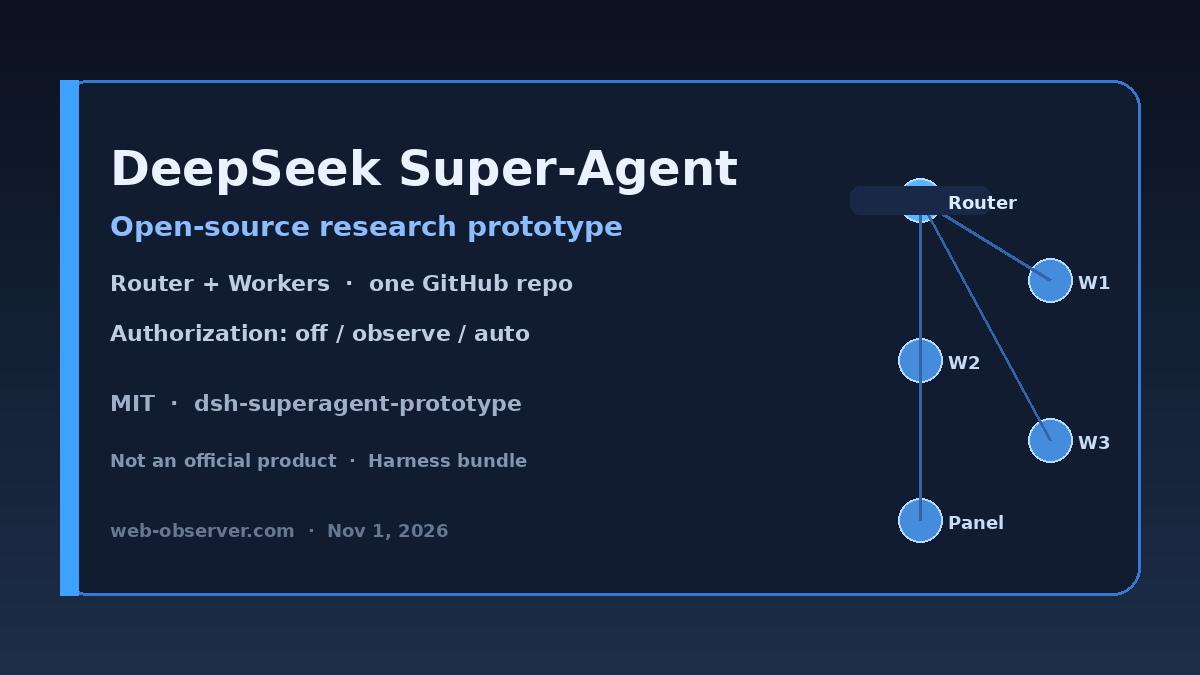
Google’s Connected Apps Platform preview wires third-party apps into AI Mode and Gemini. Vercel’s agent-desktop targets desktop computer-use via accessibility trees. DeepSeek’s open super-agent prototype explores Router–Worker coding agents. Copilot’s Oct 28 release is GitHub’s take: persistent cloud agent sessions plus connect-once MCP, billed against the Actions compute pool from November 2026. Unlike ChatGPT’s paid-account device-limit friction, the constraint here is shared compute entitlement and org MCP policy.
FAQ: GitHub Copilot cloud sessions and MCP connectors
When does Copilot cloud sandbox billing start?
GitHub says billing for cloud sandbox usage begins in November 2026 and draws from the shared, dollar-based Actions compute entitlement. Until then, free usage still draws from that entitlement per the Oct 28 changelog.
Which clients share one Copilot cloud session?
github.com, GitHub Mobile, the Copilot CLI, the Copilot app, VS Code, Slack, and Microsoft Teams participate in the connected cloud experience on paid Copilot plans.
What are Copilot connectors?
Connectors are GitHub-verified Model Context Protocol (MCP) servers. You sign in once to a service; GitHub handles MCP configuration and auth so the same connection works across supported Copilot surfaces and cloud sandboxes.
Do connectors work when Copilot runs on GitHub Actions?
No—not yet. Docs state connectors work locally and in cloud-sandbox sessions (including GitHub.com), but are not supported in sessions that run on GitHub Actions, such as assigning an issue to Copilot on the Actions path.
What must org admins enable for Business or Enterprise?
Enable Editor preview features and MCP servers in Copilot; set Restrict MCP access to registry servers to Allow all if that policy is enforced; add connector URLs (or a wildcard) to any MCP allowlist; and confirm vendor-side MCP access (for example Slack admin approval).
Bottom line: GitHub’s late-October 2026 Copilot release makes cloud sessions the default portable workspace across web, Mobile, CLI, app, VS Code, Slack, and Teams, with snapshot resume and November 2026 sandbox billing against the shared Actions entitlement—and pairs that with connect-once, GitHub-verified MCP connectors (~26 services) that work in cloud sandboxes but not yet on Actions-based sessions. Admins should budget the new compute pool and lock MCP policies before wide connector rollout; developers should prefer cloud-sandbox sessions when they need Slack/Figma/Sentry context in the agent loop.