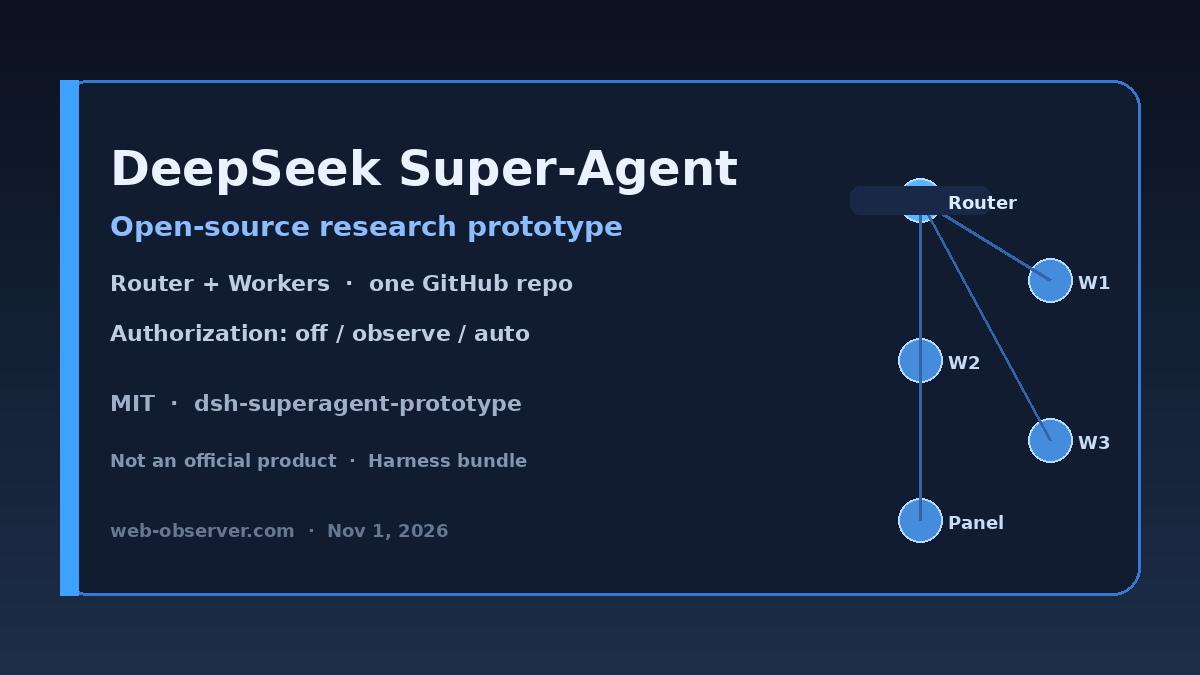
Bottom line: DeepSeek has published dsh-superagent-prototype (also called Super-Agent in secondary reporting)—an MIT-licensed research prototype of a proactive coding agent that watches one GitHub repository through a DeepSeek Harness bundle. The repo’s own banner is blunt: it is not an official DeepSeek product, may still contain bugs, and was adapted for publication so it is not identical to the internal system or every design in the accompanying Super-agent article. Treat it as a reference architecture you can study and harden—not a drop-in rival you turn on tomorrow next to Claude Code.
Primary artifacts live on github.com/deepseek-ai/dsh-superagent-prototype (see the raw README) and the numbered docs from philosophy through cookbook. Bloomberg’s November 1 wire, carried by Moneycontrol, frames the release as aiming to challenge Anthropic’s Claude Code and notes Harness-team WeChat commentary about monitoring developer group chats for coding feedback. That positioning is useful context; the GitHub docs are the source of truth for what the code actually does. The piece sits beside today’s coding-agent surface notes on ChatGPT Codex shared usage limits, Gemini 4 Carbon / Fairwind, and Google’s Connected Apps Platform preview.
What DeepSeek Super-Agent is (and is not)
Per the README, dsh-superagent is a proactive coding agent for one GitHub repository, packaged as a Harness bundle. It listens to GitHub and, optionally, Feishu. When an allowed person asks for work, it opens a work item (a Ticket), works in its own agent session and directory, and answers in the original conversation—commonly with a pull request. A web panel surfaces only what still needs a human.
The design philosophy, spelled out in docs/000-philosophy, is attention economics: take as little human attention as possible, and give as much value as possible. The agent acts only when asked or when a team-written rule allows it, and speaks only when someone must act or can use a result. Setup is deliberately agent-guided: you ask your coding agent to read SETUP.md and walk the install with you one short question at a time. License is MIT; pnpm check runs typecheck, tests, and build.
- Is: open research prototype + Harness plugin surface + GitHub/Feishu Sources + Router/Worker execution model.
- Is not: a polished SaaS coding product, a multi-repo fleet manager, or a claim that every design in the Super-agent article is already implemented in this tree.
- Operator burden: you own what it posts under your team’s everyday GitHub/Feishu identities—the philosophy doc says so explicitly.
Router + Workers vs single-session coding agents
Most popular coding agents (Claude Code-class tools, IDE copilots, many CLI agents) keep one interactive session glued to your terminal or editor: you prompt, it edits, you approve. DeepSeek’s prototype splits that loop across domain concepts documented in docs/007-architecture and the domain glossary:
- Main Session (Router / orchestrator): evaluates Triggers, decides accept / stop / ignore, routes work, and keeps proactive assessments out of the worker’s hands.
- Executor Sessions (Workers): one DeepSeek Harness Session and one working directory per Ticket—so parallel authorized jobs do not share a single chat transcript or cwd.
- Engine + Sources: GitHub (and optional Feishu) plugins turn issues, PRs, comments, and CI into Triggers; the Engine is the sole writer of Tickets, Mandates, and Decisions.
- Panel: human attention UI for blocked/failed work and “would accept” review—not a second IDE.
That Router–Worker split is the practical differentiator versus a single-session coding agent. It buys concurrency and authorization boundaries; it also means you operate a small control plane (Policy, Sources, accept mode) instead of only a chat window. If your mental model is “open a shell and ask the agent to fix a bug,” this prototype is closer to “run a team bot that may open Tickets when Policy allows.”
Authorization modes: off, observe, auto
docs/002-authorization defines the Policy accept mode that gates inferred (proactive) work. Cite these effects exactly:
| Mode | Effect on inferred candidates |
|---|---|
off | Nothing inferred becomes a candidate (unaddressed messages, listed-bot messages, follow-ups from people not on the allowed list, etc.). |
observe (default) | Inferred candidates are assessed; a positive assessment is recorded as ignore marked “would accept,” and nothing is accepted. |
auto | A positive assessment of an inferred candidate accepts it (still needs matching enabled rules). |
Explicit requests work in every mode—an allowed person who addresses the agent can still start work while you leave proactive accepts off. The docs’ operator advice matches the philosophy: start in observe, review recorded Decisions, then widen to auto only after “would accept” looks right. Proactive accept also requires at least one matching team rule; assessment must judge every enabled rule.
Security caveats for observe mode: observe is safer than auto, not “read-only.” The system still ingests GitHub/Feishu traffic you configure, runs assessments in the main Session, and can create noise or cost if Sources are wide open. Unlisted people addressing the agent stay ignored by default unless you weaken the admission table. Bots never make explicit requests. Do not enable receive-all scopes or “anyone may mention” cells until you understand the attention cost. And remember: even ignored assessments are model work—observe reduces unauthorized code changes, not necessarily token spend.
Clone and setup expectations
This is not npm i && ship. Expect DeepSeek Harness, GitHub (and optionally Feishu) CLIs/accounts, Policy/prompt configuration, and a guided SETUP.md flow. Practical expectations before you clone:
- Bound the blast radius: one repository, short allowed list, accept mode
observe, narrow GitHub scopes (prefer mentions over receive-all). - Budget operator time: the README says setup has many steps; plan an agent-assisted install, then a human review of Decisions for a few days.
- Read docs in order: 000 philosophy → 001 domain → 002 authorization before you touch 006 deployment or 008 cookbook Sources.
- Run
pnpm checkafter local changes; treat failing tests as a signal the prototype is still research-grade. - Do not equate WeChat marketing with GA: Moneycontrol/Bloomberg coverage about rivaling Claude Code describes intent—validate behavior against the repo before promising a production coding bot.
Fundraising figures appearing in the same Bloomberg/Moneycontrol article are secondary and optional for this story; they are not part of the GitHub release notes and are not required to evaluate the prototype.
Practical takeaways for coding-agent teams
- Architecture shoppers: Study Router + per-Ticket workers if you are designing multi-job agents that must not share one cwd/session.
- Security / platform: Copy the off → observe → auto ladder and “explicit always works” gate even if you never run DeepSeek’s code.
- Claude Code / Codex users: Keep your daily driver; use this repo as a reference for Policy and attention design. Pair with Codex shared-pool planning if your org already meters coding agents tightly.
- Publishers / SEO tooling teams: Agent launches are stacking—Carbon Fairwind, Connected Apps, Codex limits, and this open Super-Agent prototype. Prefer primary docs over rival headlines.
FAQ
Is DeepSeek Super-Agent an official product?
No. The repository banner states it is a research prototype for reference only, not an official DeepSeek product, may contain bugs, and was adapted for publication.
What repository does dsh-superagent-prototype target?
It is designed as a proactive coding agent for one GitHub repository, packaged as a DeepSeek Harness bundle, with optional Feishu listening.
What are the authorization accept modes?
Per docs/002: off (no inferred candidates), observe (default—assess and record “would accept” without accepting), and auto (accept inferred work after a positive assessment with matching rules). Explicit requests work in every mode.
How does Router–Worker architecture differ from Claude Code-style agents?
A main Session routes and evaluates; each Ticket gets its own Executor Session and directory. That differs from a typical single interactive coding session tied to one terminal.
Where should teams start for a safe trial?
Clone the MIT repo, follow SETUP.md with an agent, keep accept mode on observe, use a short allowed list, and review panel Decisions before enabling auto.
Does the Moneycontrol/Bloomberg story change what the code does?
No. Secondary wires supply positioning (Claude Code rivalry, Harness WeChat notes). Behavior and limits are defined by the GitHub README and numbered docs.
Sources: deepseek-ai/dsh-superagent-prototype README and docs (000, 002, 007); DeepSeek Harness/ Moneycontrol / Bloomberg, Nov 1, 2026. Analysis original to Web Observer.